CRM SOFTWARE
9 best Zendesk Sell alternatives before the 2027 retirement

By Ganesh Ravi Shankar
Last updated on Sep 30, 2026
Written by our Business Head, this guide is based on hands-on research of Zendesk Sell alternatives, including checking migration options, CRM features, and integrations.
QUICK SUMMARY
Zendesk Sell is being retired in 2027, so teams need to find a replacement that fits their existing sales process. We tested 9 Zendesk Sell alternatives across migration, CRM capabilities, integrations, support, and pricing to help you find the right fit.
9 best Zendesk Sell alternatives before the 2027 retirement
- Pipedrive — Best for easy Zendesk Sell migration
- HubSpot — Best for all-in-one CRM
- Salesforce — Best for complex sales processes
- SparrowCRM — Best for AI-native sales teams
- Close CRM — Best for outbound sales
- Zoho CRM — Best for affordable CRM
- Freshsales — Best for built-in calling and sales engagement
- Attio — Best for flexible, modern CRM
- Monday CRM — Best for flexible workflows

Looking for a Zendesk Sell alternative that’s free to start?
Try SparrowCRM Free and manage your sales process with core CRM features, AI assistance, and no subscription cost for up to 3 seats.
With Zendesk Sell set to sunset in August 2027, teams using Sell are already looking for a replacement that supports their existing sales processes without unnecessary disruption.
We tested the leading Zendesk Sell alternatives to see how well they handle what matters most during a CRM switch: migration, integrations, core CRM features, and pricing. We also looked at how closely each platform matches the capabilities teams currently rely on in Zendesk Sell.
In this guide, we break down the best Zendesk Sell alternatives and help you find the right option for your team, budget, and migration requirements.
The top 3 Zendesk Sell alternatives
If you want a quick starting point, these are the three alternatives we recommend looking at first:
- Pipedrive: A strong option for teams looking for a straightforward migration path from Zendesk Sell, with Zendesk Sell itself partnering with Pipedrive to support the transition.
- HubSpot: A good choice if you want an all-in-one platform covering sales, marketing, customer service, and CRM.
- SparrowCRM: A strong option for teams looking for an AI-native CRM with the core capabilities needed to replace Zendesk Sell.
How we evaluated the Zendesk Sell alternatives
We evaluated each alternative across four areas that matter most when replacing a CRM:
- Migration: How easily can you move your data from Zendesk Sell, what migration options are available, and what level of migration support does the provider offer? We gave this criterion the greatest weight because a smooth, well-supported migration is critical to minimizing disruption when switching from Zendesk Sell.
- Integrations: Does the platform integrate with the tools your sales team already uses, and does it provide integration options comparable to Zendesk Sell?
- Features: Does it cover the core CRM and sales capabilities available in Zendesk Sell?
- Customer support: Does the provider offer responsive, reliable support to help your team set up the platform, resolve issues, and get the most from the CRM?
- Pricing: Does the platform fit your current budget, and how does its pricing compare as your team grows?
This evaluation is designed to help you choose an alternative based not just on features, but on how practical it is to switch from Zendesk Sell and continue running your sales process.

What matters most when replacing Zendesk Sell?
Zendesk Sell alternatives compared: Features, migration, integrations, and pricing
CRM | Key features | Match with Zendesk Sell | Migration methods | Integrations | Customer support | Pricing |
|---|---|---|---|---|---|---|
Pipedrive | Contacts, leads, deals, lead inbox, meetings, lead scoring, pipelines, email, calling, automation, reporting | Highly matches: covers most core Zendesk Sell features | Dedicated Zendesk Sell migration, CSV import, API, migration partners | 500+ integrations, API, Zapier | 24/7 chatbot + email support | From $14/user/mo |
HubSpot | Contacts, leads, deals, lead scoring, meetings, pipelines, email, calling, automation, reporting, forecasting | Highly matches: covers core Sell capabilities and adds marketing/service | CSV import, API, migration partners, Data Sync integrations | 1,500+ integrations, API, App Marketplace | Chat/email/phone depending on plan | Free; paid from $20/seat/mo |
Salesforce | Leads, contacts, accounts, opportunities, pipelines, lead scoring, meetings, automation, forecasting, reporting, AI | Highly matches: broad coverage with significantly more customization | CSV/Data Loader, API, Data Import Wizard, migration partners | Extensive AppExchange ecosystem, API, MuleSoft | Help Center + support plans; phone support depending on plan | From $25/user/mo |
SparrowCRM | Contacts, leads, deals, pipelines, AI deal scoring, meetings, email, automation, AI next actions, reporting, deal loss analysis | Highly matches: covers core Sell workflows with AI-native capabilities | CSV/import, API | API + available integrations | Dedicated email and chat support for migration | Free; paid from $19/user/mo |
Close CRM | Leads, contacts, opportunities, pipelines, email, calling, SMS, sequences, automation, reporting | Partially matches: strong sales engagement but not every Sell capability | CSV import, API, integrations | Native integrations, API, Zapier | Email/chat support | From $9/user/mo |
Zoho CRM | Leads, contacts, deals, pipelines, lead scoring, meetings, email, calling, automation, reporting, AI | Highly matches: covers most core Sell capabilities | CSV import, API, migration tools, Zoho Data Migration | Zoho Marketplace, API, Zapier, 1,000+ integrations | Email, chat, phone depending on plan/region | From $14/user/mo |
Freshsales | Leads, contacts, deals, pipelines, lead scoring, email, calling, meetings, automation, reporting, AI | Highly matches: covers most core Sell workflows | CSV import, API, Freshworks integrations | Freshworks Marketplace, API, Zapier | Email, chat, phone depending on plan | From $9/user/mo |
Attio | Contacts, companies, deals, pipelines, email, meetings, automation, AI, relationship intelligence | Partially matches: flexible CRM but some traditional Sell workflows differ | CSV import, API, integrations | API, native integrations, Zapier | Email/support center | From $29/user/mo |
Monday CRM | Contacts, leads, deals, pipelines, forms, activities, automation, dashboards, email | Partially matches: covers core CRM and pipeline workflows | CSV import, API, integrations | 200+ integrations, API, Zapier | 24/7 support on eligible plans | From $12/user/mo |
Pipedrive
Key Features
Contacts, leads, deals, lead inbox, meetings, lead scoring, pipelines, email, calling, automation, reporting
Match With Zendesk Sell
Highly matches: covers most core Zendesk Sell features
Migration Methods
Dedicated Zendesk Sell migration, CSV import, API, migration partners
Integrations
500+ integrations, API, Zapier
Customer Support
24/7 chatbot + email support
Pricing
From $14/user/mo
HubSpot
Key Features
Contacts, leads, deals, lead scoring, meetings, pipelines, email, calling, automation, reporting, forecasting
Match With Zendesk Sell
Highly matches: covers core Sell capabilities and adds marketing/service
Migration Methods
CSV import, API, migration partners, Data Sync integrations
Integrations
1,500+ integrations, API, App Marketplace
Customer Support
Chat/email/phone depending on plan
Pricing
Free; paid from $20/seat/mo
Salesforce
Key Features
Leads, contacts, accounts, opportunities, pipelines, lead scoring, meetings, automation, forecasting, reporting, AI
Match With Zendesk Sell
Highly matches: broad coverage with significantly more customization
Migration Methods
CSV/Data Loader, API, Data Import Wizard, migration partners
Integrations
Extensive AppExchange ecosystem, API, MuleSoft
Customer Support
Help Center + support plans; phone support depending on plan
Pricing
From $25/user/mo
SparrowCRM
Key Features
Contacts, leads, deals, pipelines, AI deal scoring, meetings, email, automation, AI next actions, reporting, deal loss analysis
Match With Zendesk Sell
Highly matches: covers core Sell workflows with AI-native capabilities
Migration Methods
CSV/import, API
Integrations
API + available integrations
Customer Support
Dedicated email and chat support for migration
Pricing
Free; paid from $19/user/mo
Close CRM
Key Features
Leads, contacts, opportunities, pipelines, email, calling, SMS, sequences, automation, reporting
Match With Zendesk Sell
Partially matches: strong sales engagement but not every Sell capability
Migration Methods
CSV import, API, integrations
Integrations
Native integrations, API, Zapier
Customer Support
Email/chat support
Pricing
From $9/user/mo
Zoho CRM
Key Features
Leads, contacts, deals, pipelines, lead scoring, meetings, email, calling, automation, reporting, AI
Match With Zendesk Sell
Highly matches: covers most core Sell capabilities
Migration Methods
CSV import, API, migration tools, Zoho Data Migration
Integrations
Zoho Marketplace, API, Zapier, 1,000+ integrations
Customer Support
Email, chat, phone depending on plan/region
Pricing
From $14/user/mo
Freshsales
Key Features
Leads, contacts, deals, pipelines, lead scoring, email, calling, meetings, automation, reporting, AI
Match With Zendesk Sell
Highly matches: covers most core Sell workflows
Migration Methods
CSV import, API, Freshworks integrations
Integrations
Freshworks Marketplace, API, Zapier
Customer Support
Email, chat, phone depending on plan
Pricing
From $9/user/mo
Attio
Key Features
Contacts, companies, deals, pipelines, email, meetings, automation, AI, relationship intelligence
Match With Zendesk Sell
Partially matches: flexible CRM but some traditional Sell workflows differ
Migration Methods
CSV import, API, integrations
Integrations
API, native integrations, Zapier
Customer Support
Email/support center
Pricing
From $29/user/mo
Monday CRM
Key Features
Contacts, leads, deals, pipelines, forms, activities, automation, dashboards, email
Match With Zendesk Sell
Partially matches: covers core CRM and pipeline workflows
Migration Methods
CSV import, API, integrations
Integrations
200+ integrations, API, Zapier
Customer Support
24/7 support on eligible plans
Pricing
From $12/user/mo
9 best Zendesk Sell alternatives to consider
1Pipedrive — Best for easy Zendesk Sell migration
Source: support.pipedrive.com
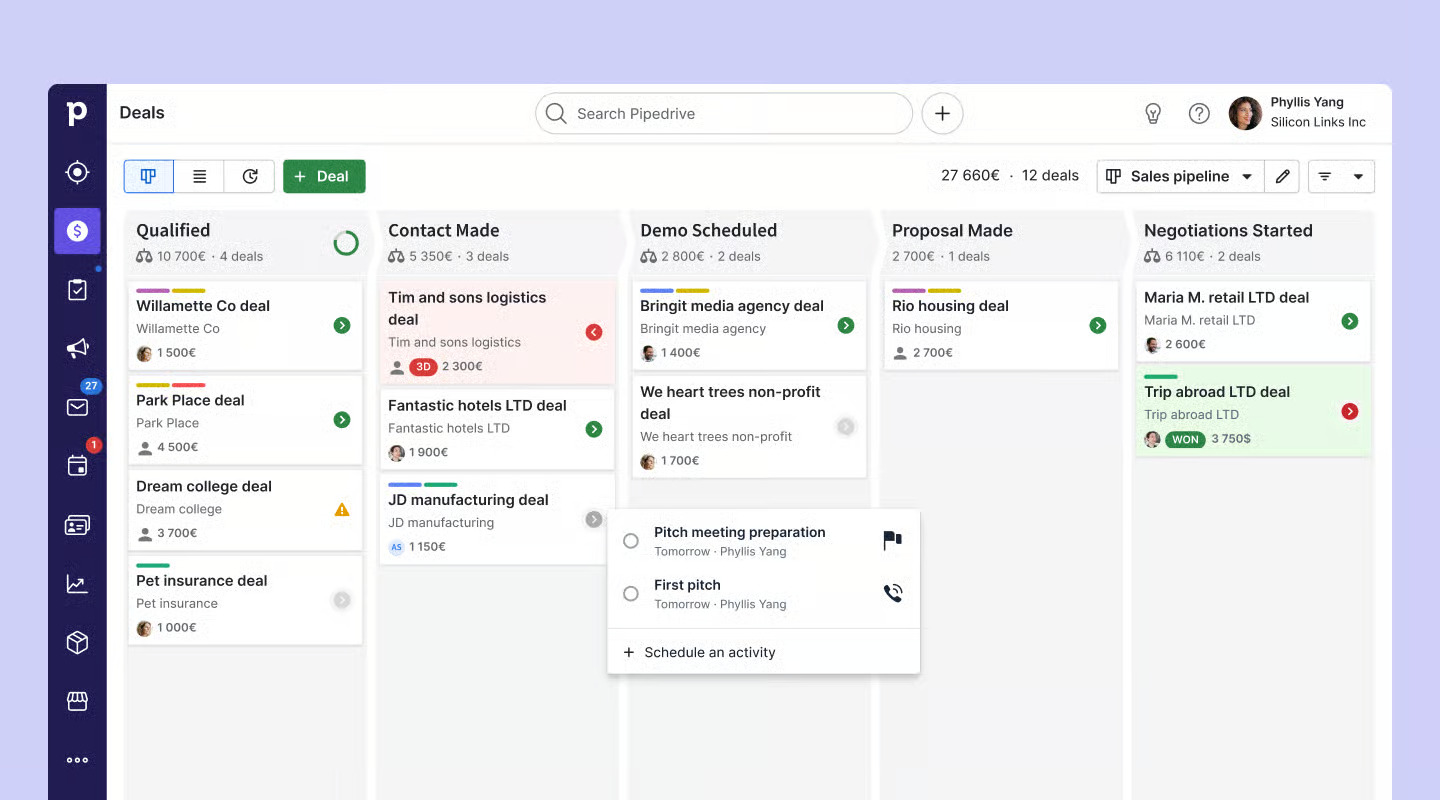
Pipedrive is one of the strongest Zendesk Sell alternatives, particularly for teams that want a straightforward migration. Zendesk has partnered with Pipedrive to help Sell customers migrate, making it a practical option for teams planning their transition.
Pipedrive is also a straightforward CRM with a highly visual Kanban-style pipeline. It covers many of the core capabilities Zendesk Sell users are familiar with, including lead scoring, deals, lead inbox, lead enrichment, and pipeline management. This makes the overall workflow relatively familiar for teams moving from Sell.
Migration support
Pipedrive provides a dedicated migration path for Zendesk Sell customers through its partnership with Zendesk. It also supports other migration methods, including spreadsheet-based imports.
If you export your data from Zendesk Sell, Pipedrive can import CSV and Excel files, with options for field mapping and duplicate handling. It also supports importing multiple sales objects through the same import process.
For migrations from other CRM platforms, Pipedrive also supports direct migration through Import2, in addition to spreadsheet-based imports.
Key features
- Built-in lead collection: Pipedrive can gather new prospects through web forms, chatbots, and live chat, allowing them to flow directly into the CRM.
- LeadBooster toolkit: This add-on brings together forms, chat, live chat, and Prospector to help businesses identify and capture potential customers.
- AI-powered reporting: Pipedrive’s reporting dashboard is easy to navigate and offers detailed insights. Users can generate reports with natural-language requests or create custom reports using data from contacts, deals, and other CRM records.
- Lead-source tracking: The platform helps teams monitor where leads come from and how they interact with the business. Engagement can be shown through positive, neutral, or negative indicators, with scores such as +25, +10, and -10.
Pros
- Clear visual sales pipeline that makes deal progress easy for sales teams to follow.
- Built-in lead-capture tools can reduce reliance on separate prospecting platforms.
- Prospector supports outbound lead generation within the CRM.
- Lead-source reporting helps teams understand prospect engagement and campaign performance.
Cons
- LeadBooster requires a separate paid subscription and is not included in Pipedrive’s standard plans.
- Businesses that need sophisticated marketing automation may have to connect additional tools.
Integrations
Pipedrive offers 500+ integrations, covering popular sales and productivity tools such as Apollo, Zapier, and Contractbook. This makes it easier for teams to connect Pipedrive with their existing sales stack.
Pricing
Pipedrive's CRM plans start at $14 per user/month when billed annually, with higher tiers adding more advanced automation, reporting, and AI capabilities.
LeadBooster is an additional add-on, starting at around $32.50 per month per company, depending on the plan and billing arrangement.
2HubSpot — Best for all-in-one CRM

Source: knowledge.hubspot.com
HubSpot is an all-in-one customer platform that brings sales, marketing, customer service, data, and revenue operations together in one system. Instead of managing these functions separately, teams can connect customer interactions across departments from a single platform.
For Zendesk Sell users, HubSpot covers the core CRM workflows, including contacts, leads, deals, pipeline management, lead scoring, email, sequences, and workflows. It also offers calling capabilities that can cover much of the functionality Sell Voice provides, with calling available across multiple countries.
Migration support
HubSpot provides a native Data Sync integration for Zendesk Sell, allowing users to connect their Sell account with HubSpot and sync supported CRM data.
Teams can also migrate their data using HubSpot's native import tools. Contacts, companies, deals, and other supported records can be imported and mapped to the relevant HubSpot properties.
For more complex migrations involving historical activities, custom objects, or complex pipeline structures, teams may need an API-based migration or a third-party migration service.
Key features
- Connected sales and marketing: HubSpot brings CRM, marketing, and customer-facing activities into one platform, making it easier for sales teams to see the full customer journey.
- Sales engagement: Reps can manage emails, sequences, calls, meetings, and follow-ups without switching between multiple tools.
- Lead prioritization: Lead scoring helps sales teams identify prospects that are more likely to convert and focus their time on higher-value opportunities.
- Workflow automation: Teams can automate repetitive tasks, lead routing, follow-ups, and other sales processes using configurable workflows.
- AI-powered insights: HubSpot's Breeze AI can provide additional context around prospects, companies, and sales activities to help reps work with less manual research.
Pros
- Combines multiple business functions in one platform, which can reduce the need for separate sales and marketing tools.
- Strong sales and marketing connection makes it easier to move leads from acquisition through sales follow-up.
- Extensive automation capabilities support more complex sales processes.
- The large feature set gives growing teams room to expand beyond the capabilities they used in Zendesk Sell.
Cons
- The platform can feel overwhelming for teams that only need a simple CRM, especially because HubSpot combines sales, marketing, service, and other functions.
- Costs can increase as teams add advanced features, additional users, and higher-tier hubs.
- Some advanced capabilities require moving beyond the free or entry-level plans.
Integrations
HubSpot has 2,000+ pre-built integrations, covering a broad range of business tools. Its ecosystem includes more than 400 communication platforms, 300 sales and prospecting tools, and 200 data and developer tools, giving teams plenty of options for connecting their existing technology stack.
Pricing
HubSpot offers a free CRM option for small teams that want to get started without an upfront subscription. Paid plans start at around $15 per seat/month, while more advanced sales, marketing, and service capabilities are available through higher-tier plans.
Explore our Zendesk Sell vs HubSpot comparison for a deeper look at features, pricing, automation, and migration. Read the full comparison →
3Salesforce — Best for complex sales processes

Source: salesforce.com
Salesforce is a broad customer platform covering sales, marketing, commerce, service, and analytics. For Zendesk Sell customers, it can be a strong replacement because it goes beyond core CRM and provides tools for managing the wider customer journey.
For teams using Zendesk across retail or commerce, Salesforce Commerce Cloud can also be an important part of the transition, while Salesforce Sales Cloud covers the core CRM capabilities that Sell users would expect. Salesforce has also expanded its AI capabilities through its collaboration with Claude and the launch of Claudeforce, giving teams more ways to use AI across Salesforce workflows.
Migration
You can export data as CSV and bring it into Salesforce using the Data Import Wizard, which supports imports of up to 50,000 records at a time. For larger datasets, Salesforce Data Loader supports migrations of up to 5 million records through Bulk API and up to 150 million records through Bulk API 2.0.
Key features
- Complete CRM: Manage leads, contacts, accounts, opportunities, activities, and deals from a single platform.
- AI and Agentforce: Use AI agents to support prospecting, lead engagement, pipeline activities, and other sales tasks.
- Forecasting: Get sales forecasting and deeper pipeline visibility through higher-tier plans.
- Analytics and reporting: Build detailed reports and dashboards to monitor sales performance, revenue, and pipeline health.
Pros
- Offers significantly more customization for complex sales processes.
- Strong capabilities for reporting, forecasting, and pipeline management.
- Supports advanced automation across multiple teams and workflows.
- Continues to expand its AI capabilities through Agentforce and Claudeforce.
Cons
- Setting up and managing Salesforce can require considerably more time and technical expertise.
- Many of the more advanced features are available only on higher-priced plans.
Integrations
Salesforce offers 2,500+ integrations, making it easy to connect with the sales, marketing, support, and business tools you’re currently using in Zendesk Sell.
Pricing
Salesforce Sales Cloud pricing starts at $25/user/month for Starter Suite, followed by $100/user/month for Pro Suite, $175/user/month for Enterprise, and $350/user/month for Unlimited, with annual billing.
4SparrowCRM — Best for AI-native sales teams
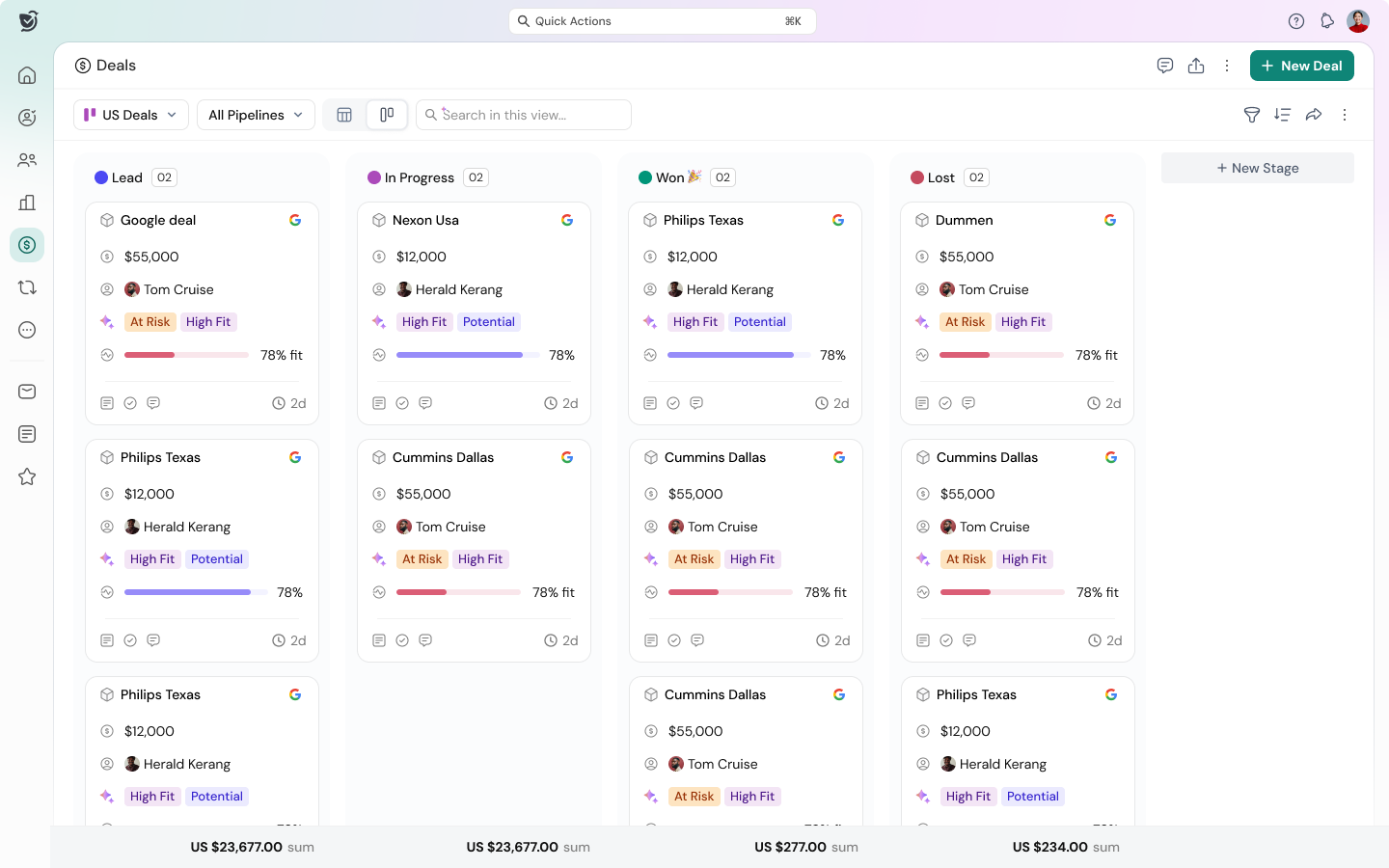
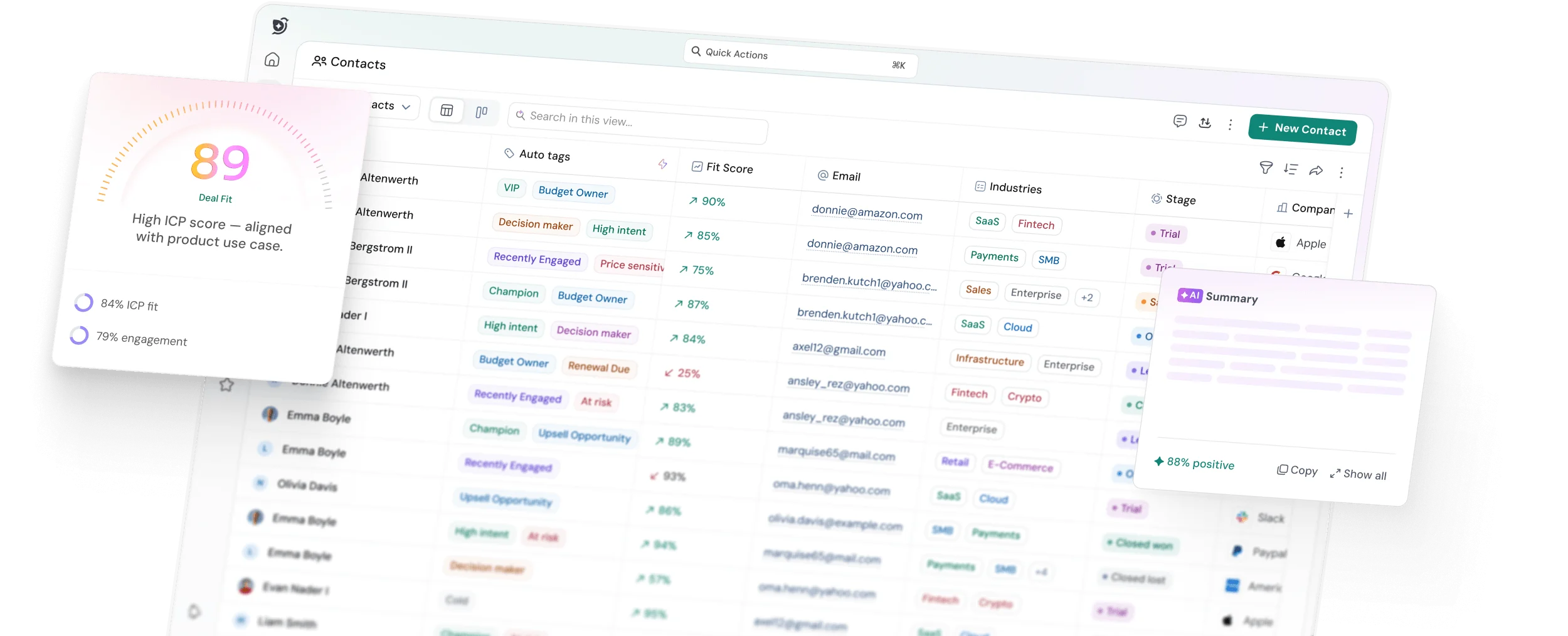
SparrowCRM is one of the closest alternatives to Zendesk Sell for teams looking to retain familiar CRM workflows while adding more AI-driven sales intelligence. It covers core Sell capabilities such as lead management, contacts, deals, lead scoring, deal loss reasons, and email integrations. It also adds capabilities such as Deal Health and ICP Fit Score to help sales teams better understand deal quality and prioritize opportunities.
Unlike a traditional CRM, SparrowCRM is built with an AI-native approach, with AI features focused on helping sales teams understand deals, prioritize opportunities, and take the right actions.
Migration support
SparrowCRM provides multiple ways to move data from Zendesk Sell, including CSV imports, API access, and integrations. CSV imports can handle core CRM records, while API-based migration and integrations offer greater flexibility for larger datasets and help map historical activities to the relevant records.
Key features
- Buying Intent: Surfaces signals that can indicate when a prospect is showing stronger interest in your offering.
- Next Action Analysis: Helps sales reps determine what they should do next to keep an opportunity moving.
- Deal Health: Gives teams a clearer view of deal health and helps identify opportunities that may require attention.
- Deal Loss Analysis: Analyzes lost opportunities to help teams understand recurring reasons and patterns behind deal losses.
- AI Enrichment Agent: Adds relevant company and prospect information to CRM records to give sales teams more context.
- Native Lead Capture: Lets teams collect leads directly through built-in forms without relying on a separate lead capture tool.
Pros
- AI capabilities are designed around sales execution, opportunity management, and deal progression.
- Provides proactive sales insights instead of only storing and organizing CRM data.
- Built-in forms make it easier to capture leads directly within the CRM.
Integrations
SparrowCRM supports integrations with the major tools sales teams use across their existing workflows, making it easier to connect CRM data with other business applications.
Pricing
SparrowCRM offers a Free plan with up to 3 seats. Paid plans start at $19/user/month for Growth and $49/user/month for Pro.
Get AI CRM free with 3 seats included.

5Close CRM — Best for outbound sales
Source: help.close.com
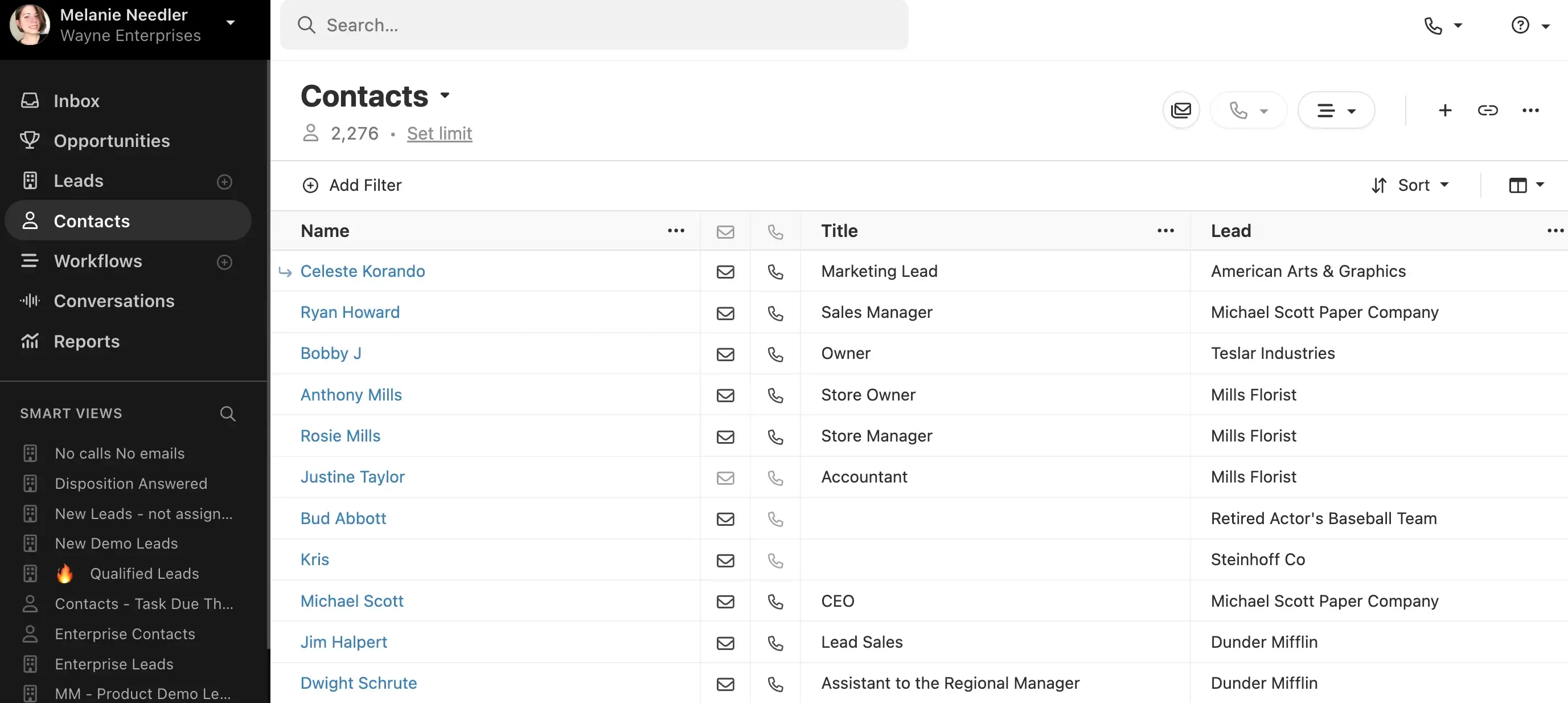
Close CRM is a strong option for Zendesk Sell customers whose sales process depends heavily on outbound prospecting. It combines CRM records with calling, email, SMS, deals, and lead management, giving sales reps the tools they need to manage outreach and opportunities from one place. Its AI capabilities can also support reps during the outbound sales process.
Migration support
Close offers a direct migration route through Import2, which can transfer data from Zendesk Sell without requiring teams to handle everything through manual CSV exports. The migration supports companies, contacts, pipeline data, tasks, and notes. CSV import is also available when teams want greater control over how their data is moved.
Key features
- Website lead capture: Collect new prospects through forms and bring them directly into the Close sales workflow.
- Dynamic lead organization: Use Smart Views to automatically group and prioritize leads based on different sales criteria.
- Sales communication: Handle calls, emails, and SMS conversations directly within the CRM.
- Opportunity management: Qualify prospects and manage deals using stages, tasks, notes, and custom fields.
- Performance tracking: Monitor rep activity, sales engagement, and pipeline progress through reporting.
Pros
- A strong fit for teams where outbound prospecting is a major part of the sales process.
- Keeps calling, email, and SMS together with CRM data, helping reps avoid switching between tools.
- Smart Views help sales reps quickly identify which leads need attention.
- Forms provide an easy way to bring inbound leads into the CRM.
Cons
- May not be the best choice for teams that need highly advanced CRM customization.
- Doesn't include native website chat or chatbot tools for capturing and engaging visitors.
- Additional prospecting or lead-sourcing capabilities may require external tools.
Integrations
Close CRM offers 100+ integrations through its marketplace, allowing teams to connect the CRM with their existing sales, communication, marketing, and business tools.
Pricing
Close CRM pricing starts at $9/user/month, while more advanced calling, automation, and sales capabilities are available on higher-tier plans.
6Zoho CRM — Best for affordable CRM
Source: help.zoho.com
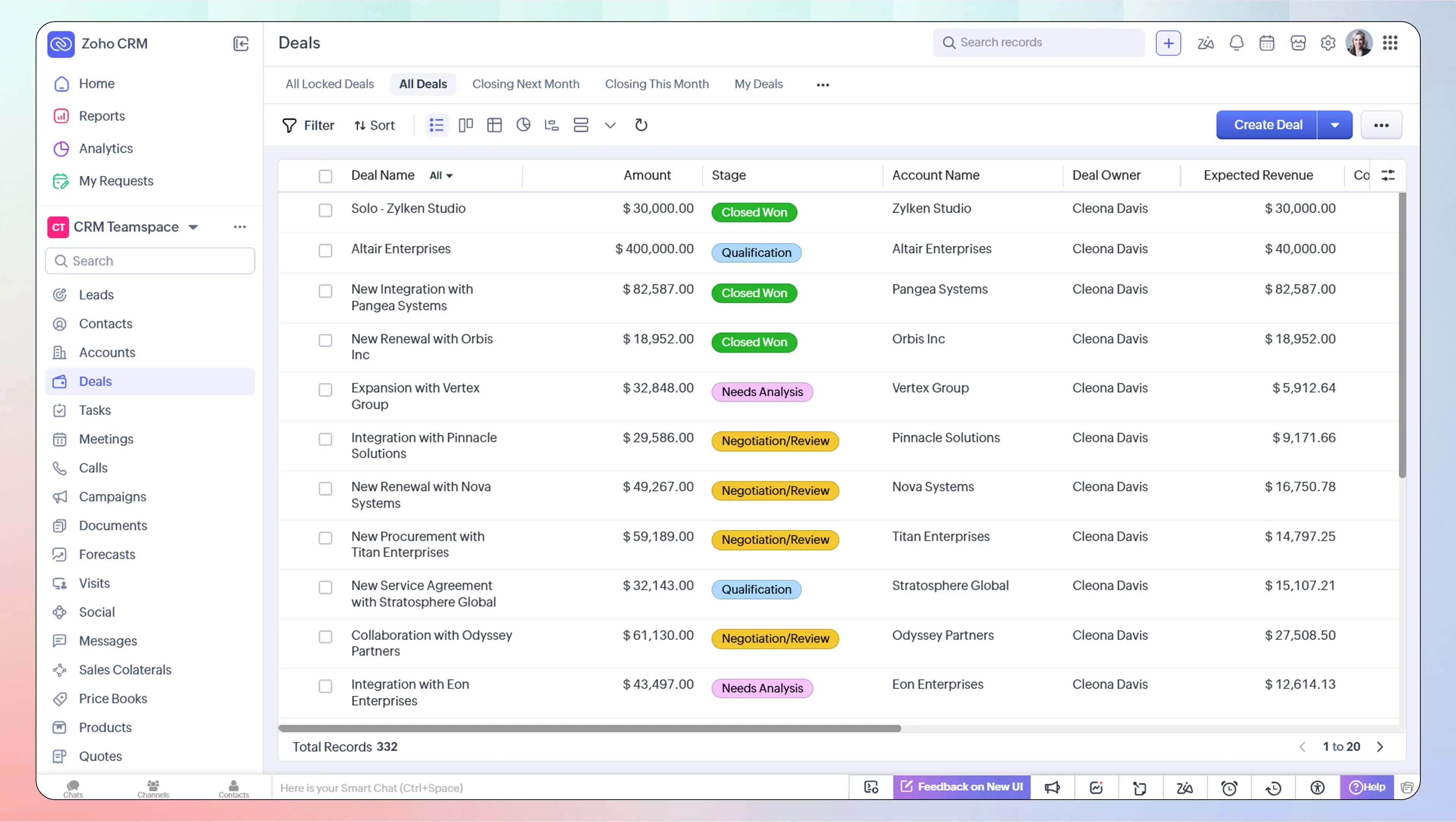
Zoho CRM is a cost-effective CRM that offers a wide range of capabilities for teams moving away from Zendesk Sell. It supports the core CRM workflows Sell users are likely to need, including contact and lead management, deals, pipelines, and lead scoring. Zoho also adds AI-driven capabilities through Zia to help sales teams work with customer data and pipeline activity.
Migration support
Moving from Zendesk Sell to Zoho CRM can be handled through CSV imports. Zoho allows teams to upload up to 200 CSV files, with individual files up to 5 GB and a combined limit of 25 GB. This is useful for teams that need to move larger datasets or have their CRM information spread across multiple exports.
Key features
- AI-assisted data enrichment: Zia can add useful business and contact information to CRM records and pull contact details from email signatures.
- Flexible sales reporting: Create different report types and analyze relationships between CRM records, with additional analytics available through Zoho Analytics.
- Sales intelligence with Zia: Get help with interaction summaries, deal predictions, pipeline monitoring, and workflow creation.
- Broader business suite: Zoho CRM works closely with other Zoho applications, making it easier to connect sales data with accounting, customer support, and marketing activities.
Pros
- Covers the key lead management workflows, including lead capture, scoring, routing, and conversion.
- Offers strong reporting and analytics for teams that need deeper sales and pipeline visibility.
- Zia brings AI-powered enrichment, deal predictions, interaction summaries, and workflow assistance into the CRM.
Cons
- The interface feels more traditional than newer, lightweight CRM platforms.
- The extensive feature set can make Zoho CRM more complex to learn and set up.
Integrations
Zoho CRM connects with 1,100+ applications through the Zoho Marketplace, giving teams plenty of options for connecting their existing sales and business tools.
Pricing
Zoho CRM includes a free edition for up to three users, while paid plans start at $14/user/month.
For a detailed understanding of Zoho CRM pricing, see our Zoho CRM pricing guide
7Freshsales — Best for built-in calling and sales engagement
.png?2026-06-30T11:33:35.694Z)
Source: support.freshsales.io
Freshsales is an AI-powered CRM from Freshworks that covers the core sales workflows Zendesk Sell users would expect, including leads, contacts, deals, pipelines, sales activities, and automation. It also brings built-in communication across email, phone, and chat, along with Freddy AI for lead prioritization, deal insights, and sales recommendations.
Migration support
Freshsales supports CSV/XLSX imports and API-based migration. Core CRM records can be imported directly, while more complex historical activities may require additional field mapping or API work.
Key features
- Lead and contact management: Capture, organize, qualify, and track leads and contacts throughout the sales cycle.
- Pipeline management: Manage multiple sales pipelines, customize stages, and track opportunities through Kanban views.
- Freddy AI: Uses AI to score contacts, surface promising deals, provide deal insights, and recommend next actions.
- Sales automation: Automate repetitive activities with workflows, sales sequences, lead routing, and task management.
- Multichannel engagement: Bring email, phone, chat, and other communication channels into the sales workflow.
Pros
- Covers the core CRM and sales management workflows needed to replace Zendesk Sell.
- Freddy AI adds lead scoring, deal insights, and recommendations to help sales teams prioritize opportunities.
- Built-in email, phone, and chat reduce the need to manage customer conversations across separate tools.
Cons
- Some advanced sales capabilities, including contact scoring, deal insights, sequences, and forecasting, are limited to higher-tier plans.
- Teams looking for extensive customization may need more setup as they move into advanced features.
Integrations
Freshsales provides access to over 1,000 ready-to-install integration options through the Freshworks Marketplace and also provides APIs for custom integrations. It can connect with tools such as Slack, Zapier, DocuSign, QuickBooks, Xero, and other business applications.
Pricing
Freshsales has a Free plan for up to 3 users. Paid plans start at $9/user/month for Growth, followed by $39/user/month for Pro and $59/user/month for Enterprise, when billed annually.
8Attio — Best for flexible, modern CRM
Source: attio.com/help
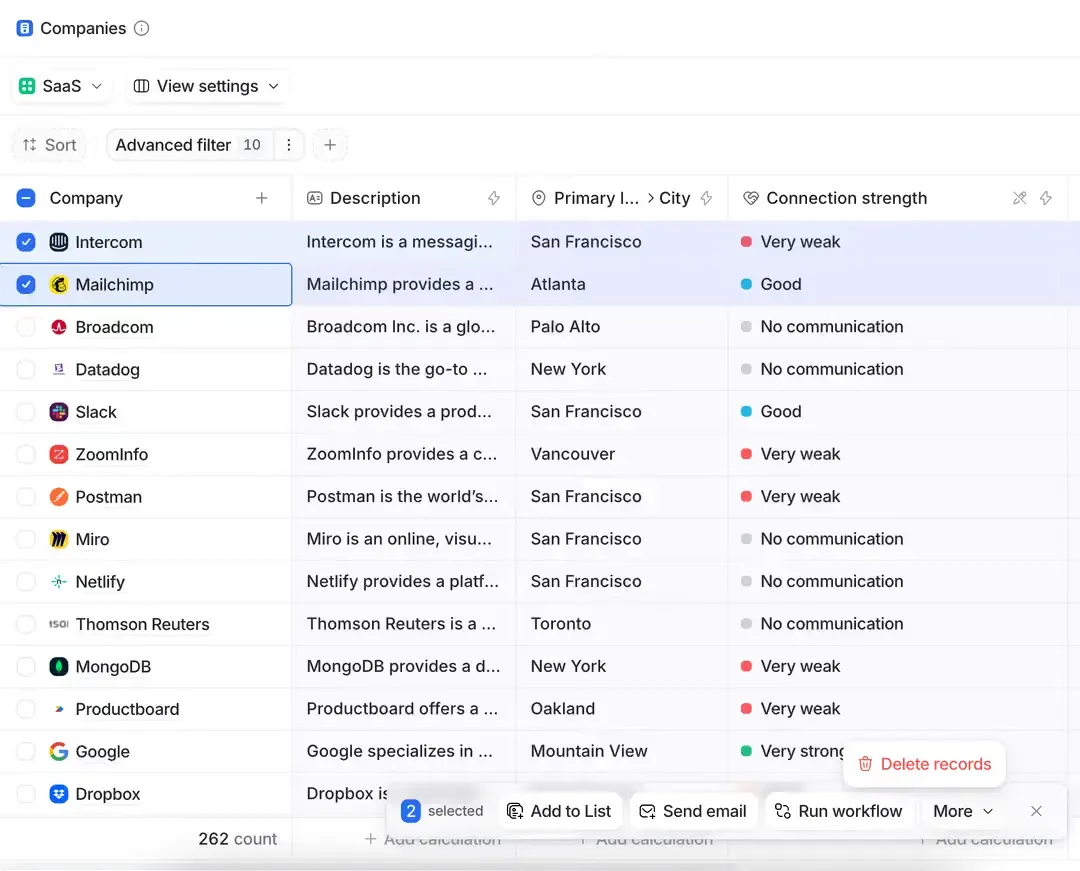
Attio is a modern, lightweight CRM designed for growing sales teams that want a simpler alternative to traditional CRM platforms. For Zendesk Sell customers looking for a more flexible and easy-to-manage CRM, Attio can be a strong option. It supports core CRM workflows such as contacts, companies, deals, pipelines, and sales activities, while adding AI-powered features and relationship intelligence.
Migration support
Attio supports several options for moving data from Zendesk Sell. Import2 can handle automated migrations of contacts, companies, and deals on paid Attio plans. Teams with more customized data structures can use CSV imports or the Attio API, while third-party migration partners can provide additional support for more complex migrations.
Key features
- Flexible CRM structure: Customize people, companies, deals, and other records to match your sales process.
- Relationship intelligence: Automatically connects customer information and interactions to provide a clearer picture of business relationships.
- AI-powered CRM: Use AI to search, summarize, analyze, and work with customer and company data.
- Pipeline management: Track deals through customizable pipelines and sales stages.
- Data enrichment: Bring additional company and contact information into CRM records to give sales teams more context.
Pros
- Lightweight and flexible interface that is easier to adapt than traditional enterprise CRMs.
- Flexible data structure makes it suitable for growing teams with evolving sales processes.
- AI and relationship intelligence provide more context around customers and business relationships.
Cons
- Some advanced capabilities can become expensive as the team and number of connected accounts grow.
- Teams moving from a more traditional CRM may need time to adapt to Attio's flexible data model.
Integrations
The Attio App Store offers 100+ native integrations and third-party applications, allowing teams to connect their CRM with the tools they already use across sales and business workflows.
Pricing
Attio offers a Free plan for up to 3 seats. Paid plans start at $35/user/month for Plus and $79/user/month for Pro.
For a detailed understanding of Attio CRM pricing, see our Attio CRM pricing guide
9Monday CRM — Best for flexible workflows
Source: support.monday.com
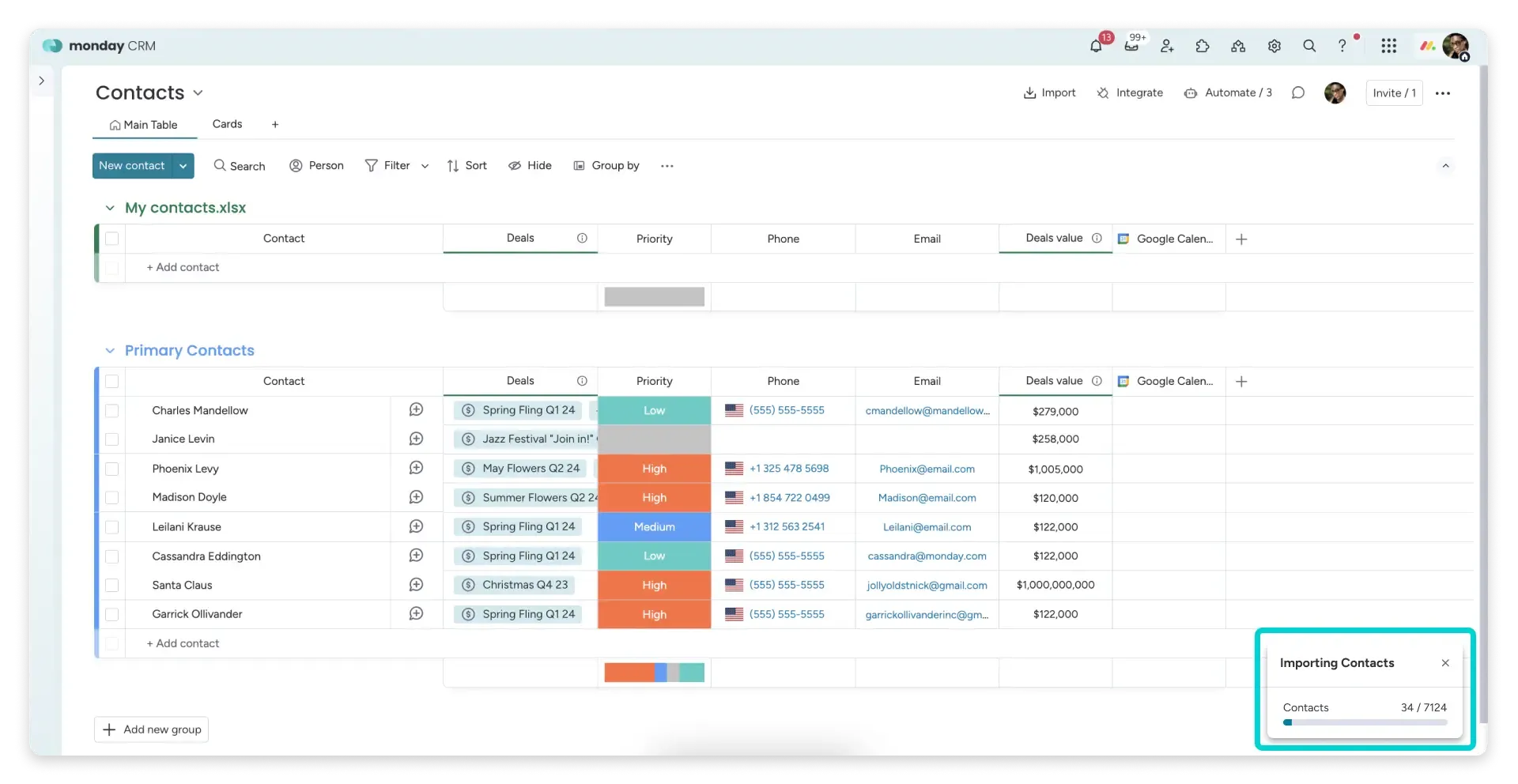
Monday CRM is a flexible option for Zendesk Sell customers who want a more customizable way to manage their sales process and connect it with project management workflows. It covers core CRM functions such as leads, contacts, deals, pipelines, activities, and automation, while its flexible boards and no-code workflows help teams coordinate sales activities with project planning, task management, and delivery processes.
Migration support
Monday CRM does not have a native, one-click migration tool specifically for Zendesk Sell. Teams can move data using the platform's native CSV/Excel export and import tools. The typical process involves exporting data, cleaning and matching fields, and importing the records into monday CRM. For larger or more complex migrations, third-party migration services can help with data mapping and transfer.
Monday CRM's native import supports up to 8,000 rows, 50 columns, and 10 MB per file, so larger Zendesk Sell datasets may need to be split into multiple files.
Key features
- Flexible pipeline management: Build and customize sales pipelines around different processes and stages.
- Lead and contact management: Organize prospects, contacts, and customer information in one place.
- No-code automation: Create automated workflows for tasks, notifications, assignments, and other recurring sales activities.
- Sales dashboards: Track pipeline activity, deal progress, and team performance through customizable dashboards.
- Connected work management: Bring sales workflows together with monday's broader project management and team collaboration capabilities.
Pros
- Flexible workflows make it easier to adapt the CRM to different sales processes.
- No-code automation can reduce repetitive sales and administrative work.
- The platform connects CRM activities with project management and other team workflows.
- The visual interface can make pipeline and activity management easier for sales teams.
Cons
- There is no dedicated native migration tool for moving directly from Zendesk Sell.
- The 8,000-row import limit can make large migrations more time-consuming because files may need to be split.
- Teams may need additional configuration to recreate some of the more specialized CRM workflows available in Zendesk Sell.
Integrations
Monday CRM has more than 200 native integrations and connects to hundreds of additional apps through its marketplace and automation tools like Zapier and Make. It connects with sales, communication, productivity, and business applications, giving teams flexibility to build workflows around their existing tools.
Pricing
Monday CRM offers multiple pricing tiers. The Basic plan starts at $12 per user per month, while the Standard plan starts at $17 per user per month.
Why is Zendesk retiring Sell in 2027?
Zendesk is retiring Sell to focus its resources on customer and employee service. According to Jennifer Chang, VP of Product Development Program Management at Zendesk, this focus will allow the company to “move faster, innovate more boldly with AI, and build solutions that make a bigger impact.”
This means Zendesk is moving away from offering a dedicated sales CRM and concentrating its product investments on its core service business. The company has also emphasized AI as a major part of its product strategy, with AI increasingly built into its customer and employee service products.
How to choose the right Zendesk Sell alternative?
The best Zendesk Sell alternative isn't the one with the most features; it's the one that fits your sales process, migration requirements, and team's priorities, using the same criteria we apply in our comparison of the best CRM software.
- Want a smooth transition with familiar sales workflows? Choose Pipedrive for its dedicated Zendesk Sell migration path and visual pipeline, or Freshsales for core CRM, communication, automation, and AI capabilities.
- Need a broader platform beyond CRM? Choose HubSpot for sales, marketing, service, automation, and AI, or Salesforce for advanced customization, forecasting, reporting, and complex sales operations.
- Want AI-driven sales intelligence? Choose SparrowCRM for buying intent, deal health, next-action analysis, AI enrichment, and deal-loss intelligence, or Zoho CRM for Zia-powered enrichment, predictions, reporting, and automation.
- Looking for flexibility and simplicity? Choose monday CRM for customizable pipelines and no-code automation, or Attio for a lightweight CRM with flexible data structures, relationship intelligence, and AI capabilities.
- Focused on outbound sales and prospecting? Choose Close CRM for built-in calling, email, SMS, Smart Views, and sales-focused workflows.
Bottom line
There’s no single Zendesk Sell alternative that works for every team. Pipedrive is a strong choice for an easier migration; HubSpot and Salesforce fit teams looking for broader CRM capabilities, while SparrowCRM and Zoho CRM are better suited for AI-driven and cost-conscious sales teams. monday CRM, Attio, Close CRM, and Freshsales offer different strengths around flexibility, simplicity, outbound sales, and built-in communication.
The right choice ultimately depends on how closely the CRM matches your existing Zendesk Sell workflow, how easily you can migrate your data, and which capabilities your sales team needs most.