CRM SOFTWARE
CRM Features That Actually Move Deals Forward (Not Just Fill Dashboards)

By Geethapriya
Last updated on May 26, 2026
Explore this blog to understand which CRM features genuinely drive sales outcomes — and how to evaluate them before you buy.

Geethapriya
Updated on May 26, 2026
Most CRM vendors will show you a feature grid. Dozens of icons, checkmarks across every column, enterprise-grade everything. The pitch is always the same more features mean more power.
But here's what actually happens: the average sales team uses less than 40% of their CRM's capabilities. The rest sits unused, adding complexity without adding value. Features aren't the problem. The wrong features or the right ones buried under bad UX are.
When we talk about CRM features from a sales perspective, we mean one thing: does this feature remove friction from the path between a lead and a closed deal? If it doesn't, it's overhead. For a complete overview of what CRM software is and how to choose the right one, see our CRM software guide.
Beyond the Buzzwords
Terms like "360-degree customer view" and "omnichannel engagement" sound compelling in demos. In practice, what sales teams need is simpler a clear picture of where each deal stands, what happened last, and what should happen next.
The features that move deals are the ones that reduce manual work, surface the right information at the right time, and keep the entire team aligned on the same version of the truth.
Why Most Teams Use Less Than 40% of Their CRM
The gap between purchased and used features usually comes down to three reasons. First, the CRM was selected by someone who won't use it daily. Second, the onboarding focused on setup, not workflow integration. Third, the features require too many steps to deliver any value.
The fix isn't a simpler CRM it's a smarter one. AI-native platforms like Sparrow CRM are built around the idea that the CRM should do the work, not remind you to do it.
The Core CRM Features Every Business Needs
These are the non-negotiables, the features that define what a CRM is versus what a spreadsheet can do. Every business, regardless of size or sales motion, needs these working before anything else matters.
Contact & Account Management
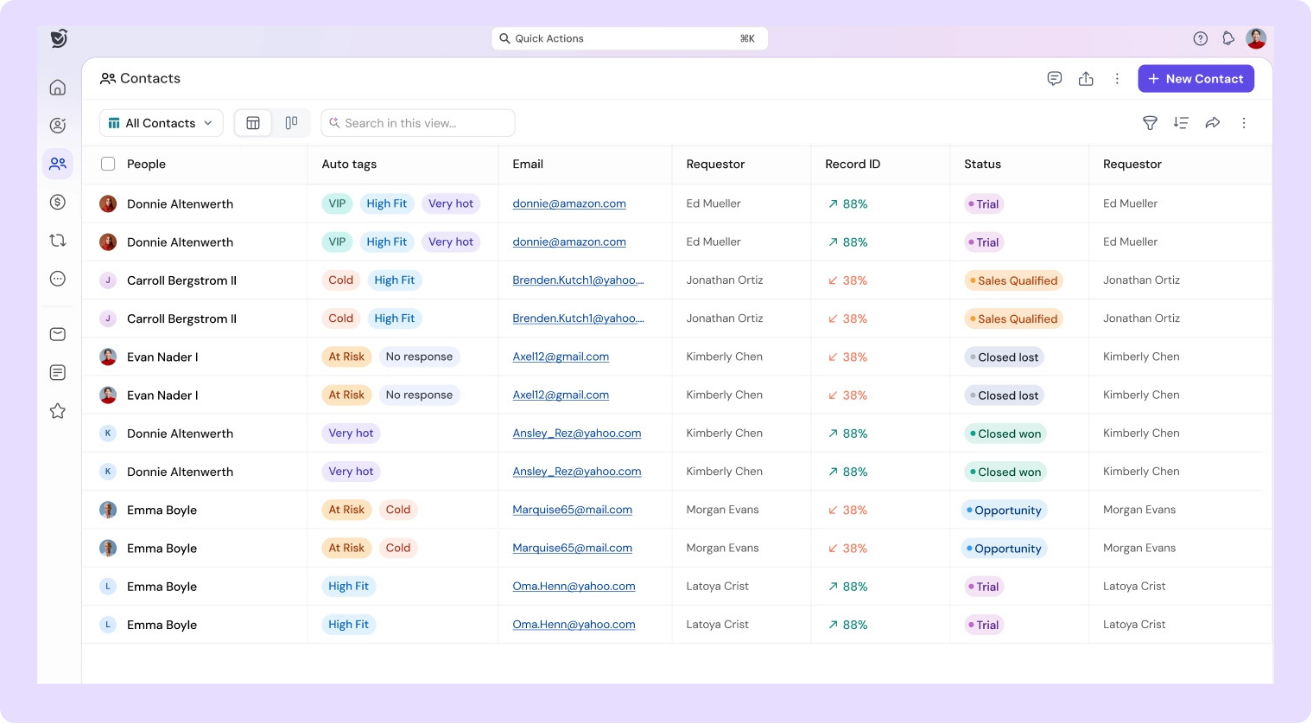
A CRM's most fundamental job is to store, organize, and surface information about the people and companies you sell to. Solid contact management means clean contact records with full interaction history, company-level account views that aggregate all related contacts, and the ability to segment by any combination of attributes industry, stage, deal size, or custom fields.
What separates good contact management from basic is enrichment the ability to pull in LinkedIn data, company news, org chart changes, and behavioral signals without manual entry. This is where AI-native CRMs earn their keep: contact records that update themselves based on real-world signals.
Lead Management & Tracking
Lead management is where most CRMs fall short. The basics capturing leads from web forms, email, or manual entry are table stakes. What matters is what happens next: how leads are scored, prioritized, and routed to the right rep at the right time.
According to Salesforce Research, companies using CRM report a 29% increase in sales and 42% better forecast accuracy. Most of that lift comes directly from better lead prioritization getting the right lead to the right rep before the window closes.
Pipeline & Deal Management
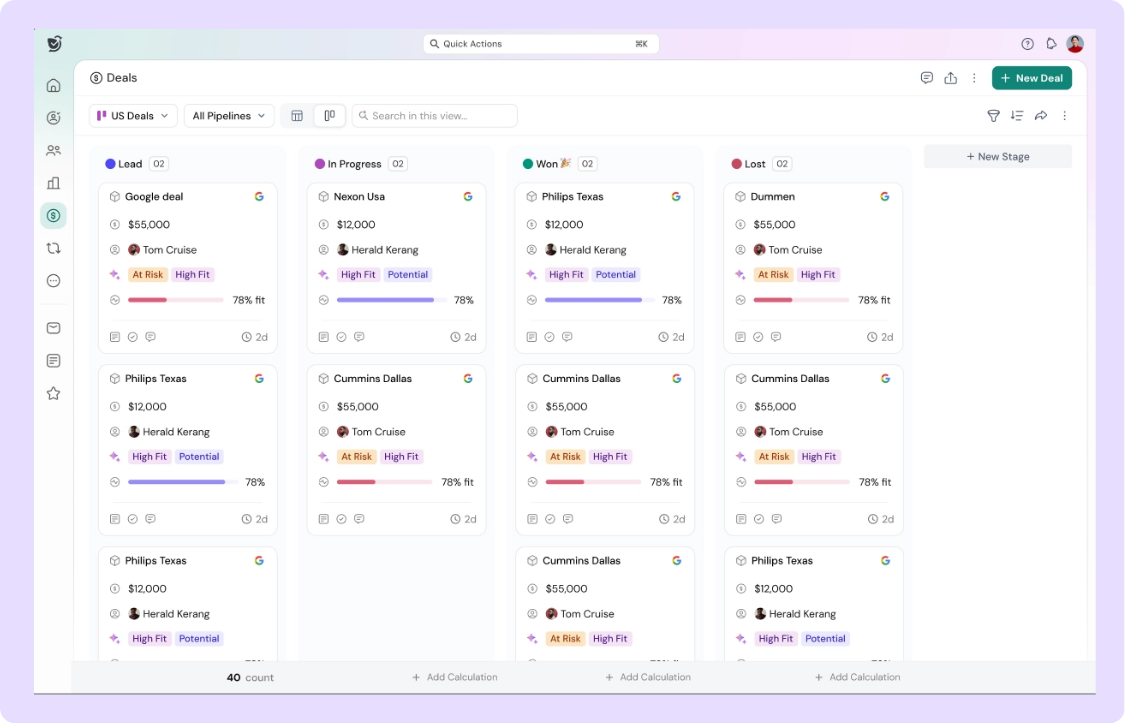
A visual pipeline isn't a feature, it's a requirement. Every deal should have a clear stage, an owner, an expected close date, and a record of every interaction. What makes pipeline management genuinely useful is real-time CRM data: stages that reflect where deals actually are, not where someone remembered to update them.
The best CRM auto-advance deal stages based on activity, a proposal sent, a meeting booked, a contract opened. This removes the manual update burden and gives managers a reliable picture of the pipeline without chasing reps for status updates.
Task & Activity Management
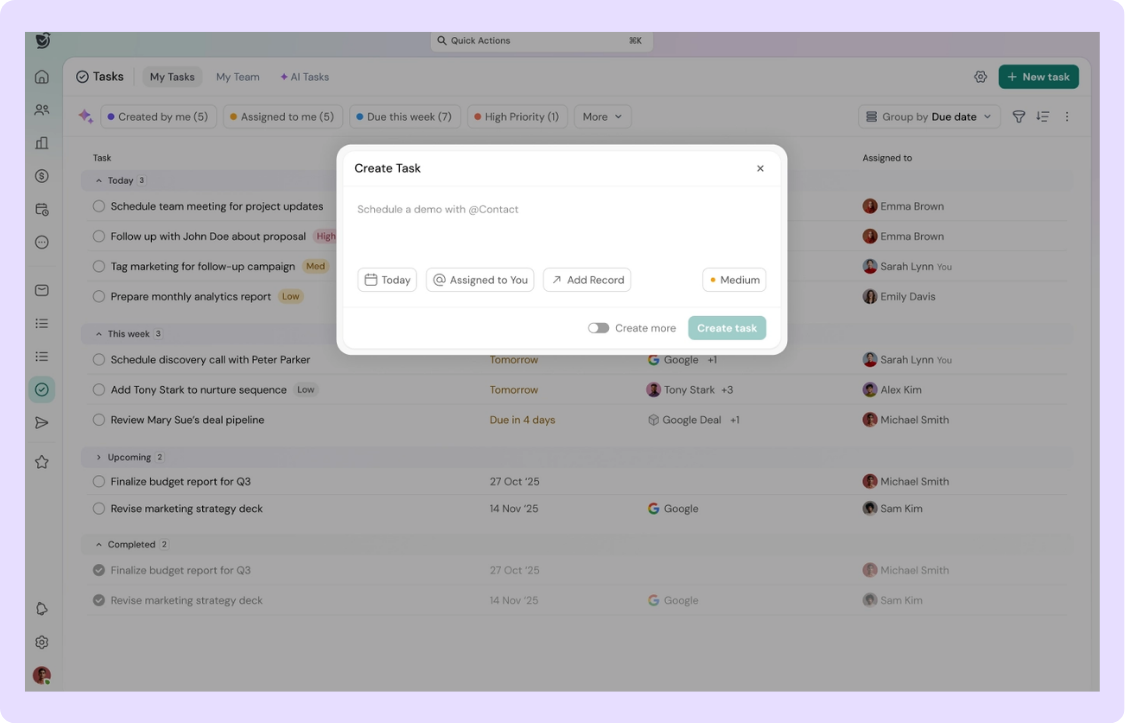
CRM-generated tasks beat manually created ones because they're grounded in context. When a rep logs a call, the CRM should suggest a follow-up task based on what was discussed. When a deal goes quiet for five days, the CRM should surface it, not wait for the weekly pipeline review to catch it.
Activity management is also the source of CRM adoption. If reps see that the CRM actually helps them remember what to do next, they use it. If it just logs what they did, it feels like surveillance rather than support.
Email & Communication Tracking
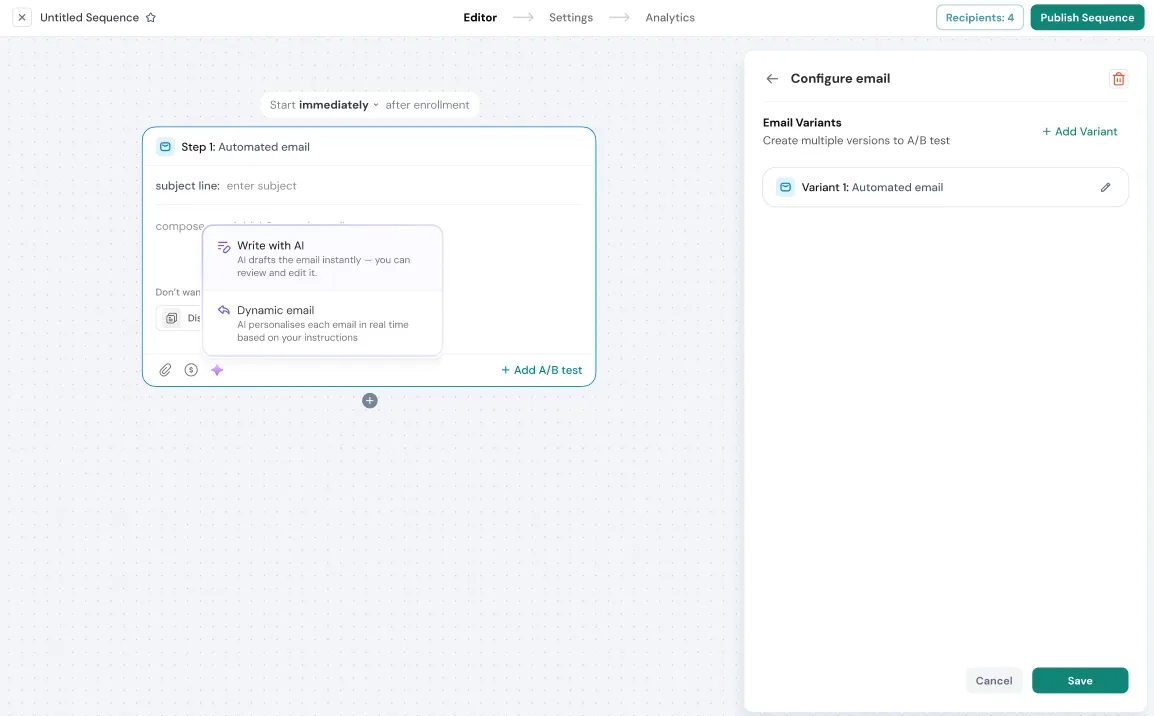
Two-way email sync is the baseline. Every email sent to or received from a contact should land automatically in the CRM record, no BCC hacks, no manual logging. This connects directly to CRM email marketing capabilities, when communication history is clean, campaign segmentation and personalization become dramatically more effective.
Research from HubSpot shows that sales reps spend 17% less time on admin tasks after CRM adoption, most of that savings comes from automated activity logging. The moment you remove the "remember to log it" requirement, data quality improves, and rep trust in the system goes up.
Ready to see what AI-native CRM features look like in practice?
Advanced CRM Features for Growing Teams
Once the core features are working, growing teams need a second layer — features that scale workflow, surface intelligence, and reduce the manager's reliance on manual oversight.
Sales Automation
Sales automation converts repetitive manual steps into triggered workflows. A lead reaches a score threshold → they're automatically enrolled in a follow-up sequence. A deal sits at a stage for seven days without activity → the rep gets a nudge, and the manager gets a flag.
The key distinction here is between automation that replaces judgment and automation that supports it. Good sales automation handles the predictable, the reminders, the routing, the data updates and frees reps to focus on the judgment calls.
Workflow Automation
Workflow automation sits one level above sales automation, it connects actions across tools and teams. A deal closes → a Slack notification fires, a customer success ticket is created, and the contract system gets updated. All without a human touching a single button.
For RevOps teams, workflow automation is the difference between a CRM and a revenue operating system. The CRM becomes the source of truth that triggers downstream actions, not just a place to log what happened.
CRM Reporting & Analytics
Reporting features are split into two categories: what happened (historical) and what's likely to happen (predictive). Both matter. A well-configured CRM dashboard tells you which rep closed the most deals last quarter and which channel generated the highest-quality leads, while predictive analytics tells you which deals are at risk this quarter before it's too late to save them.
The most useful dashboards are built around decisions, not metrics. A revenue leader doesn't need 47 charts, they need to know: is the pipeline healthy, which deals need attention, and are we on track for the quarter?
Forecasting & Revenue Intelligence
Manual forecasting is a confidence game — reps sandbagging, managers adjusting gut-feel numbers, leadership working from a spreadsheet that's three days out of date. CRM-driven forecasting replaces that with a model built on actual deal data: stage, engagement, deal size, and historical win rates by similar profile.
According to Salesforce Research, companies using CRM see 34% improvement in sales productivity and 42% better forecast accuracy. Most of that accuracy gain comes from removing human bias from the forecasting process and letting the data speak.
AI-Native CRM Features — The New Baseline
In 2025, 80–83% of companies use AI within their CRM. But there's a meaningful difference between AI features bolted onto a traditional CRM and AI built into the foundation of how the CRM works. The former gives you a chatbot. The latter gives you a system that thinks.
These are the AI features that have moved from "impressive demo" to "baseline expectation" for modern sales teams.
Auto Activity Logging
The single highest-ROI AI feature in any CRM. Every email sent, every call made, every meeting attended, logged automatically, summarized intelligently, and attached to the right contact and deal record without the rep lifting a finger. Tools like voice-to-CRM take this further by converting spoken notes and call audio directly into structured CRM data in real time.
Auto logging removes the biggest source of CRM failure: the human memory gap between what happened and what got recorded. When activity logging is automatic, data is always current, pipeline reviews reflect reality, and reps stop treating the CRM like a reporting burden.
AI Lead Scoring
Traditional lead scoring assigns points based on rules a job title gets 10 points, downloading an ebook gets 5 points. AI lead scoring learns from your actual closed-won data and builds a dynamic model that weights signals based on what actually predicts conversion for your specific business.
The result is a contact list ranked by genuine purchase likelihood, not a ruleset someone configured two years ago. Reps spend their time on the leads most likely to close, not the ones who just happen to have a high static score.
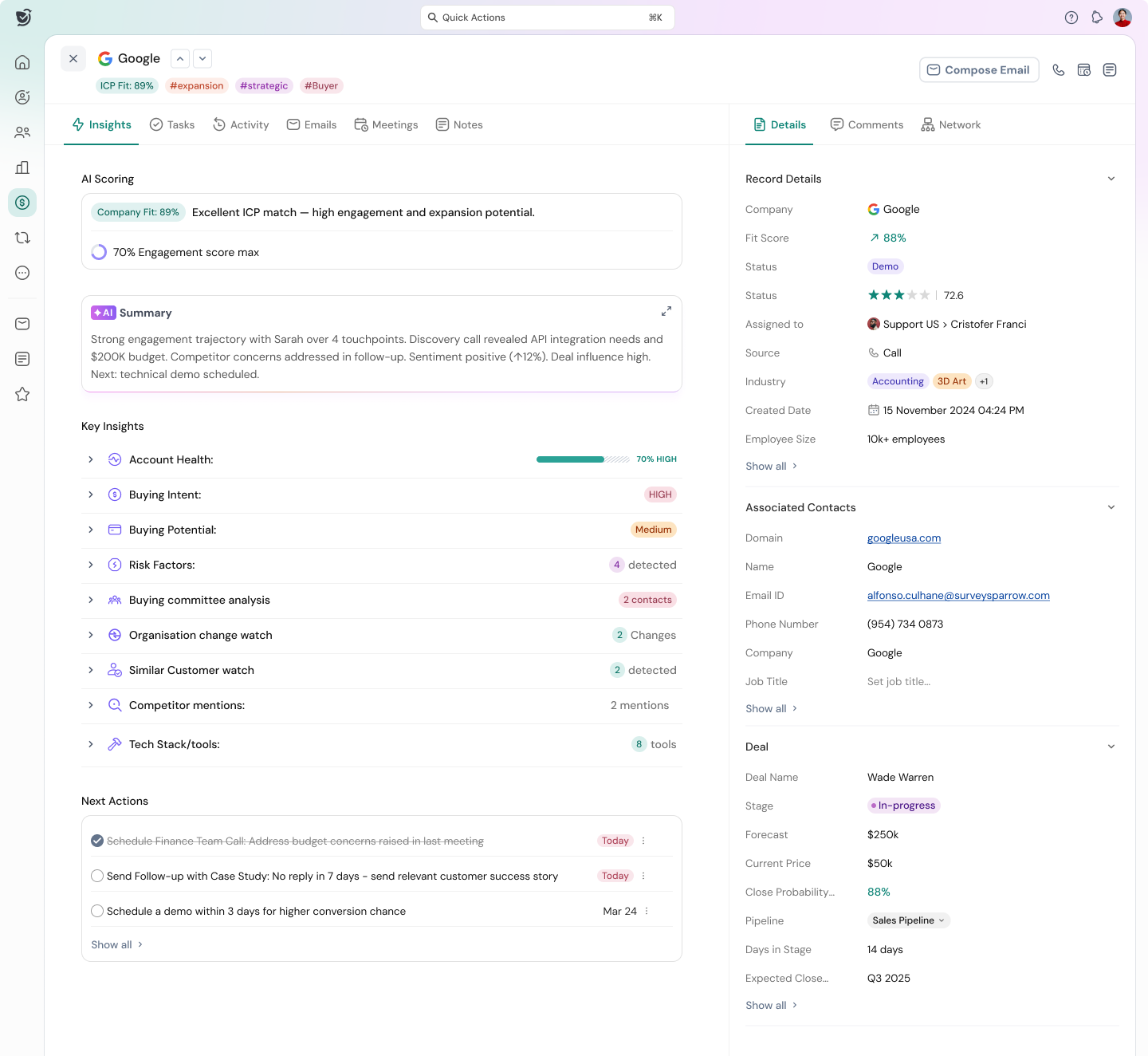
Suggested Next Actions
Every deal has a next step. AI-native CRMs like Sparrow CRM surface those next steps automatically — based on deal stage, engagement history, time since last contact, and patterns from similar deals that closed. Instead of asking "what should I do with this deal today?", the rep opens their CRM, and the answer is already there.
This feature has the most direct impact on pipeline velocity. When every rep knows exactly what to do next on every deal, the average time spent in each stage drops, and the deals that need attention get it before they go dark.
Conversation Intelligence
AI that listens to calls, transcribes them in real time, identifies buying signals and objections, and generates a summary with action items, all synced to the CRM record automatically. No note-taking during calls. No forgetting what was discussed. No coaching blind spots for managers. A CRM chatbot layer can extend this further, engaging prospects asynchronously and routing qualified conversations directly into the right deal record.
Conversation intelligence also powers team learning at scale: if a specific objection is killing deals, it shows up in the data. If a competitor is being mentioned in 30% of late-stage calls, leadership knows before it becomes a lost deal pattern.
CRM Features by Business Stage
Not every feature matters equally at every stage of growth. Buying a CRM with enterprise features before you have the process to support them is as costly as outgrowing a lightweight tool, just in a different direction.
Startup (1–10 Reps)
At this stage, the priority is speed and simplicity. The CRM needs to capture leads without friction, give reps a clear pipeline view, and sync email automatically. A basic CRM calendar integration for meeting scheduling and task visibility is enough to get started. Workflow automation can wait. What can't wait is accurate, up-to-date contact and deal records.
Must-have features: contact management, pipeline view, email sync, and basic task management. Nice-to-have: lead scoring (even rule-based), simple sequences. Skip for now: advanced analytics, complex workflow automation, enterprise integrations.
Growth Stage (10–50 Reps)
At this stage, the cracks in a basic CRM start showing. Pipeline visibility across a larger team becomes critical. Lead routing needs to be systematic, not whoever picks up the Slack message first. Reporting moves from "how did we do?" to "where are we at risk?".
Must-have features: lead scoring, automated sequences, pipeline analytics, role-based views, basic forecasting. Introduce now: AI activity logging, conversation intelligence, workflow automation. Skip for now: full revenue intelligence suites (unless the data volume justifies it).
Scale-Up (50+ Reps)
At scale, the CRM becomes infrastructure. Every workflow, every routing rule, every reporting dashboard needs to be intentional because the cost of a bad process compounds across a large team. AI features stop being differentiators and become requirements: manual processes at this volume are simply not viable.
Must-have features: everything above, plus AI forecasting, territory management, revenue intelligence, advanced automation, and deep CRM compliance controls — particularly important for teams handling regulated data or operating across jurisdictions. Critical now: data hygiene processes, CRM governance, and adoption monitoring.
How to Evaluate CRM Features Before You Buy
The most common CRM mistake is selecting based on what the demo shows, not what your team will actually use. Here's a practical framework for cutting through the noise.
Must-Have vs. Nice-to-Have Checklist
Start by mapping your current sales process, lead to close, and identifying every manual step. Those manual steps are your must-have CRM features. Anything that doesn't eliminate a manual step or surface information your team currently lacks is a nice-to-have.
Questions to ask for every feature: How many clicks does it take to use? Does it require a behavioral change, or does it work automatically? Can it be implemented in week one, or does it require months of configuration? Who maintains it when things change?
Red Flags in CRM Feature Lists
Watch for features that only work with additional paid modules. Watch for "AI-powered" labels on what is actually rule-based logic, real AI learns from your data, it doesn't just execute conditions. Watch for features that require your team to change how they work rather than fitting into how they already work.
The strongest signal is adoption data. Ask any vendor: what percentage of their customers actively use each feature they're pitching? A feature that 90% of customers don't use is not a feature — it's a roadmap promise.
Conclusion
CRM features are only as valuable as the outcomes they produce. A 50-feature checklist means nothing if the features your team actually needs are buried, clunky, or require constant manual maintenance to stay accurate.
The shift worth paying attention to is from CRM as a record-keeping system to CRM as a system that works — one that logs activity automatically, surfaces the next right action, scores leads based on actual buying signals, and gives managers a real-time view of pipeline health without requiring the team to feed it data manually.
Start with the core features, add intelligence as your process matures, and evaluate every new feature by one question: Does this remove friction between a lead and a closed deal?

Geethapriya
Geethapriya is a Growth Marketer and Business Researcher who researches and writes about CRM, sales, marketing, and customer engagement. Her work focuses on understanding industry trends, customer and sales challenges, and how businesses can use technology to build more effective growth processes.
Frequently Asked Questions (FAQs)
Related Articles

02 Apr, 2026
What Is CRM Software? The Complete Guide for Sales Teams in 2026

05 May, 2025
CRM Chatbots: The Real ROI of CRM Chatbots for Sales Teams
17 Aug, 2025

