CRM SOFTWARE
10 Best CRM for Recruiting in 2026: Tested, Rated, and Compared

By Ganesh Ravi Shankar
Last updated on Jul 16, 2026
Written by a CRM business head with 10+ years of experience across sales, SaaS, and operations. CRM has evolved from a sales tool into an industry-wide platform.
QUICK SUMMARY
Explore this blog, tested across 10 recruiting CRM platforms to compare real G2 ratings, pricing, AI features, and verified user reviews so your team can find the right fit in 2025.
10 Best CRM for Recruiting in 2026
Jump to key sections including CRM comparison, features, tool breakdowns, AI capabilities, and how to choose the right recruiting CRM for your team.

See SparrowCRM in Action for Recruiting Teams
AI-powered CRM built for recruiting and sales teams. Candidate scoring, pipeline intelligence, and stakeholder mapping, all in one platform.
Managing candidates across multiple platforms can be challenging. A good CRM for recruiting will boost your hiring efficiency significantly.
Finding the right recruiting CRM software is not a feature-comparison exercise. It shapes how fast your team sources candidates, how well you maintain client relationships, and whether your pipeline moves or stalls. Dozens of tools claim to be the best CRM for recruiting. The real question is: which one fits your team size, workflow, and budget?
We evaluated 10 platforms on pricing, G2 and Capterra ratings, AI capabilities, and real user sentiment from Reddit and G2 threads. Every tool profile includes verified G2 reviews. Nothing is paraphrased. Nothing is invented.
If you want to understand how CRM fits into recruiting more broadly? Start with what a CRM agency actually needs before diving in. You can also browse our full industry-specific CRM guide to see how CRM adapts across verticals.
Why Teams Need a CRM for Recruiting: A Practitioner's Perspective
For most of the last two decades, CRM was synonymous with sales. Salesforce. HubSpot. Pipedrive. These were tools built for revenue teams tracking deals, managing prospects, and forecasting the pipeline. Recruiting lived in spreadsheets, email threads, and ATS tools that nobody actually enjoyed.
That has changed significantly over the last five years, and rapidly in the last two.
I have watched this shift happen across industries firsthand, with over 10 years of experience in the industry. Today, every sector, healthcare, fintech, real estate, consulting, and manufacturing, runs a dedicated CRM layer for recruiting and talent operations. The feature set is personalised to the industry.
A staffing agency needs pipeline stages that map to placement milestones. An in-house HR team needs stakeholder mapping across hiring managers. A boutique executive search firm needs relationship history going back years, not weeks. The CRM itself has not changed; what has changed is how it is configured for each use case.
This guide is written from that operational context. Not from a feature checklist, and not from a vendor brief.
What is a Recruiting CRM?
CRM in recruiting stands for Candidate Relationship Management. A recruiting CRM differs from a standard sales CRM because it is built to create and nurture relationships with potential talent, not just track deals.
Think of it as a central command center for your hiring process. It helps you build a candidate talent pool, organize contact information, automate outreach, and track every interaction in one place.
The key difference from an ATS: your ATS manages active applicants through a hiring workflow. Your recruiting CRM manages everyone else: passive candidates, warm leads, past applicants, and long-term talent relationships.
A good recruiting CRM gives you:
- A searchable candidate database
- Talent pools you can nurture over time
- Automated follow-up sequences
- Built-in analytics to track hiring performance
- Multi-channel outreach across email, SMS, and more
Gartner now considers a recruiting CRM a core part of modern talent acquisition. The right one keeps your pipeline full, even when you are not actively hiring.
6 Key Features of Recruiting CRM Software
A good recruiting CRM software comes with unique features that make your talent acquisition process smoother. These tools help you build better relationships with candidates throughout their hiring process. Here are the key parts that make these platforms valuable to recruiting teams.
1. Centralized candidate database
The core of any recruiting CRM lies in its unified database that keeps all candidate information together. Your team won't need scattered spreadsheets or disconnected systems anymore. You can search and filter candidates by their skills, experience, location, and other criteria. Each profile contains detailed information like resumes, interview notes, communication history, and assessment results.
2. Hiring pipeline management
Good recruiting CRMs show visual pipeline views to help track each candidate's progress. You can move prospects through stages like sourced, contacted, interviewing, offered, and hired. This clear view helps spot bottlenecks and ensures qualified candidates don't slip away.
3. Email and communication automation
Your team can save hours every week using automated email sequences and messaging. The system triggers communications based on pipeline stages or candidate actions. You might set up automatic interview follow-ups or regular check-ins with passive candidates in your talent pool.
4. Talent pooling & segmentation
Your team can build talent pools based on skills, experience level, or location. This grouping helps find suitable candidates quickly for new positions without starting fresh. These pools become a great resource for future hiring needs.
5. Interview scheduling
No more back-and-forth emails to set up interviews. Modern recruiting CRMs connect with calendars to show live availability. Candidates can pick interview slots that work best for them.
6. Analytics and reporting
Built-in reporting helps measure what matters most. You can track metrics like time-to-hire, source effectiveness, and conversion rates at each stage. These numbers help improve your recruiting strategy and show your team's value to the organization.
10 Best Recruiting CRM Software: Quick Comparison Table (2026)
Tool | Best For | Standout Features | Key Limitations | Starting Price | G2 | Capterra | Reddit Verdict |
|---|---|---|---|---|---|---|---|
Zoho Recruit | Small and mid-sized businesses | AI resume parsing, candidate self-service portal, 75+ job board integrations | Complex setup, outdated interface, slow support on lower plans | Free | 4.4/5 | 4.5/5 | Good value for SMBs. Integrations praised. Setup complexity flagged. |
Recruit CRM | Small to mid-sized agencies | GPT-4 integration, Chrome sourcing extension, visual Kanban board | No mobile app, limited email templates, integration gaps | $109/user/mo | 4.7/5 | 4.9/5 | GPT-4 is called a genuine differentiator. Highest Capterra score in this list. |
SparrowCRM | SMB and midmarket teams | AI Fit Score, Engagement Score, Buying Committee Analysis, pipeline risk detection | Needs configuration for recruiting workflows; best where recruiting and sales overlap | Free / $19/user/mo | AI-native CRM for teams managing recruiting and business development together. | ||
Bullhorn | Mid to enterprise staffing agencies | AI assistant, VMS integration (110+ systems), mobile access | Legacy interface, steep learning curve, inconsistent support | $99/user/mo | 4.0/5 | 4.1/5 | Powerful for large operations. Criticised for clunky UI and poor support. |
Manatal | Small to mid-sized businesses | LinkedIn Chrome extension, AI candidate scoring, and branded career pages | Resume parsing issues, no archived job access, slow with large data sets | $19/user/mo | 4.8/5 | 4.7/5 | Easiest setup in this list. Most recommended for teams moving off spreadsheets. |
Recruiter Flow | Agencies scaling operations | Multi-touch automation, AI assistant (AIRA), GDPR compliant | Bulk stage movement issues, phone extraction bugs, navigation complexity | $99/user/mo | 4.7/5 | 4.7/5 | Most recommended for agencies in recruiting communities. Automation praised. |
Job Adder | Mid-sized agencies | 200+ job board integrations, SMS/WhatsApp/email outreach, mobile app | Limited workflow customization, basic reporting, mobile app bugs | Custom | 4.3/5 | 4.4/5 | Trusted by established agencies. Mobile app issues noted. Good for volume sourcing. |
SmartRecruiters | Large enterprises | Native CRM and ATS, AI hiring agent (Winston), 37-language support | Unreliable scheduling, notification gaps, and advanced features cost extra | $14,995/yr | 4.3/5 | 4.2/5 | Enterprise-focused. Winston AI is noted as genuinely useful. Rarely discussed for SMBs. |
Greenhouse | Mid to large companies | Customizable scorecards, interview kits, 500+ integrations | Complex setup, weak search function, cost scales with headcount | Custom pricing | 4.4/5 | 4.5/5 | Well-regarded for structured hiring. Cost-prohibitive for smaller teams. |
folk CRM | Boutique and solo recruiters | 1-click LinkedIn enrichment, relationship scoring, minimal modern interface | Limited pipeline for multi-role ops, no native ATS, basic reporting | $20/user/mo | 4.6/5 | 4.7/5 | Frequently recommended on r/CRM and r/recruiting as the best modern tool for small teams. |
Zoho Recruit
Best For
Small and mid-sized businesses
Standout Features
AI resume parsing, candidate self-service portal, 75+ job board integrations
Key Limitations
Complex setup, outdated interface, slow support on lower plans
Starting Price
Free
G2
4.4/5
Capterra
4.5/5
Reddit Verdict
Good value for SMBs. Integrations praised. Setup complexity flagged.
Recruit CRM
Best For
Small to mid-sized agencies
Standout Features
GPT-4 integration, Chrome sourcing extension, visual Kanban board
Key Limitations
No mobile app, limited email templates, integration gaps
Starting Price
$109/user/mo
G2
4.7/5
Capterra
4.9/5
Reddit Verdict
GPT-4 is called a genuine differentiator. Highest Capterra score in this list.
SparrowCRM
Best For
SMB and midmarket teams
Standout Features
AI Fit Score, Engagement Score, Buying Committee Analysis, pipeline risk detection
Key Limitations
Needs configuration for recruiting workflows; best where recruiting and sales overlap
Starting Price
Free / $19/user/mo
Reddit Verdict
AI-native CRM for teams managing recruiting and business development together.
Bullhorn
Best For
Mid to enterprise staffing agencies
Standout Features
AI assistant, VMS integration (110+ systems), mobile access
Key Limitations
Legacy interface, steep learning curve, inconsistent support
Starting Price
$99/user/mo
G2
4.0/5
Capterra
4.1/5
Reddit Verdict
Powerful for large operations. Criticised for clunky UI and poor support.
Manatal
Best For
Small to mid-sized businesses
Standout Features
LinkedIn Chrome extension, AI candidate scoring, and branded career pages
Key Limitations
Resume parsing issues, no archived job access, slow with large data sets
Starting Price
$19/user/mo
G2
4.8/5
Capterra
4.7/5
Reddit Verdict
Easiest setup in this list. Most recommended for teams moving off spreadsheets.
Recruiter Flow
Best For
Agencies scaling operations
Standout Features
Multi-touch automation, AI assistant (AIRA), GDPR compliant
Key Limitations
Bulk stage movement issues, phone extraction bugs, navigation complexity
Starting Price
$99/user/mo
G2
4.7/5
Capterra
4.7/5
Reddit Verdict
Most recommended for agencies in recruiting communities. Automation praised.
Job Adder
Best For
Mid-sized agencies
Standout Features
200+ job board integrations, SMS/WhatsApp/email outreach, mobile app
Key Limitations
Limited workflow customization, basic reporting, mobile app bugs
Starting Price
Custom
G2
4.3/5
Capterra
4.4/5
Reddit Verdict
Trusted by established agencies. Mobile app issues noted. Good for volume sourcing.
SmartRecruiters
Best For
Large enterprises
Standout Features
Native CRM and ATS, AI hiring agent (Winston), 37-language support
Key Limitations
Unreliable scheduling, notification gaps, and advanced features cost extra
Starting Price
$14,995/yr
G2
4.3/5
Capterra
4.2/5
Reddit Verdict
Enterprise-focused. Winston AI is noted as genuinely useful. Rarely discussed for SMBs.
Greenhouse
Best For
Mid to large companies
Standout Features
Customizable scorecards, interview kits, 500+ integrations
Key Limitations
Complex setup, weak search function, cost scales with headcount
Starting Price
Custom pricing
G2
4.4/5
Capterra
4.5/5
Reddit Verdict
Well-regarded for structured hiring. Cost-prohibitive for smaller teams.
folk CRM
Best For
Boutique and solo recruiters
Standout Features
1-click LinkedIn enrichment, relationship scoring, minimal modern interface
Key Limitations
Limited pipeline for multi-role ops, no native ATS, basic reporting
Starting Price
$20/user/mo
G2
4.6/5
Capterra
4.7/5
Reddit Verdict
Frequently recommended on r/CRM and r/recruiting as the best modern tool for small teams.
10 Best CRM for Recruiting in 2026
1Zoho Recruit
Source: help.zoho.com
G2 Rating | Capterra Rating | Gartner | Starting Price | Free Trial |
4.4 / 5 (1,500+ reviews) | 4.5 / 5 | 4.2 / 5 | $0: Free plan | Yes - 14 days |
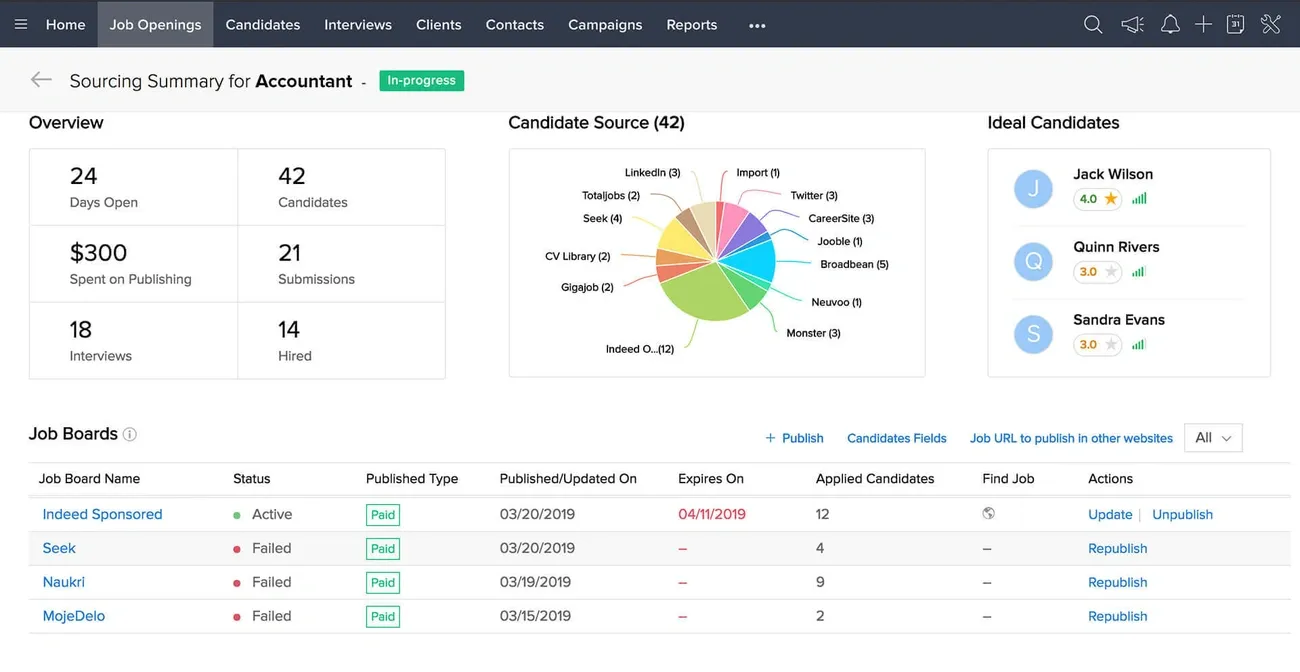
Zoho Recruit is a cloud-based ATS and CRM used by over 800,000 recruiters worldwide. Built since 2009, it serves corporate HR teams and staffing agencies that need one platform for both applicant tracking and candidate relationship management.
Zoho Recruit Use Case
Zoho Recruit fits small and mid-sized businesses that need an affordable, full-featured recruiting tool. Tech companies use it for technical hiring. Staffing agencies rely on it for high-volume, multi-client recruiting. Teams already using Zoho products benefit from native integration with Zoho CRM, People, and Mail.
One G2 reviewer put it simply: "Zoho Recruit was easy to implement, customizable, and affordable. We have been using it for four years, and it has met all our needs."
Zoho Recruit Standout Features
- AI tools: Resume parsing pulls candidate data automatically. Zia, Zoho's AI assistant, matches candidates to roles based on skills and experience.
- Candidate self-service portal: Applicants track their application status, schedule interviews, and upload documents on their own.
- Job board integrations: Connects to 75+ job boards with one-click publishing.
- Customizable workflows: Workflow rules and blueprints automate routine tasks across the hiring pipeline.
Zoho Recruit Limitations
- Initial setup feels overwhelming due to the volume of customization options
- The interface looks dated compared to modern ATS tools
- Resume parsing accuracy needs improvement
- Integration issues reported with Microsoft Office 365 and Outlook
- Support response times are slower on lower-tier plans
Zoho Recruit Pricing
- Forever Free: $0 — 1 recruiter, 1 active job, 1 active candidate
- Standard: $30/user/month — 10 active jobs, resume management
- Enterprise: $60/user/month — 20 active jobs, custom roles, client portals
All paid plans include a 14-day free trial. Add-ons start at $6/license/month.
Verified G2 Review
Zoho Recruit has made things easier for my team with its automations and easier dashboards, giving us a bird's eye view and making it simpler to provide updates to the founders. The Blueprint feature is especially impressive because once we set it up, our entire process was automated, allowing us not to have to lift a finger. - Verified G2 Reviewer, HR Manager, Technology Company
2Recruit CRM
Source: recruitcrm.io
G2 Rating | Capterra Rating | Gartner | Starting Price | Free Trial |
4.7 / 5 (950+ reviews) | 4.9 / 5 | Not listed | $109/user/month | Yes - 14 days |
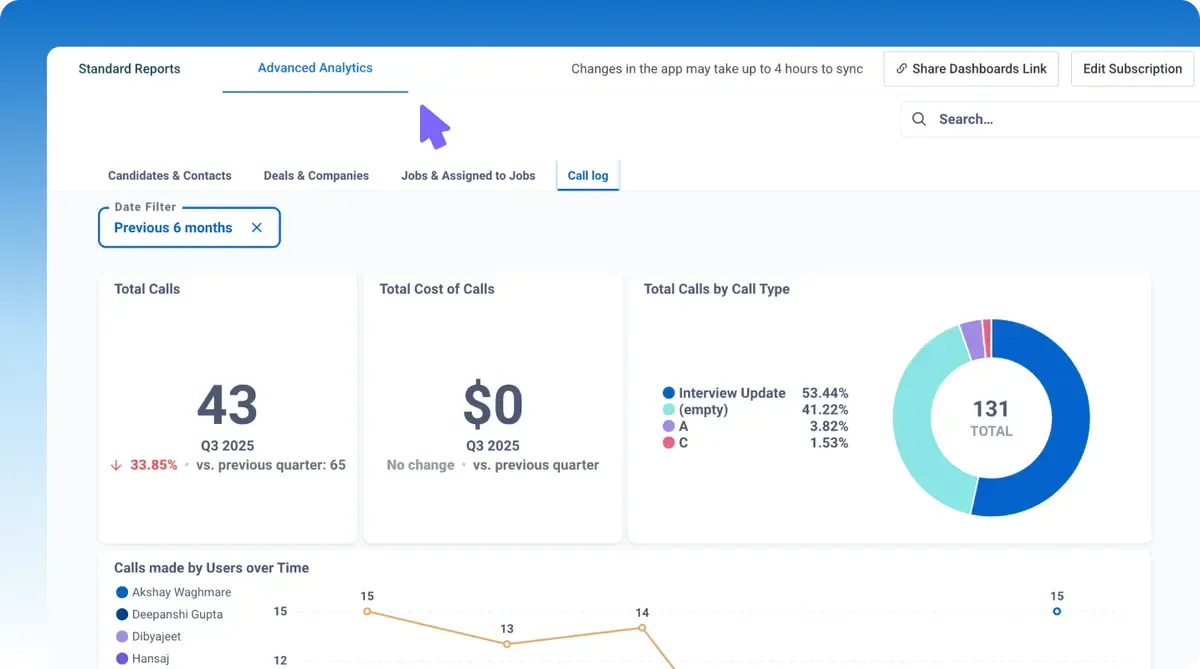
Recruit CRM is built for recruitment agencies that need applicant tracking and candidate relationship management in one system. It balances features with ease of use — making it a practical choice for small to mid-sized teams.
Recruit CRM Use Case
Small to mid-sized recruitment agencies get the most out of Recruit CRM. It works well for teams running high-volume hiring cycles across IT, healthcare, and sales. Workflows and communications are fully customizable, so the platform fits your process rather than forcing you to change it. It also scales as your team grows.
Recruit CRM Standout Features
GPT4 integration sets this platform apart from others, available with all pricing plans. The AI helps create recruiting content like job descriptions, candidate summaries, emails, and phone call transcripts. Customer support runs 24/7 with global agents ready on live chat. Response times stay under two minutes.
Other notable features include:
- Chrome sourcing extension that pulls candidate information directly from LinkedIn, email inboxes, and external websites
- Visual Kanban board with customizable stages for pipeline management
- AI-powered resume parser that extracts relevant information automatically
- Talent pooling with "hotlists" for curating qualified candidates over time
Recruit CRM Limitations
Recruit CRM comes with some drawbacks. Users can't rely on a fully functional mobile app due to loading errors. The platform restricts email template customization and struggles with third-party integrations. Large enterprises might find the system too inflexible for their complex global hiring needs or established processes.
Recruit CRM Pricing
Recruit CRM keeps pricing simple with three tiers:
- Pro: $109/user/month - Has Chrome sourcing extension, AI resume parser, GPT integration, unlimited email templates
- Business: $159/user/month - Adds email sequencing, phone recording, resume formatting
- Enterprise: $259/user/month (annual billing only) - Provides a dedicated account manager, a custom SLA, and custom branding
Every plan includes unlimited users, job postings, and job boards. Social media integration and applicant tracking capabilities come standard.
3SparrowCRM
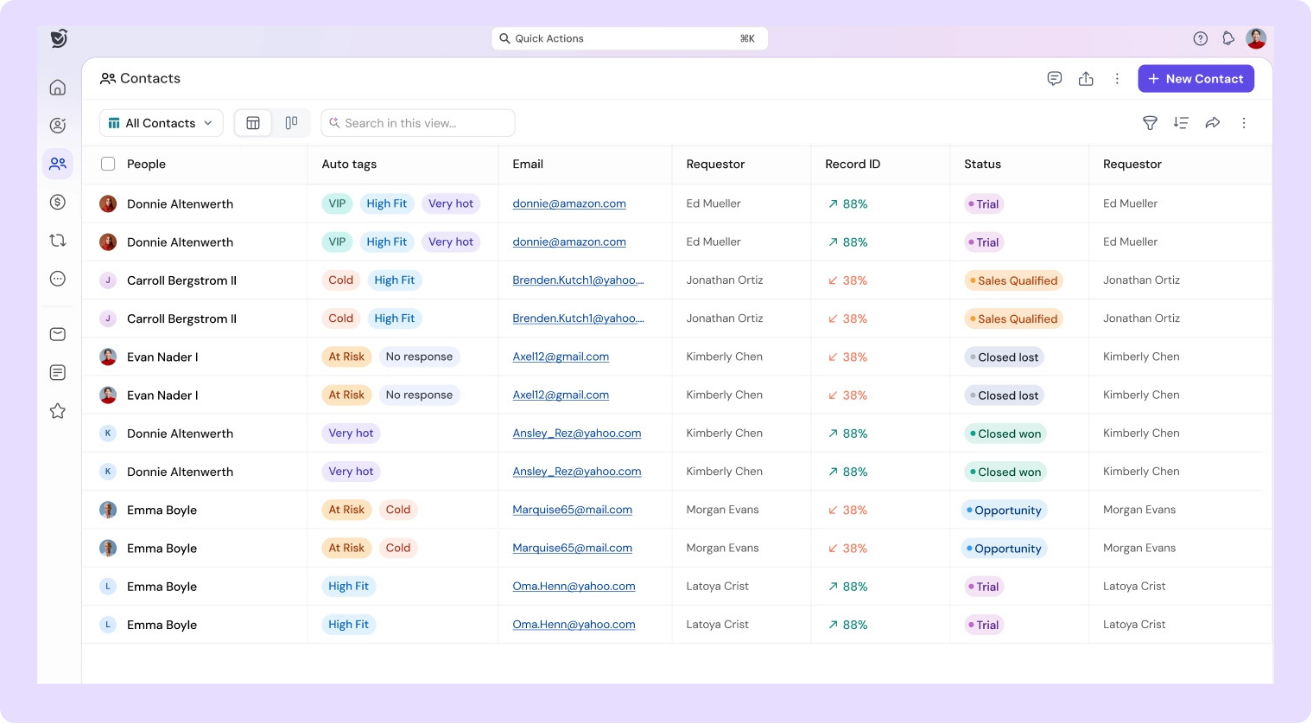
SparrowCRM is built for SMB and midmarket teams, companies between 2 and 200 people, that need a CRM that works for the full business, not just one department. While it is not recruiting-native in the same way Recruiterflow or Manatal are, it is purpose-built for the use case that matters most to growing companies: managing relationships at scale with AI embedded natively across every record, every interaction, and every pipeline stage.
For recruiting teams inside technology companies, SaaS businesses, consulting firms, financial services organisations, or any industry where the hiring team sits inside a broader revenue or operations function, SparrowCRM offers something no other tool in this comparison provides: AI that works across candidate management, client relationships, and business development simultaneously, in one system, not three.
SparrowCRM Key AI Features for Recruiting Use Cases
- ICP Fit Score on contact records: Ranks candidate fit against your defined ideal profile criteria, updated automatically as data enriches
- Engagement Score: Tracks how actively a candidate or hiring manager is engaging across emails, calls, and meetings
- Buying Intent: Detects when a contact is showing high-readiness signals — applicable to candidates considering a move or hiring managers ready to commit
- Buying Committee Analysis: Maps every stakeholder in a hiring decision — hiring manager, finance approver, HR business partner, technical evaluator — with decision-making power levels
- Competitor Mentions: Surfaces when candidates mention rival agencies, competing offers, or other employers in emails and call transcripts
- AI Meeting Summaries and Next Actions: Auto-generates structured summaries of candidate interviews and client calls with recommended follow-up actions
- Risk Factors: Flags stalled pipelines, single-threaded client relationships, and disengaged candidates before they become lost placements
- Best Contact Time: Recommends the optimal outreach window for each contact based on historical engagement patterns
SparrowCRM Pros
- Most comprehensive native AI feature set of any CRM in this comparison
- Works for recruiting, sales, and account management simultaneously — no silo between talent and business development
- Built for SMB and midmarket, not over-engineered for enterprise, not under-featured for growth-stage teams
- Configurable to any industry vertical: technology, SaaS, financial services, healthcare, consulting
SparrowCRM Pricing
- Free: $0/user/month - 3 seats, unlimited records, AskZulie AI copilot, AI scoring on deals/contacts/meetings
- Growth: $19/user/month - Everything in Free, plus AI call notetaker, auto-tagging, buying intent signals, email sequences with AI
- Pro: $49/user/month - Everything in Growth, plus full conversation intelligence, call recording/transcription, unlimited AI-generated reports
- Enterprise: Custom pricing - Everything in Pro, plus full API access, dedicated CSM, custom SLAs
Experience AI-powered recruiting with SparrowCRM today
4Bullhorn

Source: bullhorn.com
Image Source: Bullhorn
G2 Rating | Capterra Rating | Gartner | Starting Price | Free Trial |
4.0 / 5 (990+ reviews) | 4.1 / 5 | 4.0 / 5 | $99/user/month | No |
Bullhorn has spent 25 years in the staffing industry and delivers a reliable ATS and CRM platform designed for recruitment agencies. The cloud-based system combines candidate and client data management into one solution.
Bullhorn Use Case
Mid-sized to enterprise staffing and recruitment agencies that need complete candidate and client relationship management will find Bullhorn most valuable. The platform excels when teams must track job orders and candidate pipelines at the same time in high-volume recruiting environments. Teams can simplify their repetitive tasks through workflow automation - users have automated over 1 billion tasks so far. Recent industry data shows recruitment agencies using Bullhorn's automation submit 39% more candidates per recruiter and fill 22% more jobs.
Bullhorn Standout Features
The platform stands out through its recruiter-focused design:
- AI-Powered Capabilities: Has an AI Assistant that helps with job descriptions, outreach messages, and candidate matching
- Automation Platform: Creates workflows that trigger actions based on candidate activity (website visits, email opens) to improve conversion rates
- Integrated Email: Tracks all communications within candidate records and supports mass email campaigns
- VMS Integration: Connects with 110+ vendor management systems to import job records immediately
Recruiters can update records and communicate with candidates from anywhere through mobile access.
Bullhorn Limitations
Bullhorn comes with several challenges despite its strengths. The user interface seems outdated, with users calling it "clunky" and "bloated." Agencies must customize the system extensively to match their specific needs, which creates a steep learning curve. The customer support quality fluctuates widely - some users rate it as "horrible—honestly the worst I've ever seen." Sales-focused teams might find the CRM capabilities less effective compared to its ATS features.
Bullhorn Pricing
The platform's tiered pricing plans aren't displayed publicly on their website. Recent data shows pricing starts at:
- Team: $99/user/month (simple candidate and job management)
- Corporate: $165/user/month (adds unlimited data storage, API access, custom fields)
- Enterprise: Custom pricing (has advanced reporting, lead tracking, pipeline management)
Complete setup implementation fees begin at $25,000, while monthly user costs can reach $250/user for combined ATS+CRM+backend modules.
5Job Adder
Source: jobadder.com
Image Source: jobadder.com
G2 Rating | Capterra Rating | Gartner | Starting Price | Free Trial |
4.3 / 5 (680+ reviews) | 4.4 / 5 | Not listed | Custom pricing | Yes - 14 days |
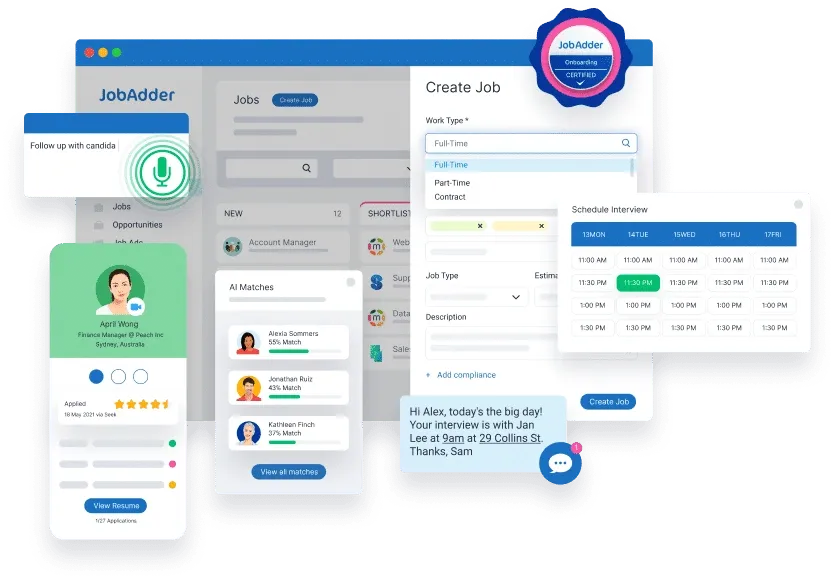
JobAdder brings together applicant tracking and CRM in one platform. This makes it a popular choice for recruitment professionals in industries of all types. Recruitment agencies like Arthur Edward and organizations like RSL Queensland trust this software to make their hiring process simpler through automation.
JobAdder Use Case
Recruitment agencies looking to streamline candidate management and client relationships find JobAdder extremely useful. Companies like Exchange Street and Shine Lawyers depend on JobAdder to handle their talent acquisition. The platform works great for mid-sized businesses going through growth phases, as PetDirect discovered when they needed a system to support their quick expansion. Companies dealing with high application volumes appreciate JobAdder's advanced search features that help them find the right candidates fast.
JobAdder Standout Features
JobAdder's recruitment CRM excels through these capabilities:
- Centralized candidate database with quick-view popups that let you view, import, and update information on one screen
- Job board integration that posts to 200+ job boards and social media channels at once
- Communication tools to send individual-specific messages through SMS, email, or WhatsApp using custom templates
- Deal tracking that turns closed deals into new job records with one click
The platform's mobile app sets it apart by letting recruiters handle tasks and keep candidates engaged while away from their desks.
JobAdder Limitations
JobAdder has its drawbacks despite its strong points. The system lacks flexibility in workflow customization, which limits how well it handles complex recruitment processes. Users say the mobile app's interface isn't user-friendly and sometimes has bugs. The platform provides just simple reporting and analytics without advanced visualization options. Some customers mention that technical support can be slow to respond.
JobAdder Pricing
JobAdder skips standard packages in favor of custom pricing based on what you need. They use a three-step approach: They start with a consultation, show you a custom demo, and create a pricing plan that matches your requirements. This helps companies avoid paying for features they won't use while getting the recruitment tools they need.
Verified G2 Review
We have been using JobAdder for nearly 8 years now, and apart from providing us with a database that helps our business with efficiency & storing our data securely, they are always one step ahead of the game in regards to technology. - Verified G2 Reviewer, Group Operations, Technology Company
6Recruiter Flow
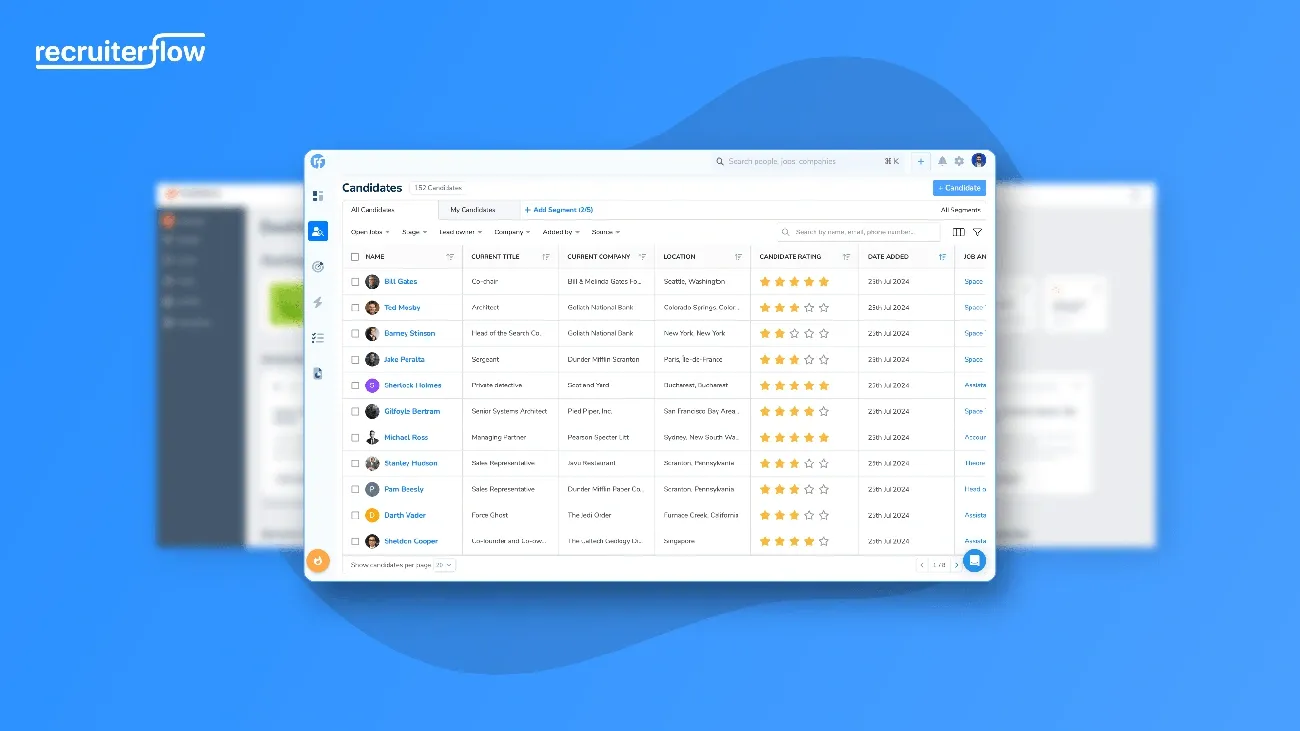
Image Source: Recruiterflow
G2 Rating | Capterra Rating | Gartner | Starting Price | Free Trial |
4.7 / 5 (1,200+ reviews) | 4.7 / 5 | Not listed | $149/user/month | Yes - 14 days |
Recruiterflow provides a complete ecosystem for staffing and recruiting businesses, built specifically for recruitment agencies. More than 1,700 recruitment agencies and 10,000+ recruiters worldwide trust this platform.
Recruiterflow Use Case
Recruitment agencies that want to scale their operations quickly will find Recruiterflow extremely valuable. Teams become more productive as the software automates repetitive tasks. MBR Partners demonstrates this value - they switched to Recruiterflow and saw immediate improvements in their recruiting operations. The platform acts as a central hub where teams can manage candidates, clients, and track deals. Small startups and large agencies with multiple clients benefit from its adaptable nature.
Recruiterflow Standout Features
The platform stands out with these capabilities:
- Multi-touch automation: Users can create and automate customized email and text campaigns to reach both active and passive candidates
- Time-saving automation: Each user saves four hours weekly, which lets them focus on strategic work
- AIRA (AI Twin): AI features handle routine tasks like call transcription, data cleanup, and candidate profile enrichment
- Superior data security: AWS servers in Germany store all data with GDPR compliance and 256-bit SSL encryption
Recruiterflow Limitations
Recruiterflow comes with some challenges despite its strengths. Users struggle with moving candidates in bulk through pipeline stages. The system sometimes fails to extract telephone numbers correctly from uploaded profiles. The interface layout could be better - tabs placed at opposite ends make navigation tricky.
Recruiterflow Pricing
The platform comes in three pricing tiers:
- Platform Plan: $149/user/month, which includes ATS and CRM, automations, and bulk sourcing
- AIRA Plan: custom pricing. This adds email sequences, Zapier integration, and ai agents
Users can try the platform through a free trial before making a decision.
7Greenhouse
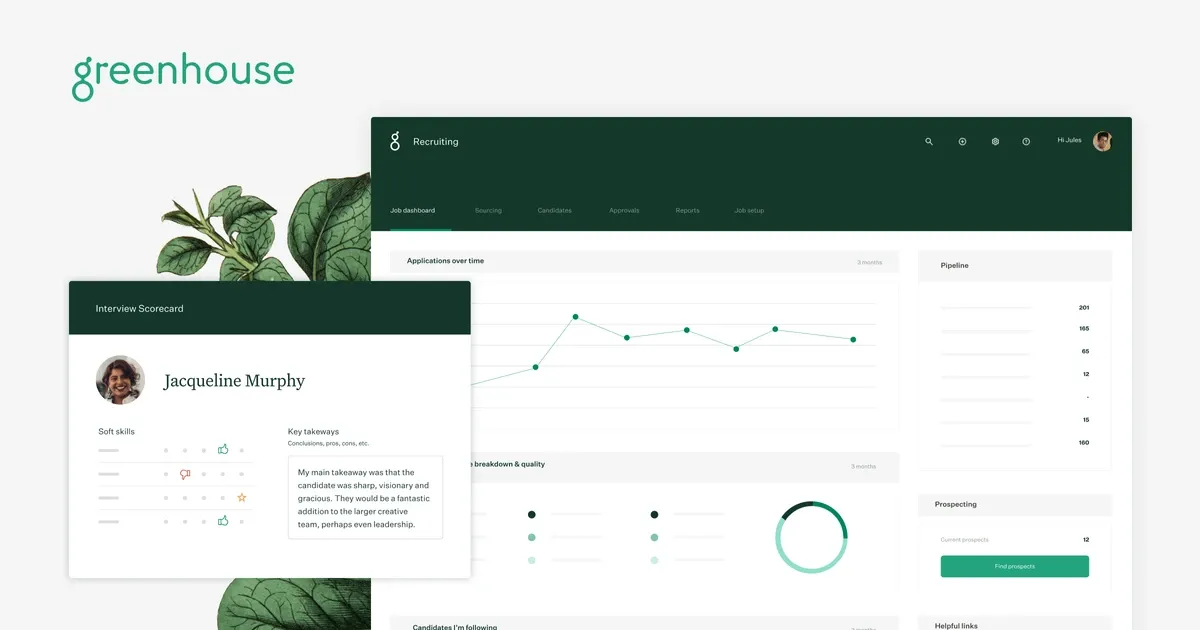
Source: greenhouse.com
G2 Rating | Capterra Rating | Gartner | Starting Price | Free Trial |
4.4 / 5 (870+ reviews) | 4.5 / 5 | 4.3 / 5 | $6,500/year | No free trial |
Greenhouse provides a well-laid-out hiring approach that makes it the preferred recruitment CRM for growing companies. The platform helps teams find qualified candidates and creates a positive hiring experience through analytical insights.
Greenhouse Use Case
Greenhouse works best for mid to large-sized companies that handle large hiring volumes. Companies in tech, finance, and healthcare sectors depend on its resilient tracking capabilities. The platform excels in companies that prioritize diversity and inclusion with tools that reduce hiring bias. Companies worldwide can benefit from its multi-language support, which makes it perfect for international recruitment teams. The platform's structured approach helps companies standardize their interviews across departments.
Greenhouse Standout Features
The platform stands out with customizable scorecards that help evaluate candidates consistently. Its interview kits guide hiring teams through each stage and create fair assessment processes. You can organize prospects into pools based on specific criteria, which makes tracking and planning outreach efforts simple.
Greenhouse also features AI-generated scorecard summaries that analyze feedback themes and help teams understand key takeaways. Teams can eliminate email back-and-forth with the candidate self-scheduling feature. The platform connects with over 500 integrations and offers open API access. This lets you build a custom tech stack that syncs data automatically with Greenhouse.
Greenhouse Limitations
In spite of that, Greenhouse has several drawbacks. We designed the platform mainly for larger enterprises, which makes it less suitable for small or midsize firms. Users often find it hard to set up and customize without technical expertise. Smaller organizations might struggle with the pricing structure since it's based on company size rather than feature usage.
Users have reported issues with unclear billing structures and poor customer service. The candidate search function needs improvement as it only allows name searches instead of phone or email.
Greenhouse Pricing
Greenhouse does not have transparent pricing publicly available. It’s better to contact their team directly and request a quote for pricing details.
8SmartRecruiters

Source: smartrecruiters.com
G2 Rating | Capterra Rating | Gartner | Starting Price | Free Trial |
4.3 / 5 (700+ reviews) | 4.2 / 5 | 4.1 / 5 | $14,995/year | No free trial |
SmartRecruiters brands itself as the "AI Recruiting Company" that reshapes the scene of hiring for large enterprises. This talent acquisition platform combines an ATS with a native CRM module that helps with strategic talent sourcing and proactive recruitment.
SmartRecruiters Use Case
SmartRecruiters serves mid-sized to large companies that want to streamline their hiring process. The platform supports more than 4,000 businesses, including Amazon, Visa, and McDonald's, to build winning teams. Companies can excel with evergreen roles like sales managers or software engineers through pre-assembled talent communities. The platform's proactive sourcing capabilities help organizations reduce their time-to-hire. SmartRecruiters excels at turning passive talent into active applicants through targeted outreach.
SmartRecruiters Standout Features
SmartCRM stands out as the industry's first 100% native CRM+ATS built on one system. The unified data workflow follows a universal candidate profile. The platform's capabilities include:
- Talent communities tailored to hiring needs with filters for skills, geography, and diversity
- Winston is an AI-powered hiring agent that handles screening, scheduling, and candidate matching
- Multi-language support with 37 candidate-facing languages and 31 for hiring teams
- Live insights and analytics to measure outreach effectiveness
SmartRecruiters Limitations
The platform comes with notable drawbacks. Users often struggle with interview scheduling due to missing simple scheduling functions that need manual fixes. Recruiters miss important updates because the notification system fails to alert them about candidate communications. On top of that, some paid features seem complex and not user-friendly.
SmartRecruiters Pricing
SmartRecruiters comes with four main pricing tiers:
- Essential: Starting at $14,995 annually with simple ATS, CRM, and onboarding
- Professional: Custom pricing that adds an AI-powered hiring agent and talent matching
- High Volume: Custom pricing that includes AI candidate screening and conversational chat
- Complete: Custom pricing that provides advanced analytics and custom in-app guidance
9Manatal
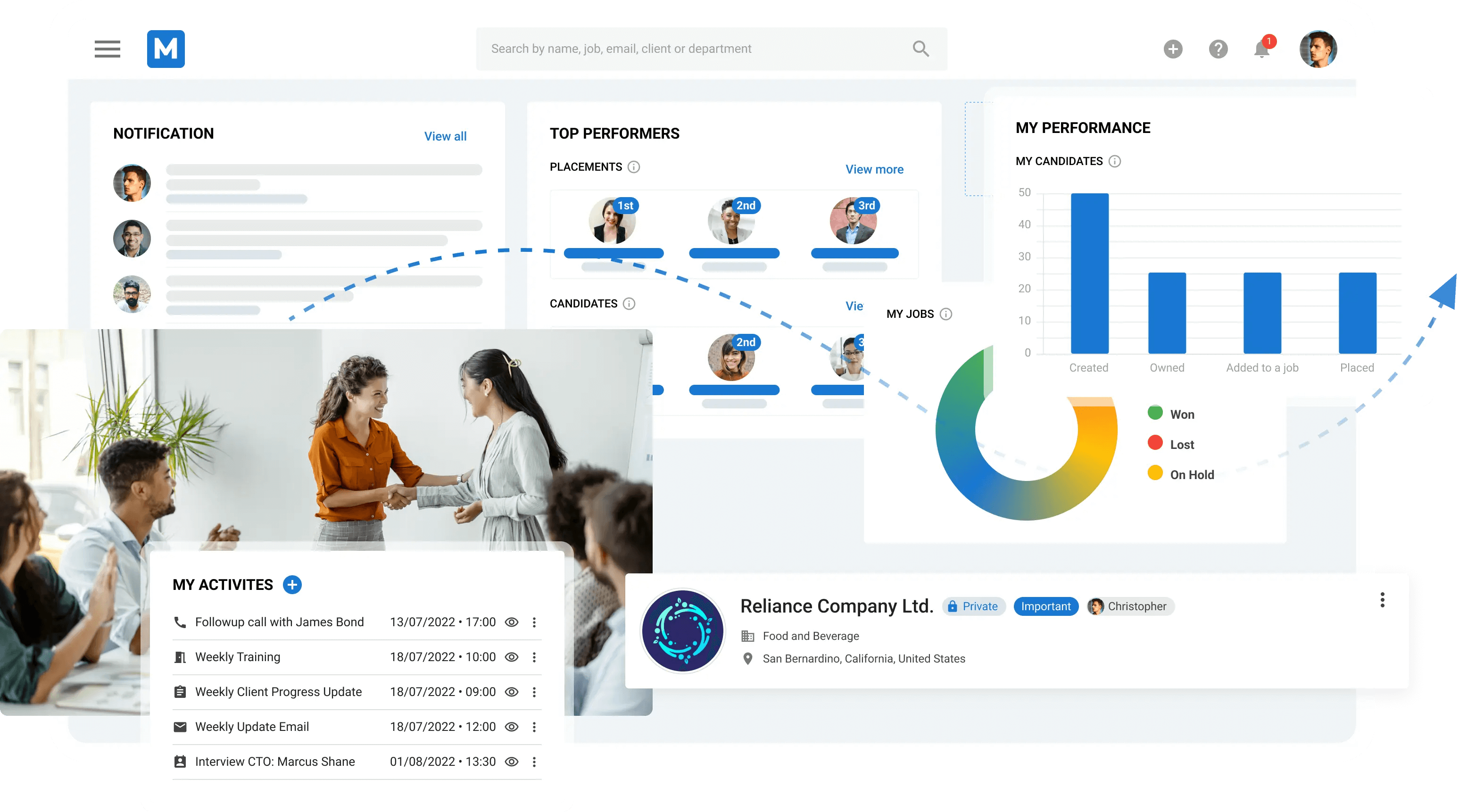
Source: manatal.com
G2 Rating | Capterra Rating | Gartner | Starting Price | Free Trial |
4.8 / 5 (680+ reviews) | 4.7 / 5 | Not listed | $19/user/month | Yes - 14 days |
Manatal is the highest-rated tool in this comparison on G2 at 4.8/5, and its pricing makes it the most accessible entry point for growing agencies. It was built with simplicity as a design principle — onboarding takes hours, not weeks. Its AI-powered candidate scoring and LinkedIn enrichment are genuine time-savers for teams that source heavily from social platforms.
Manatal Use Case
Small to mid-sized businesses and recruitment agencies that prioritise fast setup and ease of use. Teams using Manatal typically go live within a day, making it the natural choice for agencies switching away from spreadsheets for the first time, or those that have been frustrated by overcomplicated platforms.
Manatal Standout Features
- AI-powered candidate scoring: Ranks candidates based on job description matching automatically
- LinkedIn Chrome extension: Pulls social media and LinkedIn profile data in one click
- Branded career pages: Direct sourcing without relying solely on job boards
- Drag-and-drop Kanban pipeline: Visual hiring management with customisable stages
Manatal Limitations
- Reporting depth is limited on the base plan
- Client management features are less developed than Recruiterflow
- Resume parsing issues reported by some users
- Not suitable for very large enterprise staffing operations
Manatal Pricing
- Professional: $19/user/month — all core ATS and CRM features
- Enterprise: $39/user/month — advanced AI, custom reports, SSO
- Enterprise Plus: $59/user/month — API access, dedicated support
10Folk CRM
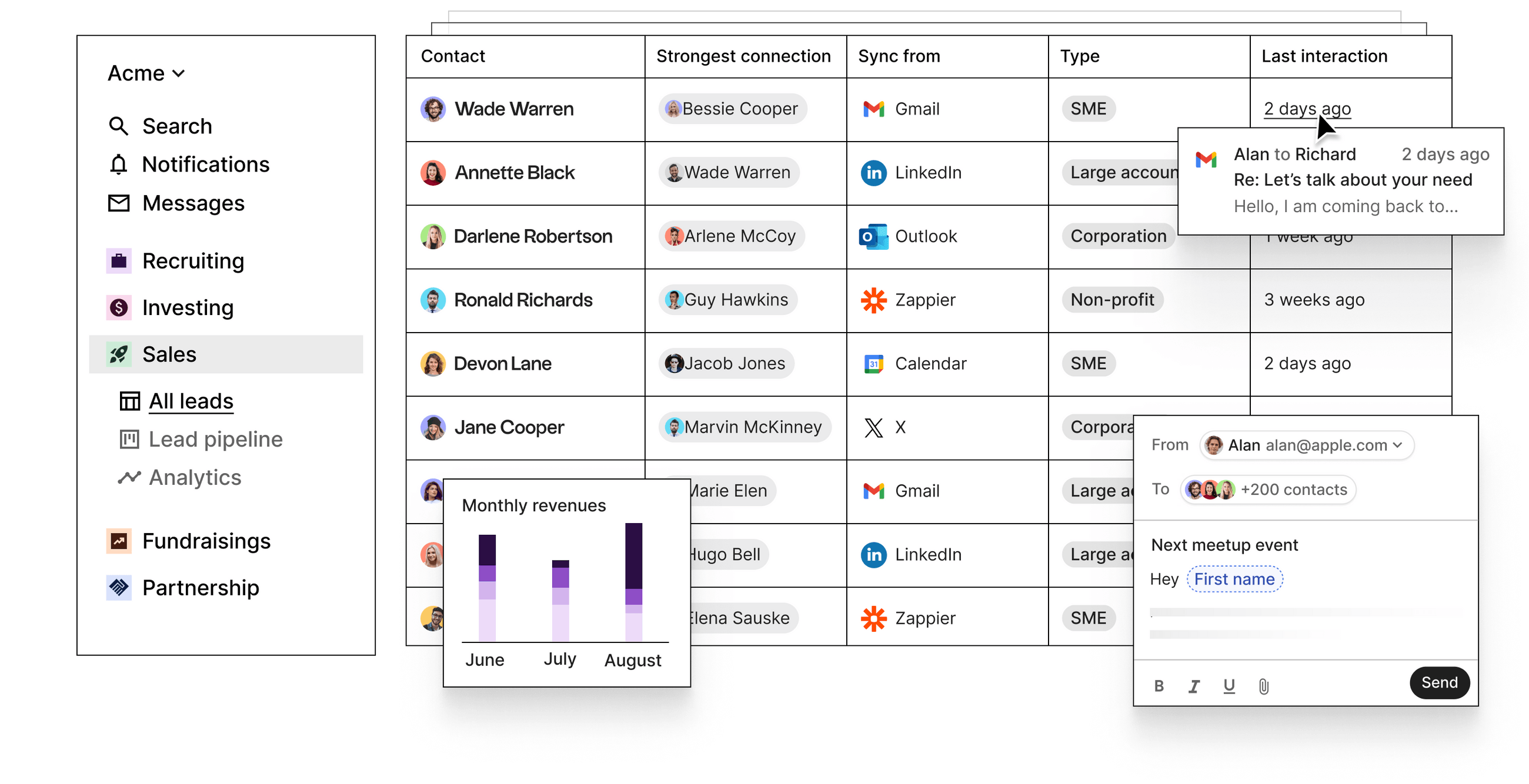
G2 Rating | Capterra Rating | Gartner | Starting Price | Free Trial |
4.6 / 5 (320+ reviews) | 4.7 / 5 | Not listed | $30/user/month | Yes - 14 days |
Folk is one of the newer entrants in this comparison and one of the most frequently recommended tools in Reddit recruiting threads in 2024–2026. It ranks at position 1 in the Google SERP for 'best crm for recruiting' as an editorial article. Its interface is the most elegant in this comparison — built for relationship-led workflows rather than high-volume transaction processing.
For a boutique recruiter, a fractional talent lead, or a solo executive search consultant, Folk offers the right balance of simplicity and functionality at a price that does not demand a business case justification.
Folk CRM Standout Features
- Contact enrichment: One-click LinkedIn data sync for instant profile building
- Relationship scoring: Tracks recency and interaction frequency per contact
- Shared team workspaces: Collaborative notes on contacts are visible to the whole team
- AI-generated email drafts: Based on contact context and interaction history
Folk CRM Limitations
- Limited pipeline management for multi-role, multi-client recruiting operations
- No native ATS functionality — works best as a CRM layer on top of an ATS
- Reporting is basic — not suitable for teams that need placement analytics
Folk CRM Pricing
- Standard: $30/user/month — full CRM, enrichment, and pipeline features
- Premium: $60/user/month — advanced enrichment, API access
- Enterprise: $100/user/month — enrichments, AI fields, and Zaiper integration
What Recruiters Actually Say: Community Sentiment
Two Reddit threads currently rank in the top 10 Google results for 'best crm for recruiting' at positions 2 and 9. These are not planted reviews. They are real practitioners sharing unfiltered opinions.
Tool | Positive Sentiment | Negative Sentiment |
Recruiterflow | Automation saves hours weekly. Clean interface. Most recommended for agencies. | Expensive for solo recruiters. |
Bullhorn | Powerful for large staffing operations with complex workflows. | Legacy UI. Slow support. Implementation costs are very high. |
folk CRM | Modern design. Frequently recommended as the best emerging alternative. | Limited for high-volume operations. |
Manatal | Easiest to set up. Best value for the price. | Limited reporting. Not for enterprise scale. |
Loxo | Recommended for executive search and retained workflows. | High price point. Over-complex for contingency recruiting. |
Source: Reddit r/CRM — position 2 in SERP · Reddit r/recruiting — position 9 in SERP
How to Select the Right Recruiting CRM Software for Your Team
There is no universal best recruiting CRM. The right tool depends on your team size, workflow type, budget, and whether recruiting is your entire business or one function within a broader organisation.
Step 1: Define Your Use Case Before Comparing Features
- Contingency or placement agency: pipeline built for fee-based placements, client management, and submission tracking. Recruiterflow and Crelate are built for this.
- Retained or executive search: deep relationship history, long-cycle nurturing, passive candidate sourcing. Loxo and Recruiterflow work here.
- In-house HR or talent acquisition: integrates with your existing tech stack, gives hiring managers visibility. HubSpot, SparrowCRM, and Zoho Recruit work here.
- Solo recruiter or boutique firm: simplicity, fast setup, affordable pricing. Manatal and folk are the natural choices.
Step 2: Map Your Team Size to the Right Tool
Team Size | Budget / User / Mo | Top Priority | Recommended Tool |
1–5 people | Under $20 | Simplicity & fast setup | folk CRM, Manatal Free Tier |
5–20 people | $15–$60 | Pipeline + automation | Manatal, Zoho Recruit, SparrowCRM |
20–100 people | $60–$120 | Reporting + AI | Recruiterflow, Crelate, SparrowCRM |
100+ people | Custom | Enterprise integrations | Bullhorn, SmartRecruiters, Greenhouse |
Step 3: Evaluate Five Core Criteria
- Pipeline configurability: Can you rename stages and build the workflow your team actually uses, without a developer?
- Candidate and client data in one place: Does the tool support both candidate and client relationship management, or do you need a separate ATS?
- Automation depth: Can you automate follow-up sequences, status updates, and task creation without manual intervention?
- Integration with your existing stack: Does it connect to your job boards, email client, calendar, and ATS?
- AI capability: Is AI embedded natively in the platform, or is it a bolt-on that does not connect to your pipeline data?
Step 4: Run a Structured Trial
Every tool on this list offers a free trial except Bullhorn, SmartRecruiters, and Greenhouse. Use those 7 to 15 days to complete one real recruiting cycle from sourcing to first-round interview or placement. Evaluate whether the tool speeds up your actual workflow, not on interface aesthetics.
Step 5: Ask About Data Migration Before You Sign
The most overlooked factor in choosing a recruiting CRM is what happens to your existing data. Ask every vendor: How do I import my existing candidate database? What format does the data need to be in? What is the rollback process if we need to move again?
Recruiting CRM vs ATS: What Is the Difference?
This is the most common question from teams evaluating recruiting tools for the first time. Choosing the wrong category wastes months of implementation time.
Dimension | Recruiting CRM | ATS (Applicant Tracking System) |
Primary purpose | Manage relationships with candidates and clients over time | Manage the application and hiring workflow for open roles |
Candidate origin | Passive candidates are sourced proactively | Active applicants who applied for a specific role |
Time horizon | Long-term, nurtures candidates over months or years | Short-term — tracks candidates through a specific hiring process |
Client management | Yes, central to agency and retained search use cases | No, ATS does not typically manage client relationships |
Best for | Agencies, exec search, in-house teams doing proactive sourcing | In-house HR teams with structured, role-based hiring processes |
Most growing recruiting organisations eventually need both. Tools like Recruiterflow and Crelate deliberately combine both functions. Manatal includes enough ATS functionality to handle most hiring workflows. HubSpot and SparrowCRM are pure CRM — they work alongside an ATS rather than replacing one.
Common Recruiting CRM AI Features in 2026: What Has Changed and What to Expect
For the first decade of recruiting CRM adoption, AI meant search filters and keyword matching. In 2025 and 2026, that changed materially. The platforms that have invested in genuine AI capability are now doing things that were manual, time-consuming, or simply impossible three years ago.
AI Feature | What It Does in a Recruiting Context | SparrowCRM Equivalent |
Candidate Scoring | Ranks candidates by fit, engagement, and response behaviour | ICP Fit Score + Engagement Score on every Contact record |
Hiring Intent Detection | Detects when a hiring manager is actively evaluating options | Buying Intent score — flags high-readiness signals in real time |
Pipeline Risk Intelligence | Flags stalled pipelines, ghosted roles, and at-risk placements | Deal Score + Risk Factors widget on every deal record |
Competitor Tracking | Alerts recruiters when candidates mention competing offers or agencies | Competitor Mentions — surfaces rival mentions from emails and call transcripts |
AI Meeting Summaries | Auto-summarises candidate interviews and client calls with next-step actions | Deal Summary + Next Actions generated automatically post-meeting |
Stakeholder Mapping | Maps hiring decision makers, influencers, and blockers within client accounts | Buying Committee Analysis — maps every contact by role, power, and focus area |
Best Outreach Time | Recommends the optimal day and time to contact each candidate or client | Best Contact Time — calculated per contact from historical engagement patterns |
What AI Does Not Replace in Recruiting
AI does not build relationships. It does not read the room in a candidate conversation. It does not know that a particular hiring manager responds better to a Tuesday morning call than a Friday afternoon email — until it has enough data to learn it. AI accelerates the operational layer of recruiting so that your team spends more time on the relationship layer. That is the correct frame for evaluating any AI claim a recruiting CRM vendor makes.
See also: Best CRM for Financial Advisors · Best CRM for Real Estate Agents · Best CRM for Nonprofits
Conclusion
You might be wondering which solution fits your needs best after learning about these top recruiting CRM options. Your team size, budget, and recruitment workflow requirements will point you to the right choice.
Zoho Recruit, with its free tier, or Manatal at $15/user/month, are great starting points for small agencies and startups. These tools give you the simple features you need without overwhelming complexity. Midsize recruiting firms do well with Recruiterflow or Recruit CRM. These platforms strike the right balance between functionality and user-friendliness while packing powerful automation features.
Enterprise organizations have their own set of challenges. Bullhorn, SmartRecruiters, and Greenhouse provide strong solutions for complex, high-volume hiring needs. The price tags are higher, but you get advanced features like AI-powered matching, extensive integrations, and customizable workflows.
Setup time varies quite a bit between platforms. Manatal gets you running quickly, while Greenhouse and Bullhorn need more setup time. This timeline should be part of your decision process.
AI capabilities are now standard in most platforms - from simple resume parsing to sophisticated candidate matching algorithms. These features can save your recruiters hours each week, though accuracy and effectiveness differ among tools.
Your CRM's customer support quality can make or break the experience. Recruit CRM's team responds within two minutes, while Bullhorn's users often express frustration with their support.
The right recruiting CRM becomes your team's command center. It organizes candidates, automates repetitive tasks, and delivers valuable analytics. Try the free trials and test each system with your actual workflows instead of generic demos.
Your CRM choice shapes your team's ability to build candidate relationships. Pick the right one, and you'll turn your hiring process from scattered spreadsheets into an efficient talent acquisition system.