CRM SOFTWARE
CRM implementation: the 7 step-by-step guide to rolling out a CRM

By Geethapriya
Last updated on Jun 22, 2026
Explore this blog to get a practical, step-by-step guide to CRM implementation, from pre-launch planning and data migration to team training, adoption, and avoiding the mistakes that cause most rollouts to fail.

Geethapriya
Updated on Jun 22, 2026
What is CRM implementation? (and why most rollouts stall)
CRM implementation is the process of deploying a Customer Relationship Management system across your sales team, from configuration and data migration to team training and go-live. It sounds straightforward. In practice, it is where most software investments quietly die.
Buying a CRM and implementing one are not the same thing. Buying gets you a login. Implementation gets you a system your team actually uses. That distinction matters because a CRM your reps ignore is not just a wasted tool, it is an active liability that gives leadership inaccurate pipeline data and false confidence in forecasts.
Three out of four CRM implementations fail. Not because the software was wrong, but because the rollout was treated as an IT project rather than an organizational change. According to Insightly's CRM best practices research, effective implementation results in a 65% increase in sales, but poor execution remains the most common reason rollouts fail.
This guide walks through the exact steps to avoid all of that.
Why 70% of CRM implementations fail, and what the data actually shows
The widely cited failure rate for CRM implementations sits between 30% and 75%, depending on the source. The root cause is rarely the software. It is execution. Review platforms like G2 and Capterra consistently surface the same patterns in user reviews: teams that invested in configuration and adoption planning succeed; teams that treated go-live as the goal fail.
The most common failure modes are:
- Vague goals. Teams launch without specific, measurable outcomes tied to their sales motion. 'Improve visibility' is not a goal. 'Reduce average deal cycle from 47 to 35 days by Q3' is.
- Dirty data imported at speed. Contacts with missing fields, duplicate records, and inconsistent formatting follow you into the new system and compound over time.
- Pipeline stages that reflect wishful thinking, not reality. Default CRM stages rarely match how your team actually moves a deal from first contact to close. Reps who do not recognize their own workflow quietly stop updating the system.
- Training that happened once. A two-hour onboarding session is not training. It is a tour. Without reinforcement, adoption collapses within 30 days.
- No post-launch plan. Most implementations have a go-live date. Very few have a day 31 plan.
Before you start: What to decide before touching the software
The configuration decisions you make in the first week of a CRM rollout will shape how the system performs for years. Most teams skip the pre-work and jump straight into the platform. That is the first mistake.
Before you open a single settings screen, you need two things documented: your actual sales process and your ICP criteria.
Map your current sales process before you configure anything
Sit with two or three of your best-performing reps and ask them to walk you through what actually happens from first contact to closed deal. Not the ideal process, what they actually do.
What you will find is that the real sales motion rarely matches the official one. Deals move through informal checkpoints. Certain stages get skipped. Qualification happens later or earlier than the playbook suggests. This is the process your CRM needs to reflect, not the aspirational one.
Document it in plain language: what triggers a deal to move from stage to stage, who is involved at each point, what information gets captured, and what tasks typically follow each transition. This becomes the foundation for your pipeline configuration in Step 3.
Set your ICP criteria upfront
Your Ideal Customer Profile defines who you are building your CRM around. If you do not set ICP criteria before launch, your lead scoring, deal prioritization, and AI-generated insights will all start from a blank slate, or worse, from generic defaults that have nothing to do with your market.
At minimum, define: target company size, target industries, geography, seniority level of your primary buyer, and any disqualifying attributes. In an AI-native CRM like SparrowCRM, these criteria feed directly into automated ICP fit scores, so every contact and account gets scored against your profile from the moment it enters the system.
This is not a settings task. It is a strategic decision that needs to happen before you configure anything else.
The CRM implementation plan: 8 steps to go live without chaos
What follows is not a generic software onboarding checklist. It is a sequenced implementation plan built around the actual failure points that cause rollouts to stall, drawn from real practitioner experience and informed by what the r/CRM community consistently flags as the root causes of broken implementations.
Step 1: Set measurable goals tied to your sales motion
Start with the outcome you are trying to change, not the feature you want to use. Every CRM goal worth tracking connects to a specific sales problem.
The most useful goals at the implementation stage are:
- Pipeline visibility: reduce the number of deals with no activity logged in 14+ days
- Forecast accuracy: close the gap between projected and actual monthly revenue
- Rep ramp time: reduce the time a new hire takes to close their first deal
- Response speed: reduce the average time from new lead to first outreach
For each goal, define a current baseline and a 90-day target. These numbers become your implementation success criteria and the basis for your post-launch review. Without this step, you have no way to know if the implementation worked.
Step 2: Audit and clean your existing data
Your CRM is only as trustworthy as the data inside it. If your current contacts live across a spreadsheet, a free CRM tier, and a handful of inboxes, you have a data quality problem before you have a CRM problem. Migrating messy data does not fix it; it moves the mess into a more expensive container. For best practices on data hygiene before migration, this CRM data guide covers the full cleaning process.
Before any import, run a data audit:
- Identify and merge duplicate contacts
- Standardize formatting across name fields, phone numbers, and addresses; inconsistency in these fields breaks reporting and sequence enrollment
- Remove contacts with invalid or bounced email addresses; tools like NeverBounce or ZeroBounce can validate at scale
- Confirm that all contacts have a clear source, lifecycle stage, and ownership assignment
- Enrich missing fields, where possible; job title, company size, and industry are the minimum required for ICP scoring to work
The goal of this step is not perfection. It is importing a dataset you can trust enough to build a pipeline on. You will continue cleaning as you go, but you cannot build accurate scoring or forecasting on corrupted foundation data.
Step 3: Choose and configure your pipeline stages
This is the step that most implementations get wrong, and it is the step that most directly predicts adoption.
Your pipeline stages need to reflect how your team actually closes deals, not the CRM defaults or how you wish your process worked. If reps open the pipeline and do not see their own workflow, they will update it reluctantly, inaccurately, or not at all.
Go back to the process map from the pre-work phase. Build your stages directly from it. A typical B2B SaaS pipeline for a small team might look like: New Lead → Qualified → Demo Scheduled → Demo Completed → Proposal Sent → Negotiation → Closed Won / Closed Lost. That is seven stages. More is not better.
Two things to define before launch that most teams skip:
- Exit criteria for each stage. What specifically needs to be true for a deal to move forward? Without this, reps interpret stages differently, and your pipeline data becomes meaningless.
- What happens to deals that go quiet? Which stage do stale deals sit in? Who reviews them? If you do not answer this before launch, you will have a pipeline full of zombie deals within 60 days, and no one will trust the numbers.
Keep the required fields at launch to three or four genuinely useful ones. Every additional required field increases the chance that reps enter junk data just to get past the form.
Step 4: Set up your ICP and lead scoring criteria
With your pipeline staged and your data cleaned, this is the moment to configure ICP fit scoring in the CRM. If you defined your ICP criteria in the pre-work phase, this step is largely mechanical; you are translating a strategic decision into a settings configuration.
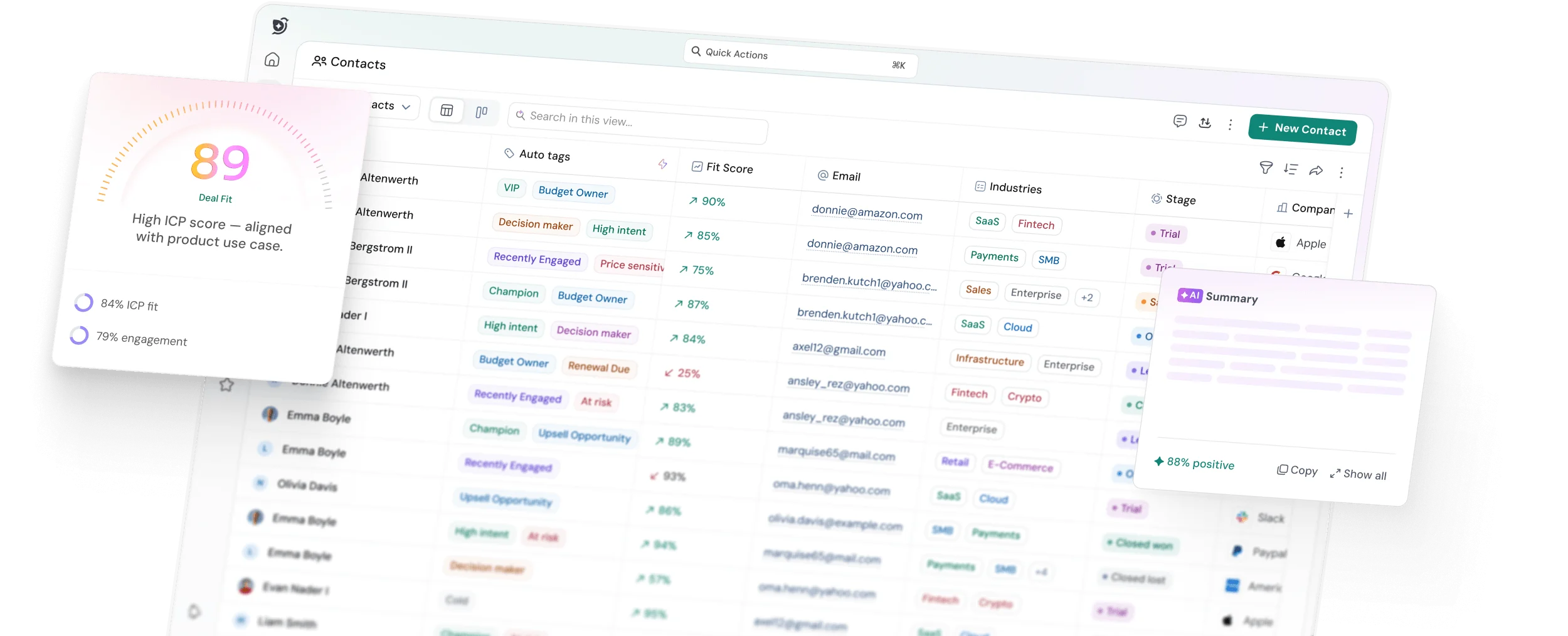
In SparrowCRM, the ICP fit score is calculated across industry, company size, revenue, geography, and seniority. Each criterion gets a weight. The system then scores every contact and company record against your profile and surfaces a percentage fit, High, Medium, or Low, on each record.
The practical benefit is immediate: your reps stop guessing, which leads to prioritizing. Leads with a 90% ICP fit and high buying intent signal float to the top of every queue automatically. If you are using a traditional CRM, replicate this manually through a lead scoring model that assigns point values to the same fields.
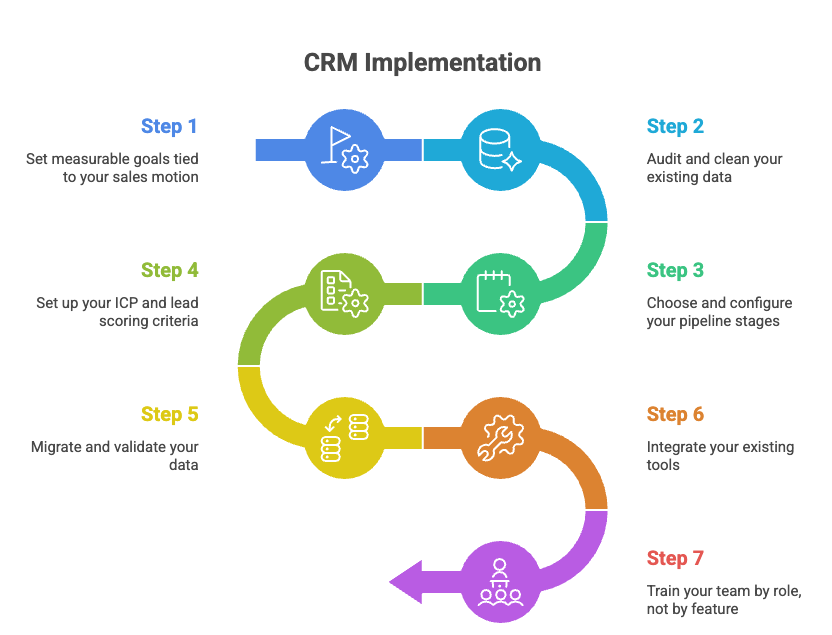
Step 5: Migrate and validate your data
With the pipeline built and ICP configured, you are ready to import your contacts and deals. Do not do this all at once.
The standard practitioner advice, validated repeatedly in implementation communities, is to run a test batch of 50 contacts first. Map your source fields to CRM fields carefully, first name, last name, email, company domain, job title, lifecycle stage, and owner at a minimum. Confirm that every field maps correctly and that no data is lost or misformatted in the import.
Only after the test batch validates cleanly should you run the full import. For teams migrating from a free CRM tier or spreadsheets, export your contacts as a CSV, clean the file before importing, and use the email address as the unique identifier to prevent duplicates from being created.
After the full import, do a spot-check on 20 to 30 records across different contact types. Verify that company associations are correct, lifecycle stages are assigned, and no fields are blank that should have data.
Step 6: Integrate your existing tools (email, calendar, Slack)
A CRM that is not connected to where your team communicates will always feel like extra work. Integrations are what transform the CRM from a system people have to update into a system that updates itself from existing activity. For a full breakdown of what is possible, this CRM API integration guide covers the most common connection patterns.
The minimum integrations to configure before launch:
- Email sync (Google or Microsoft 365). Once connected, every email your reps send and receive is automatically logged against the relevant contact and deal. This alone removes the single biggest adoption barrier, manual activity logging.
- Calendar sync. Meeting records are created automatically. No rep needs to log a meeting that they already scheduled in their calendar.
- Slack or team communication. CRM notifications surface where your team already works. Deal alerts, task reminders, and pipeline updates land in channels rather than requiring a CRM login to catch.
Additional integrations, marketing tools, billing systems, and support platforms can be configured in phase two. Trying to wire everything up before launch is a reliable way to delay go-live indefinitely.
Step 7: Train your team by role, not by feature
Most CRM training fails because it is organized around the product, not the person. A full-platform walkthrough teaches everyone how to do everything. It also means everyone forgets most of it by the following Monday.
Role-based training flips this. Each person learns only what they need to do their job in the CRM:
- Sales reps: how to log an activity, move a deal through the pipeline, use email sequences, and read their AI-generated next actions
- Sales managers: how to read pipeline dashboards, review deal health scores, and identify at-risk deals before they go cold
- Sales ops/admin: how to manage field configurations, run imports, build views and reports, and monitor data quality
Beyond role-based content, find one rep on the team who is more bought in than the others and make them your internal CRM champion. Give them input on how things are set up. When that person explains something to a teammate, it lands differently than when a manager mandates it. Adoption is a trust problem as much as a tech problem.
Training should happen close to launch, not three weeks before, when people will have forgotten it, and not on go-live day, when it is too late to absorb it. Aim for 48 to 72 hours before go-live.
Step 8: Launch with a 30-day adoption sprint, not a soft rollout
There is no such thing as a soft launch for a CRM. Either the team uses it as the system of record from day one, or they do not. A soft launch gives everyone permission to use it sometimes, which quickly becomes never.
On launch day, the single most important action is getting every rep's existing contacts and deals into the system. People resist tools that feel empty. Once their history is in the CRM, it starts to feel like theirs, not a new system imposed on them, but a record of their own work.
For the first 30 days, treat CRM usage as non-negotiable:
- Activity logging is required; email sync handles most of it automatically, but manual call and meeting notes need to be part of the daily habit from week one
- Pipeline reviews happen inside the CRM, not in exported spreadsheets
- Deal stage updates are reviewed weekly, not as surveillance, but as the basis for an accurate forecast conversation
At the end of the 30-day sprint, review the KPIs you set in Step 1. Are the numbers moving? Where are the gaps? This review sets the agenda for month two.
Get your CRM live without the implementation chaos

What changes when you're implementing an AI-native CRM
The 8-step framework above applies to any CRM rollout. But if you are implementing a CRM with native AI capabilities, not AI bolted on as an add-on, but AI embedded into the core data layer, there are specific configuration decisions that will determine whether those capabilities actually work on day one or stay dormant for months.
AI scoring and summaries only work if your data is clean
AI-generated ICP fit scores, engagement scores, and deal health signals are all calculated from the data in your records. A contact with three populated fields returns a weak score. A contact with a complete profile, industry, seniority, company size, interaction history, and email engagement data returns a score you can actually act on.
This is why the data audit and enrichment step matters more in an AI-native CRM than in a traditional one. The AI does not fix bad data. It amplifies whatever signal exists in the records. Clean, enriched contact data on import means your ICP scores, buying intent signals, and AI summaries are useful from day one rather than six months in.
Setting up automated next actions and deal health signals
In SparrowCRM, AI-generated next actions appear on every contact, company, and deal record once the system has enough interaction data to work from. These are not generic prompts; they are generated from email exchange patterns, meeting transcripts, deal stage duration, and engagement signals.
To activate them quickly after launch:
- Connect email and calendar on day one, so interaction data starts accumulating immediately
- Configure ICP criteria before the first import so that fit scores generate on every new record
- Set pipeline exit criteria so that deal stage duration tracking begins from the first deal created
Deal health scores update weekly and surface which opportunities are gaining momentum and which are stalling, including the specific signals driving the change. Managers reviewing the pipeline in week two of a launch will already have richer deal context than a traditional CRM provides after six months.
What the r/CRM community said about real implementation steps
A recent user post in the r/CRM subreddit captured a first-time CRM implementation scenario that closely mirrors what many small sales teams face: a 12-person team, 5,000 contacts split between a free HubSpot account and spreadsheets, going live on Pipedrive for the first time. The community responses surfaced practitioner insights worth building into any implementation plan.
1. Data hygiene comes before migration, not after
Multiple practitioners flagged that bad data follows you into the new system if you do not clean it first. The specific advice: export, deduplicate, validate email addresses, and run a test batch of 50 contacts before the full import. This aligns directly with Step 2 and Step 5 of the framework above.
2. Pipeline stages must be built before the import, not after
One contributor was explicit: the CRM default pipeline stages will not match how your team sells. Reps who do not recognize their own workflow in the system will quietly stop updating it. This is not a configuration preference; it is the primary adoption risk.
3. Fewer required fields at launch is always better
Teams that launched with 12 required fields found reps entering junk data just to get past the form. The recommendation: start with three or four genuinely useful fields. You can always add more once people are in the habit of opening the CRM.
4. Find an internal champion before launch
Adoption is a trust problem as much as a tech problem. One practitioner described the value of identifying one rep who is more bought in than the others and giving them input on how the CRM is set up. When that person explains something to a teammate, it lands differently than a top-down mandate.
5. Decide what happens to stale deals before go-live
Not defining a home for deals that go quiet results in a pipeline full of zombie entries within 60 days. No one trusts the numbers, and pipeline reviews become exercises in guesswork rather than genuine forecasting.
Common CRM implementation mistakes to avoid
Every implementation failure has a pattern. These are the three that appear most consistently and are most preventable.
1. Over-configuring before you've used it in the field
The temptation at launch is to build the perfect system: every field accounted for, every workflow automated, every edge case covered. This is almost always a mistake.
A CRM that has been extensively configured before anyone has used it in production reflects assumptions about how the team will work, not how they actually work. Those assumptions are usually wrong in ways that only become visible after three weeks of real usage. The result is a complex system that does not match reality and is too invested in to change quickly.
Launch with a minimum viable configuration. Enough structure to enforce the process, not so much that changing it feels like a project. The average time between launch and first meaningful revision should be four to six weeks, not six months.
2. Migrating dirty data and trusting it
Importing unclean data is the implementation mistake with the longest tail. It does not hurt you on go-live day. It hurts you at week four when reports look wrong, at month two when AI scoring produces nonsensical outputs, and at quarter-end when the forecast you built on bad data fails to materialize.
The most common dirty data problems: duplicate contacts creating split records, inconsistent formatting in name and company fields breaking deduplication logic, and contacts with missing company domain associations preventing automated relationship mapping.
Each of these is fixable before import. None of them is easy to fix after 5,000 records are in the system and 12 reps have been adding to them for six weeks.
4. Treating go-live as the finish line
Go-live is the start of the implementation, not the end of it. The first 30 days after launch are when adoption either takes hold or quietly collapses. If there is no plan for that period, no adoption review, no pipeline check, no rep-level feedback loop, the system will drift back toward the informal processes it was supposed to replace.
The most successful implementations treat the 30-day post-launch period as a distinct phase with its own milestones. Daily active users, deals updated this week, activities logged per rep; these numbers should be reviewed weekly, not monthly.
If adoption is stalling at the individual rep level, the fix is rarely more training. It is usually a workflow that does not match reality, a required field slowing reps down, or a stage definition that does not map to how they think about their deals. These are configuration problems, not behavior problems.
How long does CRM implementation take?
For a modern cloud-based CRM with a team of 10 to 50 users, a well-run implementation takes four to eight weeks from kickoff to go-live. According to Insightly's implementation research, that timeline assumes a dedicated implementation lead, clean data going in, and a team that is available for training and user acceptance testing.
Team Size | Implementation Timeline | Key Variable |
2–10 people | 2–4 weeks | Data volume and number of integrations |
10–50 people | 4–8 weeks | Data quality and the number of departments |
50–200 people | 8–16 weeks | Change management and custom workflows |
200+ people | 4–6 months+ | Legacy system migration and IT dependencies |
If a vendor is suggesting a six-month implementation timeline for a team under 50 people, that is a signal about the complexity of their platform, not the complexity of your needs.
The biggest variable is data quality. Teams with clean, well-structured data in a spreadsheet or existing CRM can often go live in three weeks. Teams with contacts scattered across inboxes, business cards, and three different tools with no consistent formatting typically add two to four weeks of pre-migration work.
AI-native CRMs like SparrowCRM are designed to compress this timeline significantly. To understand what the right CRM selection looks like before you get to implementation, this guide to choosing the right CRM covers the evaluation framework in depth.
How to measure CRM implementation success
The goals you set in Step 1 are your primary success criteria. But there are leading indicators worth tracking from week one that tell you whether adoption is taking hold before you get to the 90-day outcome review.
Metric | What It Measures | Target (First 30 Days) |
Daily active users | Whether reps are opening the CRM | 80%+ of team, daily |
Activities logged per rep | Whether interactions are being recorded | Minimum 3 per rep per day |
Deal stage updates per week | Whether pipeline data is current | Every open deal is reviewed weekly |
Data completeness % | Whether records have the fields you need | 70%+ of required fields populated |
Email sync activation rate | Whether auto-logging is reducing manual work | 100% of reps connected by day 3 |
After 90 days, shift to outcome metrics:
- Pipeline visibility: what percentage of deals have been updated in the last 7 days
- Forecast accuracy: how close is the weekly pipeline projection to actual closed revenue
- Rep ramp time: Are new hires reaching their first close faster than before the CRM
- Response speed: has an average time from new lead to first outreach, decreased
These are the numbers that determine whether the implementation delivered on its original promise, and the numbers you bring to leadership at the quarter-end review to make the case for continued investment.

Geethapriya
Geethapriya is a Growth Marketer and Business Researcher who researches and writes about CRM, sales, marketing, and customer engagement. Her work focuses on understanding industry trends, customer and sales challenges, and how businesses can use technology to build more effective growth processes.
Frequently Asked Questions (FAQs)
Related Articles

10 Apr, 2025
What is Sales Forecasting: Challenges, Methods, and Best Practices

12 May, 2025
What is an Agentic CRM? Definition, How It Works & Use Cases

16 Sep, 2025