CRM SOFTWARE
HubSpot vs Monday: Which CRM is right for your sales team?

By Geethapriya
Last updated on Aug 9, 2026
Explore this blog to understand the key differences between HubSpot and Monday CRM across features, pricing, and real user sentiment, so you can make a confident decision for your sales team.
Both HubSpot and Monday CRM appear on most CRM shortlists. They look similar on the surface: pipelines, contacts, dashboards. But they are built around fundamentally different ideas of what a CRM should do.
HubSpot is a dedicated sales and marketing CRM. It is built specifically for teams that live in their pipeline. Monday CRM is a flexible work management platform that added CRM capabilities on top of its core project management layer.
I have tested Monday and HubSpot for 14 days using their free trial options. I have created similar workflows and pipelines and tested their lead management and AI features. Here is the complete guide on Monday vs HubSpot
HubSpot vs Monday at a glance
Here is a quick snapshot of how the two tools compare across the features that matter most to sales teams.
Feature | HubSpot Sales Hub | Monday CRM |
|---|---|---|
Best for | Sales-led teams needing a dedicated CRM | Teams that want CRM flexibility alongside project workflows |
Deployment | Cloud-based (SaaS) | Cloud-based (SaaS) |
Availability | Web, iOS, Android | Web, iOS, Android, tablet |
Contact management | Robust unlimited contacts on the free plan | Solid, flexible custom fields |
Deal pipelines | Multi-stage pipelines with AI forecasting | Customizable pipelines, drag-and-drop |
Automation | Advanced sequences, workflows, and AI triggers | Solid recipe-based automation |
AI features | Breeze AI, Copilot, and deal scoring | AI automation suggestions, basic assistant |
Reports and analytics | Comprehensive, custom dashboards, forecasting | Good, visual dashboards, limited depth |
Integrations | 1,500+ native integrations | 200+ native integrations |
Free plan | Yes, CRM, email, basic automation | Yes, up to 2 seats, limited features |
Pricing starts at | $20/seat/month (Starter) | $12/seat/month (Basic CRM) |
Support | Email, chat, phone (paid plans) | Email, chat, 24/7 (paid plans) |
What is HubSpot?
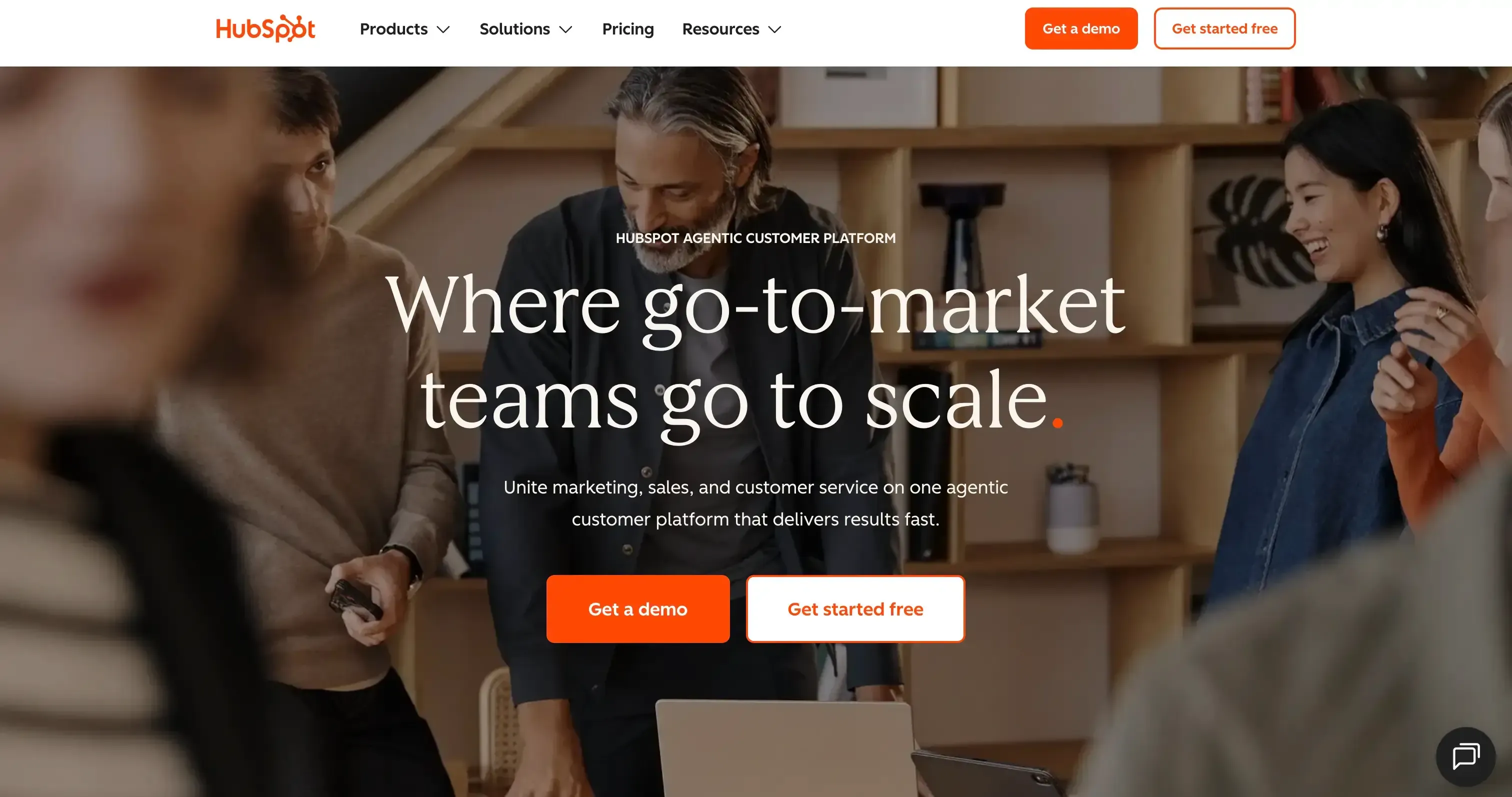
HubSpot is a full-stack CRM platform covering sales, marketing, and customer service. Its Sales Hub is the most commonly compared product; it includes pipeline management, contact records, email sequences, meeting scheduling, forecasting, and automation workflows all in one place.
Source:hubspot.com
HubSpot's core strength is depth. If your team runs outbound sequences and multi-stage pipelines and needs detailed reporting across the revenue funnel, HubSpot gives you that infrastructure out of the box without stitching together integrations.
It scales well, from a free CRM for early-stage startups to an enterprise-grade platform with Breeze AI, predictive deal scoring, and advanced automation. The trade-off is cost: once you need features beyond the free plan, the pricing steps up quickly.
What is Monday CRM?
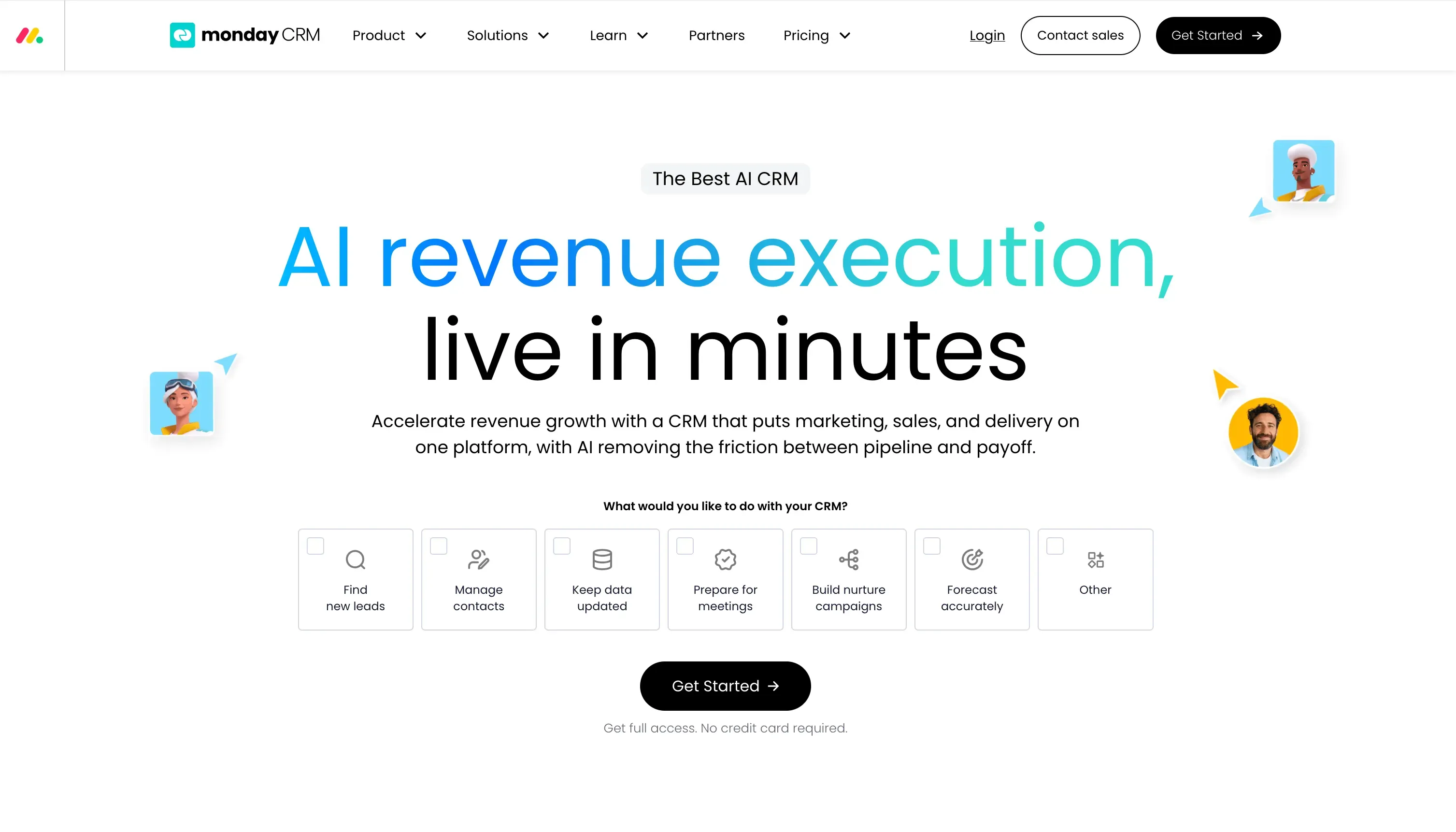
Monday CRM is Monday.com's dedicated CRM product, built on top of its well-known work management platform. It gives sales teams pipeline visibility, contact management, and automation, with the flexibility that Monday.com is known for.
Source: monday.com
Where Monday CRM stands out is customization. Teams can build their sales process almost entirely from scratch, including custom fields, custom pipelines, and custom dashboards. If your workflow is non-standard or you run sales alongside project delivery, Monday adapts to how you already work.
The limitation is depth. Monday CRM is excellent for pipeline visibility and task management, but its marketing automation, reporting, and AI capabilities are lighter compared to HubSpot. It is a strong CRM for teams that need flexibility over feature density.
Sign Up and Get 3 Free CRM Users

Feature comparison
Here is how HubSpot and Monday CRM compare across the features that most directly affect your day-to-day sales workflow.
Contact management
I have tested the contact management by importing 50 sample contacts using the .csv import feature.
Hubspot
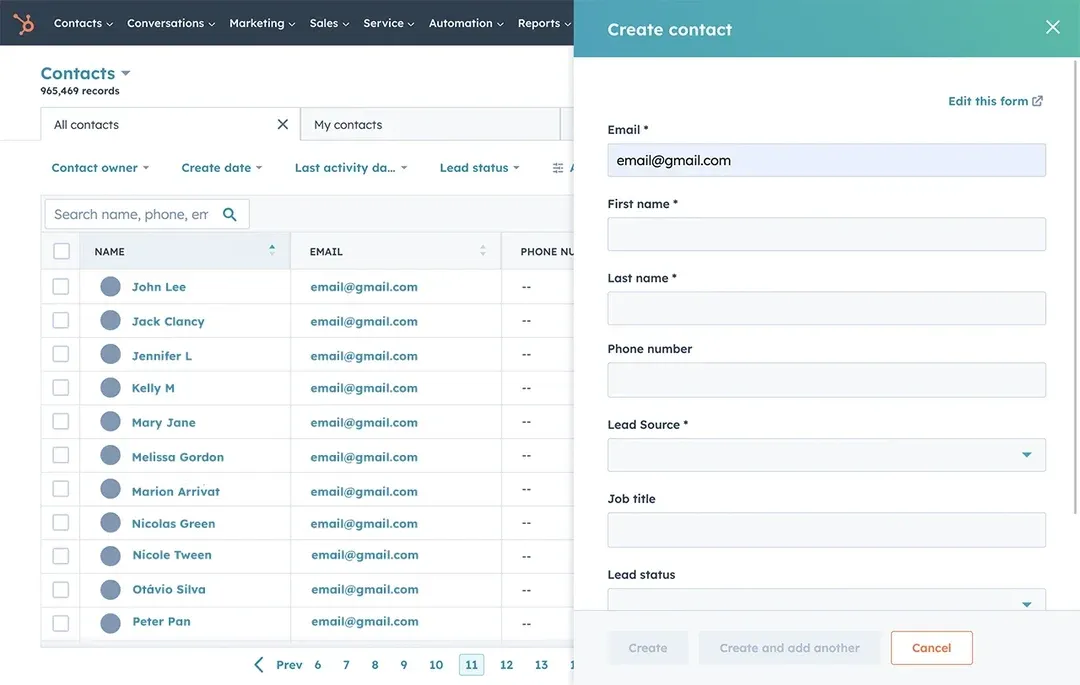
HubSpot's contact management is one of its strongest areas. Every contact record automatically aggregates email threads, call logs, meeting notes, and deal activity in a single timeline. You get unlimited contacts even on the free plan, with properties, segmentation, and filters built in. The experience of importing contacts is easier; I made it under 5 mins.
Another advantage is that HubSpot's sales, marketing, and service activities can be connected to the same contact record. This gives teams a more unified view of the customer journey, from marketing engagement and sales interactions through to customer service.
Source: hubspot.com
Monday
Monday CRM gives you a flexible contact board where you can define any fields you need. It is highly visual and easy to scan, but the depth of activity tracking, particularly for email and call history. The experience of importing is simpler and similar to HubSpot.
Monday’s detailed view is not as detailed as HubSpot's. Monday has a detailed view of activities, call summaries, and notes view in detailed. They cannot identify positive or negative feedback to notify the sales reps.
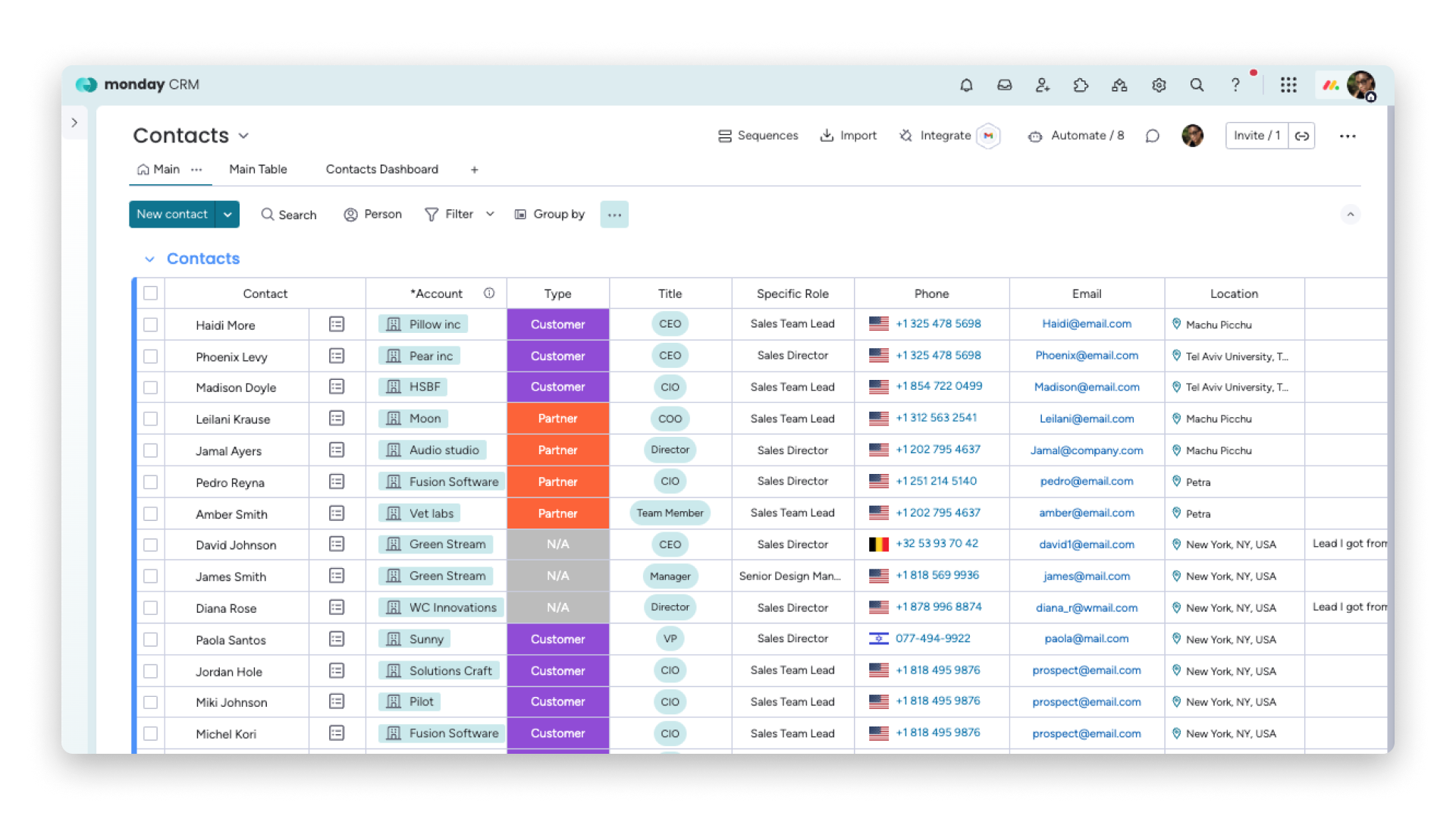
Source: support.monday.com
For teams managing large contact databases with detailed engagement history, HubSpot has a clear edge. For smaller teams that want a clean, customizable view without a steep setup process, Monday CRM gets the job done. You can explore what effective contact management looks like in a modern CRM to benchmark your current setup.
Deal pipelines
I tested the pipeline by creating a sample deal and moving it through different sales stages. The pipeline gave me a visual view of where each deal stood, along with its value and expected close date.
Hubspot
HubSpot offers a clear visual view of where each deal stands, along with important details such as deal value, close date, and associated activities. I could also manage emails, calls, meetings, and follow-up tasks against the deal, keeping the sales activity connected to the opportunity.
Deal creation activity is seamless because I would create under the lead or contact or in the deal tab, whereas I wouldn’t be able to create the deal under contacts in Monday. It feels difficult to move the contacts to deals.
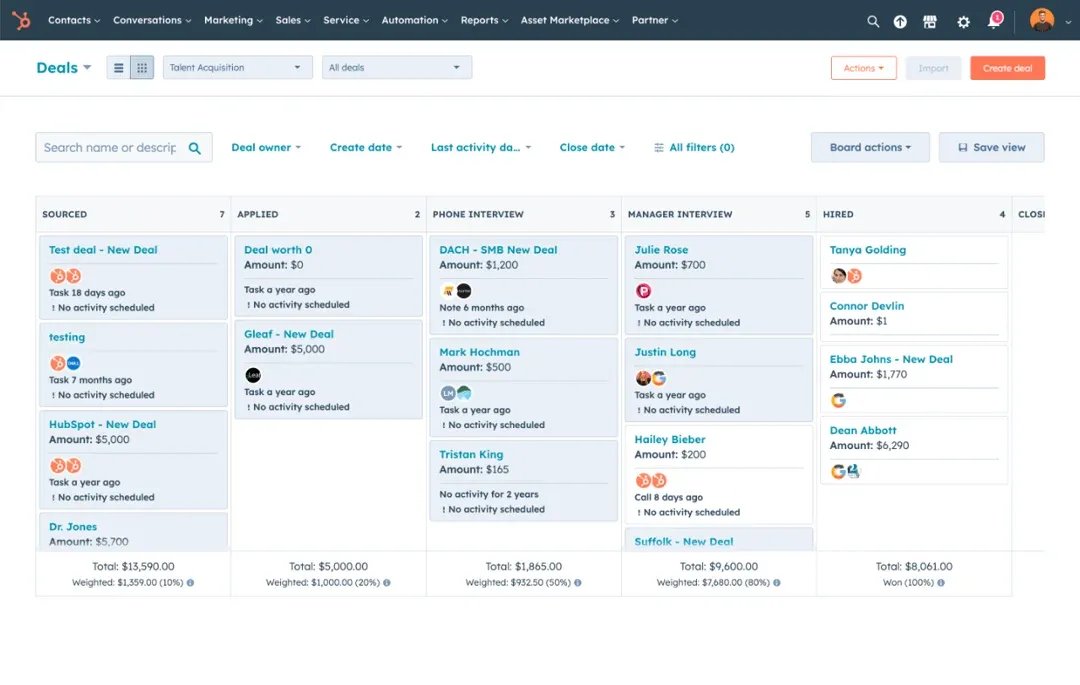
Source: knowledge.hubspot.com
"I use HubSpot Sales Hub daily for managing my sales, deals, leads, forecasting, and different pipelines. I love the AI note taker feature for recording sales calls, as well as the sales intelligence forecasting. The reporting features are the best. It's a one-stop shop for every salesperson."
Monday
Monday CRM's deal pipeline by creating a sample opportunity and moving it through different sales stages. Each deal can store key information such as the deal value, owner, contact details, activities, and expected close date. As the opportunity progresses, I can move it between stages to keep the pipeline updated. The visual pipeline makes it easy to see the number of deals at each stage and monitor their potential value
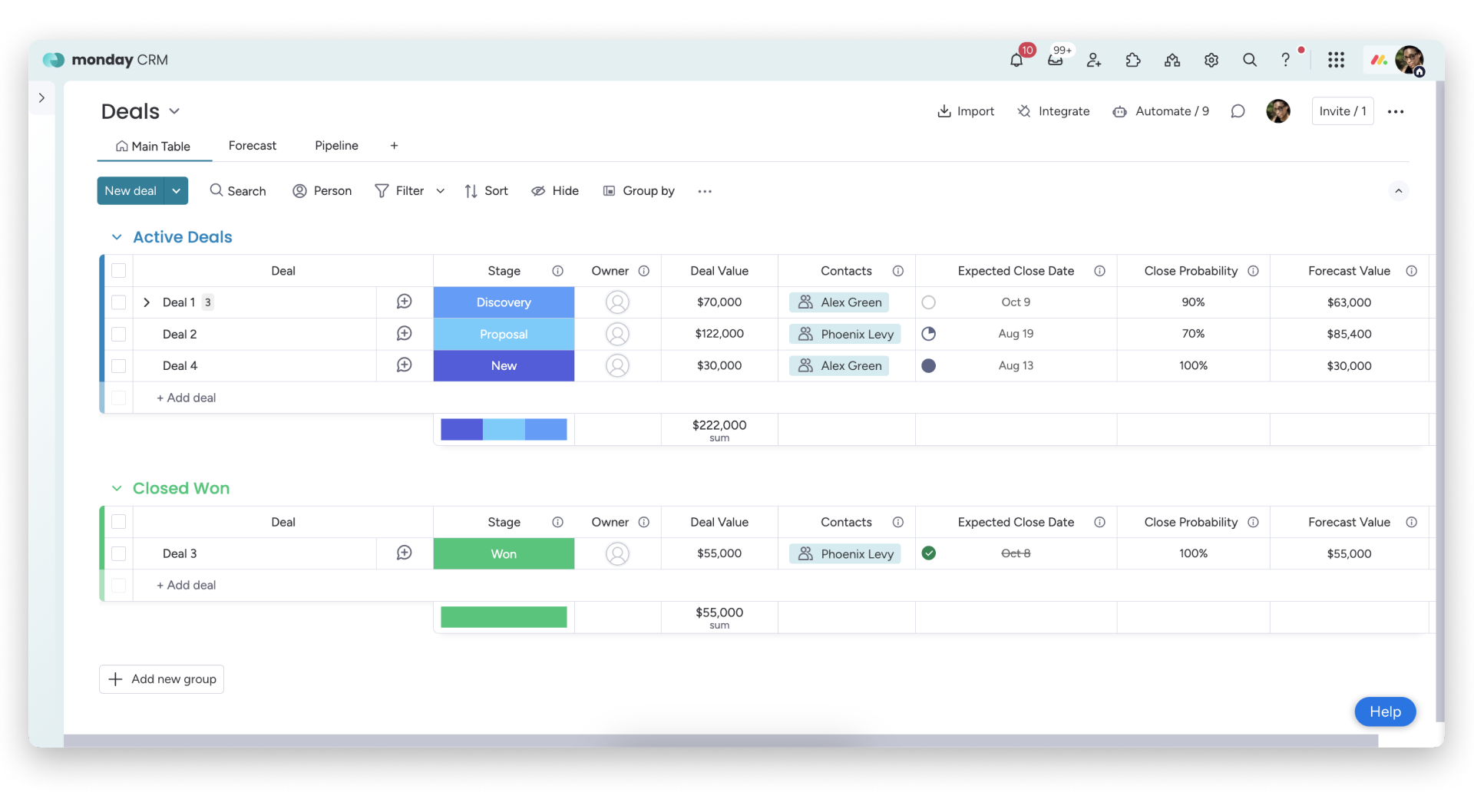
Source: support.monday.com
"Our sales process changes often, and Monday CRM adapts to those shifts really well. We're able to adjust our pipelines as needed without breaking existing workflows or creating extra confusion. The custom fields make it easy to track the deal data that actually matters to us."
If pipeline adaptability matters most, Monday CRM leads. If you need AI-powered forecasting and deep pipeline reporting, HubSpot is the stronger choice.
Lead Management
I have tested lead management by creating forms and also imported 20 leads to check the lead management.
HubSpot
HubSpot has native forms, chatbot, and live chat to capture leads from your website actions. HubSpot has a deeper tracking analysis system to understand where the lead comes from, what their first page view was, and where they filled out the forms, and post-website activities after the lead submissions.
It has a lead-sourcing feature calculated based on interactions and activities. This helps to prioritize the right lead at the right time.
Monday
Monday has native forms inside their CRM, but for chatbot or live chat, we need to use third-party apps. Monday’s lead view is similar to their contact view; we have Sidekick, their AI feature, to understand their lead performance. Lead Sourcing agent finds leads in the market, enriches them, and scores new prospects daily based on the ICP profile.
Reports and analytics
I have tested the dashboard and reporting using the KPI of Closed-won revenue, sales reps’ pipeline, win rate, and deals lost.
Hubspot
HubSpot’s dashboard is relatively straightforward to create these reports using the fields and data available across contacts and deals, especially for KPIs that sales teams track regularly.
The dashboards can be customized with different chart types, filters, and date ranges. When the underlying CRM data changes, the reports update accordingly, making it easier to monitor sales performance from a single view.
I also created a separate dashboard to track sales rep performance using metrics such as emails sent, calls, demos, and pipeline value. This gave me a more focused view of individual rep activity and pipeline contribution.
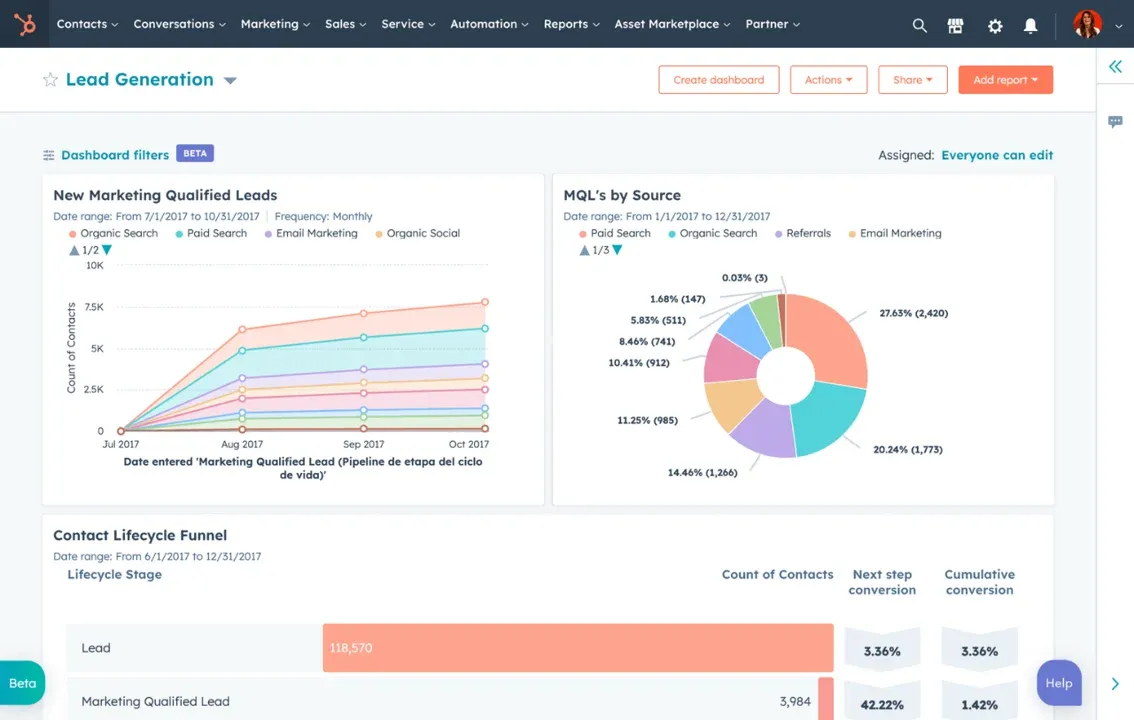
Source: knowledge.hubspot.com
On the free plan, HubSpot limits the 10 of custom reports and 50 reporting capabilities available, so more advanced reporting requirements may require an upgrade.
Monday
Monday CRM Monday CRM’s dashboard and reporting capabilities use four common sales KPIs: closed-won revenue, sales reps’ pipeline, win rate, and lost deals. I created sample deals across different sales stages and assigned them to different sales reps to see how the dashboard reflected the data.
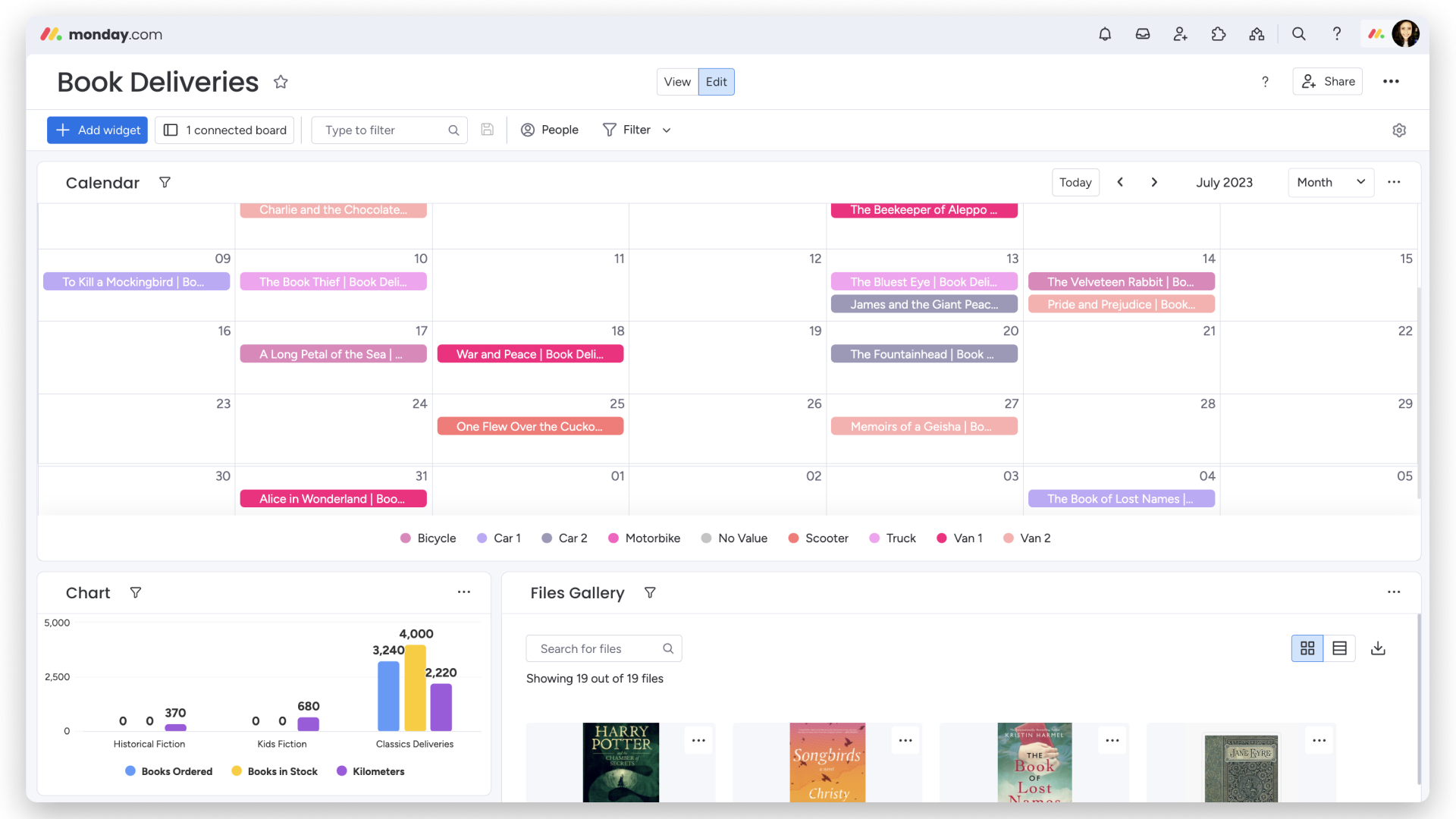
Source: support.monday.com
In Monday CRM, you can’t track advanced tracking like which web pages contributed to revenue natively; you might need third-party apps to do it. In HubSpot CRM, these KPIs can be tracked natively.
Ease of use
I evaluated the ease of use by working across contacts, deals, leads, and dashboards.
Monday
Monday CRM has a reputation for being immediately intuitive. The visual board layout is familiar to anyone who has used a spreadsheet or Kanban tool, and most teams can get up and running without heavy onboarding. Their UI is easy to use and understand. Sales teams can easily use CRM. For sales teams that need CRM which needs to track sales activities and also client projects, Monday CRM is the perfect CRM option
"Monday CRM is an intuitive and flexible platform that makes it easy to manage sales processes without unnecessary complexity. It provides clear visibility into deals, contacts, and activities, helping teams stay aligned and informed."
HubSpot
HubSpot is relatively easy to get started with, particularly for core CRM activities such as adding contacts, importing data, creating deals, and moving opportunities through the pipeline. The interface is well organized, and most of the information needed to manage a contact or deal is available from a single record.
"I find HubSpot Sales Hub very user-friendly, which really makes things seamless for me. Its automation features are a big help because they ensure I don't forget to follow up with prospects."
However, HubSpot can take some time to fully understand because of the number of features available across its sales, marketing, service, and content tools. While the core CRM is easy to start using, navigating the broader platform and understanding which features are available under each Hub can feel overwhelming for a new user.
Automation
have tested the automation feature for deals: if a deal is not moved for 15 days intimate the sales rep.
HubSpot
HubSpot's automation is more advanced. Sales sequences, workflow triggers based on contact properties, deal stage changes, lead scoring thresholds, and AI-driven actions are all native. Setting up the workflow involved selecting the deal-based trigger, defining the 15-day condition, and adding an internal notification for the assigned sales rep.
Once the condition was met, the workflow could notify the rep so they could review the opportunity and decide on the next action. I find it easy to create workflows.
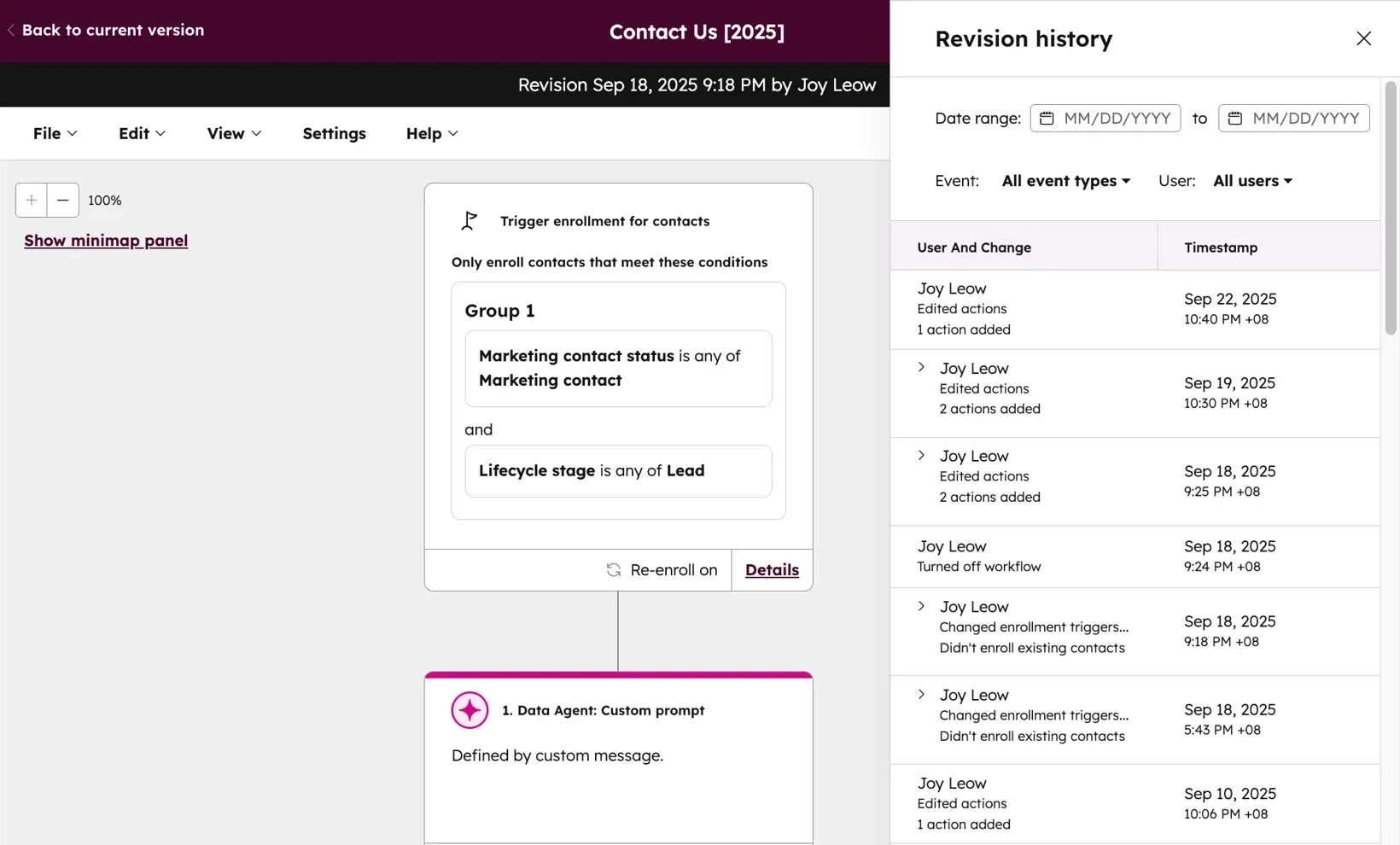
Source: knowledge.hubspot.com
"I like how HubSpot Sales Hub allows us to run reports, adjust processes, and communicate with the whole team. It keeps our follow-ups consistent and can be automated, and there is a history for each deal. It helps us track our deals from start to finish and every lead from just being interested to making a purchase."
Monday
Monday CRM’s AI workflow builder by creating a workflow similar to the one I tested in HubSpot. Instead of manually searching for the required objects, triggers, and actions, I described the workflow using a natural-language prompt, and Monday generated the workflow structure based on my instructions. This made the initial setup faster and more intuitive, especially for users who may not be familiar with CRM objects and automation logic.
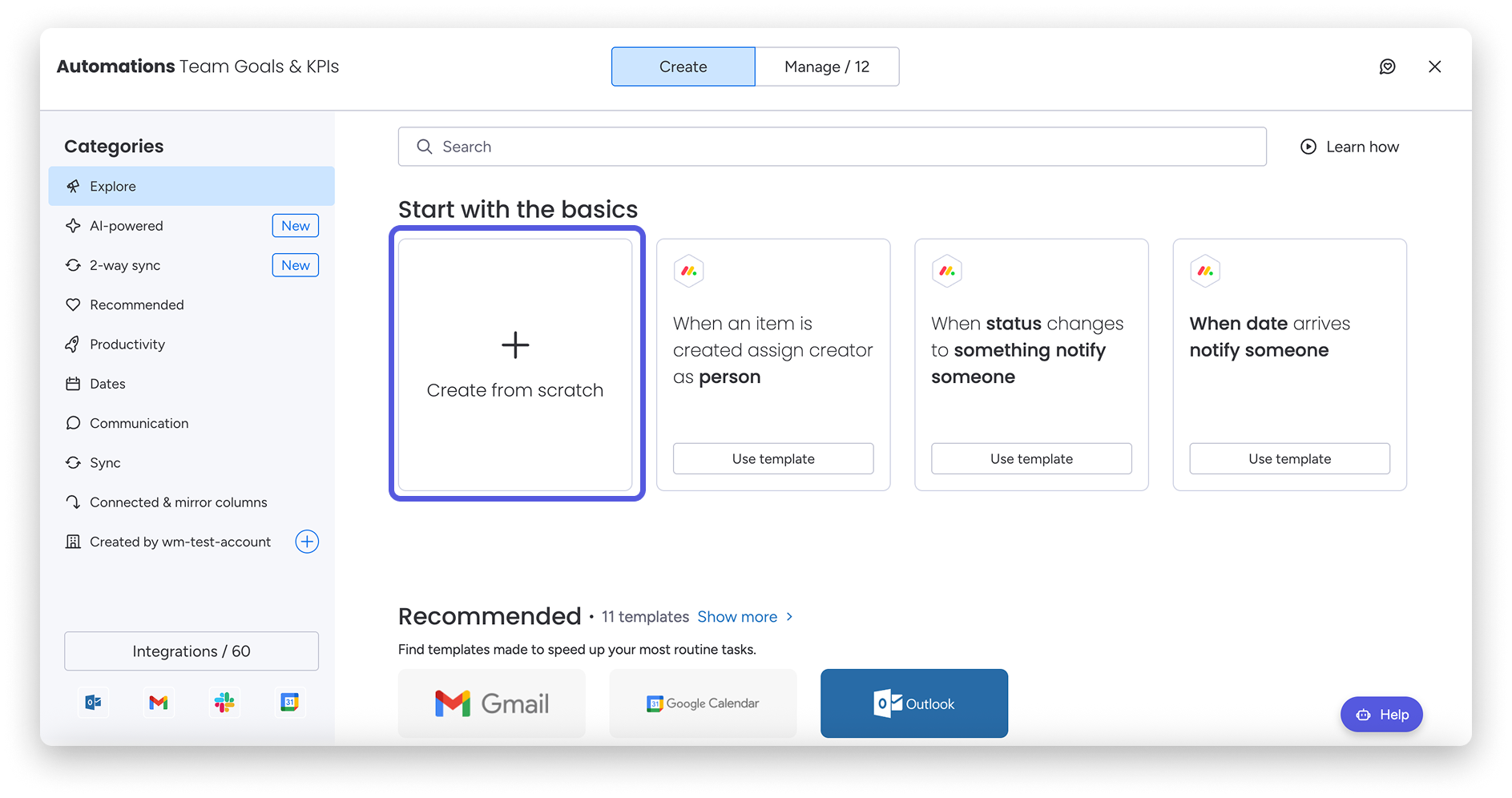
Source: support.monday.com
"I like using Monday CRM for listing down my tasks and leads as it makes it easy to manage leads and tasks with next steps. I also appreciate its feature to set up automated workflows that move leads or tasks from one stage to another, which helps by automatically progressing tasks and leads based on preset triggers."
Compliance
HubSpot provides GDPR compliance tools, data residency options on Enterprise, SOC 2 Type II certification, and custom data retention settings. These are available across paid plans and become more granular at the Professional and Enterprise tiers.
Monday CRM also holds SOC 2 Type II certification, GDPR compliance, and HIPAA compliance on Enterprise plans. For teams in regulated industries or with strict data governance requirements, both platforms meet baseline expectations, but verify specific requirements against the Enterprise tier of each.
Migration
Migrating to HubSpot from another CRM is generally well-supported. HubSpot provides native import tools for contacts, companies, deals, and notes, along with a migration marketplace of certified partners for more complex moves. Data mapping is straightforward for standard field types.
Monday CRM supports CSV import and has an open API for custom data migration. For teams switching from a traditional CRM, you will likely need to map field structures manually, which adds setup time but is manageable for smaller datasets.
For teams switching from Notion or lightweight tools, the migration to either platform is relatively low effort. For teams moving from Salesforce or enterprise systems, HubSpot's migration support is more structured.
Watch our quick video breakdown of HubSpot vs Monday CRM vs SparrowCRM: features, AI, and pricing compared in under two minutes.
Pricing comparison
HubSpot Sales Hub pricing
HubSpot charges per seat and separates its product hubs, Sales Hub, Marketing Hub, and Service Hub, which are priced independently. The pricing below reflects Sales Hub.
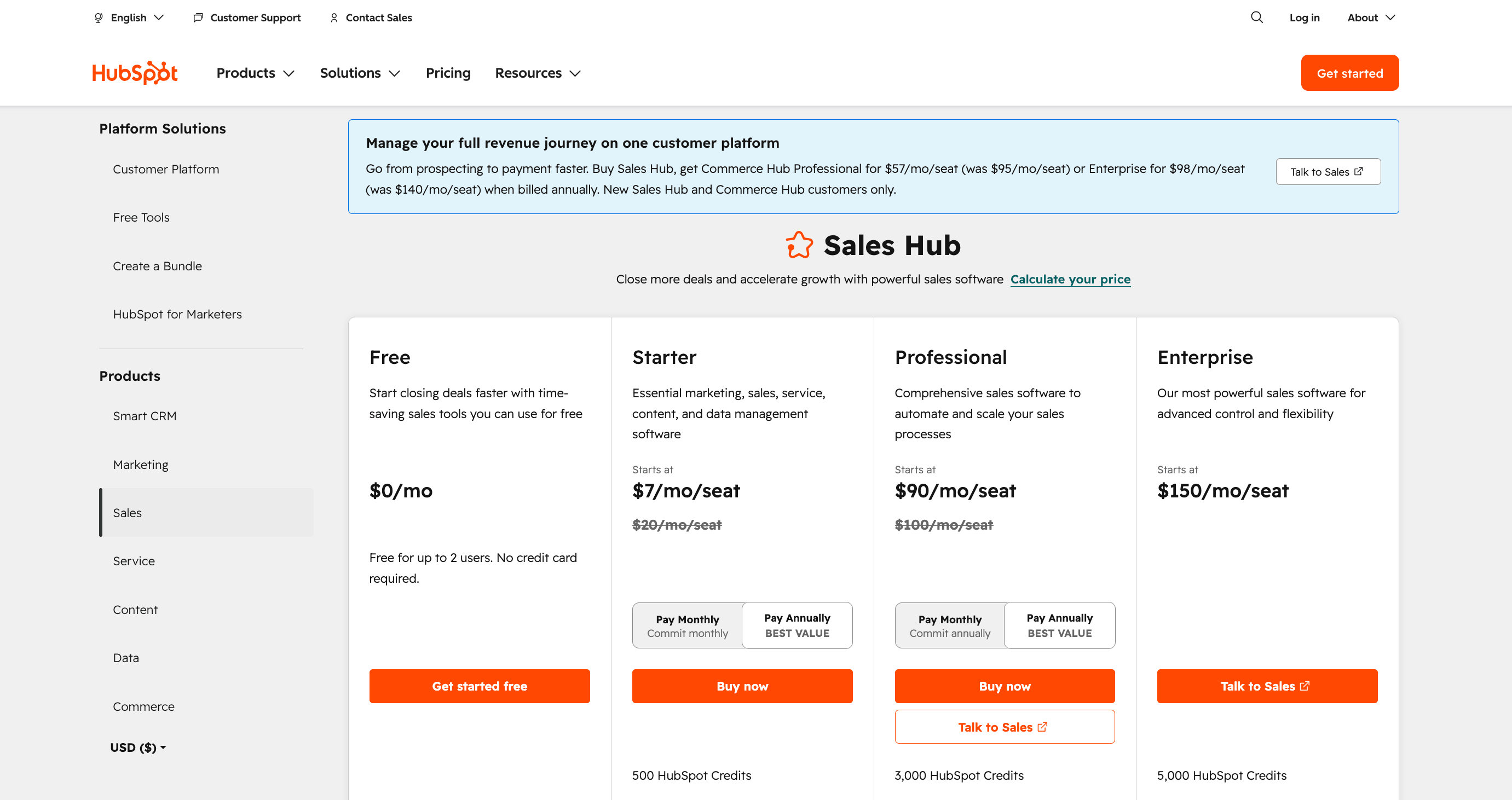
Source: hubspot.com
Plan | Price | Key features |
|---|---|---|
Free | $0 | Unlimited contacts, basic deal pipeline, email tracking, meeting scheduling, live chat |
Starter | $20/seat/month | Everything in Free + email sequences, task queues, multiple pipelines, and simple automation |
Professional | $90/seat/month | Everything in Starter + advanced automation, custom reporting, forecasting, playbooks, sequences |
Enterprise | $150/seat/month | Everything in Professional + predictive lead scoring, custom objects, advanced permissions, and Breeze AI |
Note: If you need marketing automation alongside sales, you will need to add Marketing Hub, which starts at $800/month for Professional. Costs compound quickly once multiple hubs are required.
Monday CRM pricing
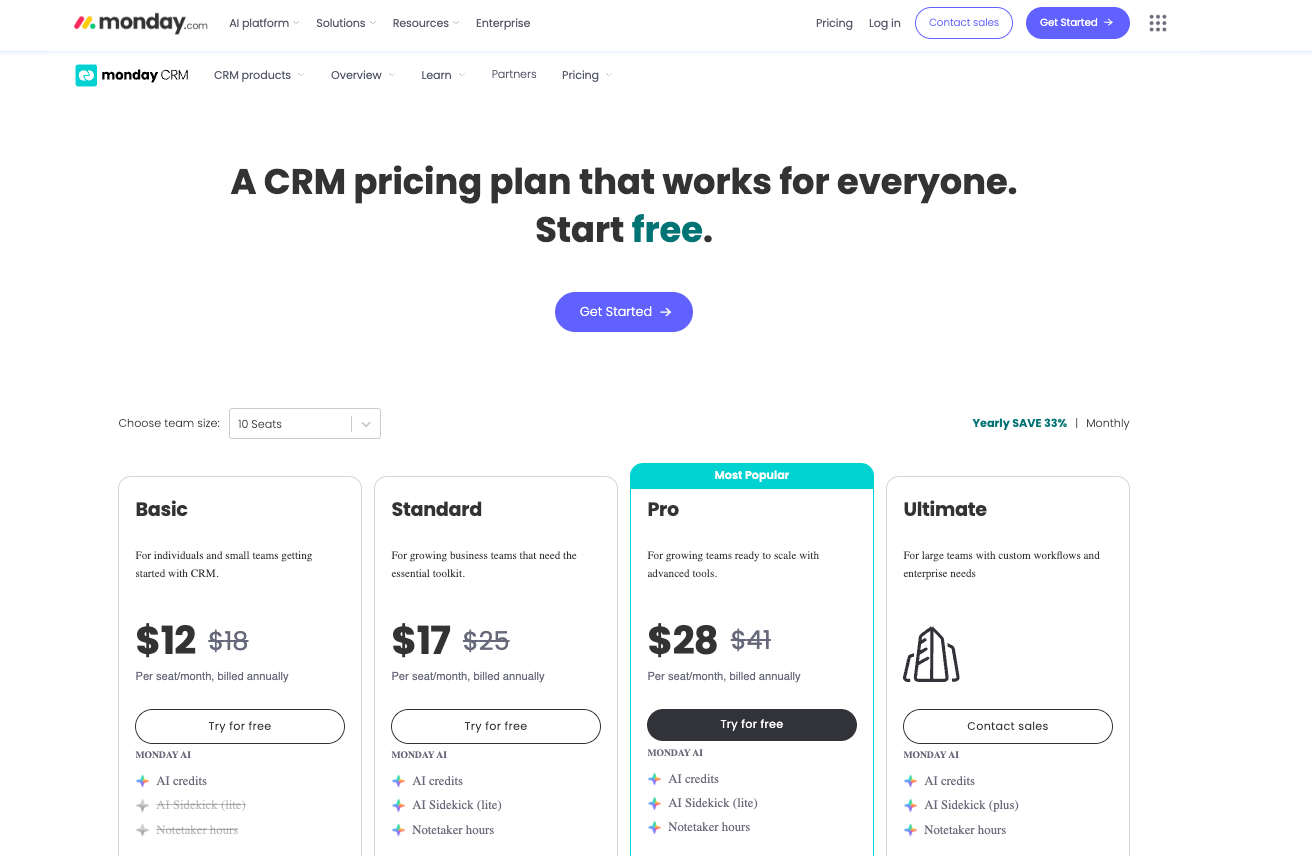
Monday CRM is priced separately from Monday.com's work management product. Plans are billed per seat, with a minimum of 3 seats on paid plans.
Source: monday.com
Plan | Price | Key features |
|---|---|---|
Free | $0 (up to 2 seats) | Basic contact and deal management, unlimited contacts, mobile app |
Basic CRM | $12/seat/month | Unlimited contacts, unlimited pipelines, 5 GB storage, basic automations |
Standard CRM | $17/seat/month | Everything in Basic + AI automation, timeline, calendar, integrations, and email sync |
Pro CRM | $28/seat/month | Everything in Standard + sales forecasting, advanced reporting, email sequences, and time tracking |
Enterprise | Custom pricing | Everything in Pro + advanced security, custom automation, enterprise integrations, and dedicated support |
Monday CRM is more affordable at comparable feature levels for most team sizes. However, if you need the depth of HubSpot's Professional tier, you are looking at a meaningful gap in capability, not just price.
What users say on Reddit
Sales practitioners on Reddit's r/CRM community have clear, consistent views on both tools, and the consensus matches what you see in G2 reviews. Here is what the community actually says.
On Monday, CRM:
- Ease of use is a genuine strength; the visual interface is flexible, and most teams find it approachable without heavy onboarding.
- Marketing integration is a gap. Teams that need email marketing, nurture workflows, or campaign analytics end up relying on Zapier or third-party apps rather than native features.
- Highly customizable for non-standard workflows, useful if your team runs sales alongside project delivery or service work.
- Pricing can get expensive once you add users and unlock Pro-tier features, especially relative to what you get vs. a dedicated CRM.
On HubSpot:
- Very intuitive UI with strong onboarding resources, new sales reps typically get comfortable quickly.
- Built-in marketing integration is a standout. Teams that want CRM and email marketing under one roof without switching tools consistently point to HubSpot.
- Scales well from startup to enterprise, the free plan is genuinely useful, unlike many competitors.
- The pricing jump from Starter to Professional is steep, and once teams start adding multiple Hubs, the monthly cost can become a significant line item.
The overall community consensus: HubSpot is the cleaner choice for sales-led teams that want a dedicated CRM with marketing built in. Monday CRM is the better fit for teams that need flexibility and are willing to handle marketing through integrations.
Sign Up and Get 3 Free CRM Users, AI credits and deal scoring
Final thoughts
The choice between HubSpot and Monday CRM is not really about features; it is about the kind of tool your team actually needs.
If your team is sales-led and needs a purpose-built CRM with deep pipeline management, email automation, and reliable reporting, HubSpot is the stronger fit. It is built for revenue teams and shows the product depth at every tier, reflecting that focus.
If your team values flexibility over depth or runs sales alongside project and delivery work, Monday CRM is worth the investment. It is easier to customize, more affordable at comparable feature levels, and adapts well to non-standard workflows.

Frequently Asked Questions (FAQs)
Related Articles

20 Apr, 2026
HubSpot pricing explained: plans, real costs, and what to watch out for (2026)
23 Aug, 2025
Pipedrive vs Monday CRM: Which Fits Your Business? [2026]
23 Aug, 2025

