CRM SOFTWARE
Contact Management: What It Is, How It Works, and How It Differs from CRM

By Geethapriya
Last updated on Jun 19, 2026
Explore this blog to understand what contact management is, how it differs from a full CRM system, what features to look for in a contact management system, and how to choose the right setup for your business
Geethapriya
Updated on Jun 19, 2026
Contact management is the foundation of how businesses store, organize, and act on customer and prospect information. Before any CRM strategy, sales process, or marketing campaign can work, someone has to manage the contacts behind them.
This guide explains what contact management means, what separates a contact management system from a full CRM, which features actually vary across platforms, and how to choose the right approach based on where your business is today. Whether you are evaluating tools for the first time or questioning whether your current setup is holding you back, this is the place to start.
What Is Contact Management?
Contact management is the process of collecting, storing, organizing, and tracking information about your business contacts, including leads, prospects, and customers, so your team can access accurate data and act on it at the right time.
A contact management system is the software that handles this process. At its most basic, it stores names, phone numbers, email addresses, and notes. At its most advanced, it logs every interaction, segments contacts automatically, and connects with the rest of your sales and marketing stack.
Strong contact management sits at the core of effective lead management; without clean, organized contact data, follow-up processes break down before they start.
Definition of contact management in CRM systems
CRM contact management puts all vital customer information in one place. Your team can access email addresses, phone numbers, websites, and social media profiles easily. The system provides calendar reminders and detailed notes about previous interactions. This helps you find important data about current and potential customers quickly.
A unified customer profile makes trapped data accessible to everyone. Your team members can find the information they need right away. Sales teams can see when customers engage with marketing campaigns or have open service cases.
Contact management delivers these key benefits:
- Quick access to customer details increases agility
- Efficient data management reduces costs
- Quick query responses boost productivity
- Customized interactions build stronger customer relationships
What is a contact in CRM?
A contact in most CRM systems represents someone who bought your product/service. This could also be a company representative responsible for purchasing. Contacts typically denote existing ones, which makes them different from leads that represent potential clients.
Your CRM can get contacts through imports, manual additions, or lead conversions after purchase. These contacts usually connect to companies (accounts) and deals (opportunities).
How contact management evolved into customer relationship management
Contact management started with physical Rolodex systems. Desktop software and email clients with contact tools came next. In spite of that, early systems worked mostly as simple databases with basic contact details.
Two significant developments transformed contact management into full CRM:
- The focus changed from contact details to relationships
- Individual desktop databases became business-wide information sharing
Free contact management software simplified contact storage. These tools now fit into complete CRM systems. Modern CRMs track everything - customers, sales leads, marketing campaigns, and team performance.
The Difference Between Contact Management and a CRM System
Businesses frequently use contact management and CRM interchangeably. They are not the same thing. For a foundational explanation of what a CRM does, see what is a CRM.
Feature | Contact Management System | CRM System |
Primary purpose | Store and organize contact data | Manage the full customer relationship lifecycle |
Data stored | Names, emails, phone numbers, notes | Contacts, interactions, deals, pipeline, campaigns, support cases |
Users | Individuals, small teams | Sales, marketing, support, and leadership teams |
Automation | Minimal or none | Workflow automation, lead scoring, sequences |
Reporting | Basic contact lists | Pipeline analytics, forecasting, revenue reporting |
Integration depth | Email and calendar basics | CRM API, marketing tools, ERP, support platforms |
Best for | Simple contact organization | Complex or long sales cycles requiring ongoing relationship management |
Typical cost | Free to low-cost | $9 to $165+ per user per month |
A contact management system organizes information. A CRM uses that information to drive revenue. See how CRM types compare if you are already considering an upgrade.
Key Features That Vary Across CRM Contact Management Systems
CRM platforms share many core functions, but their handling of contact data makes them unique. These differences can affect your team's productivity and sales results by a lot.
Contact segmentation and tagging differences
Modern CRMs group contacts in meaningful ways, though their methods vary. Some systems let you create custom fields tailored to your business model, which leads to more customized segmentation. Other platforms use tag-based organization to categorize contacts by purchase behavior, engagement level, or location. Premium CRMs use AI-powered contact segmentation that groups customers automatically based on how they interact.
Interaction tracking and activity history
Each platform tracks interactions differently. Simple systems log communications, while advanced CRMs record every customer touchpoint—from emails and calls to meetings and social media activity. This detailed tracking shows your relationship's timeline with each contact, which helps create better follow-ups and customized service.
Third-party integrations: Google, Outlook, and more
CRM systems have different integration abilities. Basic options connect with email platforms, while detailed solutions work smoothly with marketing automation, accounting software, document management, and social media. To name just one example, some CRMs share data one way, while others sync information in both directions to keep all systems current.
Mobile access and real-time sync
Mobile features show another key difference between CRMs. Simple systems let you view contacts on mobile devices, while advanced platforms offer full features through dedicated apps. Premium mobile CRMs sync data immediately, so field teams can update contact details, set appointments, and access customer information anywhere. For a full overview, see the CRM integration guide.
Free vs paid CRM contact management tools
Free CRMs include simple contact storage, basic lead tracking, and limited reporting. They often limit users, contacts, or features. Paid versions remove these limits and add advanced features like workflow automation, detailed analytics, and security options. Prices range from $9 to $165 per user monthly based on features and size needs.
What to Look for in a Contact Management System
Not all contact management systems are built the same. These are the capabilities that separate functional tools from those that scale.
Capability | Why It Matters |
Unified contact profiles | Every interaction, note, and detail in one place — no switching between tools |
Custom fields | Adapt the system to your business model rather than forcing your data into a fixed structure |
Interaction history | See the full timeline of every call, email, and meeting before you reach out |
Segmentation and tagging | Group contacts by behavior, lifecycle stage, or deal status for targeted follow-up |
Email and calendar sync | Two-way sync with Google or Outlook so nothing falls through the cracks |
Mobile access | Field teams need full functionality, not a read-only view |
CRM upgrade path | If your needs grow, switching systems is expensive — choose one that scales |
Data hygiene tools | Duplicate detection and data validation keep your contact records accurate over time |
Poor data quality is one of the most common reasons contact management fails. Before evaluating features, read CRM data hygiene best practices to understand how to keep records accurate over time.
How SparrowCRM Handles Contact Management
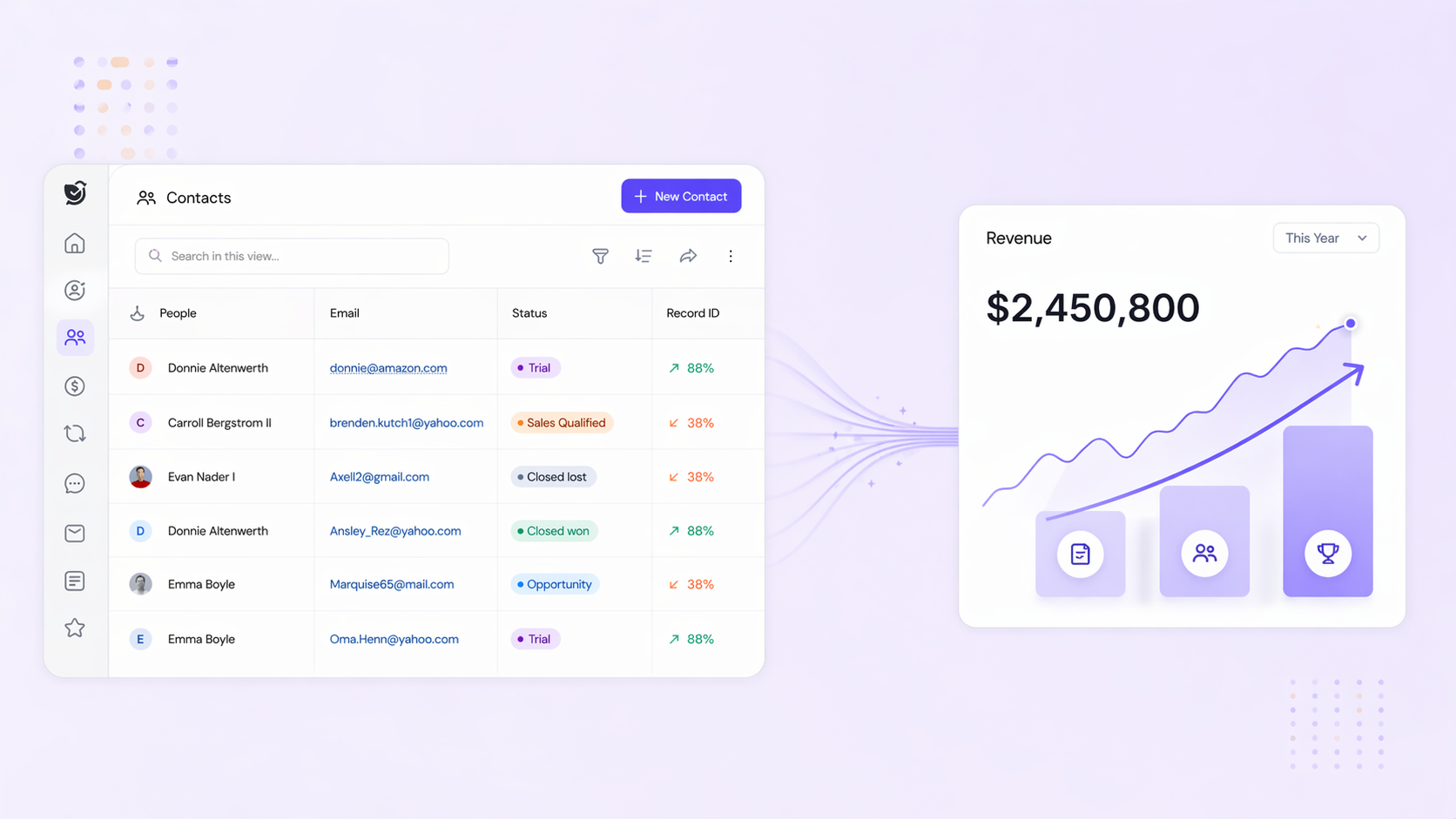
Most contact management systems stop at storage. SparrowCRM starts there and goes considerably further — every contact record is a live intelligence hub, not a static data entry.
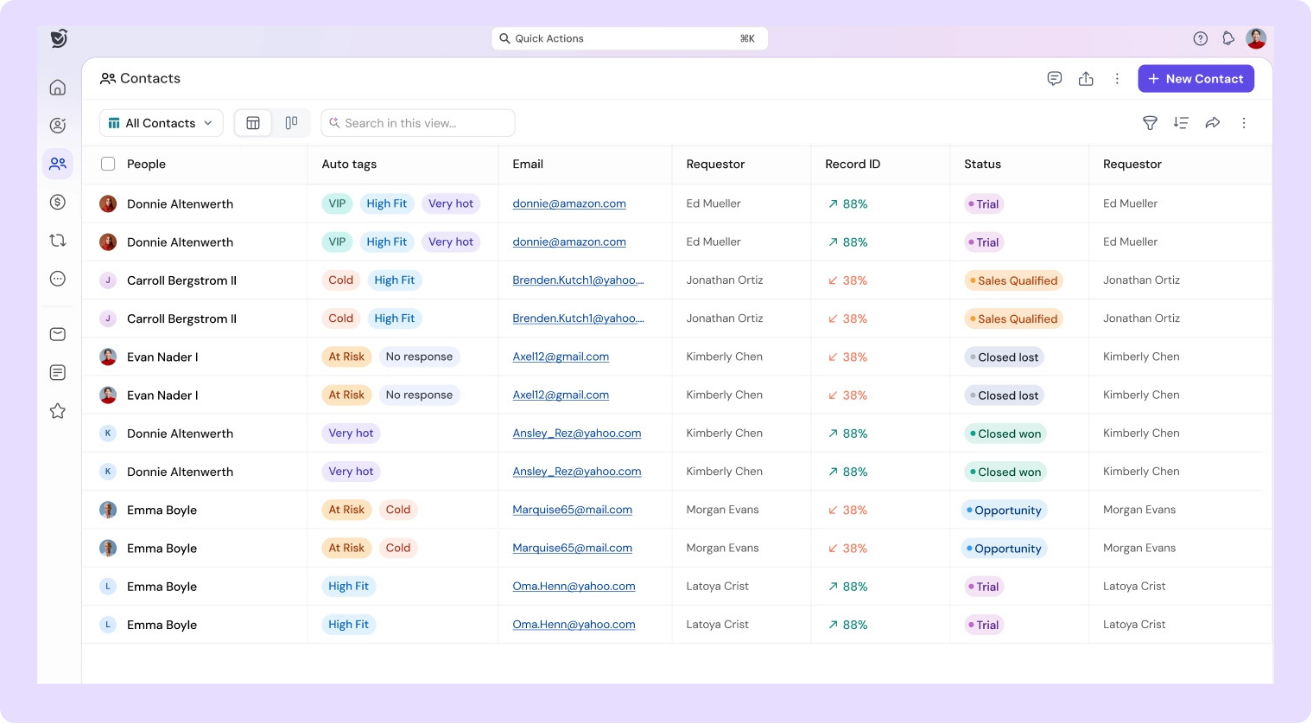
Here is what contact management looks like inside SparrowCRM.
Unified Contact Profiles with Enriched and AI-Calculated Fields
Every contact in SparrowCRM carries three layers of data automatically — no manual entry required for most of it.
Data Layer | What It Includes | How It Gets There |
System fields | Name, email, phone, owner, lifecycle stage, source, opt-out status | Captured on creation or import |
Enriched fields | Job title, seniority, department, LinkedIn URL, location, UTM source, social profiles | Auto-populated from web enrichment |
AI-calculated fields | ICP fit score, engagement score, response rate, best contact time, buying intent, preferred channel, sequence status | Calculated continuously from interaction signal |
This means a rep opening a contact record sees not just who the person is, but how engaged they are, how well they fit your ICP, and when they are most likely to respond — before sending a single message.
Transform Contacts Into Predictable Revenue Growth
The Benefits of Cloud-Based CRM and Contact Management
Cloud-based CRM systems give your business the flexibility that traditional contact management solutions can't match. The benefits go way beyond simple convenience.
Access to data in real time from anywhere
Cloud CRM gives your team instant access to customer information at any time and place. Sales representatives can check customer data, analytics, and dashboards on their mobile devices, which helps them make quick, informed decisions in the field. Your team can pull up the latest information during client meetings without going back to the office, which significantly improves how quickly you can respond to market changes.
Integration of customer information from other sources
Cloud-based CRM systems shine at bringing together data from multiple sources. These platforms combine smoothly with systems like SAP, Shopify, and Zendesk through over 200 pre-built connectors. Your team gets a detailed view of each customer because this integration breaks down data silos. The connection to ERP systems shows what customers have bought, which helps sales teams have more meaningful conversations.
Integration of social information
Social CRM features let you track brand mentions on social platforms. You can monitor customer sentiment and fix emerging problems before they get worse. This integration also helps spot potential customers based on their social media behavior, and your marketing team gets qualified leads.
Smart collaboration with colleagues
Cloud CRM makes teamwork better by offering a central platform where team members can work on data at the same time. These systems create a single source of truth that every teammate can access when combined with integrated communication tools like Slack. Teams can work together effectively with the latest information, which simplifies processes and cuts down time spent on repetitive tasks.
Conclusion
Contact management is not a feature. It is the operational foundation that every customer-facing team depends on. Without clean, organized, accessible contact data, sales processes break down, follow-ups get missed, and customer relationships stagnate.
The right system depends on where you are. If your team is small and your sales cycle is straightforward, a dedicated contact management system may be all you need. If you are managing complex deals, multiple stakeholders, or cross-team workflows, a full CRM is the more appropriate investment.
If you are evaluating CRM options for the first time, start with the CRM software guide and learn how to choose the right CRM for your business. When you are ready to act, the CRM implementation steps guide walks you through the rollout from start to finish.
For industry-specific contact management approaches, explore the industry-specific CRM hub covering use cases for recruiting, financial advisors, retail, and more.

Geethapriya
Geethapriya is a Growth Marketer and Business Researcher who researches and writes about CRM, sales, marketing, and customer engagement. Her work focuses on understanding industry trends, customer and sales challenges, and how businesses can use technology to build more effective growth processes.



