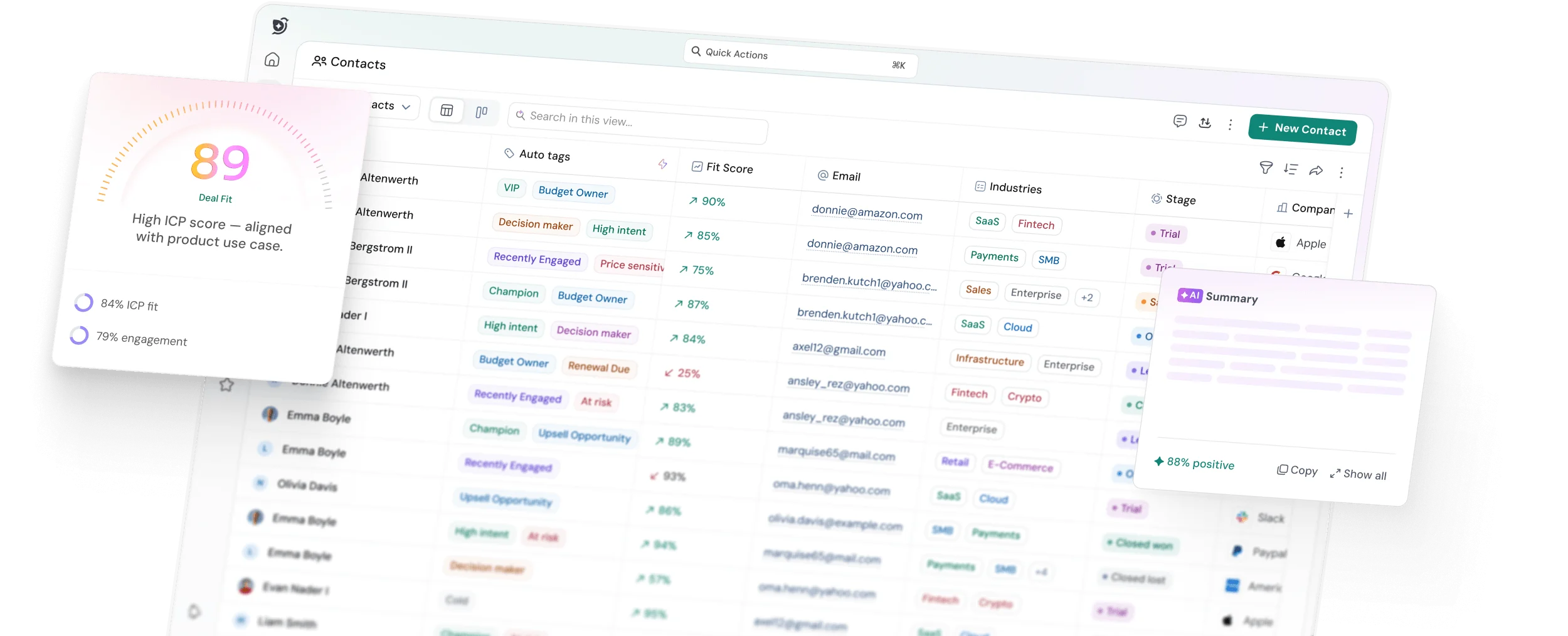
CRM SOFTWARE
10 Best CRM Systems for Travel Agencies (Real User Picks 2026)

By Ganesh Ravi Shankar
Last updated on Nov 2, 2026
Written by the CRM Business head, who evaluated each platform against the specific demands of travel workflows, itinerary management, and post-trip follow-ups.
QUICK SUMMARY
Explore this blog to compare nine CRM platforms for travel agencies reviewed on how they handle travel workflows, pricing, and real-world fit, so you can shortlist the right tool without sifting through vendor pages.
10 Leading CRM Platforms for Travel Businesses

Start with 3 free CRM seats
Compare CRM platforms built for booking workflows, client follow-ups, supplier coordination, and repeat travel sales, without juggling spreadsheets.
A CRM for travel agencies isn't just another tech tool—it's a must-have business asset. The numbers back this up: 87% of hosted travel advisors already use one. Your life could be much easier than juggling client details with spreadsheets and sticky notes.
Customer satisfaction can make or break your business in today's travel industry. The right CRM system has become crucial for travel agency operations. Travel agency CRM software works as your personal concierge, travel assistant, and data organizer combined. The best CRM software can reshape how travel agents run their business. It boosts organization, client communication, and helps track commissions effectively. Let's find the perfect match for your travel business.
TL;DR
Get 3 Free Seats to Track Every Travel Enquiry
Comparison table
CRM System | Starting Price (Monthly) | Key Features | Best Suited For | Notable Pros | Notable Cons |
|---|---|---|---|---|---|
HubSpot CRM | Free; paid from $20/seat | Smart contact mgmt, pipelines, analytics, integrations | SMB travel agencies need adaptable options | Accessible UI, free plan, mobile, integrated hubs | Higher tiers can be pricey; learning curve for advanced setups. |
Zoho CRM | Free (up to 3 users); paid from $14/user | Zia AI, strong automation, huge Marketplace; FIT/FDT via extensions | Budget-conscious agencies with unique workflows | Budget-friendly, customizable, large ecosystem | |
Salesforce | Starter $25/user (Pro Suite $100/user) | 360° profiles, partner mgmt, CRM Analytics, broad integrations | Larger agencies seeking end-to-end solutions | Powerful ecosystem & AI; scales deeply | |
Pipedrive | ~$14/user (annual) | Visual pipeline, reports, email/calendar; WhatsApp via apps | Sales-focused travel agencies | Very easy to use; solid automations | |
SparrowCRM | Free for 3 seats; paid from $19/seat | Deal Kanban pipeline, AskZulie AI copilot, email auto sync, calling and recording, AI deal scores | Small to mid-size agencies moving off spreadsheets | Free plan with 3 seats and 50,000 records; AI built in | Mobile app on Enterprise only |
Freshworks CRM | $9 / $39 / $59 user (annual) | AI insights, multichannel, deal/lead mgmt; pairs with Freshdesk & Contact Center | Mid-sized travel businesses | Affordable, multichannel, clean UI | |
Insightly | $29 / $49 / $99 user (annual) | CRM + project mgmt, automation, dashboards | Agencies handling complex bookings | Built-in PM; automation | Some limits at low tiers. |
Agile CRM | Free (10 users); $8.99+ | Contact mgmt, marketing automation, Map View, helpdesk | Small agencies needing budget solutions | Very affordable; all-in-one | |
Copper CRM | $9 / $23 / $59 / $99 user (annual) | Deep Google Workspace integration, email tracking, automation | Google Workspace users | Best-in-class Gmail/Calendar sync | No free plan; cost scales with team size. |
Apptivo | $20 / $30 / $50 user (monthly) | Lead tracking, payments, email mgmt, booking via apps | Businesses needing customization | Highly customizable suite | Dated UI; heavier setup. |
HubSpot CRM
Starting Price (monthly)
Free; paid from $20/seat
Key Features
Smart contact mgmt, pipelines, analytics, integrations
Best Suited For
SMB travel agencies need adaptable options
Notable Pros
Accessible UI, free plan, mobile, integrated hubs
Notable Cons
Higher tiers can be pricey; learning curve for advanced setups.
Zoho CRM
Starting Price (monthly)
Free (up to 3 users); paid from $14/user
Key Features
Zia AI, strong automation, huge Marketplace; FIT/FDT via extensions
Best Suited For
Budget-conscious agencies with unique workflows
Notable Pros
Budget-friendly, customizable, large ecosystem
SparrowCRM
Starting Price (monthly)
Free for 3 seats; paid from $19/seat
Key Features
Deal Kanban pipeline, AskZulie AI copilot, email auto sync, calling and recording, AI deal scores
Best Suited For
Small to mid-size agencies moving off spreadsheets
Notable Pros
Free plan with 3 seats and 50,000 records; AI built in
Notable Cons
Mobile app on Enterprise only
Insightly
Starting Price (monthly)
$29 / $49 / $99 user (annual)
Key Features
CRM + project mgmt, automation, dashboards
Best Suited For
Agencies handling complex bookings
Notable Pros
Built-in PM; automation
Notable Cons
Some limits at low tiers.
Copper CRM
Starting Price (monthly)
$9 / $23 / $59 / $99 user (annual)
Key Features
Deep Google Workspace integration, email tracking, automation
Best Suited For
Google Workspace users
Notable Pros
Best-in-class Gmail/Calendar sync
Notable Cons
No free plan; cost scales with team size.
Apptivo
Starting Price (monthly)
$20 / $30 / $50 user (monthly)
Key Features
Lead tracking, payments, email mgmt, booking via apps
Best Suited For
Businesses needing customization
Notable Pros
Highly customizable suite
Notable Cons
Dated UI; heavier setup.
Best CRM for Travel Agencies: Top 10 Picks Compared
1HubSpot CRM

Source: hubspot.com
HubSpot leads CRM solutions for travel agencies, trusted by ~268,000+ customers across 135+ countries. The platform stands out as a powerful option that understands the travel industry's unique needs.
HubSpot CRM key features
HubSpot's platform strengthens travel agencies with tools that improve customer relationships and streamline operations. The system creates a unified hub with all client information in one place. Smart contact management organizes each traveler's profile. You get detailed timelines, communication history, and custom fields that track priorities, past trips, and special requests. The system runs automated follow-ups so no potential booking gets missed, even in peak seasons.
Deal pipeline management spots bottlenecks in your selling process and shows expected revenue clearly. The platform's live analytics dashboards let managers track team performance, individual salespeople, and campaign results.
The system's ability to connect with other tools is strong: HubSpot’s App Marketplace lists 1,900+ apps, making integrations straightforward. Travel agencies can sync booking/ops tools with customer data to get a detailed view of each client.
How itinerary workflows can fit this CRM
HubSpot's custom fields and deal records can hold trip-specific details, destination, travel dates, passenger count, and special requests, making it possible to build a lightweight itinerary-tracking layer within the platform. Automated workflows can trigger pre-trip reminders, departure-day messages, and post-trip follow-up sequences based on deal dates without manual input.
HubSpot CRM pros and cons
Pros:
- User-friendly design that needs minimal technical knowledge
- Free plan with core features for small agencies
- Flexible pipelines and processes that fit your workflow
- Mobile app to manage client relationships anywhere
- Marketing, sales, and service tools all in one place
- Clear analytics showing which strategies bring in bookings
Cons:
- Growing agencies might find higher-tier plans expensive
- Some advanced customization features require paid tiers
- Time investment needed to learn the full feature set
HubSpot CRM pricing
The free CRM plan works great to start. Paid options come as a specialized to share or the Starter Customer Platform. Starter is $20/month per seat (typically $15/month per seat with annual upfront), with regional promos possible.
HubSpot CRM is best for
HubSpot works best for travel agencies that want their sales, marketing, and service teams to share guest data. Small to medium-sized travel businesses love it because it grows with them without getting too complex.
HubSpot CRM real-life use case
Exodus Adventure Travel shows how HubSpot can change a travel business. The team created two-way syncs so departments could see customer and booking details in one place. 97% of Exodus travelers say they’d recommend the brand, reflecting strong CX supported by better systems.

Do you currently use a CRM for your travel agency?
2Zoho CRM
Source: zoho.com
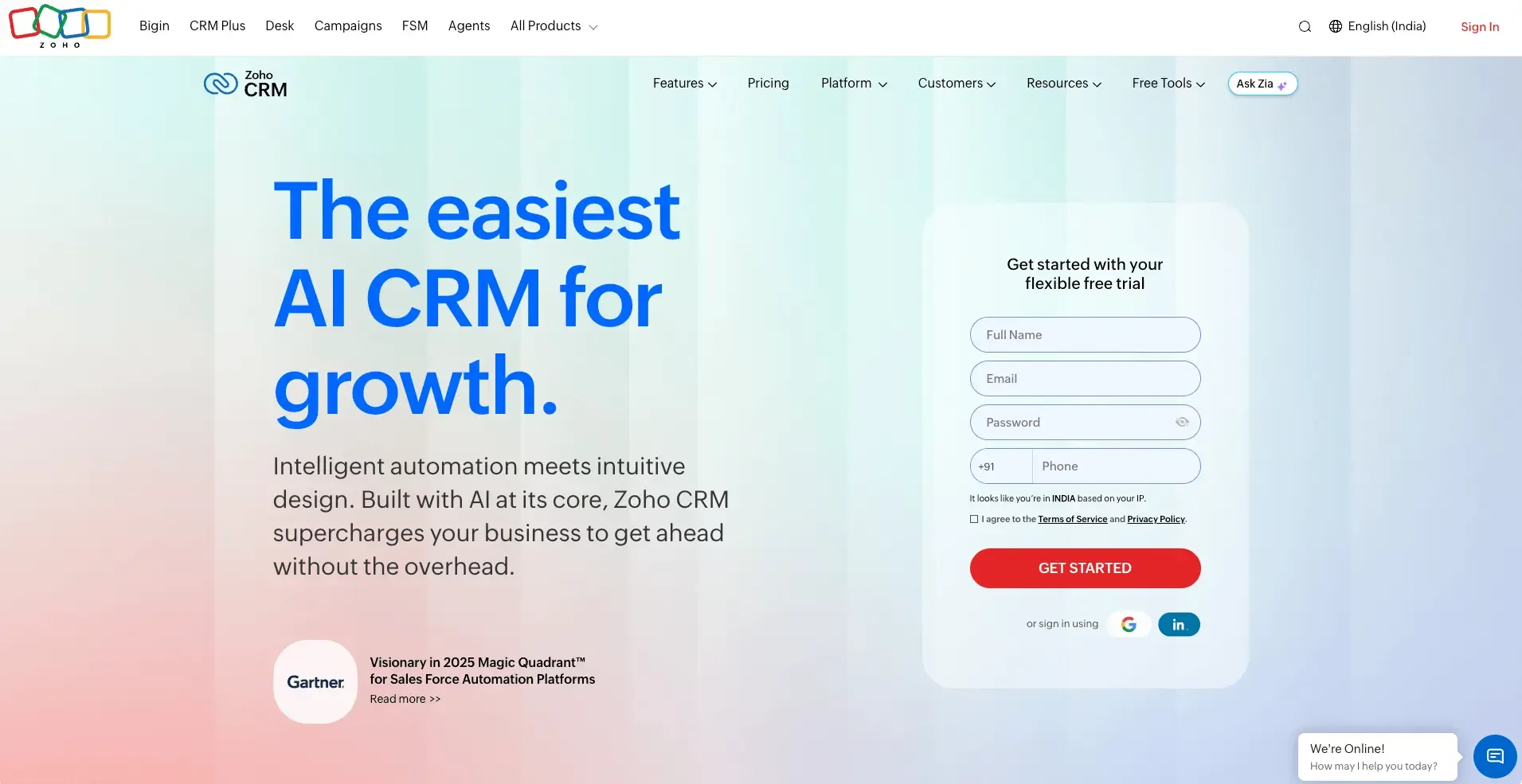
Zoho CRM stands out as a customizable, budget-friendly platform for travel businesses. It combines leads, quotes, itineraries, and key details in one system (with travel-specific functions available via Marketplace extensions).
Zoho CRM key features
Core strengths include sales funnels, contact management, workflow automation, and reporting. Zia, Zoho’s AI assistant, helps forecast win probabilities, suggest next best actions, and automate tasks.
Note: FIT/FDT (Flexible Independent Travel/Fixed Departure Trips) handling is available via Zoho Marketplace solutions such as “Travel Agency CRM,” not built into vanilla Zoho CRM. These add-ons can auto-update traveler counts and capacity per departure.
Zoho’s ecosystem is large: the Zoho Marketplace lists 2,000+ extensions overall and 900+ CRM-specific integrations to tailor your stack.
How itinerary workflows can fit this CRM
Zoho's high degree of field and workflow customisation means agencies can build a trip-tracking structure that matches how they operate, with departure dates, passenger details, supplier names, and booking references stored as custom fields within each deal. Workflow rules can automate stage progression and internal notifications as a booking moves through the production process.
Zoho CRM pros and cons
Pros:
- Budget-friendly compared to many competitors
- Highly customizable dashboards and workflows
- Strong automation for booking confirmations and follow-ups
- Mobile app access to manage client interactions anywhere
- Broad Marketplace ecosystem.
Cons:
- Learning curve for advanced setups
- Travel-specific features often require extensions/customization
- Integration depth varies by app
Zoho CRM pricing
Free forever plan for up to 3 users. Common US pricing (annual billing): Standard $14, Professional $23, Enterprise $40, Ultimate $52 per user/month. (Regional pricing may vary.)
Zoho CRM real-life use case
A boutique luxury agency centralized trips, preferences, and vendor workflows in Zoho. With automated follow-ups and itinerary management (via extensions), repeat bookings rose significantly—freeing the owner to focus on relationships rather than admin.
3Salesforce

Source: salesforce.com
Salesforce stands as the #1 CRM provider for businesses of all sizes. The platform delivers powerful solutions that travel businesses can use to stimulate growth through customized experiences and efficient operations.
Salesforce key features
The platform creates a 360-degree customer profile and supports deep customization, analytics, partner portals, and vast integrations (including PMS/booking connections via partners). CRM Analytics (formerly Einstein Analytics) and Revenue Cloud support insight-driven selling and quoting.
How itinerary workflows can fit this CRM
Salesforce's custom object framework allows agencies to model trip components, flights, accommodation, activities, and suppliers as structured records linked to a client deal. Relationships between objects mean an agent can see everything connected to a booking in one view, including which supplier confirmed, what the margin is, and what the next outstanding task is.
This level of structure requires meaningful setup effort and, for most agencies, a Salesforce administrator to build and maintain.
Salesforce pros and cons
Pros:
- Strong marketing/service automation via suites
- Huge ecosystem and integration flexibility
- AI-driven insights and mature analytics
Cons:
- Complex features need dedicated resources
- Implementation can be challenging without expertise
- Pricing adds up with add-ons
Salesforce pricing
Starter Suite: $25/user/month (billed monthly or annually). Pro Suite: $100/user/month (annual, contract). Higher Enterprise/Unlimited tiers add more customization.
Salesforce best for
Travel agencies that want detailed customer relationship management across marketing, service, commerce, and analytics.
Salesforce real-life use case
A luxury travel agency unified scattered data in Salesforce and began tailoring recommendations based on history and preferences, improving satisfaction and repeat bookings.
Your first 3 users are free, plus 100 AI credits
4Pipedrive

Source:pipedrive.com
Pipedrive provides travel agencies with a user-friendly CRM system that makes sales pipeline management easier. The platform gives travel businesses complete visibility into their sales process through a visual interface.
The platform's visual pipeline management stands out as its strongest asset. Travel agencies can set up three main pipelines that align with their typical workflows: Lead Pipeline tracks prospects, Booking Pipeline manages confirmed reservations, and Follow-Up Pipeline helps maintain client relationships after trips.
Built-in automation tools send reminders to teams and customers so no travel dates slip through the cracks. This feature pairs naturally with WhatsApp integration to send updates straight to travelers' phones.
Other key features include:
- Dashboard system that turns booking data into visual reports to track sales and agent performance
- Calendar integration that links booking details to your CRM
- Email integration to monitor client communications
- Customizable fields to store travel-specific client data
How itinerary workflows can fit this CRM
Pipedrive's deal records support custom fields, linked documents, and notes — which means trip-specific details (destination, dates, pax count, supplier references) can be stored against each booking deal and retrieved by any agent on the team. Setting up a dedicated Booking Pipeline with stages that mirror your production steps (Enquiry, Quote Sent, Deposit Received, Documents Issued, Travelled) gives the agency visibility into where every trip stands at a glance.
Pipedrive pros and cons
Pros:
- User-friendly interface that sales teams love
- Visual pipeline that clearly shows client booking progress
- Powerful automation to handle routine tasks
- Mobile app to manage client relationships anywhere
- Integration with 500+ apps like Zapier, Zoom, and email platforms
Cons:
- No free plan - only a 14-day trial
- Email sync is limited to higher-tier plans
- Mobile app restricts certain campaign settings
- Automation features need proper setup to work effectively
Pipedrive pricing
Plans: Lite, Growth, Premium, Ultimate. Starting around ~$14/user/month (annual); exact pricing varies by region.
Pipedrive is best for
Sales-focused travel agencies that need clear pipeline visibility and quick adoption.
Pipedrive real-life application
A travel agency clarified its booking process with pipeline stages, automated reminders, and WhatsApp notifications (via apps), improving response times and throughput.
5SparrowCRM
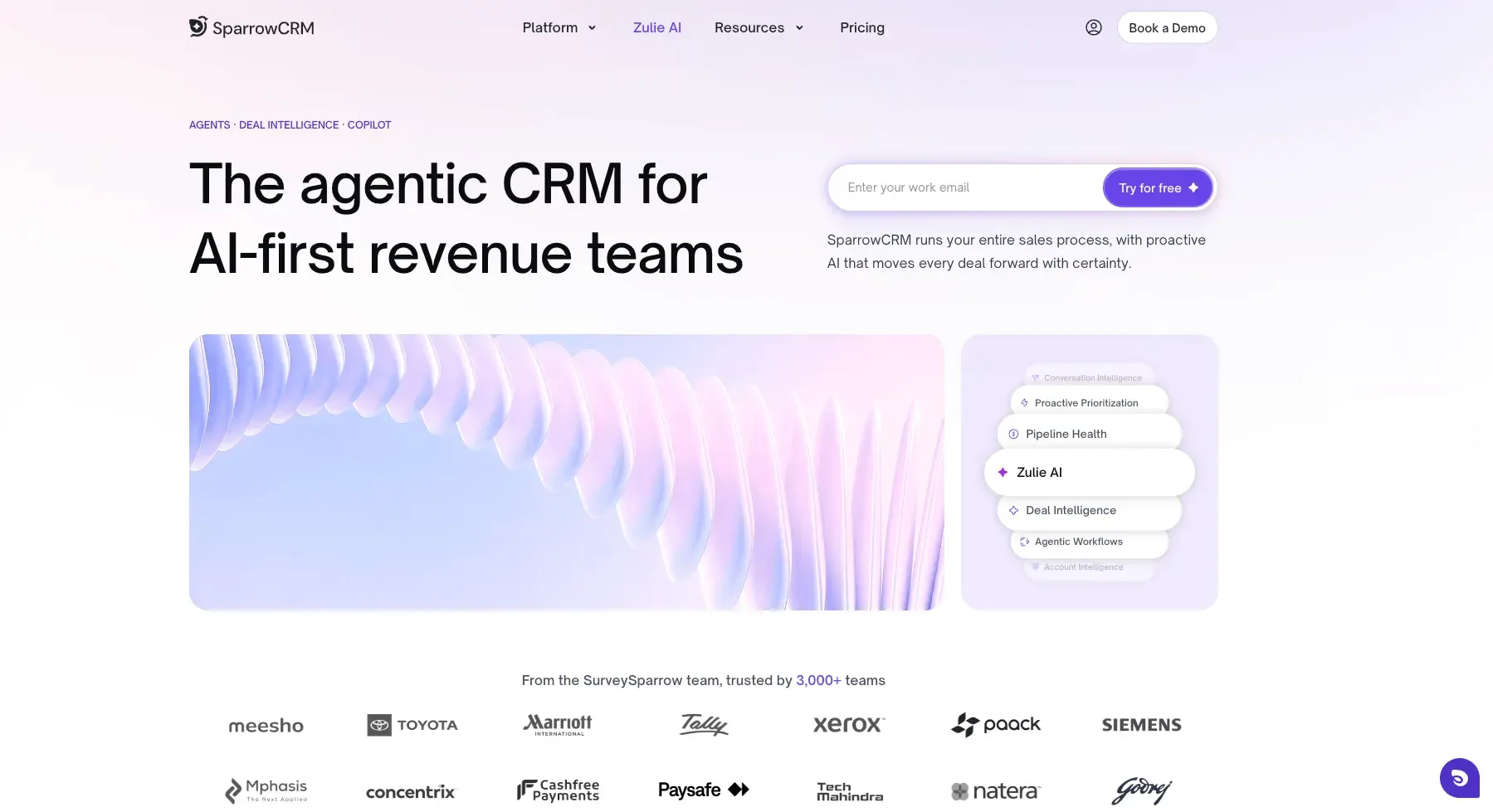
SparrowCRM is an AI-native CRM designed for sales teams that want to spend less time on administrative work and more time converting prospects into customers. For travel agencies, it helps centralize traveller enquiries, manage customer interactions, track booking opportunities, and automate follow-ups throughout the sales process.
SparrowCRM key features
SparrowCRM combines contact management, deal pipelines, email synchronization, and AI-powered sales assistance in one platform. Its AI-powered contact enrichment helps agencies maintain updated customer records, while visual Kanban pipelines make it easier to track travel enquiries from the initial consultation to booking confirmation.
The AI Notetaker automatically captures and summarizes client conversations, helping agents keep track of travel dates, destination preferences, group sizes, and other requirements discussed during consultations.
Additionally, Deal Intelligence provides insights into deal health, buying intent, and customer engagement, helping sales teams identify promising booking opportunities. AskZulie, the AI copilot, further assists teams with CRM-related tasks and information.
How travel agency workflows can fit this CRM
Travel agencies can use SparrowCRM's deal pipelines to organize enquiries based on their booking stages, such as New Enquiry, Consultation Scheduled, Quote Sent, Follow-up, and Booking Confirmed. Agents can maintain customer records alongside trip requirements and communication history.
SparrowCRM pros and cons
Pros:
- AI-native CRM that reduces repetitive sales administration.
- Visual deal pipelines for tracking travel enquiries.
- AI meeting summaries to capture customer conversations.
- Automated email follow-ups to nurture potential travellers.
- Deal intelligence to identify promising opportunities.
- Free plan available for small teams.
Cons:
- Travel-specific workflows may require customization or integrations.
- Advanced AI capabilities are available on paid plans.
SparrowCRM pricing
SparrowCRM offers a free forever plan for up to 3 users, with 50,000 records included. Paid plans start at $19/user/month (Growth) and $49/user/month (Pro), with Enterprise pricing available on request.
Get 3 free seats for your agents | Start Free
6Freshworks CRM (Freshsales)

Source: freshworks.com
Freshworks CRM, previously Freshsales, gives travel agencies a complete sales and marketing automation solution in one package. It connects with other Freshworks products like Freshdesk and Freshdesk Contact Center (formerly Freshcaller) to create a unified CX stack.
Freshworks CRM key features
Freshworks distinguishes itself with travel-specific capabilities that help agencies simplify their booking processes:
- Lead management: The platform helps capture and organize leads to ensure timely follow-ups and better conversion rates.
- Deal management: Users can track deals through customizable pipelines to see sales progress clearly.
- AI-powered insights: Freddy AI helps set lead priorities, predict sales outcomes, and create tailored email content in minutes.
- Multichannel support: Teams can connect with travelers through built-in phone, SMS, chat, and email—plus social channels like WhatsApp and Facebook Messenger.
Freshworks' internal data shows businesses see a 21–30 percent boost in sales revenue after implementing their CRM.
How itinerary workflows can fit this CRM
Freshworks CRM deal records can store trip-specific custom fields, departure dates, destinations, passenger details, and booking references — giving agents a consistent place to log trip information that everyone on the team can access. The platform's automation tools are particularly useful for the communication side of trip management: automated sequences can handle pre-departure reminders, day-of messages, and post-trip review requests triggered by deal date fields without manual scheduling.
Freshworks CRM pros and cons
Pros:
- Broad multichannel support
- Competitive pricing
- User-focused design
- Mobile app for on-the-go work
Cons:
- Advanced features live in higher tiers
- Some integrations require setup
Freshworks CRM pricing
Freshsales Suite tiers commonly listed at Growth $9, Pro $39, Enterprise $59 per user/month (annual). Free plan available.
Freshworks CRM ground use case
Travel Counsellors digitized franchise onboarding and, per a Nucleus case study, saw 33% higher annual franchise recruitment and 30% agent productivity gains, achieving 374% ROI.
7Insightly
Source: insightly.com
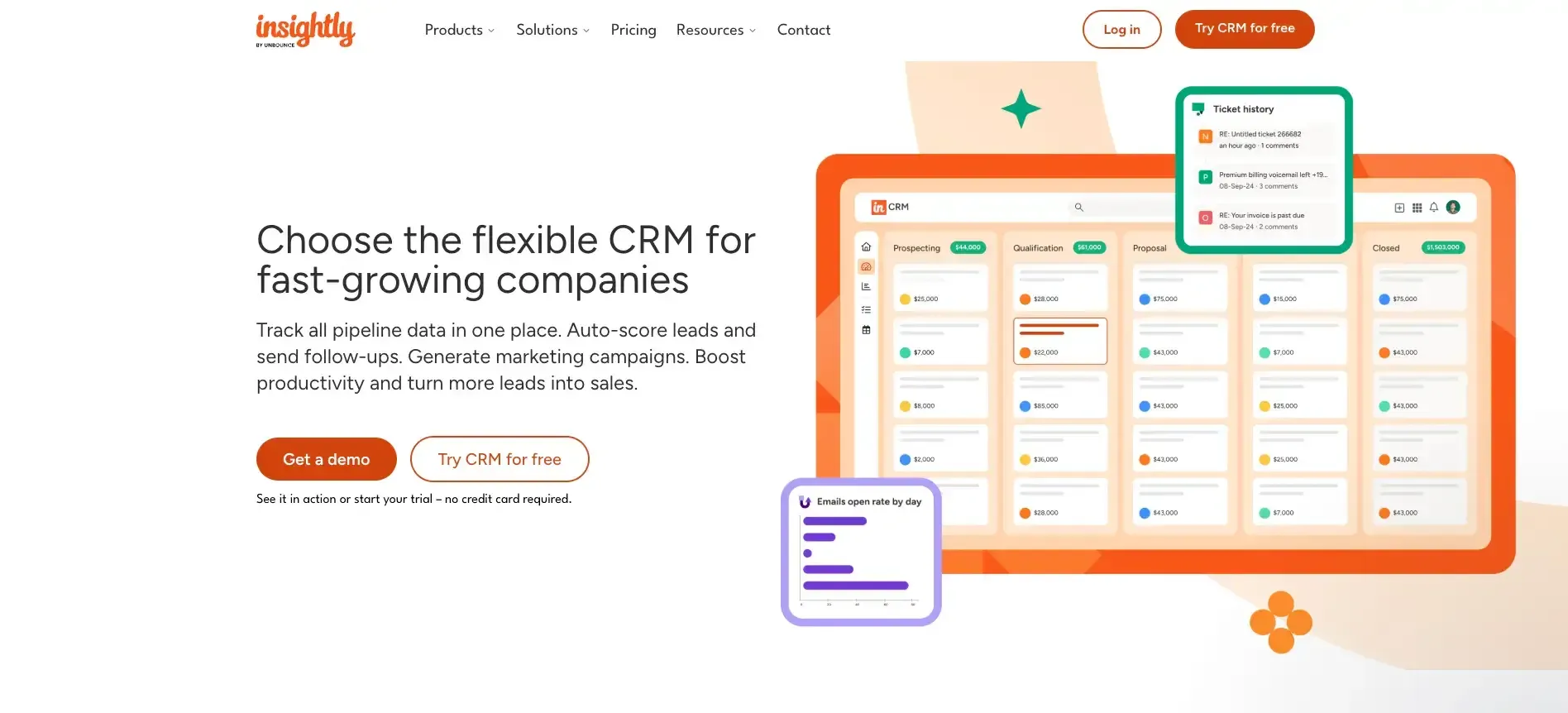
Insightly stands out from regular CRMs by combining customer relationship management with strong project management features. This makes it a great choice for travel agencies that handle complex bookings and itineraries.
Insightly key features
The platform brings all customer data into a single platform to give travel agencies complete visibility of their pipeline. Agents can track every client interaction from emails to phone calls, which ensures they don't miss anything important.
Insightly does more than simple CRM tasks. The platform excels at workflow automation and sets up systems that handle routine tasks without human intervention. The system takes care of everything once a deal is marked as won. We are turning customer data into practical insights that help you make informed decisions about your travel business. Managers can track their high-level metrics and KPIs with ease.
How itinerary workflows can fit this CRM
Insightly's project module is the most structured way on this list to manage the operational side of a trip inside a CRM. When a booking is confirmed, a linked project can be created from a template — pre-populated with tasks (confirm supplier, issue visa documents, send pre-travel pack), milestones (deposit due, final payment due, departure), and team assignments. Every task has an owner and a due date, so the production process is tracked rather than held in someone's head.
Insightly pros and cons
Pros:
- Built-in project management
- Workflow automation
- Straightforward UI
Cons:
- Some advanced features are only in higher tiers
- Limits around email forwarding/storage at lower tiers
Insightly pricing
Plus $29, Professional $49, Enterprise $99 per user/month (annual).
Insightly ground use case
Campbell Travel moved from Salesforce to Insightly to improve handoffs and reduce costs; Insightly reports smoother workflows and higher rep productivity post-migration.
8Agile CRM
Source: agilecrm.com
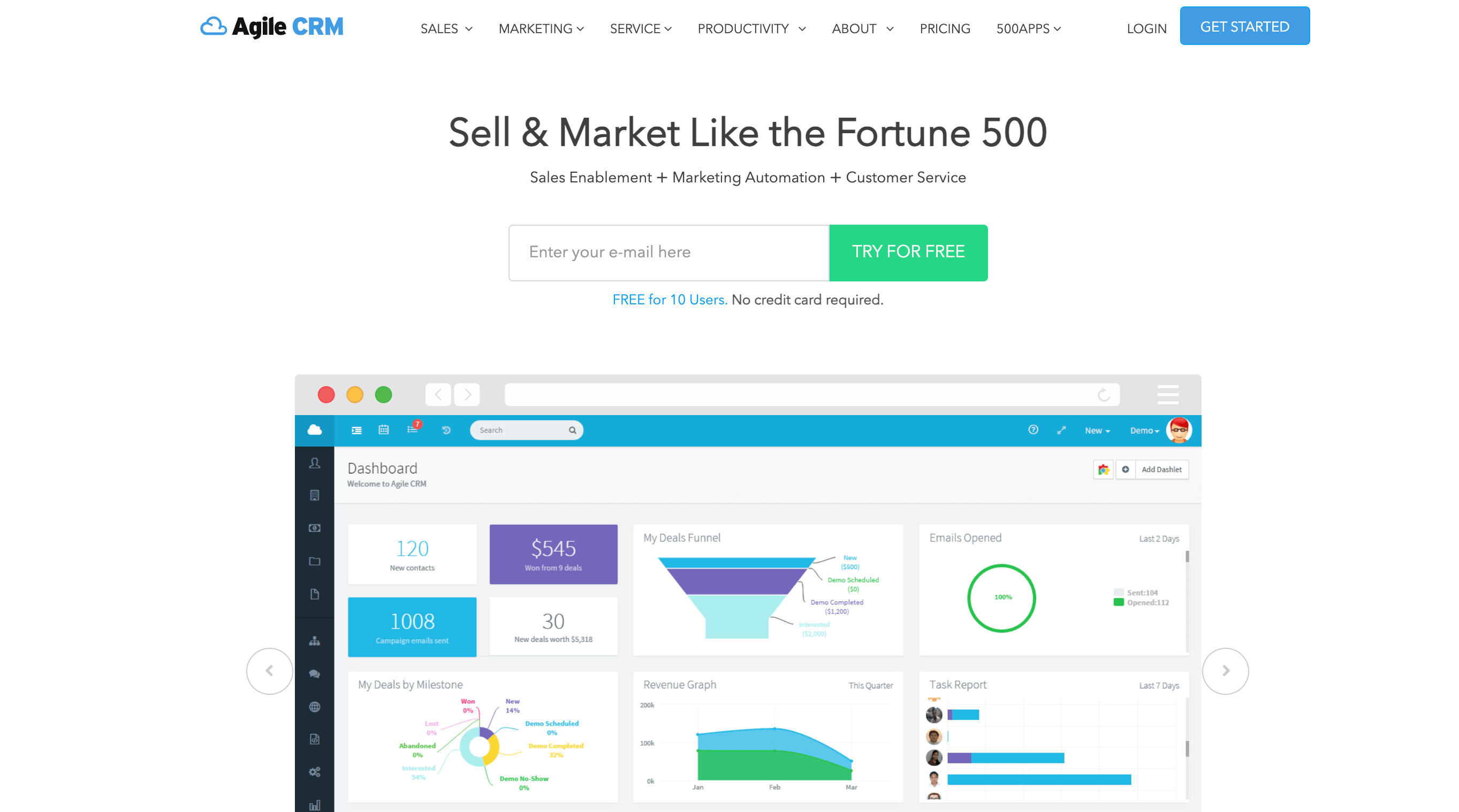
Agile CRM combines sales, marketing, and customer service tools into a single platform. Travel businesses will find this platform budget-friendly. Companies can access complete functionality without breaking their budget.
Agile CRM key features
Agile CRM provides tools that travel management companies need:
- Contact management stores customer data, including activity history and social profiles, to create tailored interactions
- Marketing automation handles email campaigns, social media posts, and web pop-ups to guide prospects
- Sales pipelines help you track deals and opportunities visually
- Helpdesk and ticketing system tracks and prioritizes customer problems until solved
- Map View helps travel agents find nearby clients and plan the quickest trip routes
How itinerary workflows can fit this CRM
Agile CRM's contact and deal records support custom fields and notes, which allows agents to store trip details, destination, dates, preferences, and booking references against each client record. Workflow automation can trigger follow-up tasks or emails based on deal dates, covering the basic pre-trip and post-trip communication cycle.
Agile CRM pros and cons
Pros:
- Free plan for up to 10 users
- Broad features for the price
- Simple UI
Cons:
- Interface feels dated
- Not ideal for very large operations
- Customization is limited at lower tiers
Agile CRM pricing
Free (10 users); Starter $8.99, Regular $29.99, Enterprise $47.99 per user/month.
Agile CRM ground application
A boutique travel agency used Map View to optimize client visits—bundling multiple meetings per area and reducing travel time.
9Copper CRM
Source: copper.com
Copper CRM (formerly ProsperWorks) provides travel agencies with a simplified solution that combines smoothly with Google Workspace. This tool serves businesses that rely heavily on Google's ecosystem.
Copper CRM key features
The system's standout feature is its complete Google Workspace integration. It automatically logs emails and contact interactions. Travel agents can build relationships instead of spending time on data entry since the system captures customer information automatically.
Other notable features include:
- Workflow automation that spots and automates repetitive tasks, saving sales reps an average of eight hours weekly
- Email tracking that reveals when prospects open and interact with messages
- Customizable pipelines that help manage deals effectively
- Lead management tools that identify and nurture promising prospects
How itinerary workflows can fit this CRM
Copper's deep Google Workspace integration creates a practical workflow for agencies already using Google Docs to build trip documents. A formatted itinerary created in Google Docs can be linked directly to the client's contact record and deal in Copper, giving any team member access to the latest version without searching through Drive. Trip-related tasks and deadlines can be managed in Google Calendar with entries automatically synced to Copper.
Copper CRM pros and cons
Pros:
- Excellent Google Workspace integration
- Easy to adopt for Gmail-centric teams
- Auto-logging reduces manual data entry
Cons:
- No free plan (14-day trial)
- Per-user pricing can add up at scale
Copper CRM pricing
Basic $23, Professional $59, Business $99 per user/month (annual; monthly is higher).
Copper CRM real-life use case
A travel agency chose Copper to cut down data admin: going live quickly and working largely inside Gmail, while Copper captured relationship history.
10Apptivo
Source: apptivo.com
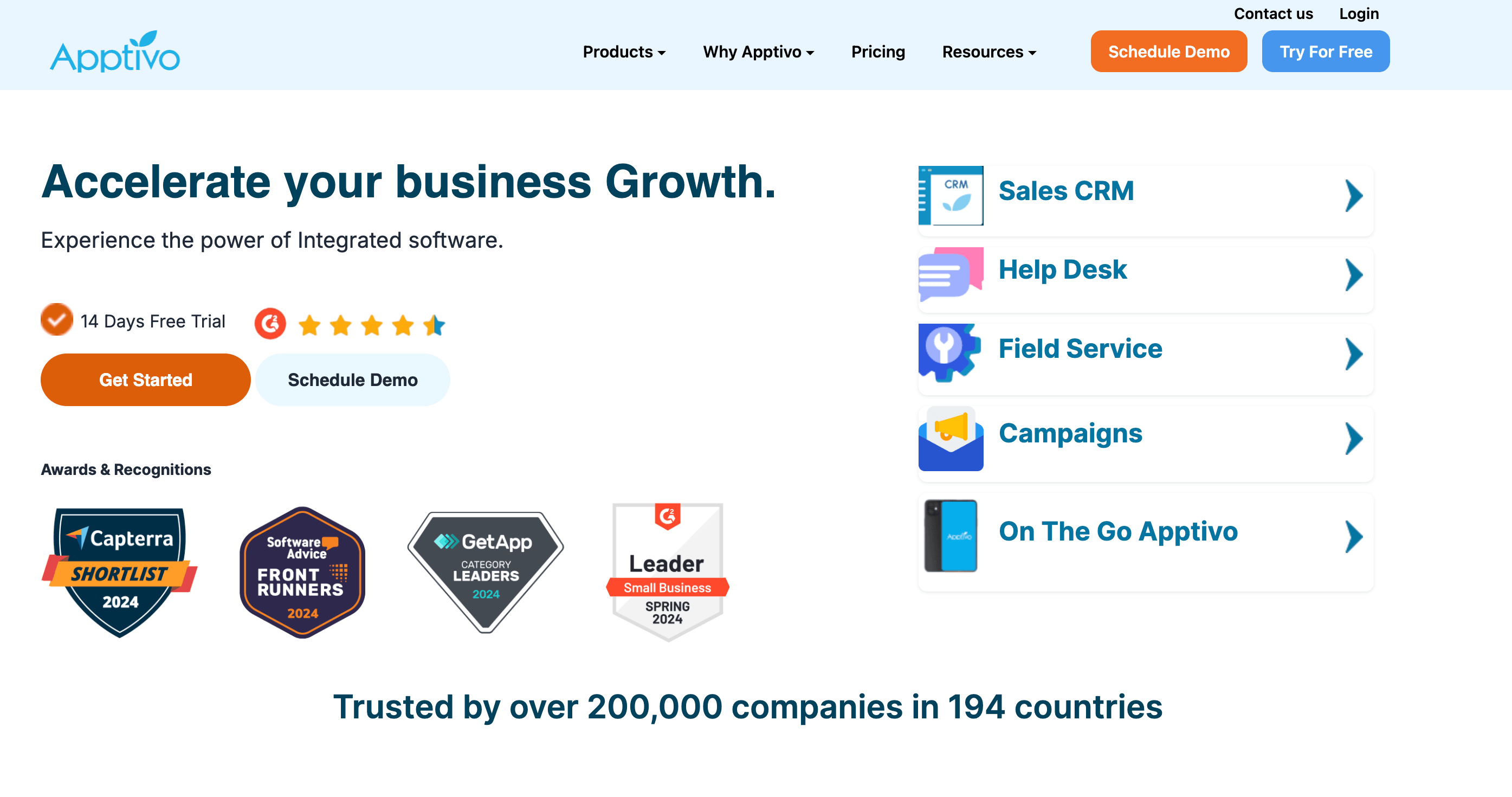
Apptivo distinguishes itself as a customizable CRM solution crafted for travel agencies that need adaptable customer management tools. The cloud-based platform has 65+ applications that combine smoothly to optimize your travel business operations.
Apptivo key features
Apptivo's travel CRM software excels at guiding, tracking, and conversion. The system captures potential clients and moves them through your sales pipeline with minimal manual work and maximum automation.
Travel agents can collect payments directly through the cloud system and track individual customer payment status. The email management solution syncs with Gmail, Yahoo, and other providers for continuous connection tracking.
The reporting tools give detailed insights into leads, opportunities, and customers. You can measure both sales performance and individual agent effectiveness. The booking management system helps agents check calendars for availability and deliver accurate service.
How itinerary workflows can fit this CRM
Apptivo's Project Management app connects directly to CRM deal records, making it possible to create a linked project for each confirmed booking — with tasks, milestones, and team assignments structured around the trip's production steps. Supplier management and invoicing can be handled within the same platform, so the workflow from booking confirmation through supplier payment and client invoicing stays inside one system.
Apptivo pros and cons
Pros:
- Highly customizable (suite approach)
- Good value for breadth
Cons:
- The interface looks dated
- Heavier customizations can take time
Apptivo pricing
Lite $20, Premium $30, Ultimate $50 per user/month (monthly; discounted annually). Enterprise is custom.
Apptivo real-life application
A travel company tracked full itineraries within Apptivo, referencing past bookings from customer profiles to spot loyalty patterns and preferred destinations.
How to choose the right CRM for your travel agency
The nine platforms above span a wide range of use cases, team sizes, and budgets. Narrowing down to the right one comes down to four questions.
1. How complex are your itineraries?
If your agency builds bespoke, multi-leg trips with multiple suppliers, think custom safari packages or multi-country group tours, you need a CRM with project management depth. Insightly is the strongest option here. If you mainly confirm packages from existing supplier inventory, any of the general-purpose CRMs (HubSpot, Pipedrive, Zoho) handle the client relationship side adequately.
2. What is your team's primary communication channel?
Teams heavy on email within Google Workspace should look at Copper first. Agencies communicating across phone, WhatsApp, email, and chat will get the most value from Freshworks CRM. Teams that primarily use email without a strong preference for any ecosystem can work comfortably in HubSpot, Zoho, or Pipedrive.
3. What is your budget per user?
The table below maps common agency types to the most cost-appropriate options.
Factor | Small agency (1–5 agents) | Mid-size (5–25 agents) | Large / enterprise |
Team size | Free tier (HubSpot/Zoho/Agile) | Pipedrive/Freshworks | Salesforce/Insightly |
Budget | Free plans (HubSpot, Zoho, Agile CRM) | $10–$30/user/mo | $40+/user/mo |
Itinerary needs | Not a priority — generic CRM works | Insightly, Zoho with extensions | Dedicated travel platform + CRM combo |
Google Workspace | Copper CRM (native Gmail sync) | HubSpot (strong integration) | Salesforce + Google connector |
Multichannel comms | Agile CRM (email/social bundled) | Freshworks (phone/WhatsApp/email) | Salesforce Service Cloud |
Automation depth | Pipedrive (pipeline automation) | Freshworks / Zoho Zia | Salesforce (AI-driven) |
4. Do you need marketing and CRM in the same tool?
If your agency runs email newsletters, lead capture campaigns, or retargeting, and you want those managed in the same platform as your client database, HubSpot's bundled Marketing Hub is the clearest option. For agencies where marketing is minimal or handled externally, a sales-focused CRM like Pipedrive or Freshworks is a better fit.
For a broader framework on evaluating CRM platforms before committing, the guide on how to choose the right CRM covers the evaluation criteria that apply across industries, team size, integration requirements, and implementation readiness.
Final thoughts
No single CRM on this list is the right answer for every travel agency. The right tool is the one your team will actually use, consistently enough that client data stays current, follow-ups happen on time, and repeat booking opportunities don't get lost in someone's inbox.
Start by identifying where your current process breaks down. If leads fall through the cracks, focus on pipeline visibility (Pipedrive). If client communication is scattered across channels, look at Freshworks. If you're coordinating complex trip production internally, Insightly's project layer is worth the higher price. If budget is the constraint, HubSpot's free tier or Agile CRM's free plan gives you a real starting point without a financial commitment.
Travel agencies operate in an industry where the quality of client experience determines repeat business. A CRM won't replace the relationships your agents build, but it does make sure those relationships are remembered, followed up on, and turned into the next booking. Understanding how different CRM platforms compare across the industry-specific CRM software landscape can help you evaluate options beyond travel into adjacent sectors your agency might serve.