CRM SOFTWARE
Best CRM for consultants in 2026: 7 tools reviewed

By Ganesh Ravi Shankar
Last updated on Jul 17, 2026
Written by a crm business head who evaluated each tool against real consulting workflows, proposal tracking, and the critical handoff from signed deal to project delivery.
QUICK SUMMARY
Explore this blog to find the right CRM for your consulting workflow, from solo practitioners to growing boutique firms, with honest tool breakdowns, a comparison table, and a clear decision framework.
We Tested 7 CRM Tools for Consultants. Here's What We Found
- HubSpot CRM — best for content-led consulting businesses
- Pipedrive — best for consultants who want a clean visual pipeline
- SparrowCRM — best for AI-native deal intelligence
- Zoho CRM — best for price-conscious firms that need customization
- Copper CRM — best for Google Workspace-native consultants
- Attio — best for consultants who want a modern, structured CRM
- Salesflare — best for consultants who want automatic data capture

Ready to manage your consulting pipeline more effectively?
SparrowCRM helps consultants track every opportunity, stakeholder, and follow-up with AI-powered insights.
Most CRMs are built for high-volume sales teams moving hundreds of contacts through a predictable funnel. That's not consulting.
Consulting runs on relationships, not volume. Your sales cycle spans weeks or months. Most of your pipeline comes from referrals and past clients. And the moment you sign a deal, you immediately face a second challenge: delivering the work without losing the context you built during the sale.
A generic CRM handles the first half. The best CRM for consultants handles both. This guide reviews 7 tools built or well-suited for the way consulting actually works, with honest breakdowns, a methodology, and a clear framework for choosing based on your firm's size.
TL;DR
Pipedrive: Best for consultants who want a clean, visual pipeline with minimal setup time.
Zoho CRM: Best for price-conscious firms that need customization and a broad feature set.
Copper CRM: Best for solo and small-team consultants living in Google Workspace.
Salesflare: Best for consultants who want automatic data capture with minimal manual input.
What is a CRM for consultants?
A CRM for consultants is software that centralizes client relationships, tracks your pipeline from first contact to signed engagement, and keeps the communication history, proposals, and project context in one place. Unlike generic sales CRMs, the best consulting tools are designed to manage long deal cycles, relationship-driven pipelines, and the transition from closing a deal to delivering on it.
Consulting firms using a CRM grow roughly 27% faster on average and convert approximately 45% more qualified leads to the proposal stage.
Why consultants need a dedicated CRM
A spreadsheet works until it doesn't. Here's where it breaks down for consulting teams:
- Long sales cycles. Consulting deals close in weeks or months. Without a structured follow-up system, warm prospects go cold while you're focused on delivery.
- Referral-driven pipelines. Most consulting revenue comes from existing relationships. A CRM surfaces past clients, tracks relationship strength, and reminds you when it's time to reconnect.
- The deal-to-delivery gap. When a project is won, the context scope, stakeholders, and communication history need to transfer cleanly. A CRM that stops at "closed won" leaves your team scrambling.
- Multiple clients in parallel. Juggling five active clients without a central system means things fall through. A CRM gives you one view of every open engagement.
The right CRM software doesn't just organize contacts. For consultants, it's the operational backbone that connects business development to client delivery.
How we evaluated these tools
We assessed each CRM against five criteria that reflect the realities of consulting work. These aren't generic feature scores; they reflect what actually matters when you're managing a relationship-driven business.
- Pipeline depth and consulting fit. Can the tool handle multi-stage, long sales cycles with custom fields for consulting-specific deal data?
- Client lifecycle coverage. Does the CRM track relationships across the full engagement from prospect to active project to repeat client?
- AI and automation. Does the tool reduce manual data entry and surface next actions, or does it add to your admin load?
- Integration ecosystem. Does it connect to email, calendar, and the tools your consulting team already uses?
- Pricing and scalability. Does the cost model make sense for a 1–50 person firm, and can it grow with you without forcing a painful platform switch?
Quick comparison: 7 CRMs for consultants
Tool | Best for | Pipeline depth | AI features | Free plan | Starting price | Consulting fit |
HubSpot CRM | Content-led inbound consultants | High | Strong (paid tiers) | Yes | $15/user/mo | Good |
Pipedrive | Simple visual pipeline | Medium | Available (add-on) | No | $14/user/mo | Good |
SparrowCRM | AI-native deal intelligence | High | Native (deal scoring, next actions) | Yes (3 users) | $19/user/mo | Excellent |
Zoho CRM | Budget-conscious customization | High | Zia AI (mid tiers) | Yes (3 users) | $14/user/mo | Good |
Copper CRM | Google Workspace consultants | Medium | Basic AI assist | No | $12/user/mo | Good |
Attio | Modern data-structured CRM | Medium-High | AI enrichment + automation | Yes (limited) | $34/user/mo | Good |
Salesflare | Minimal data-entry workflows | Medium | Auto-enrichment | No | $29/user/mo | Good |
HubSpot CRM
Column 2
Content-led inbound consultants
Column 3
High
Column 4
Strong (paid tiers)
Column 5
Yes
Column 6
$15/user/mo
Column 7
Good
Pipedrive
Column 2
Simple visual pipeline
Column 3
Medium
Column 4
Available (add-on)
Column 5
No
Column 6
$14/user/mo
Column 7
Good
SparrowCRM
Column 2
AI-native deal intelligence
Column 3
High
Column 4
Native (deal scoring, next actions)
Column 5
Yes (3 users)
Column 6
$19/user/mo
Column 7
Excellent
Zoho CRM
Column 2
Budget-conscious customization
Column 3
High
Column 4
Zia AI (mid tiers)
Column 5
Yes (3 users)
Column 6
$14/user/mo
Column 7
Good
Copper CRM
Column 2
Google Workspace consultants
Column 3
Medium
Column 4
Basic AI assist
Column 5
No
Column 6
$12/user/mo
Column 7
Good
Attio
Column 2
Modern data-structured CRM
Column 3
Medium-High
Column 4
AI enrichment + automation
Column 5
Yes (limited)
Column 6
$34/user/mo
Column 7
Good
Salesflare
Column 2
Minimal data-entry workflows
Column 3
Medium
Column 4
Auto-enrichment
Column 5
No
Column 6
$29/user/mo
Column 7
Good
The 7 best CRM tools for consultants
1HubSpot CRM — best for content-led consulting businesses

Source: hubspot.com
HubSpot is the right choice when your consulting firm grows through content marketing, thought leadership, or email newsletters. The prospect activity tracking, showing which pages a contact visited before reaching out, gives you context before the first call. The tradeoff is pricing at scale: the jump from Starter to Professional is steep, and most consulting firms end up paying for marketing features they don't use.
Pros
- Best-in-class marketing automation when inbound is part of your growth model
- Prospect activity tracking shows which pages contacts viewed before reaching out
- Strong G2 rating of 4.4/5 across 12,000+ reviews
Cons
- Steep price jump from Starter to Professional — up to 10x increase in some configurations
- Marketing hubs add cost fast; most consulting firms only need the sales module
- Can feel over-engineered for small boutique firms with simple pipelines
Suits for consultants:
HubSpot is the strongest fit for consultants whose primary growth channel is content. If you write thought leadership, run a newsletter, or use webinars to attract clients, the native integration between CRM and marketing tools is a meaningful advantage. For purely referral-driven firms, simpler tools will serve you better at a lower cost.
Pricing: Starts at $15/user/month for the Sales Hub Starter plan.
2Pipedrive — best for consultants who want a clean visual pipeline

Source:pipedrive.com
Pipedrive gives you a clear, Kanban-style view of every deal and makes it easy to move things forward. Activity reminders prompt follow-ups before leads go cold. Email integration keeps the communication history attached to each deal record. The limitation: Pipedrive stops at "closed won" — there's no project delivery functionality, so you'll need a second tool if business development and delivery are handled separately in your firm.
For solo consultants and small boutique firms where the salesperson and the delivery person are the same, that's workable. For teams where business development and project execution are handled separately, you'll need a second tool.
Pros
- Intuitive visual pipeline with drag-and-drop deal management
- Email and calendar sync keep the communication history in one place
- Low starting price at $14/user/month on the Essential plan
- Rated 4.3/5 on G2 with strong marks for ease of use
Cons
- No built-in project delivery functionality
- AI features require higher-tier plans or add-ons
- Reporting is limited on lower-tier plans
Suits for consultants:
Pipedrive suits solo consultants and small boutique firms that need a lightweight, easy-to-adopt pipeline tool without extensive customization. If your consulting practice is primarily referral-driven and you manage delivery through a separate project tool, Pipedrive covers the business development side cleanly.
Pricing: Starts at $14/user/month. No free plan.
“CRM is your GPS to a better route on your Business Development journey.”
3SparrowCRM — best for AI-native deal intelligence
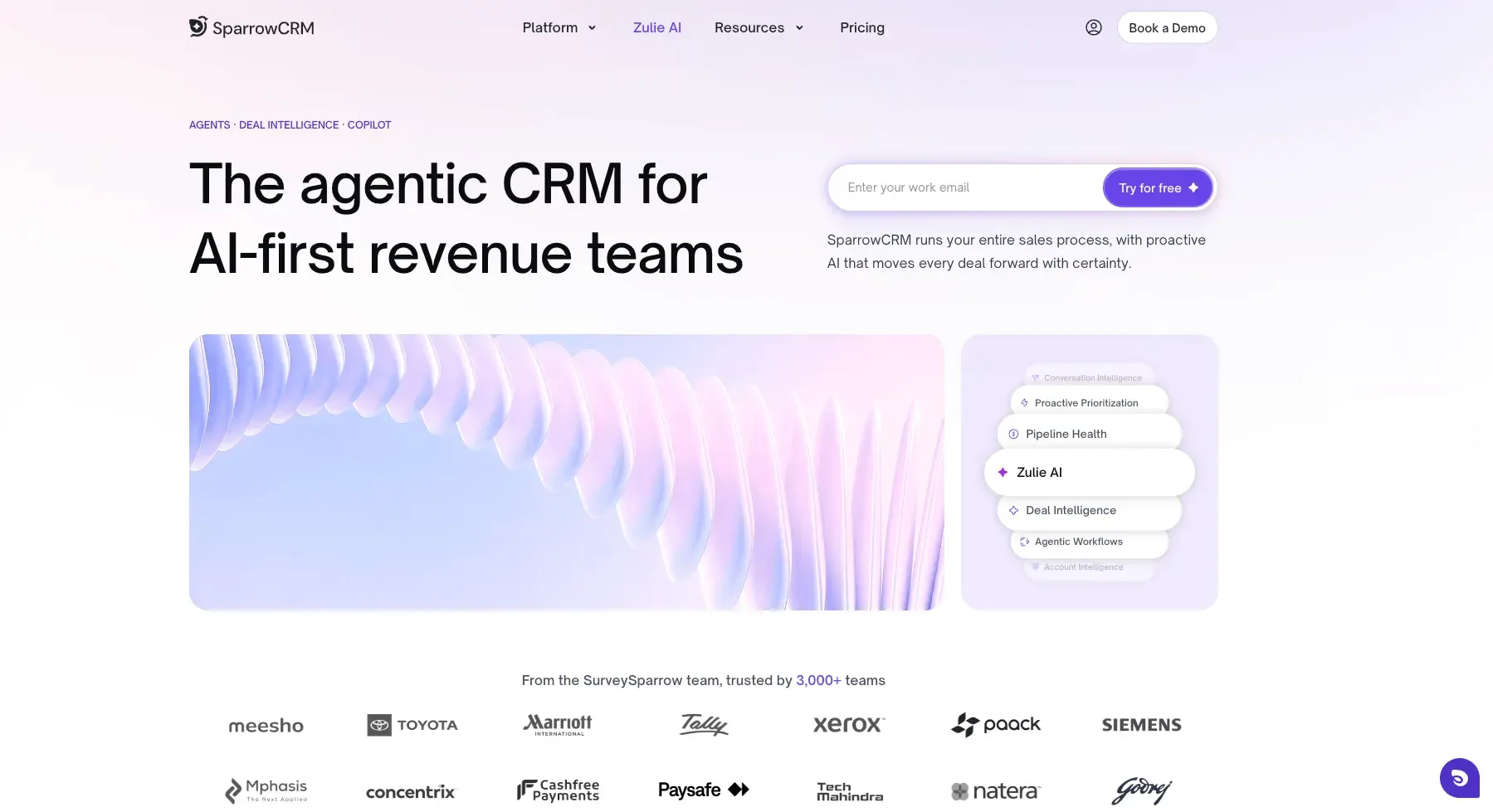
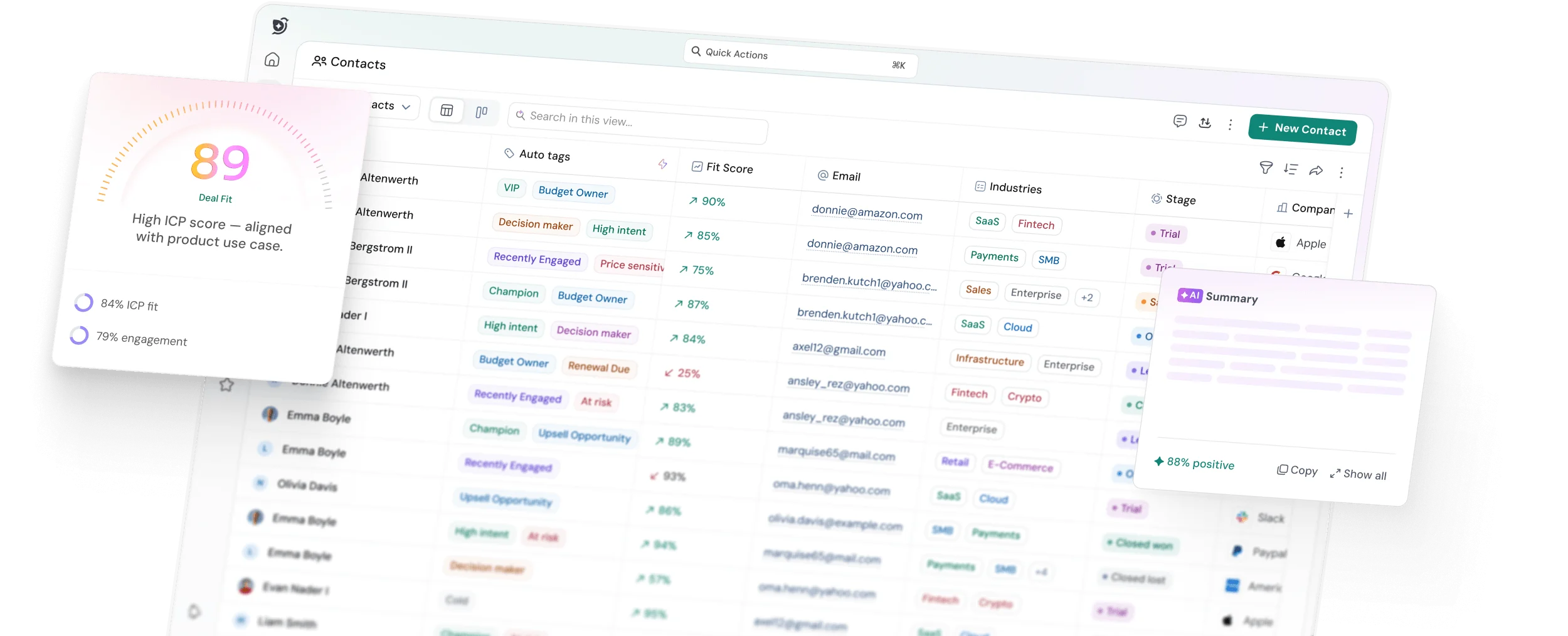
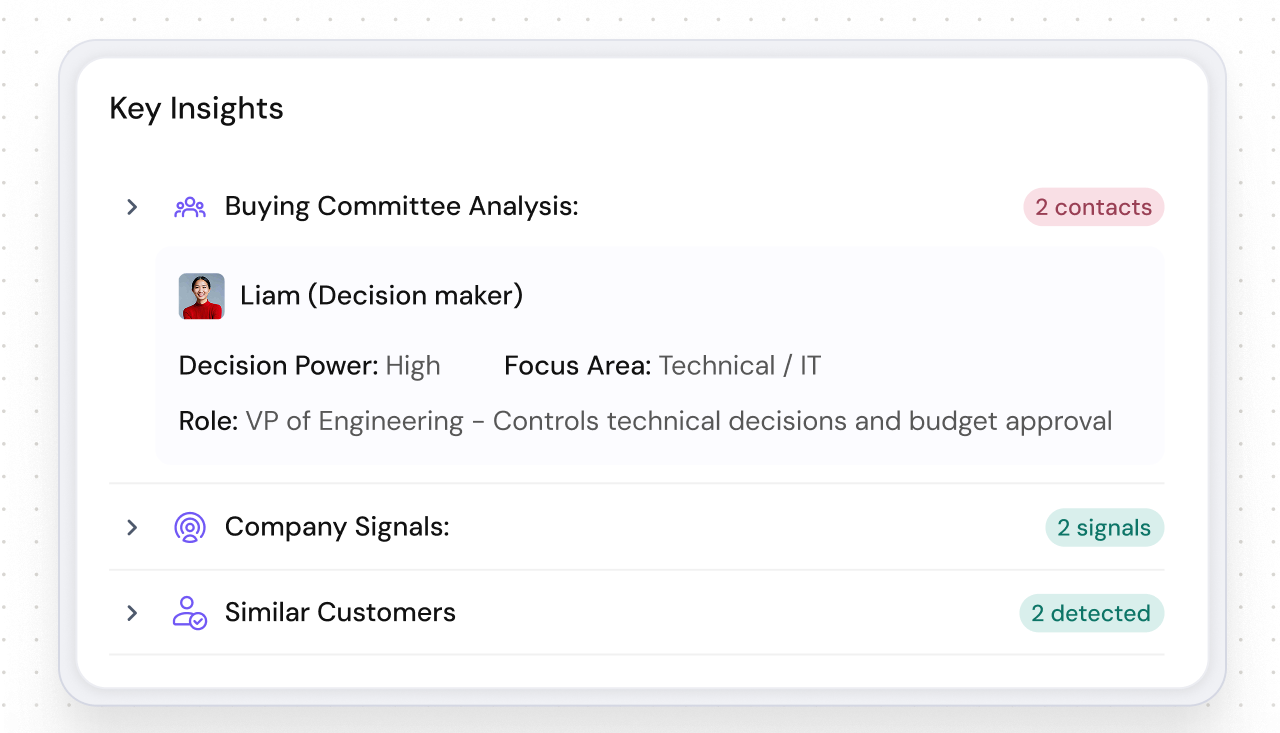
SparrowCRM is an AI-native CRM for 2–50-person consulting teams where the primary risk is losing warm opportunities during busy delivery phases. Deal health scoring surfaces at-risk engagements before they go cold. Buying committee analysis maps every stakeholder involved in a consulting decision. Next recommended actions tell you exactly what to do with each deal, without a manual pipeline review.
Pros
- AI-native features built into the core product, not bolted on as a paid add-on
- Deal scoring and health tracking designed for complex, multi-stakeholder sales cycles
- Buying committee analysis maps decision-makers, critical for consulting engagements
- Competitor mention detection flags when prospects are evaluating other firms
- Deal lost analysis surfaces patterns across won and lost deals to improve future proposals
- Designed for 2–50-person teams, no enterprise overhead
Pricing: Starts at $19/user/month on the Growth plan. Free plan available for teams of up to three.
Suits for consultants:
SparrowCRM fits consulting teams where the sales cycle is long, the buyer involves multiple stakeholders, and the primary risk is losing a warm opportunity during a busy delivery period. The AI-driven next actions and deal health scoring address this directly; you don't need to review every deal manually to know which ones need attention.
See how SparrowCRM fits consulting workflows

4Zoho CRM — best for price-conscious firms that need customization
Source: zoho.com
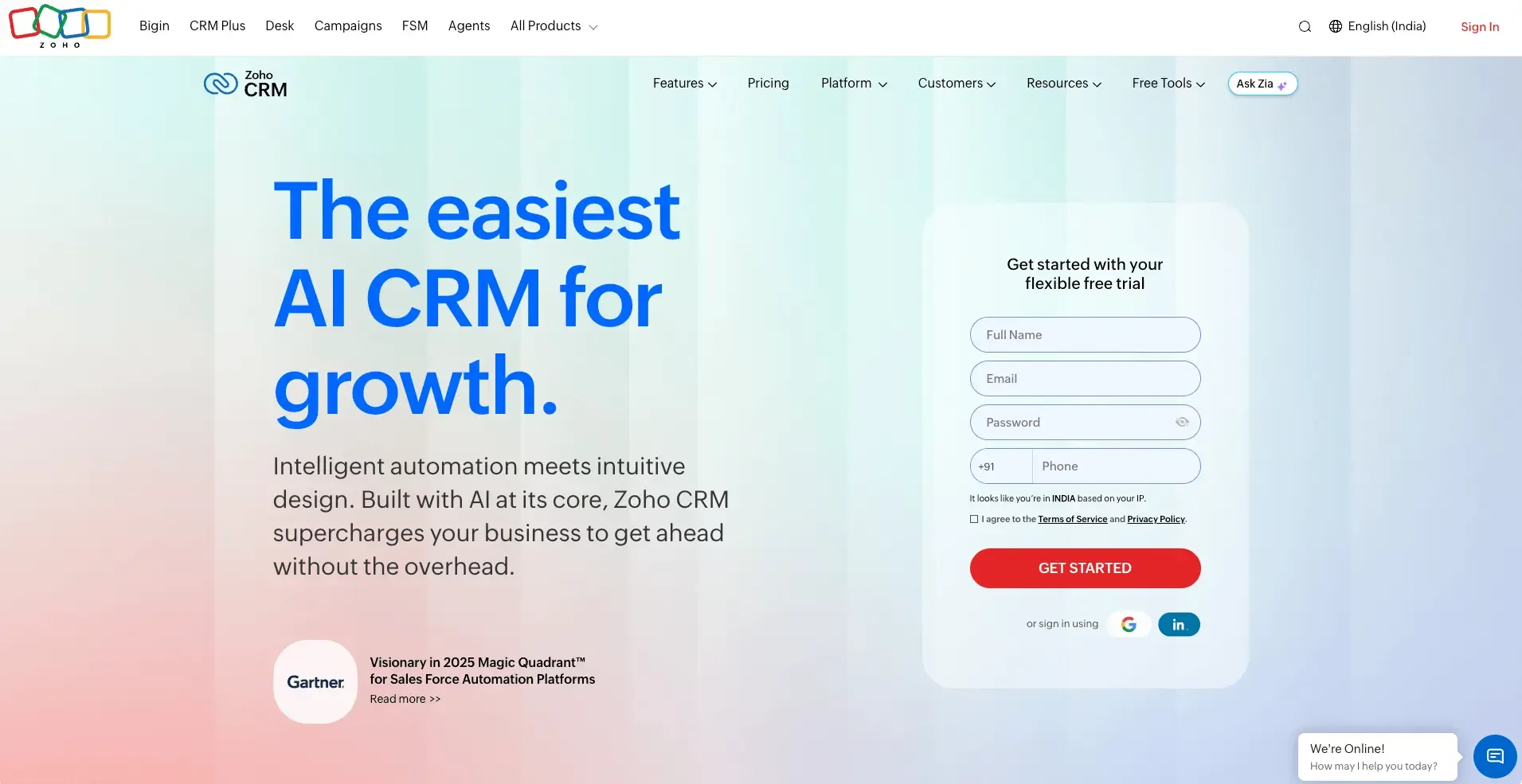
Zoho CRM packs one of the most comprehensive feature sets in the market into a price point that makes sense for budget-conscious consulting firms. Custom pipeline stages, workflow automation, multiple views, and a built-in AI assistant (Zia) are all available without enterprise-level spend. The tradeoff is setup time — Zoho's breadth means a longer onboarding curve, and the interface feels dated compared to newer platforms.
Pros
- Highly customizable pipeline stages, fields, and workflow automation
- Free plan supports up to 3 users — useful for small founding teams
- Zia AI is included from the Professional tier for lead scoring and anomaly detection
- Competitive G2 rating of 4.1/5 with strong marks for value for money
Cons
- Steeper learning curve than Pipedrive or Copper
- Interface design lags behind newer CRM products
- Customer support response times receive mixed reviews on G2
Suits for consultants:
Zoho CRM suits consulting firms that have grown beyond basic contact management and need a customizable system without paying HubSpot Professional prices. It's particularly strong for firms with specific workflow requirements that off-the-shelf pipelines don't accommodate.
Pricing: Starts at $14/user/month on the Standard plan. Free plan available for up to 3 users.
Prefer to watch it instead? This quick breakdown compares SparrowCRM, HubSpot, and Pipedrive on how each handles long sales cycles, stakeholder mapping, and deal follow-ups for consulting teams.
5Copper CRM — best for Google Workspace-native consultants
Source: copper.com
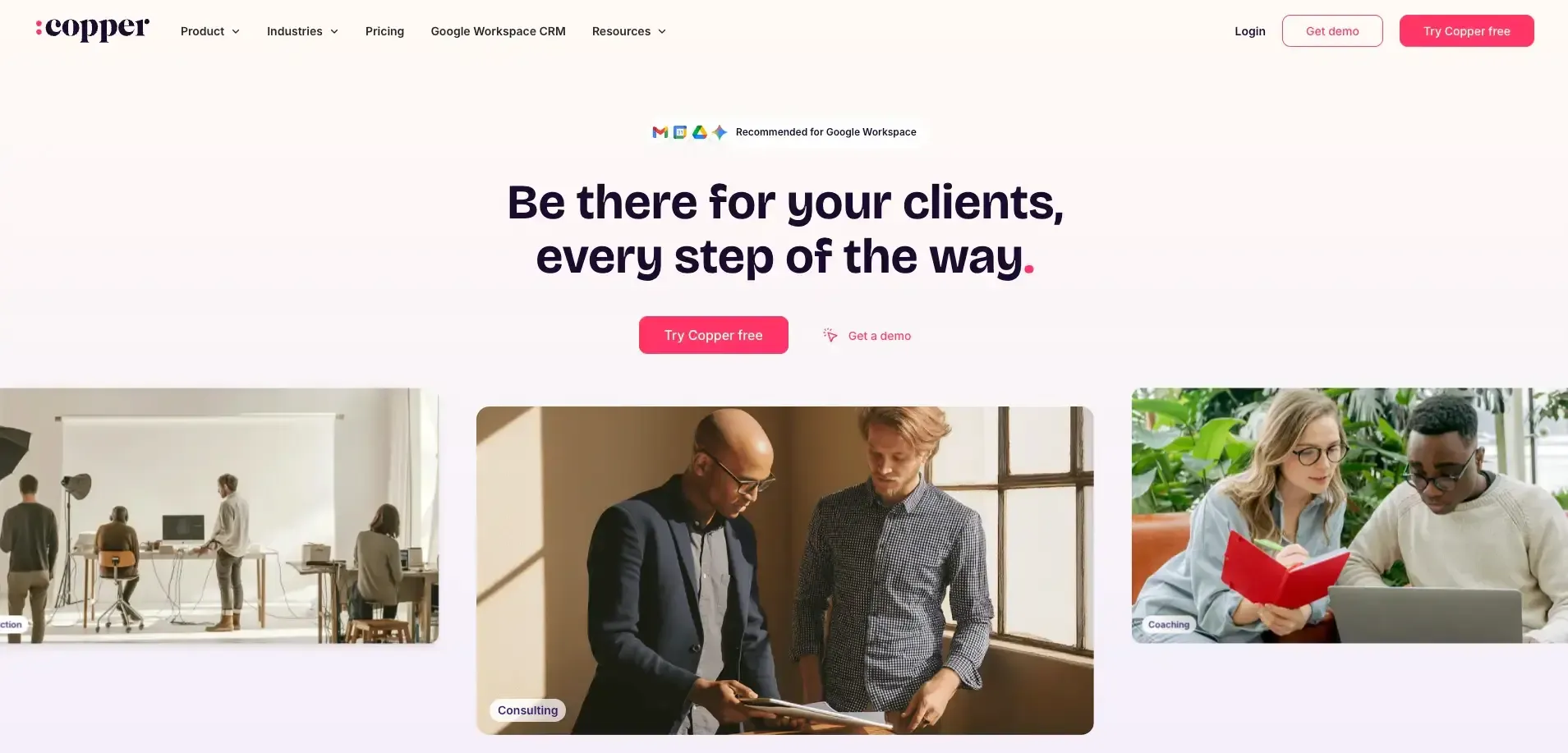
Copper embeds directly into Gmail and Google Calendar. Contacts are created automatically from emails, meeting notes are linked to deal records, and follow-up reminders appear inside your inbox. If your consulting firm lives in Google Workspace, Copper means you capture more client data without changing how you already communicate.
Pros
- Deep Google Workspace integration — CRM lives inside Gmail and Calendar
- Automatic contact creation from email reduces manual data entry
- Clean, modern interface with low onboarding friction
- Rated 4.5/5 on G2 with particularly strong marks for ease of use
Cons
- Only practical if your team is fully on Google Workspace
- Limited project delivery functionality
- Less customization than Zoho or Salesforce for complex pipeline requirements
Suits for consultants:
Copper suits solo and small-team consultants who are already fully invested in Google Workspace and want a CRM that doesn't require them to change how they communicate. The native Gmail integration means adoption is typically faster and more consistent than with standalone CRM tools.
Pricing: Starts at $12/user/month on the Starter plan. No free plan.
6Attio — best for consultants who want a modern, structured CRM
Source: attio.com
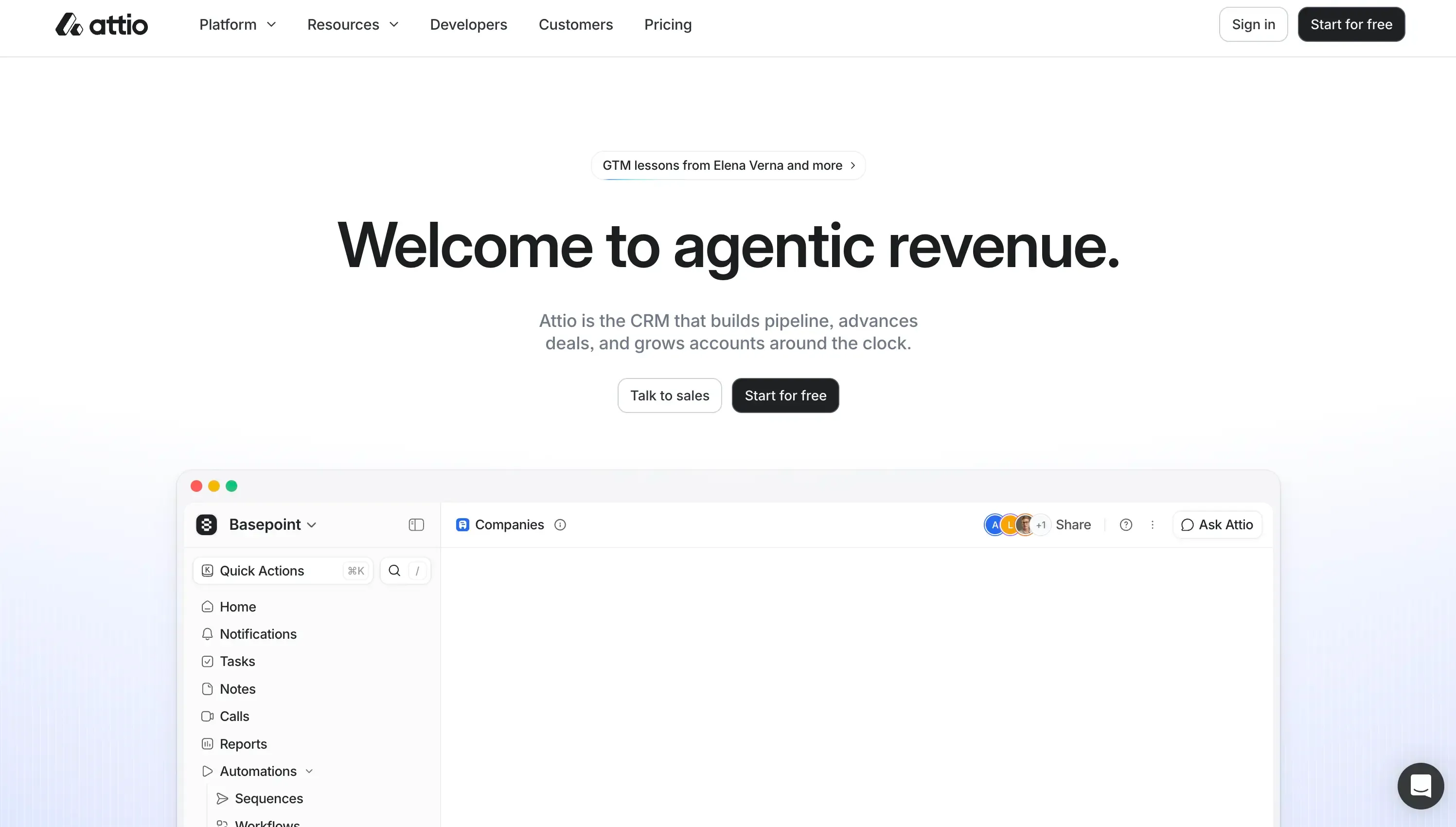
Attio is built around a flexible "objects" architecture that lets you define exactly what a deal, project, or client relationship looks like for your specific consulting model. Where most CRMs give you a fixed structure, Attio gives you a data-driven workspace that adapts to how you actually track engagements.
Pros
- Highly flexible object model, build pipelines and records around your consulting workflow, not a generic sales template
- Strong relationship intelligence surfaces connection context across contacts and companies
- AI-powered enrichment and automation are included at higher tiers
- Rated 4.8/5 on G2 with strong marks for flexibility and modern UX
Cons
- Higher learning curve for teams that want something ready out of the box
- The starting price is higher than that of Pipedrive or Copper
- Smaller integration ecosystem compared to HubSpot or Zoho
Suits for consultants:
Attio suits consultants who have outgrown rigid pipeline structures and want a CRM that mirrors the complexity of their engagements. It's particularly strong for niche consultancies with unique deal stages, custom relationship tracking needs, or multi-threaded account management across buying committees.
Pricing: Starts at $34/user/month on the Plus plan. Free plan available with limited features.
7Salesflare — best for consultants who want automatic data capture
Source: salesflare.com
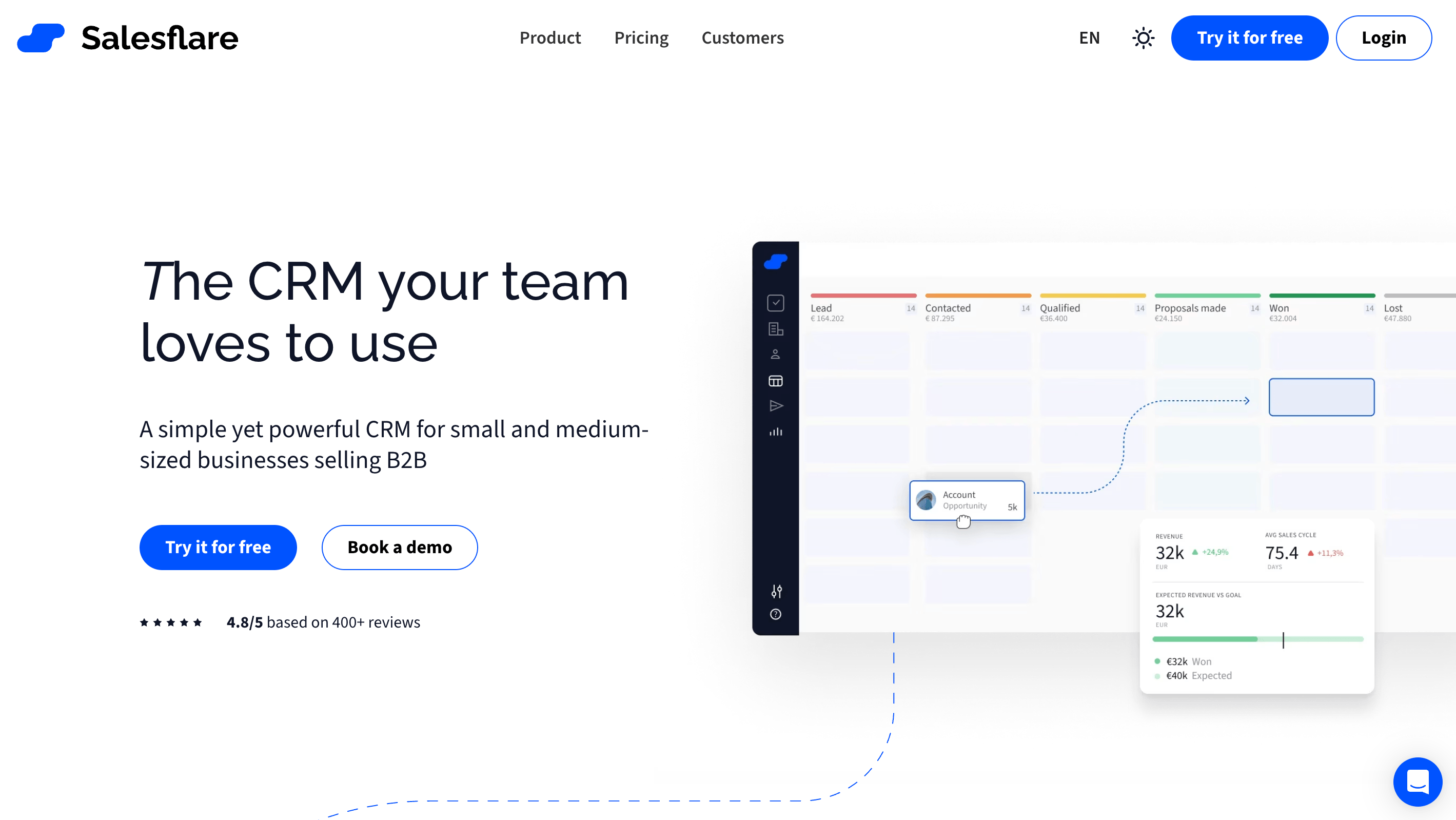
Salesflare automatically logs emails, meetings, and calls, and enriches contact records with data from social profiles and company databases. For consultants who know they need a CRM but consistently fail to maintain one because manual entry feels like too much overhead, Salesflare removes that barrier — your communication history stays accurate without any discipline required beyond the work you're already doing.
Pros
- Automatic email, meeting, and call logging eliminates manual data entry
- Contact enrichment pulls company and social data automatically
- Rated 4.8/5 on G2 with strong marks for automation quality
- Clean, modern interface with a good mobile app
Cons
- Higher starting price than Pipedrive or Copper
- A smaller user base means fewer third-party integrations than HubSpot or Zoho
- Less customization for complex pipeline requirements
Suits for consultants:
Salesflare suits consultants who know their CRM adoption will fail if it requires manual updates after every interaction. If the fundamental blocker to using a CRM is the discipline required to maintain it, Salesflare's automation removes that blocker entirely.
Pricing: Starts at $29/user/month on the Growth plan. No free plan.
Free CRM options for consultants
Two tools in this list offer free plans for consultants:
- Zoho CRM Free supports up to 3 users with contacts, deals, tasks, and basic reporting. Practical for small founding teams that want more than one user without paying per seat.
- Attio Free offers a limited free plan that covers basic contact and pipeline management. Best for solo consultants who want to test a modern, structured CRM before committing to a paid plan.
- HubSpot supports a free plan with contacts, deals, email integration, and reporting. For Solo consultants who want good enterprise-level options, HubSpot is a good option to start with.
Free plans trade features for access. You'll get organized, but you'll outgrow the limitations as your practice grows. The more useful question is: which paid plan makes sense for the size you're heading toward, and does the free tier give you a genuine on-ramp to that platform?
For a broader view of options across the market, see our guide to the best CRM software compared.
How to choose the right CRM for your consulting firm
The right CRM depends on your firm's size and how you actually generate and deliver work. Here's a simple framework:
Solo consultants (1 person)
Your primary need is structure, not sophistication. You want a tool that keeps your pipeline visible, reminds you to follow up, and doesn't require hours of weekly maintenance. HubSpot Free, Copper, or Pipedrive are the right starting points. If you're fully on Google Workspace, Copper will feel the most natural.
Small boutique firms (2–10 people)
At this size, you need shared pipeline visibility, basic automation, and consistent follow-up across the team. Pipedrive, Zoho CRM, or Salesflare fit this profile. If AI-driven deal intelligence is a priority — and your sales cycle involves multiple stakeholders, SparrowCRM is the strongest fit at this size.
Growing consulting firms (10–50 people)
At this stage, the deal-to-delivery gap becomes the critical problem. You're closing enough business that context loss at handoff is costing you real money and client satisfaction. Look for a CRM that either handles project tracking natively or integrates cleanly with your project management tool.
SparrowCRM's AI-native pipeline intelligence, buying committee analysis, and deal health tracking are purpose-built for this complexity. For firms where content marketing is also a growth channel, HubSpot Professional remains the strongest combined CRM and marketing platform.
For more guidance on evaluating CRM options, see our CRM software guide and our breakdown of industry-specific CRM considerations by sector.
If you're moving from a general sales tool to a consulting-specific system, our lead management guide covers how to structure your pipeline and qualification process to match a relationship-driven sales model.