SALES PIPELINE
The 9 top deal management software for sales teams in 2026 (expert picks)

By Ganesh Ravi Shankar
Last updated on Aug 3, 2026
Written by a CRM business head who has evaluated CRM and deal management platforms across high-velocity outbound and complex enterprise sales motions — not a vendor feature checklist.
QUICK SUMMARY
Explore this blog to find the right deal management software for your sales team, with a breakdown of AI features, pricing, pipeline tools, and real use cases for every platform on this list.
Find the Right Deal Management Software for Your Team
Explore how each tool compares on AI, pipeline visibility, pricing, and real use cases so you can confidently choose the best fit for your sales process.
- SparrowCRM — Best for AI-native deal intelligence
- HubSpot CRM — Best for mid-market teams on a full suite
- Salesforce Sales Cloud — Best for enterprise complex sales
- Attio — Best for modern B2B SaaS teams
- Pipedrive — Best for SMB visual pipeline management
- Monday.com CRM — Best for teams that want work management + CRM
- Close CRM — Best for high-velocity outbound sales
- Zoho CRM — Best for budget-conscious SMB teams
- Nutshell — Best for small teams with simple needs

Track Every Lead. Close the Deal Faster.
See which deal management platform gives your team real-time deal intelligence — not just a prettier spreadsheet.
Most sales teams do not lose deals because their product is wrong. They lost them because no one knew the deal was stalling, no one knew who the decision maker was, and no one followed up at the right time. That is a deal management problem, not a product problem.
The right deal management software fixes this. It gives every rep a structured system to track opportunities from first contact to close, flags risk before it becomes a loss, and, in the best platforms, uses AI to surface what needs to happen next without the rep having to ask.
We reviewed nine platforms that sales teams are actually using in 2026. Each one was evaluated on AI depth, pipeline flexibility, activity capture, and loss analysis, not just a feature checklist. Here is what we found.
TL;DR
Most sales teams don't have a product problem; they have a visibility problem. Deals stall silently, follow-ups get missed, and single-threaded opportunities collapse the moment one contact goes dark.
Deal management software solves this by giving every opportunity a structured home, with a stage, an owner, a score, and a clear next action visible to the entire team, not just the rep carrying it.
AI is now the dividing line between tools that store data and tools that act on it. The best platforms in 2026 surface stalled deals, map buying committees, and flag competitor mentions before they become losses.
Choosing the wrong tool is costly; a CRM your team won't adopt is worse than a spreadsheet, so this comparison was built around actual sales motion fit, not feature count or vendor claims.
How we picked the software
We did not build this list from vendor websites. We evaluated each platform across six criteria that directly affect whether deal management software actually gets used and actually improves win rates.
Criterion | What We Evaluated |
AI and deal intelligence depth | We prioritised tools that go beyond stage tracking, specifically those that score deal health, map buying committees, flag competitor mentions, and surface next actions automatically. |
Pipeline flexibility | We looked at whether teams can customise stages, field requirements, and pipeline views without needing a developer or consultant. Tools with rigid defaults scored lower. |
Activity capture | Automatic logging of emails, calls, and meetings is non-negotiable. Manual data entry is the single biggest adoption killer for deal management software. Every tool on this list syncs natively with Google and Microsoft 365. |
Loss analysis capabilities | We specifically evaluated whether the tool helps teams learn from closed-lost deals, not just log a reason, but actually analyse what happened. |
Pricing transparency | We only included tools with publicly available pricing or a clear path to a quoted price. Hidden pricing tiers that lock key features behind enterprise contracts scored negatively. |
User reviews (G2 and Capterra) | We cross-referenced G2 and Capterra ratings, specifically filtering reviews that mentioned deal tracking, pipeline visibility, and AI features, not just general CRM satisfaction. |
We also read through recent discussion threads on r/sales and r/salesforce to understand what practitioners are actually frustrated with, not what vendors say their software does.

Does your CRM help you understand why deals are lost?
What is deal management? (and what it is not)
Deal management is the process of tracking, organising, and advancing individual sales opportunities through a defined pipeline from first qualification to close. It captures every interaction with a prospect, maps the people involved in the buying decision, scores the health of the opportunity, and surfaces what needs to happen next.
It is worth clarifying what deal management is not, because this keyword pulls up three very different software categories:
- M&A deal management: Virtual data rooms and due diligence platforms for investment banking transactions (Intralinks, DealRoom)
- B2B pricing deal management: Agreement management systems for negotiating customer-specific pricing contracts (Vendavo, Zilliant)
- Sales CRM deal management: The pipeline and opportunity tracking tools this blog covers
If you are a VP of Sales, Revenue Ops lead, or founder looking to track and close more B2B sales deals, this blog is for you.
Comparison at a glance
Use this table for a quick side-by-side view. Detailed breakdowns for each tool follow.
Tool | Best For | AI Features | Pipeline | Pricing | G2 Rating |
|---|---|---|---|---|---|
SparrowCRM | AI-native CRM deal intelligence | Deal score, buying committee, loss analysis, next actions | Visual Kanban + list | Free–$19/seat/mo | |
HubSpot CRM | Mid-market teams on a full suite | Breeze AI, predictive scoring | Multi-pipeline | Free–$90/seat/mo | 4.4 / 5 |
Salesforce | Enterprise complex sales | Einstein AI, opportunity scoring | Highly customisable | $25–$500/seat/mo | 4.3 / 5 |
Attio | Modern B2B SaaS teams | AI enrichment, relationship scoring | Custom pipelines | Free–$119/seat/mo | 4.7 / 5 |
Pipedrive | SMB visual pipeline management | AI sales assistant, email insights | Drag-drop Kanban | $14–$99/seat/mo | 4.3 / 5 |
Monday.com CRM | Teams that want work-mgmt + CRM | AI automations, deal forecasting | Board-style pipeline | $12–$28/seat/mo | 4.6 / 5 |
Close CRM | High-velocity outbound sales | Call coaching AI, sequence insights | Built-in pipeline | $49–$139/seat/mo | 4.7 / 5 |
Zoho CRM | Budget-conscious SMB | Zia AI, anomaly detection, scoring | Multi-pipeline | Free–$52/seat/mo | 4.1 / 5 |
Nutshell | Small teams, simple needs | AI email writing, lead scoring | Custom pipelines | $16–$79/seat/mo | 4.3 / 5 |
SparrowCRM
Best For
AI-native CRM deal intelligence
Ai Features
Deal score, buying committee, loss analysis, next actions
Pipeline
Visual Kanban + list
Pricing
Free–$19/seat/mo
HubSpot CRM
Best For
Mid-market teams on a full suite
Ai Features
Breeze AI, predictive scoring
Pipeline
Multi-pipeline
Pricing
Free–$90/seat/mo
G2 Rating
4.4 / 5
Salesforce
Best For
Enterprise complex sales
Ai Features
Einstein AI, opportunity scoring
Pipeline
Highly customisable
Pricing
$25–$500/seat/mo
G2 Rating
4.3 / 5
Attio
Best For
Modern B2B SaaS teams
Ai Features
AI enrichment, relationship scoring
Pipeline
Custom pipelines
Pricing
Free–$119/seat/mo
G2 Rating
4.7 / 5
Pipedrive
Best For
SMB visual pipeline management
Ai Features
AI sales assistant, email insights
Pipeline
Drag-drop Kanban
Pricing
$14–$99/seat/mo
G2 Rating
4.3 / 5
Monday.com CRM
Best For
Teams that want work-mgmt + CRM
Ai Features
AI automations, deal forecasting
Pipeline
Board-style pipeline
Pricing
$12–$28/seat/mo
G2 Rating
4.6 / 5
Close CRM
Best For
High-velocity outbound sales
Ai Features
Call coaching AI, sequence insights
Pipeline
Built-in pipeline
Pricing
$49–$139/seat/mo
G2 Rating
4.7 / 5
Zoho CRM
Best For
Budget-conscious SMB
Ai Features
Zia AI, anomaly detection, scoring
Pipeline
Multi-pipeline
Pricing
Free–$52/seat/mo
G2 Rating
4.1 / 5
Nutshell
Best For
Small teams, simple needs
Ai Features
AI email writing, lead scoring
Pipeline
Custom pipelines
Pricing
$16–$79/seat/mo
G2 Rating
4.3 / 5
Top 9 deal management software: detailed breakdown
Each tool below includes key deal management features, pricing, user ratings, and what makes it worth considering or not, for your specific sales motion.
1SparrowCRM — Best for AI-native deal intelligence
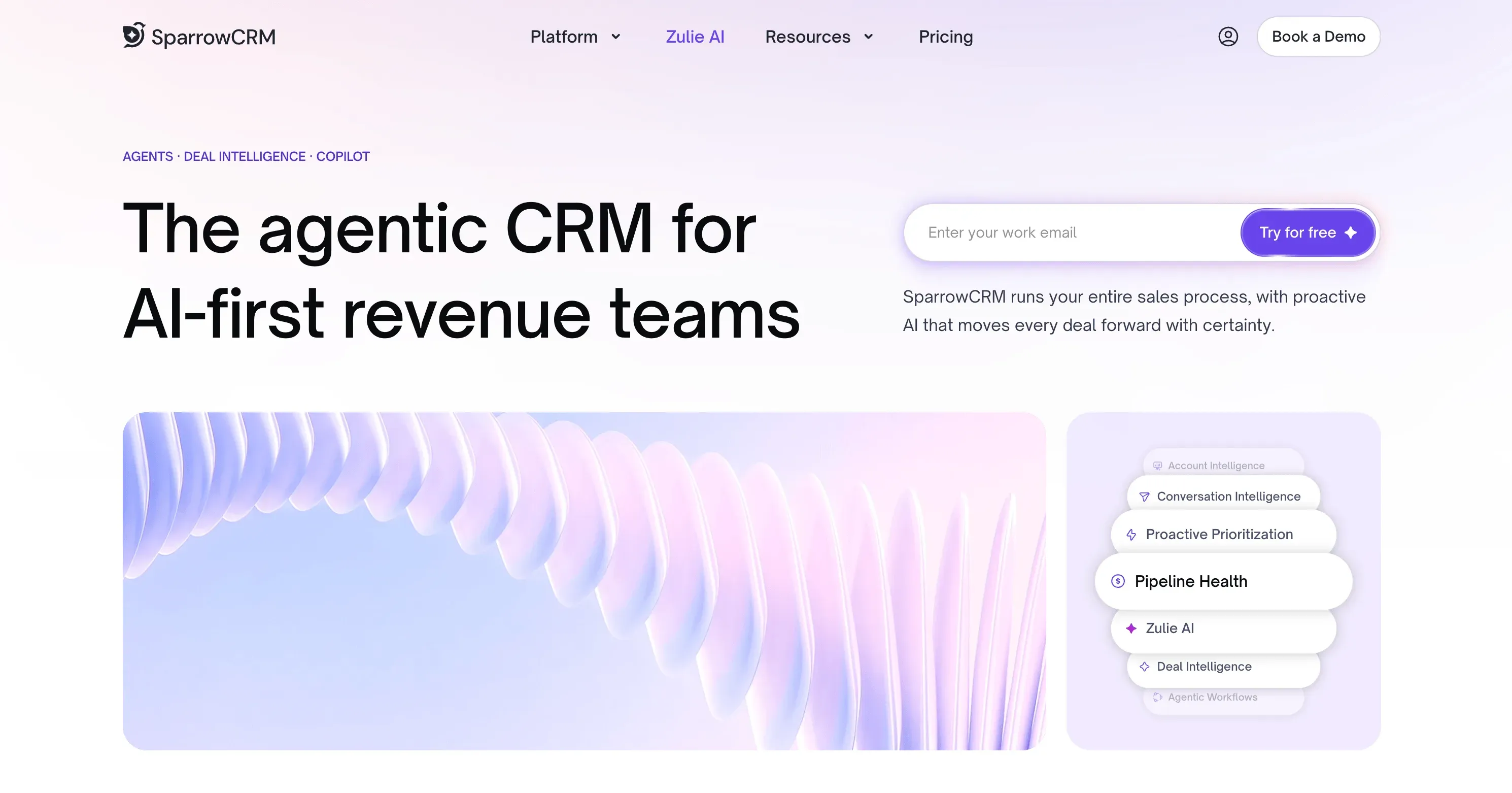
SparrowCRM is an AI-native CRM built specifically for SMB and mid-market sales teams that want more than a pipeline tracker. The deal management layer is where it stands apart: every deal gets a live score, a buying committee map, AI-generated next actions, and when a deal is lost, a structured loss analysis that surfaces the actual reason from email threads and call transcripts.
Best for | SMB and mid-market B2B sales teams (2–500 employees) that need AI-driven deal intelligence without enterprise complexity |
Key deal features | Deal Score (real-time, based on engagement signals), Buying Committee Analysis (maps every stakeholder by role and decision-making power), Competitor Mention Alerts (flagged from emails, calls, meetings), AI Next Actions (prioritised task list per deal), Deal Loss Analysis (AI breakdown of why a deal was lost), Deal Health Timeline (weekly score changes over deal lifetime), Similar Deals (closed-won comparisons for stuck opportunities) |
Pipeline | Visual Kanban and list view; customisable stages with entry/exit logic; drag-and-drop stage transitions; required fields per stage |
Activity capture | Google and Microsoft 365 sync; automatic email, call, and meeting logging; meeting transcription and sentiment analysis |
Pricing | Free tier available (up to 3 seats). Growth from $19/seat/mo, Pro from $49/seat/mo, Enterprise pricing on request. |
G2 / Capterra rating | New to market — currently in active rollout |
Why it stands out | The only platform on this list where the deal record actively tells you what to do next — not just what has happened. Buying Committee Analysis, Deal Loss AI, and Deal Score combined create a deal intelligence layer that no other SMB-focused CRM matches in 2026. |
Turn pipeline data into clear next actions

2HubSpot CRM — Best for mid-market teams on a full suite

Source: hubspot.com
HubSpot is the most widely deployed CRM in the SMB and mid-market segment. Its deal management functionality is solid, well-documented, and deeply integrated with marketing, service, and operations tools. The Breeze AI layer adds predictive scoring and workflow automation, though the depth of deal intelligence falls short of AI-native platforms.
Best for | Teams that want a full go-to-market platform (CRM + marketing + service) with a large support ecosystem and extensive integrations |
Key deal features | Multi-pipeline deal tracking, deal stages with customisable properties, Breeze AI predictive lead and deal scoring, sequence automation, deal-level activity timeline, forecasting dashboards, playbooks |
Pipeline | Multiple pipelines per account; customisable stages; probability weighting; Kanban and list views |
Activity capture | Gmail and Outlook sync; meeting scheduler; call recording with transcription (Sales Hub Professional+) |
Pricing | Free CRM tier available. Sales Hub Starter from $15/seat/mo, Professional from $100/seat/mo, Enterprise from $150/seat/mo |
G2 rating | 4.4/5 |
Why it stands out | The breadth of the HubSpot ecosystem is unmatched at the SMB level. If your team also needs marketing automation, a service desk, or operations workflows in one platform, HubSpot is the natural anchor. For pure deal intelligence depth, it is less specialised than AI-native alternatives. |
3Salesforce Sales Cloud — Best for enterprise complex sales
Source:salesforce.com
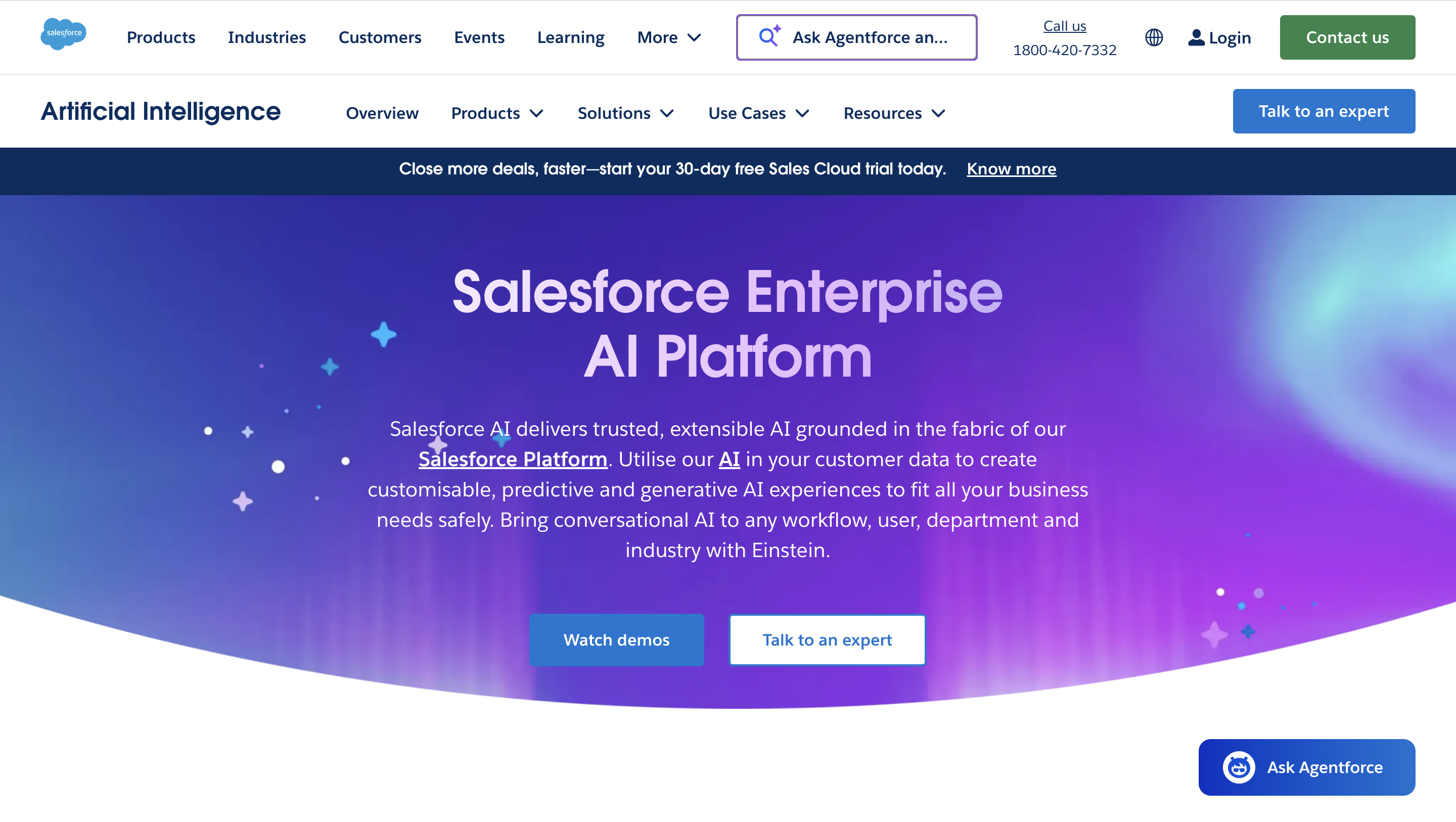
Salesforce remains the standard for large enterprise sales organisations with complex, multi-stakeholder deals. The deal management capabilities are extensive, including opportunity scoring, collaborative forecasting, and pipeline inspection tools, but the configuration overhead is significant. You typically need a Salesforce admin or partner to build the workflow you actually want.
Best for | Enterprise sales teams (200+ seats) with complex multi-product deals, territory management needs, and dedicated RevOps or Salesforce admin resources |
Key deal features | Opportunity object with configurable fields and layouts, Einstein AI opportunity scoring, pipeline inspection dashboard, collaborative forecasting with manager override, territory management, deal desk workflows, and CPQ integration |
Pipeline | Fully customisable; multiple pipelines; opportunity teams; account hierarchies; split credit |
Activity capture | Einstein Activity Capture (email and calendar sync); call logging; Gong and Chorus integrations |
Pricing | Starter Suite from $25/seat/mo, Pro Suite from $100/seat/mo, Enterprise from $175/seat/mo, Unlimited from $330/seat/mo |
G2 rating | 4.4/5 |
Why it stands out | No other platform handles the complexity of enterprise deal management, multi-stakeholder approvals, split credit, overlay teams, and territory management as comprehensively as Salesforce. If your organisation has outgrown mid-market CRMs, Salesforce is the destination. If you are still under 100 reps, the overhead may outweigh the capability. |
4Attio — Best for modern B2B SaaS teams
Source: attio.com
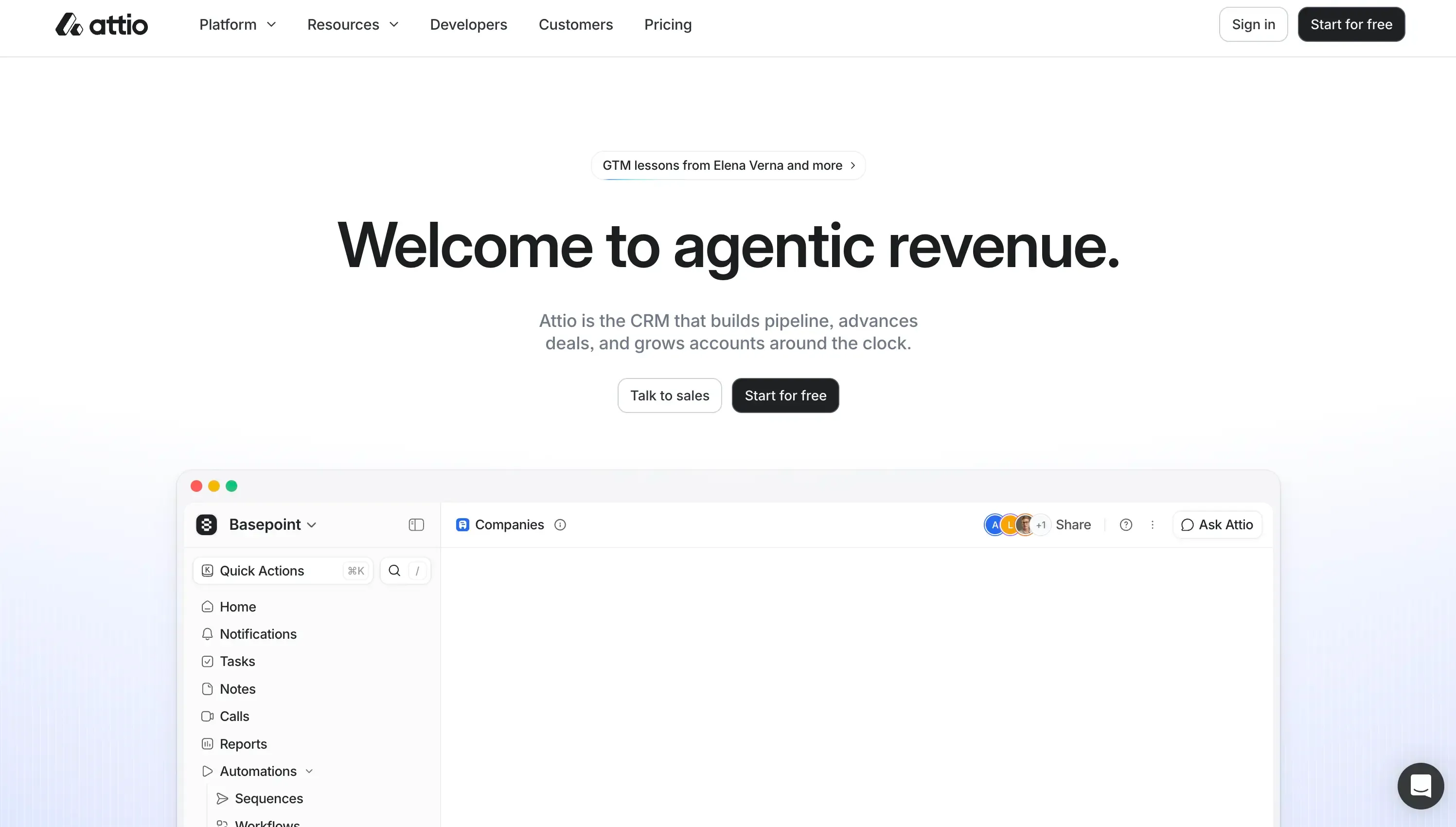
Attio has emerged as the CRM of choice for growth-stage B2B SaaS companies that find HubSpot too rigid and Salesforce too complex. Its data model is flexible enough to handle custom deal structures, and the relationship intelligence layer surfaces the connection strength who on your team has the strongest relationship with each stakeholder.
Best for | Growth-stage SaaS teams (10–200 employees) that need a flexible, developer-friendly CRM with strong relationship data and a modern UX |
Key deal features | Custom deal objects and attributes, relationship scoring, AI enrichment, pipeline views with filters, company and contact intelligence, workspace-level reporting |
Pipeline | Fully customisable stages and attributes; Kanban and table views; no-code pipeline configuration |
Activity capture | Gmail and Outlook sync; calendar integration; automatic contact enrichment from email threads |
Pricing | Free tier available. Plus from $29/seat/mo, Pro from $69/seat/mo, Enterprise from $119/seat/mo |
G2 rating | 4.4/5 |
Why it stands out | Attio's flexibility is its defining strength. If your sales motion does not fit a standard CRM data model, Attio lets you build exactly the structure you need. The trade-off is that it has less out-of-the-box deal intelligence than AI-native CRMs. |
5Pipedrive — Best for SMB visual pipeline management

Source:pipedrive.com
Pipedrive was built around one idea: the visual pipeline. It remains one of the cleanest, most intuitive deal tracking tools available, and its AI sales assistant helps reps prioritise without requiring a complex setup. It is particularly well-suited to SMB teams with a clear, linear sales process.
Best for | SMB sales teams (5–100 reps) with a linear sales process who want a visual, easy-to-adopt deal tracking tool with strong mobile support |
Key deal features | Visual Kanban pipeline, AI sales assistant (deal prioritisation and activity suggestions), email tracking, deal rotting alerts, smart contact data, revenue forecasting |
Pipeline | Multiple pipelines; drag-and-drop stage management; win probability per stage; deal rotting alerts when deals go inactive |
Activity capture | Email sync (Gmail and Outlook); meeting scheduler; call logging; activity timeline per deal |
Pricing | Essential from $14/seat/mo, Advanced from $29/seat/mo, Professional from $59/seat/mo, Power from $69/seat/mo, Enterprise from $99/seat/mo |
G2 rating | 4.3/5 |
Why it stands out | Pipedrive's onboarding time is the fastest on this list. For a team of 5–20 reps that wants to get out of a spreadsheet and into a real pipeline tool by next week, Pipedrive is the path of least resistance. The AI depth is limited compared to AI-native platforms, but the ease of adoption is a genuine competitive advantage. |
6Monday.com CRM — Best for teams that want work management + CRM
Source: monday.com
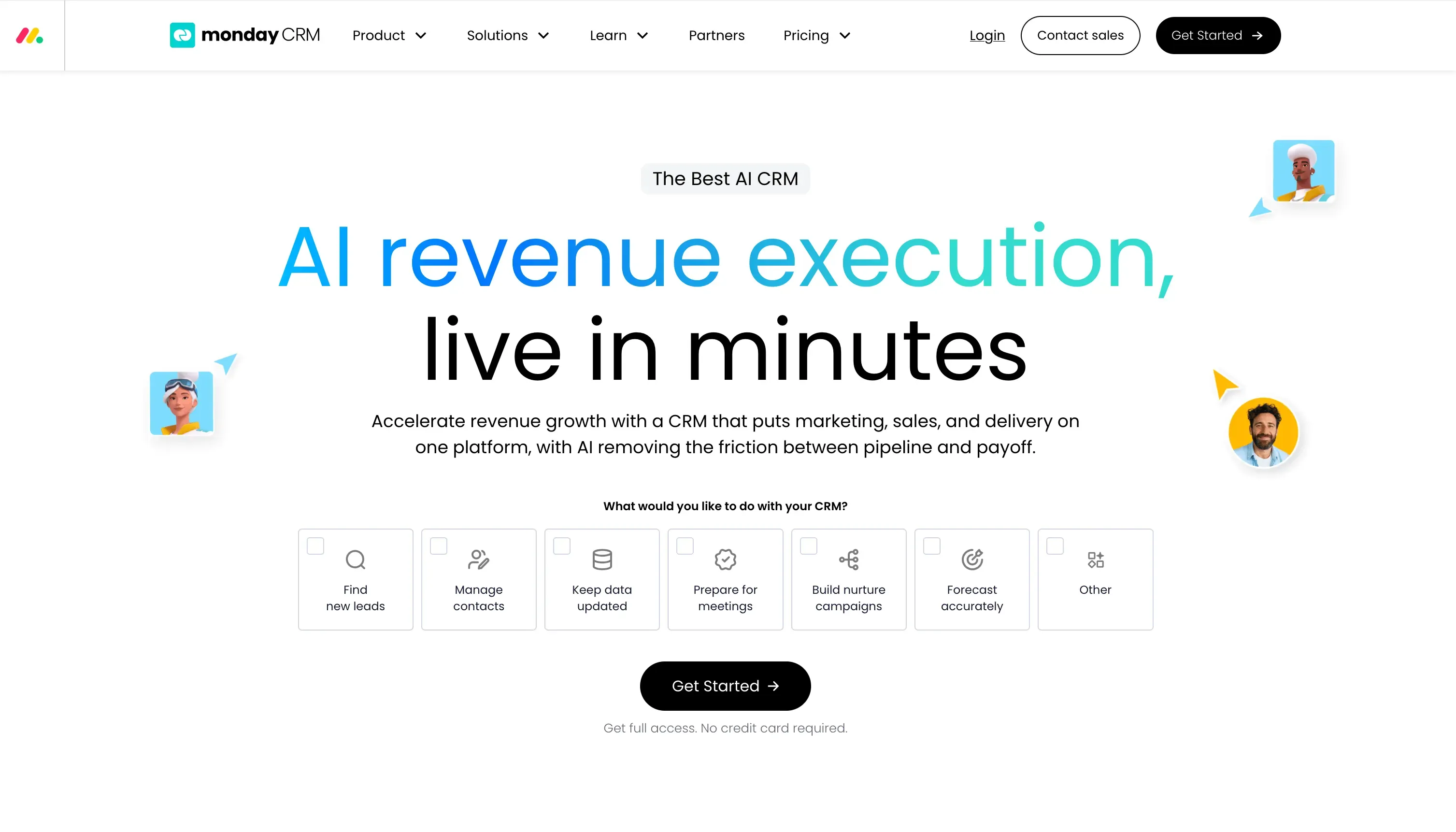
Monday.com's CRM is built into the broader Monday.com work management platform. If your sales team is already using Monday for project management, adding CRM features on the same platform is a natural extension. As a standalone deal management tool, it is capable but less specialised than dedicated CRMs.
Best for | Teams already using Monday.com for project management who want to unify sales pipeline tracking in the same workspace |
Key deal features | Deal pipeline boards, automations, AI deal forecasting, activity tracking, contact management, revenue dashboards, integration with Monday Work Management |
Pipeline | Board-based pipeline views; customisable columns and stages; automation recipes for stage transitions |
Activity capture | Gmail and Outlook sync; email tracking; activity log per deal board item |
Pricing | Basic CRM from $12/seat/mo, Standard from $17/seat/mo, Pro from $28/seat/mo, Enterprise on request |
G2 rating | 4.3/5 |
Why it stands out | The Monday.com ecosystem advantage is real if your entire team lives in Monday. The sales-specific deal intelligence scoring, buying committee mapping, and loss analysis are less developed than dedicated CRMs. Best used as a unified workspace tool rather than a pure deal management platform. |
7Close CRM — Best for high-velocity outbound sales

Source: close.com
Close was designed for inside sales teams that run high-volume outbound sequences. The built-in calling, SMS, and email tools are genuinely best in class for outbound teams. Deal management is solid for linear sales motions, though the platform is less suited to complex, multi-stakeholder enterprise deals.
Best for | Inside sales and outbound teams (5–100 reps) with short, high-velocity sales cycles who need calling and sequence automation in the same platform as their pipeline |
Key deal features | Built-in VoIP calling and SMS, email sequences, activity-based reporting, pipeline views, lead and opportunity tracking, call coaching AI, sequence performance analytics |
Pipeline | Custom pipeline stages; Kanban and list views; lead and opportunity split (separate objects for pre-qualified and qualified deals) |
Activity capture | All calls, emails, and SMS are logged automatically, no sync required; full call recording and transcription |
Pricing | Startup from $49/seat/mo, Professional from $99/seat/mo, Enterprise from $139/seat/mo |
G2 rating | 4.7/5 |
Why it stands out | No CRM on this list captures outbound activity as completely as Close. Every call is recorded, every email is tracked, and every sequence step is logged automatically. If your team makes 50+ outbound calls a day, Close eliminates the admin overhead that kills adoption in other CRMs. |
8Zoho CRM — Best for budget-conscious SMB teams
Source: zoho.com
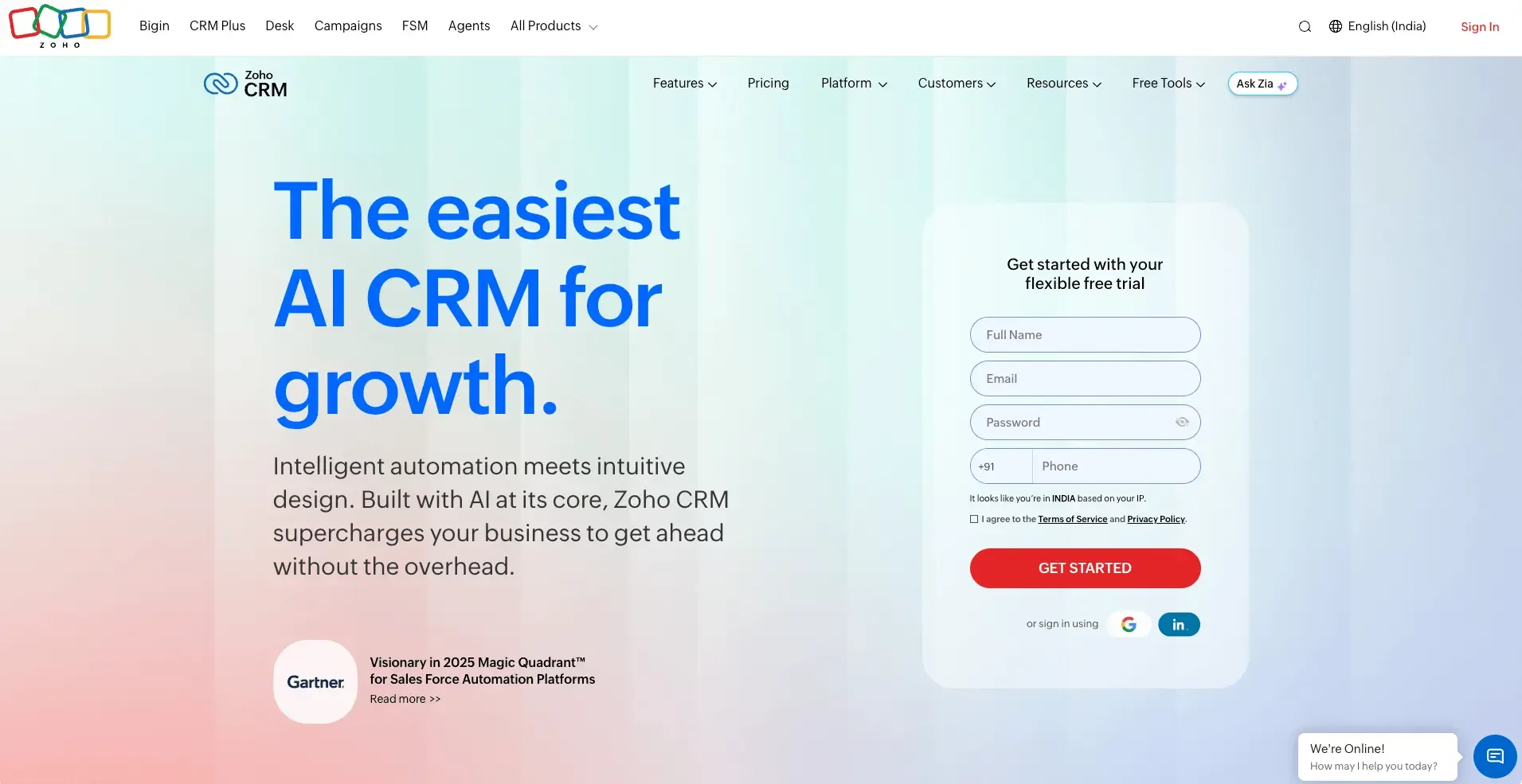
Zoho CRM offers one of the widest feature sets at the lowest price point on this list. Zia, Zoho's AI assistant, includes anomaly detection, deal scoring, and email sentiment analysis. The platform covers the full deal management workflow, though the UI has historically lagged behind more modern tools.
Best for | SMB teams (5–200 employees) with budget constraints that still need AI-assisted deal scoring, workflow automation, and multi-channel activity capture |
Key deal features | Zia AI (deal scoring, anomaly detection, email sentiment, best time to contact), multi-pipeline management, workflow automation, deal stage reminders, territory management, CPQ integration |
Pipeline | Multiple pipelines; configurable stages; Kanban view; deal stage duration tracking; forecast views |
Activity capture | Email sync (Gmail, Outlook, Zoho Mail); telephony integration; social media tracking; meeting sync |
Pricing | Free tier (up to 3 users). Standard from $14/seat/mo, Professional from $23/seat/mo, Enterprise from $40/seat/mo, Ultimate from $52/seat/mo |
G2 rating | 4.1/5 |
Why it stands out | Zoho CRM's price-to-feature ratio is unmatched. At $40/seat/month Enterprise, you get AI scoring, territory management, multi-pipeline, and workflow automation that would cost 3–4x more in Salesforce or HubSpot. The trade-off is UX polish and a steeper initial learning curve. |
9Nutshell — Best for small teams with simple needs
Source: nutshell.com
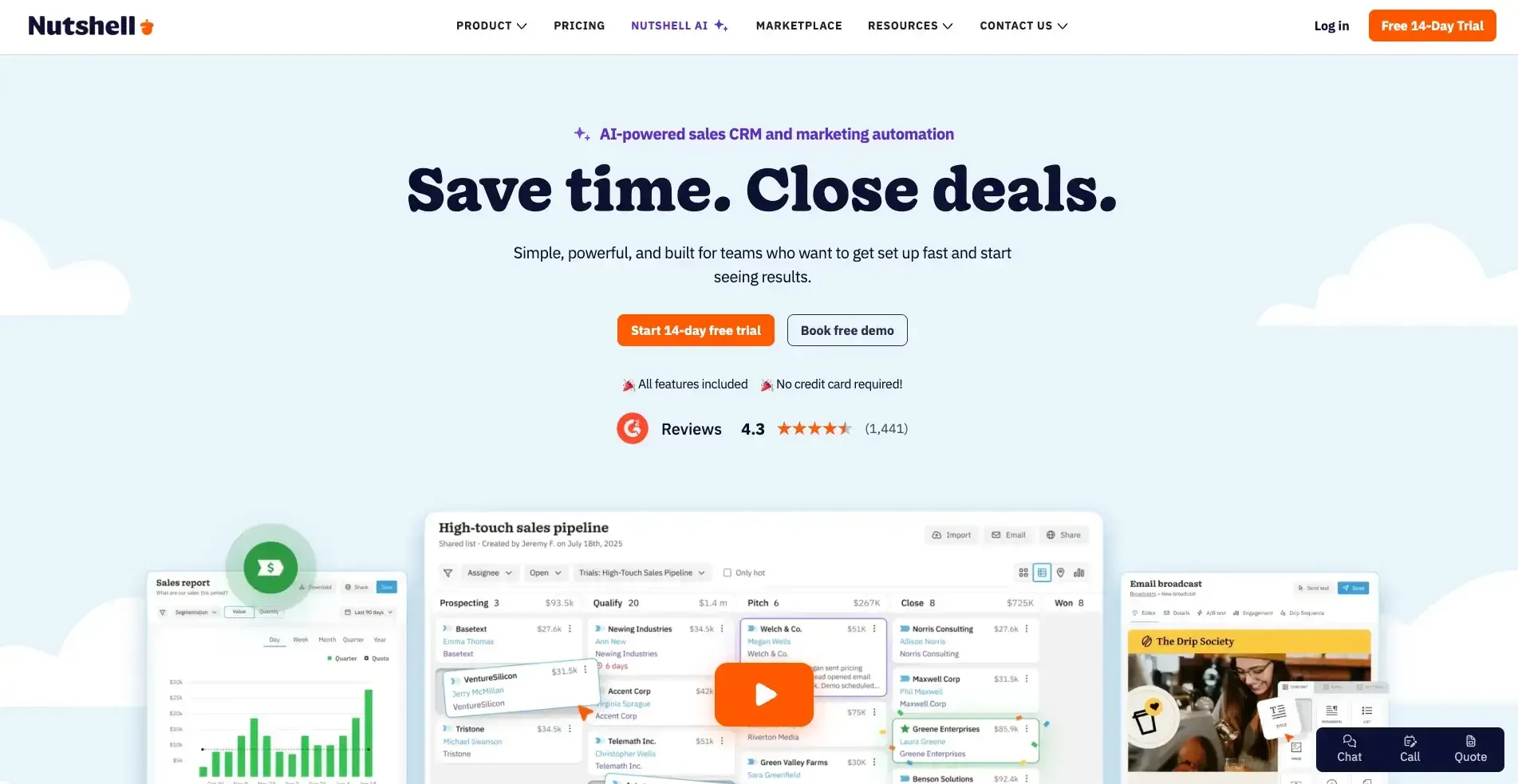
Nutshell is a CRM built for small sales teams that want a straightforward, clean deal management experience without enterprise overhead. It is particularly strong on reporting transparency. The reports are some of the clearest of any tool on this list at its price point, and the onboarding support is consistently praised in user reviews.
Best for | Small B2B sales teams (2–30 reps) that need a clean, affordable deal tracking tool with strong reporting and responsive support |
Key deal features | Pipeline management, AI email writing assistance, lead scoring, activity reminders, win/loss reporting, sales automation, team reporting |
Pipeline | Multiple pipeline types (column, list, map, chart view); customisable stages; drag-and-drop interface |
Activity capture | Gmail and Outlook sync; email tracking and sequencing; activity logging; meeting scheduler integration |
Pricing | Foundation from $16/seat/mo, Growth from $42/seat/mo, Pro from $52/seat/mo, Business from $67/seat/mo, Enterprise from $79/seat/mo |
G2 rating | 4.3/5 |
Why it stands out | Nutshell is the least overwhelming tool on this list. For a team of 5–10 that is moving out of a spreadsheet and does not need AI deal intelligence yet, Nutshell provides a clean pipeline, solid reporting, and human support that most vendors at this price point do not offer. |
Deal management vs. pipeline management: where they overlap
Pipeline management gives you the macro view: total pipeline value, stage distribution, conversion rates, and forecast accuracy. It answers the question, How is the business tracking against the target?
Deal management is the micro work: who is in this deal, what has been said, what needs to happen before it advances, and whether the deal is healthy or at risk. It answers the question: what needs to happen with this specific opportunity right now?
The best deal management software does both. It gives managers the pipeline dashboard they need for forecasting, and gives reps the deal-level intelligence they need to act. You need the sales pipeline guide to understand how these two layers work together.
Why sales teams need a dedicated deal management system
What poor visibility does to pipeline leakage
According to research from Harvard Business Review, companies with a formal, structured sales process generate significantly more revenue than those without one. The gap is not marginal. Unstructured deal management directly causes four specific forms of pipeline leakage:
- Deals that age silently: no one flags a deal that has sat in the same stage for 6 weeks
- Single-threaded deals: the rep's only contact goes on leave, and the deal dies
- Missed follow-ups without automated reminders: reps forget, and prospects move to a competitor
- Inaccurate forecasts: a pipeline inflated by deals that have not truly progressed creates false confidence at the board level
What changes when deals are managed in a structured, AI-aware system
The shift is not just organisational; it is what the data starts doing for you. In a structured deal management system:
- Every deal has a stage, an owner, a score, and a next action visible to the whole team
- AI surfaces stalled deals before the rep notices the silence
- Buying committee mapping shows who is engaged and who is missing from the conversation
- Deal loss analysis turns every closed-lost deal into usable intelligence for future similar opportunities
This is the difference between a CRM as a database and a CRM as an active system for driving revenue.
Reddit Discussion
"The single most impactful thing we did was make 'next action with a due date' a required field before moving any deal past the discovery stage. Win rate went up 18% in a quarter. It sounds obvious, but nobody was doing it."
— u/revenueops_real on r/sales
The 5 stages of sales deal management
Most sales teams follow a version of these five stages. What separates high-performing teams is not the stages themselves, but the rigour applied at each one. Every stage should have a clear entry condition, a clear exit condition, and at least one required action before the deal can advance.
# | Stage | What Happens | Key Questions to Answer |
1 | Opportunity identification | Prospect shows interest or matches ICP. Deal record is created. Source is logged (inbound, outbound, referral, marketing). | Does the contact match your ICP? Is there a budget signal? Is the timing real? |
2 | Stakeholder and buying committee mapping | Every person involved in the purchase decision is identified: decision maker, influencer, champion, economic buyer, technical evaluator, and gatekeeper. | Who controls the budget? Who can say no? Who is your internal champion? |
3 | Active engagement and negotiation | Discovery calls, demos, proposals, and objection handling. Every email, meeting, and call is logged. Competitor mentions are tracked. | Is engagement increasing or stalling? Has a competitor been mentioned? Are there open tasks? |
4 | Closing and finalisation | Proposal sent, legal review complete, contract signed. All stakeholders have confirmed terms. The deal is marked won and handed to onboarding. | Is the close date still accurate? Are all sign-off stakeholders engaged? Is there a signed order form? |
5 | Post-deal review and loss analysis | For won deals: handoff to customer success with a full deal summary. For lost deals: AI loss analysis, rep debrief, and documented takeaways for future similar deals. | What actually caused the win or the loss? What will the team do differently next time? |
Stage 1: opportunity identification and qualification
A deal starts when there is a real reason to believe a prospect could buy. That means a budget signal, a relevant pain point, a decision-making timeline, and at least one person willing to engage. If any of these are missing, it is a lead, not a deal. The distinction matters because inflated pipelines are one of the most common forecasting problems in B2B sales. See the lead qualification guide for the full BANT and MQL/SQL framework.
Stage 2: stakeholder and buying committee mapping
Single-threaded deals where the rep only knows one person at the account are one of the most common causes of late-stage deal loss. If that contact changes roles, goes quiet, or loses internal support, the deal has no backstop.
At this stage, reps should identify every stakeholder involved in the purchase decision and map their role: decision maker, economic buyer, technical evaluator, champion, influencer, or gatekeeper. Each person needs a contact record in the CRM linked to the deal, with their level of engagement tracked separately.
SparrowCRM's Buying Committee Analysis does this automatically, categorising every associated contact by buyer type, decision-making power, and focus area so reps can see at a glance who is engaged and who is missing from the conversation. This links directly to the broader AI-powered CRM capabilities that define an AI-native deal management workflow.
Stage 3: active engagement, follow-up, and negotiation tracking
This is where most deal management breakdowns happen. Discovery calls happen, but never get logged. Proposal feedback comes in over email, but does not make it into the deal record. A competitor gets mentioned in a call, and no one flags it.
The requirement at this stage is full activity capture: every email, call, and meeting logged automatically, not by the rep, but by the CRM. Any competitor mention should surface as an alert. Deal health should be updated after every significant interaction.
Stage 4: closing and final deal
The closing stage is where forecast accuracy is decided. A deal in the closing stage should have: a confirmed budget, a signed-off decision maker, a specific close date, and an active proposal in review. If any of these are missing, the deal should not be in this stage, regardless of how optimistic the rep feels.
Deal management software enforces this by making required fields mandatory before a stage transition is allowed. This is the single most effective way to keep pipeline data honest.
Stage 5: post-deal review and loss analysis
The most underutilised stage in most CRMs. When a deal is won, the record should carry a full summary of the customer success handoff pain points, stakeholders, key concerns, and what drove the decision. When a deal is lost, the record should contain more than a logged reason.
According to Gong's research on win/loss analysis, teams that conduct structured deal loss reviews near future similar deals at a 15–20% higher rate. The learning from a lost deal is only captured if the system makes it easy to surface.
Watch our quick video breakdown of the best deal management software in 2026, covering SparrowCRM, HubSpot Sales Hub, and Pipedrive with features and pricing compared side by side.
Common deal management mistakes that kill pipeline health
The software is only part of the equation. These are the process failures that show up repeatedly when deal management breaks down, regardless of which platform a team is using.
Using your inbox as a CRM
Email threads are not a deal record. There is no stage, no score, no owner, and no history. Deals disappear when reps leave, or inboxes fill up. A dedicated system gives every deal a permanent, structured home.
Single-threading deals
If your only contact at an account goes cold, the deal dies. Deal management software that maps buying committees surfaces who else you should be talking to before the deal stalls.
Skipping stage exit criteria
Moving a deal from Qualified to Proposal without confirming the budget or decision maker is not pipeline progress; it is false optimism. Define what must be true before a deal advances, and enforce it.
Ignoring deal age
A deal that has sat in the same stage for 45 days is not progressing it is stalling. Most CRMs will show deal age but not alert you. AI-native systems flag this automatically and surface it in deal health scores.
No post-loss review process
Most teams log a loss reason, close the record, and move on. The information in that record the emails, calls, objections, and stakeholders, is a learning asset. Teams that systematically review lost deals improve win rates over time.
Letting the pipeline inflate
A bloated pipeline feels good, but forecasts badly. Deals that have not moved in 60+ days should be qualified out or paused. A clean pipeline at 3x quota beats a cluttered one at 8x every time.
Over-relying on rep memory
When reps carry context in their heads, knowledge leaves when they do. Activity logging, AI summaries, and structured deal notes ensure the deal record reflects reality — not just what the rep remembered to enter.
How to set up deal management in your CRM: a starting point
Most teams overcomplicate the setup. A working deal management system can be running in a single afternoon. Here is the sequence that works, whether you are setting up SparrowCRM, HubSpot, Pipedrive, or any other platform on this list. For a full walkthrough of how pipeline and deal management connect, see the sales pipeline guide.
Step 1: Define your pipeline stages
Map your actual sales motion, not a generic template. Every stage needs a clear entry condition (what must be true for a deal to enter) and an exit condition (what must happen before it advances). Aim for 5–7 stages maximum.
Step 2: Set required deal fields
Decide what information every deal must capture: deal value, expected close date, primary contact, company, and deal source at a minimum. Make these mandatory in your CRM so reps cannot save a deal record without filling them in.
Step 3: Connect email and calendar
Sync your Google or Microsoft 365 account so every email and meeting logs automatically against the deal record. This removes manual data entry and ensures the activity timeline reflects reality.
Step 4: Configure deal scoring rules
Define what a healthy deal looks like in your business: recent email reply, meeting attended, decision maker identified, and no competitor mentions flagged. Set these as signals in your scoring model. Review the score calibration after 30 days.
Step 5: Enable lost reason logging
Make it mandatory for reps to select a loss reason and add a note when they close a deal as lost. This data powers your win/loss analysis and, in AI-native CRMs, feeds the deal loss analysis feature.
Step 6: Build your weekly review cadence
Block 30 minutes every Monday to review deals by stage, age, and score. Focus the first 10 minutes on deals that have not moved in 14 days. Use the remaining time on deals closest to closing. This is the highest ROI activity a sales manager can do with a deal management system.

Frequently Asked Questions (FAQs)
Related Articles
15 Apr, 2026
12 best sales tracking software tools in 2026 (reviewed for SMB and growing teams)
16 Apr, 2026
Best Apps for Sales Leads: 20 Tools Sales Reps Actually Use in 2026

12 Sep, 2025

