CRM SOFTWARE
Compare top CRM costs: CRM pricing guide in 2026

By Ganesh Ravi Shankar
Last updated on Aug 3, 2026
Explore this blog to understand exactly what CRM software costs in 2026, from per-user pricing tiers and pricing model types to hidden implementation costs, so you can compare top CRM platforms and choose the right one for your team's budget.

Ganesh Ravi Shankar
Updated on Aug 3, 2026
CRM cost remains one of the most puzzling parts of picking the right system for your business. Your needs determine CRM software prices that range from free to thousands of dollars yearly. Many business owners struggle to figure out their ideal budget.
Price comparison for CRM systems can be tricky. A top CRM provider's full-featured plan costs $67 per user monthly. That's just a small part of the story. Entry-level paid plans average $23 per user each month. Upgraded plans cost between $45 and $74. Larger businesses and teams with special needs might pay $150 per user monthly or even $1,000+ per month.
The basic subscription fee starts the real cost calculation. You need to add implementation costs, training, maintenance, and other hidden expenses that pricing pages don't show. The bright side? A properly set up CRM pays off big time. Research shows businesses earn an average of $8.71 for each dollar they spend on their CRM system.
This piece breaks down CRM software prices from different providers, plans, and industries. You'll learn to make smart choices that match your budget and business goals. Free options or resilient solutions - you'll get the clarity needed to pick the right one with confidence.
Comparison table
List Item | Key Features/Characteristics | Price Range | Primary Benefits | Notable Considerations | Best Suited For |
|---|---|---|---|---|---|
Free vs Paid CRM | Free: Simple contact management, 2-5 user limit, 1-10GB storage | Free: $0 | Paid plans help boost sales by 29%, increase efficiency by 34%, and improve retention by 27% | Companies typically outgrow free plans within 6-12 months | Free: Startups, very small teams |
CRM by Industry | Sales: Lead routing, forecasting | Sales: $12-300/user/month | Sales: Increased efficiency | Marketing CRMs base their pricing on contacts instead of users | Sales: Revenue-focused teams |
CRM Cost by Plan Type | Monthly vs Annual billing | Annual billing saves 15-34% compared to monthly plans | Annual plans make budgeting predictable | Training, integration, and data migration costs often surprise users | Monthly: Companies are trying new solutions |
Top CRM Providers | HubSpot: Modular approach | HubSpot: $15-4700/month | Each provider brings its own strengths and feature sets | Support costs extra in most cases | Depends on your business needs and provider |
Choosing the Right CRM | Must-have vs Nice-to-have features | Free to $300+/user/month across different tiers | Matches your business needs | Businesses don't use 49% of their CRM features | Depends on your business goals and daily workflow |
Free vs. paid CRM: What's the real cost?
Many businesses struggle to choose between free and paid CRM platforms. Free options look tempting at first glance, but knowing the real differences helps you make better decisions for future success.
Free CRM software limitations
Free CRM plans come with restrictions that limit their real value:
- User limitations: Most free CRMs let you have only 2-5 people, which works just for tiny teams. To cite an instance, HubSpot's free plan allows unlimited users but locks most features, while Zoho gives you just 3 users.
- Feature restrictions: Free plans give you simple contact management but lack advanced tools. You'll need to pay extra for these key features:
- Advanced reporting and analytics
- Workflow automation
- Email tracking and sequences
- Custom fields and modules
- API access for integrations
- Storage constraints: Free CRMs give you minimal storage, about 1-10GB. You can only store 500-1,000 records, which puts a hard stop on your growth.
- Limited support options: Free CRM users get basic technical support through knowledge bases, community forums, or email support with slow response times.
Free CRMs work more like extended trials than complete solutions. As a small business owner who has tested many systems, these rarely give you the tools needed to grow beyond the startup phase.
Benefits of paid CRM plans
A paid CRM subscription brings real advantages:
- Increased efficiency: Paid plans help you save time with automation features that cut down repetitive tasks. You can save 5-6 hours per week for each employee through automatic lead scoring, workflow triggers, and marketing automation.
- Better customer insights: Paid plans' detailed reporting and analytics help you spot sales patterns, make accurate forecasts, and understand your customers better. These insights can boost conversion rates by 20-30% when used properly.
- Customization capabilities: Paid CRMs let you shape the system around your business rather than forcing you to adapt. You get:
- Custom fields and objects
- Individual-specific dashboards
- Workflow rules that match your business
- Branded client portals
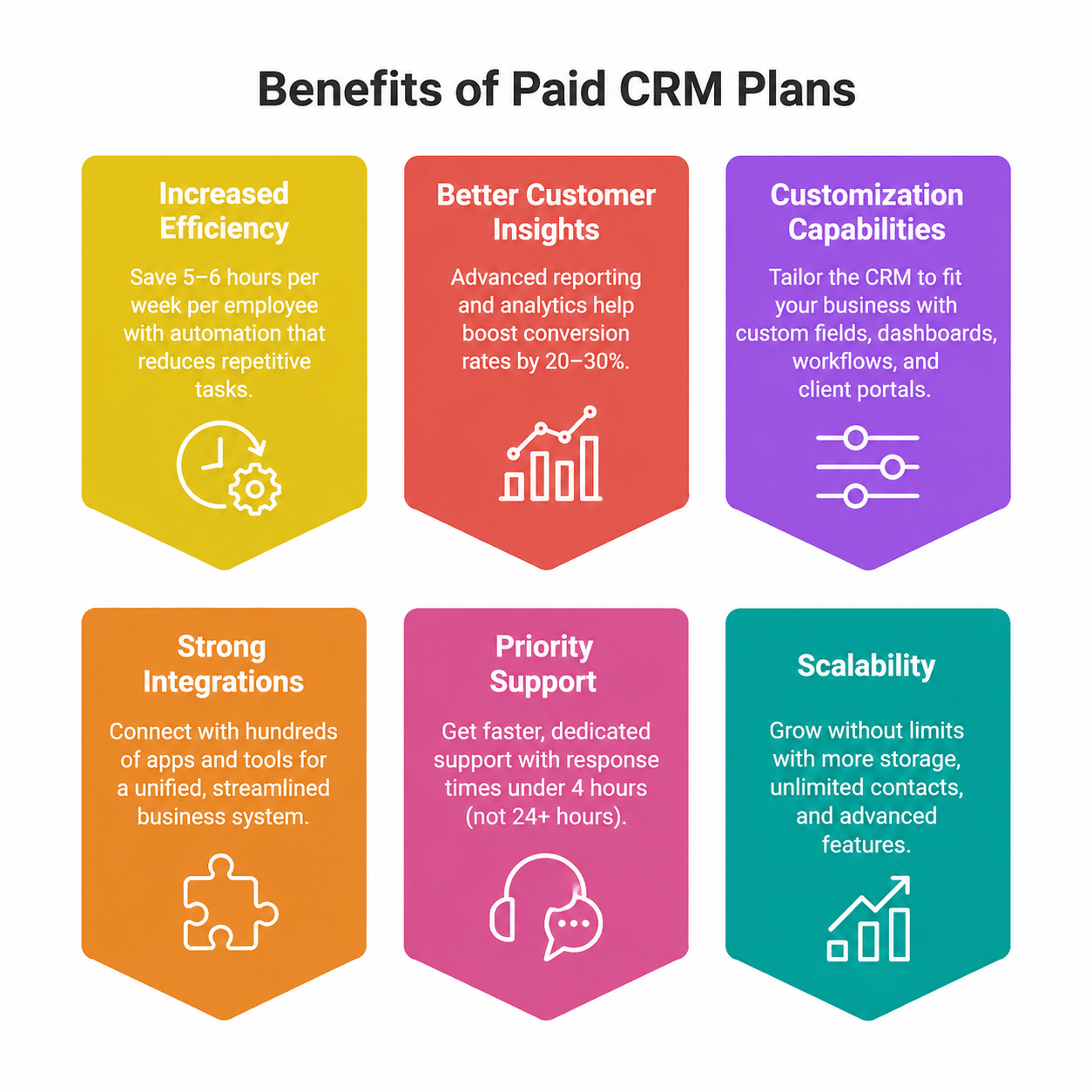
- Strong integrations: Free plans connect to a few popular apps, but paid plans work with hundreds of business tools. This creates a unified system instead of scattered data across your tech stack.
- Priority support: Paid plans give you faster, personal support through dedicated channels. You'll get help in under 4 hours versus waiting 24+ hours with free plans.
- Scalability: Paid CRMs expand with your business by offering more storage, unlimited contacts, and extra features. You won't need to switch systems as you grow.
When to upgrade from free to paid
These signs tell you it's time to switch to a paid CRM:
- Team expansion: The upgrade becomes crucial once your team grows beyond 3-5 users.
- Increased lead volume: Your free plan stops working well when you reach the contact limit of 1,000 records.
- Process complexity: Free CRMs fall short as your sales process needs more tracking, stage management, or custom fields.
- Integration requirements: You'll need to upgrade to connect your CRM with other business systems through API access.
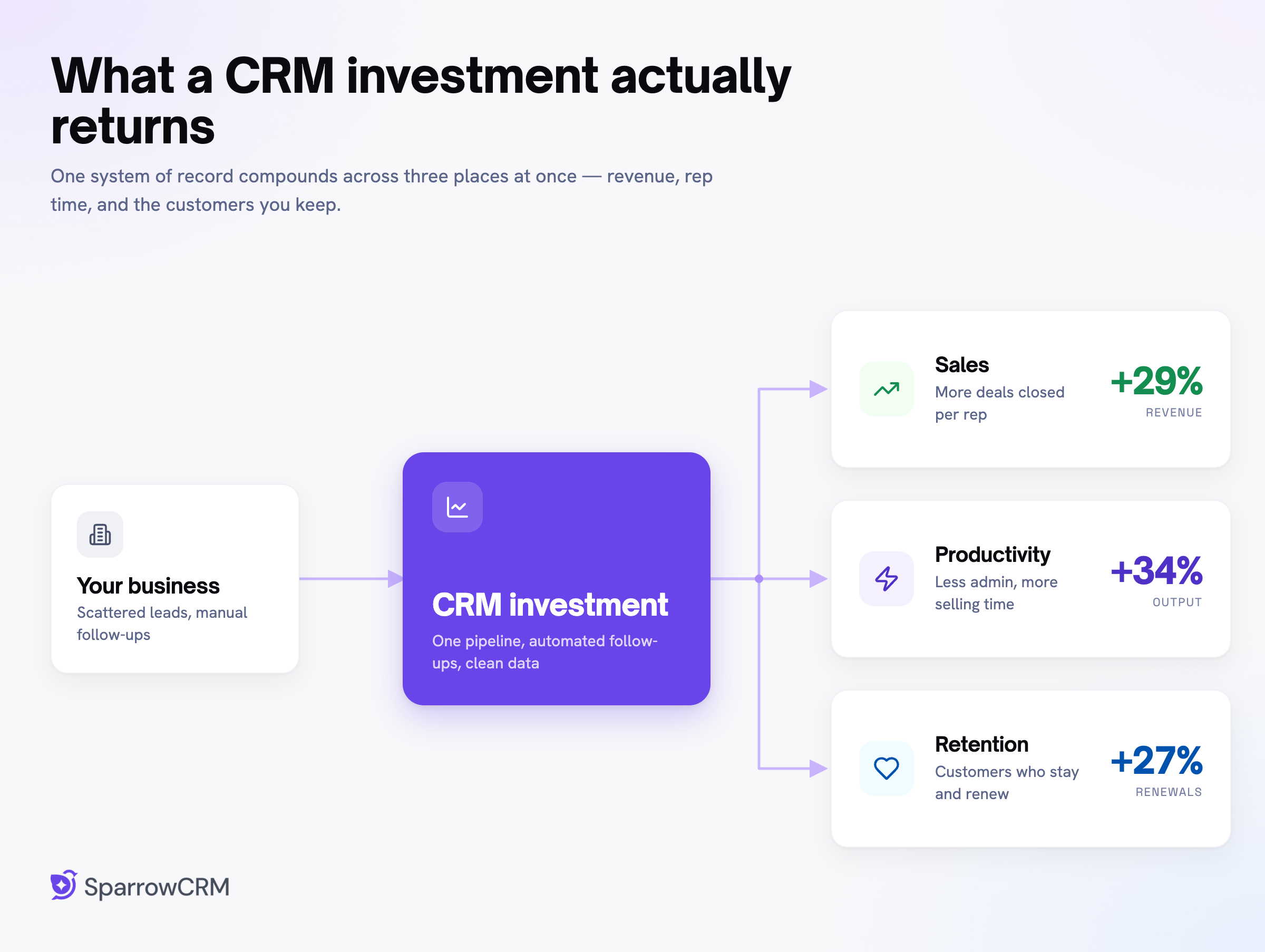
- ROI consideration: Paid plans are an investment that pays off. Companies using paid CRM solutions see sales jump by 29% and productivity rise by 34%. Customer retention gets better by 27% after implementing a detailed CRM strategy.
- Budget reality: Basic paid plans cost $12-25 per user monthly, making them affordable for small businesses. Mid-tier plans run between $45-85 per user monthly with more features. Enterprise plans start at $100+ per user monthly.
The question isn't about whether to pay for CRM but when. The real cost comes from lost opportunities through inefficient processes, missed follow-ups, and the inability to grow customer relationships.
My experience with CRM implementation shows that companies outgrow free plans within 6-12 months of regular use. The move to paid plans, while adding a new expense, pays for itself in the first quarter through better conversion rates and efficiency.
CRM price comparison by industry
CRM software prices vary a lot based on your industry focus and department needs. Businesses of all sectors now depend on specialized CRM solutions, and knowing industry-specific pricing has become vital to budget properly.
CRM cost for sales teams
Sales-focused CRM systems cost between USD 12.00 and USD 300.00 per user per month. The pricing tiers reflect more capabilities as you go up. Let's break down these prices:
- Lower-end plans (USD 12.00-25.00) give you simple sales tracking with limited lead management. Salesforce starts at USD 25.00 per user monthly. You'll get simple account management features without advanced forecasting or automation tools.
- Mid-tier plans (USD 39.00-99.00) offer the best value for most sales teams. Pipedrive's Professional plan costs USD 49.00 per user monthly. It has lead routing, revenue forecasting, and document management features that boost sales productivity.
My experience with implementing sales CRMs shows that the "sweet spot" lies between USD 40.00-60.00 per user monthly. Teams get these vital features at this price:
- Automated lead scoring and qualification
- Deal and quote management capabilities
- Custom sales pipelines and workflows
- Simple AI-powered analytics
- Enterprise-tier pricing (USD 100.00-300.00) mostly expands existing feature capacity for larger sales organizations. Salesforce's Lightning Unlimited plan costs USD 300.00 per user monthly. It offers unlimited customization but comes at a premium.
Most businesses find mid-tier plans enough to stimulate revenue growth unless they manage complex, multi-territory sales operations.
CRM cost for customer service
Customer service CRM systems have different pricing, ranging from USD 15.00 to USD 300.00 per user monthly. Service-oriented CRMs often start at higher prices because they need integration with communication tools.
Microsoft's Dynamics 365 Customer Service shows this tiered approach:
- Professional edition: USD 50.00 per user monthly
- Enterprise edition: USD 105.00 per user monthly
- Premium edition: USD 195.00 per user monthly
Customer service platforms offer different features at each price point compared to sales CRMs. Entry-level plans (USD 14.00-25.00) come with:
- Simple ticketing and case management
- Simple queue management
- Standard reporting on service metrics
Mid-range plans (USD 49.00-79.00) give you:
- Omnichannel support capabilities
- Self-service portal options
- SLA management tools
- Advanced analytics on customer satisfaction
My consulting work with service teams shows that better knowledge base management and automation features justify higher-tier plans. Teams using complete service CRMs solve issues 30-40% faster than those using simple solutions.
Customer service CRM pricing includes different user types. Zendesk's customer service plans cost USD 55.00 to USD 115.00 per agent monthly. They base their pricing on customer-facing agents rather than total system users.
CRM cost for marketing teams
Marketing CRM prices show the biggest variation, from USD 20.00 to USD 15,000 per month. Marketing automation platforms use completely different pricing structures than sales and service CRMs.
Marketing CRMs charge based on marketing contacts or email volume instead of user count. Salesforce's marketing automation begins at USD 1,250.00 monthly for up to 10,000 contacts, no matter the team size.
Several factors create this huge price range:
- Scale of automation – Complex nurture experiences cost more
- Multi-channel capabilities – Each extra marketing channel adds to the cost
- Analytics depth – Advanced attribution and ROI tracking raise prices
- Content management – Digital asset management systems cost extra
Marketing CRM pricing tiers look quite different:
- Basic (USD 20.00-79.00) – Mainly email marketing with simple automation
- Mid-tier (USD 150.00-800.00) – Multi-channel features with moderate automation
- Enterprise (USD 1,000.00-15,000.00) – Complete marketing suites with AI-driven capabilities
SugarCRM's data shows marketing automation costs more than other CRM types. Their marketing plan costs USD 1,000.00 monthly, much higher than their sales plans that start at USD 19.00 per user monthly.
Marketing CRMs need the highest investment among all three categories, but can deliver the strongest measurable ROI when used right.
Many businesses choose integrated CRM suites that combine sales, service, and marketing in one platform. These bundled solutions give better value than separate specialized systems, especially for mid-size companies that want consistent data across departments.
Stop Overpaying for CRM Software, try SparrowCRM

CRM software cost by plan type
Your bottom line can change a lot based on how well you understand CRM subscription structures. My experience with setting up CRMs shows that companies often look only at listed prices. They miss out on plan types that could change their total investment.
Monthly vs annual CRM pricing
You can save a good amount of money with annual billing instead of monthly payments from most CRM providers. After looking at many pricing plans, I've seen savings of 15-34% when companies commit to yearly plans instead of monthly ones.
Here are some real numbers:
- Zoho CRM gives you a big 34% discount if you pay annually
- Monday.com cuts 33% off the price for yearly payments
- Pipedrive's Professional plan costs $49 per user yearly versus $59 monthly, which is about 26%
- Copper's Professional package runs $59 annually compared to $69 monthly - about 26% less
These savings add up fast as your team grows bigger. Take a 10-person sales team using Zoho CRM's Professional plan - they'd save around $3,450 each year by paying annually.
Monthly plans still make sense for growing companies that aren't sure about their future needs. I tell startups to start monthly until they know the CRM works for them. They can switch to annual billing once they're sure it's the right fit.
CRM subscription models
CRM platforms use different pricing structures that change your total cost beyond just billing frequency:
- Per-user pricing model: You pay a set fee for each person using the system. It's simple but gets expensive with bigger teams. Salesforce, Microsoft Dynamics, and other major CRMs use this approach.
- Tiered pricing model: Platforms like HubSpot and Zoho offer packages with different feature levels. You pick what lines up with what you need. Microsoft Dynamics 365 has tiered plans for different business sizes.
- Flat-fee pricing: Some providers charge one price no matter how many users you have. Bigger teams love this since costs don't go up with more users. It also helps with budget planning.
- Modular pricing: The CRM splits into parts (sales, marketing, support), and you only pay for what you use. Companies with specific needs save money this way.
- Usage-based model: This "pay-as-you-go" system charges based on how much you use. Marketing automation often uses this model, with prices tied to contact numbers.
Research shows businesses should pick their pricing model based on their size, needs, and growth plans. The subscription model you choose often affects long-term costs more than the starting price.
Hidden costs in CRM plans
What looks cheap at first can get expensive fast. I've seen many companies get caught off guard by these hidden costs:
Training and user adoption: Companies often budget too little for this crucial part. You need:
- Training sessions and materials
- Internal or external trainers
- User support and helpdesk
Integration complexity: Connecting your CRM with other systems takes resources. Costs come from:
- Custom API work or middleware licenses
- Third-party platform connections
- Expert help for data sync
Feature upgrades: Growth means you might need extra features:
- Advanced analytics, AI, or more integrations
- Better automation tools
- Professional help for upgrades
Data migration: Moving your data involves more than tech work:
- Cleaning up old data
- Moving and checking records
- Extra work for outdated data
Customization requirements: Some CRMs need lots of setup and ongoing help to work right.
I recently saw a company's "$25 per user" CRM cost triple because of these extras. Smart companies look at total ownership cost upfront instead of just subscription fees.
Base prices often leave out key costs. Watch for extra charges for setup, better support, storage space, and contract length.
Top CRM providers and their pricing
Let's get into what you'll actually pay for top CRM platforms after looking at general pricing structures. My experience implementing these systems shows that knowing specific provider costs helps you pick options that match your feature needs and budget.
1. HubSpot CRM pricing

Source: hubspot.com
HubSpot's free plan stands out as one of the most generous in the market with unlimited users, simple sales tools, and customer service features. The paid plans follow this structure:
- Starter Customer Platform: USD 7.00 per user monthly (billed annually)
- Professional Customer Platform: USD 1500.00 monthly for 5 users, with additional users at USD 100.00 each
- Enterprise Customer Platform: USD 1050.00 monthly for 7 users, with additional users at USD 150.00
HubSpot's pricing might take small businesses by surprise. The platform's modular design lets you buy only the "Hubs" you need. The Marketing Hub starts at USD 800.00 monthly for 3 users.
My implementation projects show that HubSpot's free plan works best for businesses new to CRM. The paid tiers are great for companies ready to invest in detailed customer management.
3. Salesforce CRM pricing

Source: salesforce.com
Salesforce leads the market with pricing that matches its powerful features:
- Starter Suite: USD 7.50 per user monthly
- Pro Suite: USD 100.00 per user monthly
- Enterprise: USD 175.00 per user monthly
- Unlimited: USD 350.00 per user monthly
- Einstein 1 Sales: USD 550.00 per user monthly
Salesforce shines with its extensive customization options and industry-specific features. Plans above Starter Suite come with forecasting management and customized reports that growing sales teams need.
Here's something to watch out for - lower-tier plans charge extra for customer support. Many clients tell me this catches them off guard when budgeting.
4. Zoho CRM pricing
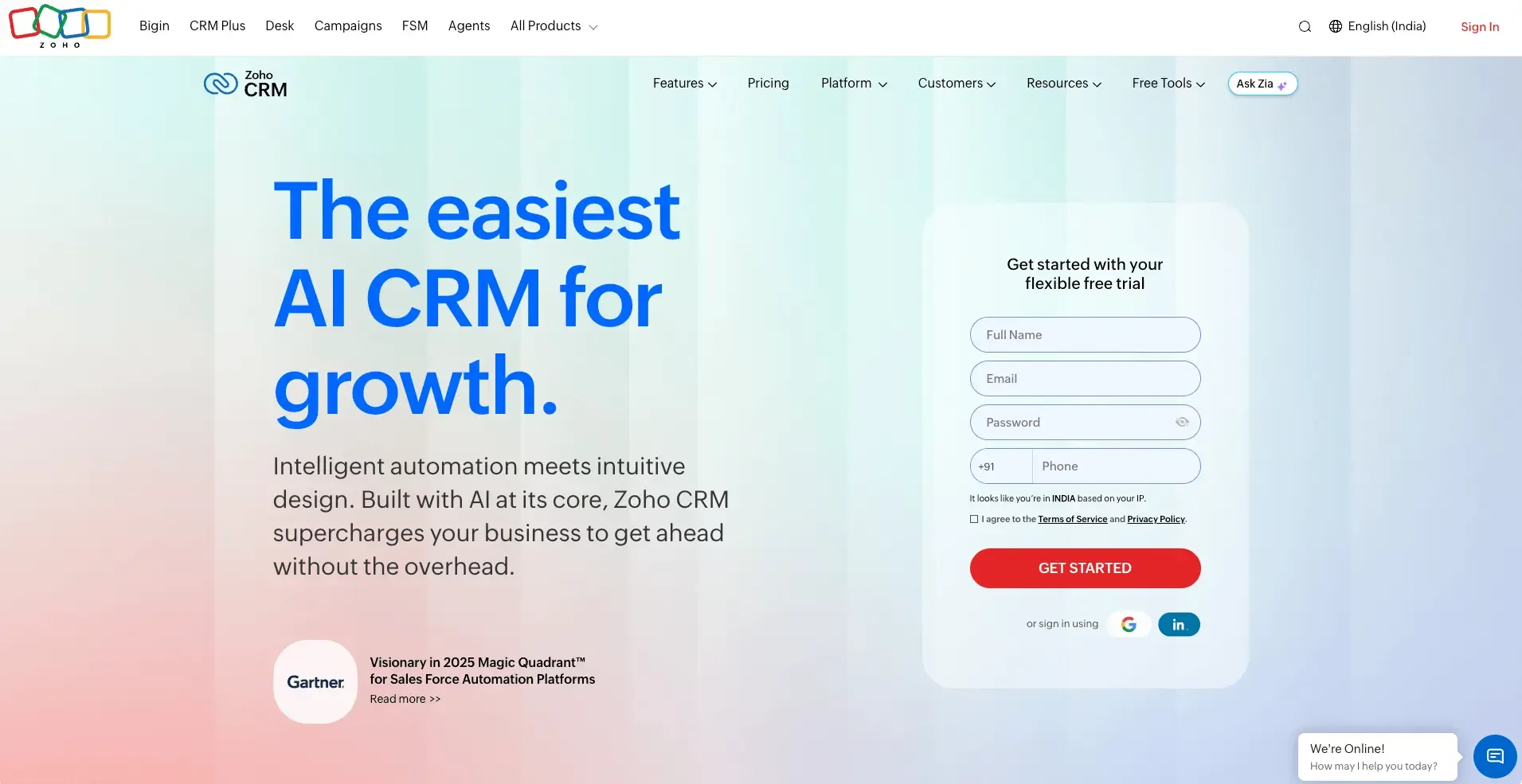
Source: zoho.com
Zoho CRM gives you great value with some of the best pricing among full-featured systems:
- Standard: USD 14.00 per user monthly (annual billing) or USD 20.00 monthly (monthly billing)
- Professional: USD 23.00 per user monthly (annual billing) or USD 35.00 monthly (monthly billing)
- Enterprise: USD 40.00 per user monthly (annual billing) or USD 50.00 monthly (monthly billing)
- Ultimate: USD 52.00 per user monthly (annual billing) or USD 65.00 monthly (monthly billing)
You can save up to 34% with annual billing compared to monthly payments. The platform has a free edition for up to three users, making it a great option for very small businesses.
The Professional plan at USD 23.00 works best for most businesses based on my client implementations. It offers automation features like Blueprint that help scale sales processes without enterprise-level costs.
5. SparrowCRM Pricing
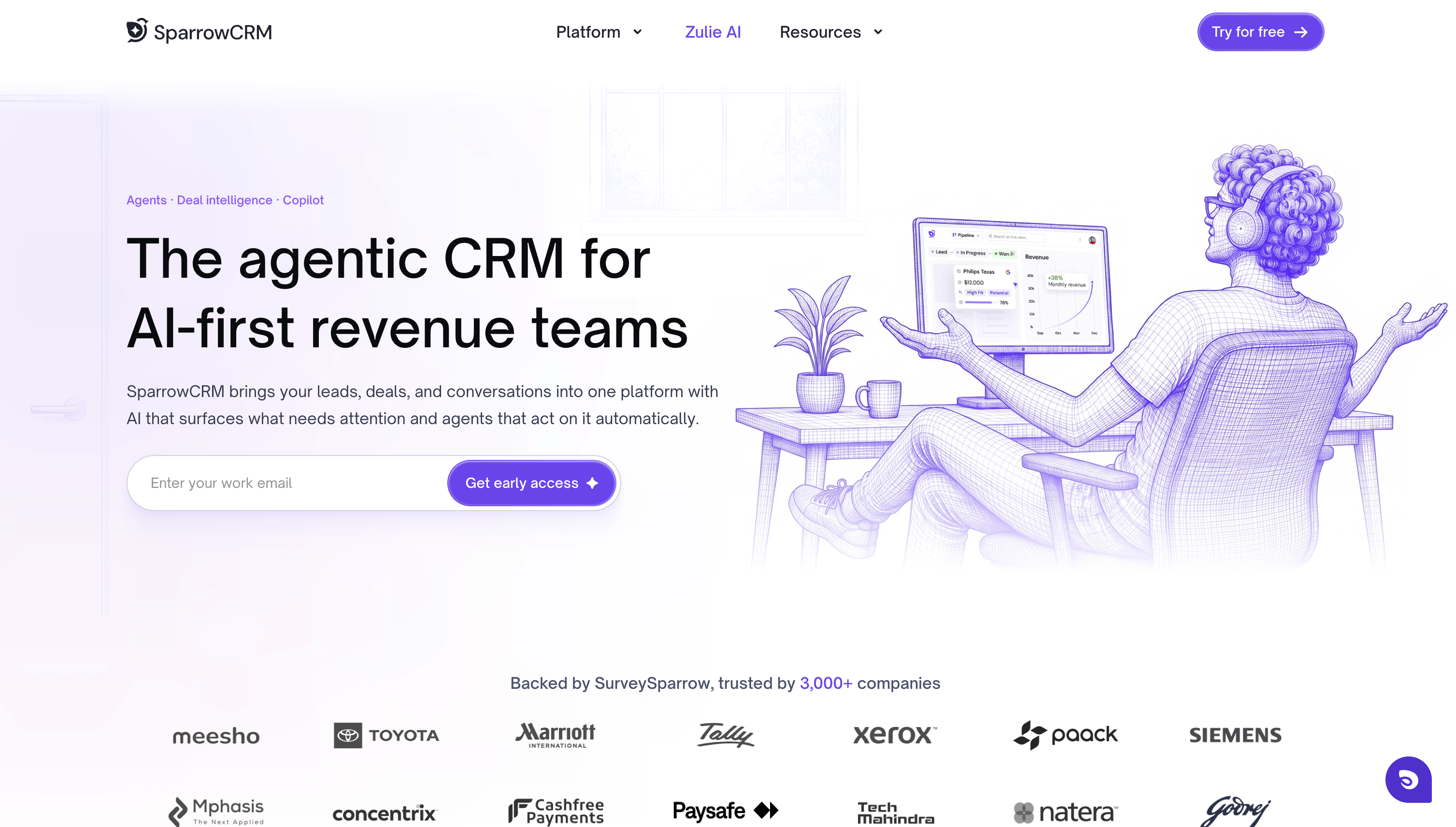
SparrowCRM offers four pricing tiers, each unlocking deeper AI-driven sales automation:
- Free: USD 0 per user monthly, up to 3 seats
- Growth: USD 19 per user monthly
- Pro: USD 49 per user monthly (most popular)
- Enterprise: Custom pricing
The Pro plan (USD 49/user/month) includes four AI agents at no additional cost, conversation intelligence, Deal Loss Analysis, call recording with AI insights, 2,000 AI credits per user, and a 14-day free trial.
Enterprise offers custom AI credits, unlimited AI reports, REST API access, dedicated support, and custom SLAs. Paid plans include credit top-ups, data retention after downgrades, and CRM migration support. For most growing teams, Pro delivers the best value since its AI agents don't consume credits.
Get 3 Free Seats + AskZulie AI Copilot
6. Freshsales CRM pricing

Source: freshworks.com
Freshsales keeps pricing simple with solid features at each level:
- Growth: USD 9.00 per user monthly (billed annually)
- Pro: USD 39.00 per user monthly (billed annually)
- Enterprise: USD 59.00 per user monthly (billed annually)
The free plan for up to 3 users stands out with Kanban views, contact lifecycle stages, and built-in communication tools.
Even their basic paid plan (Growth at USD 9.00) has custom fields and simple workflows. Most competitors keep these features for higher tiers.
My clients who switched to Freshsales love that they get important features at lower price points compared to market standards.
How to choose the right CRM for your budget?
A strategic approach helps you pick a CRM that matches your needs and budget. Over the last several years of implementing CRM systems for businesses of all sizes, I found that there was more to choosing the right system than just looking at price tags or feature lists.
Define your CRM needs
Your CRM selection process should start with a clear picture of what success means for your organization. Here are some questions to think about:
- What daily challenges need solutions?
- Do you want shorter sales cycles, better lead follow-up, or improved campaign results?
- How will your team put the system to work?
My experience shows that companies that set clear goals before comparing options don't waste money on complex systems they barely use. The right CRM software should merge with your team's workflow, meet industry-specific requirements, and work with your staff's everyday tools.
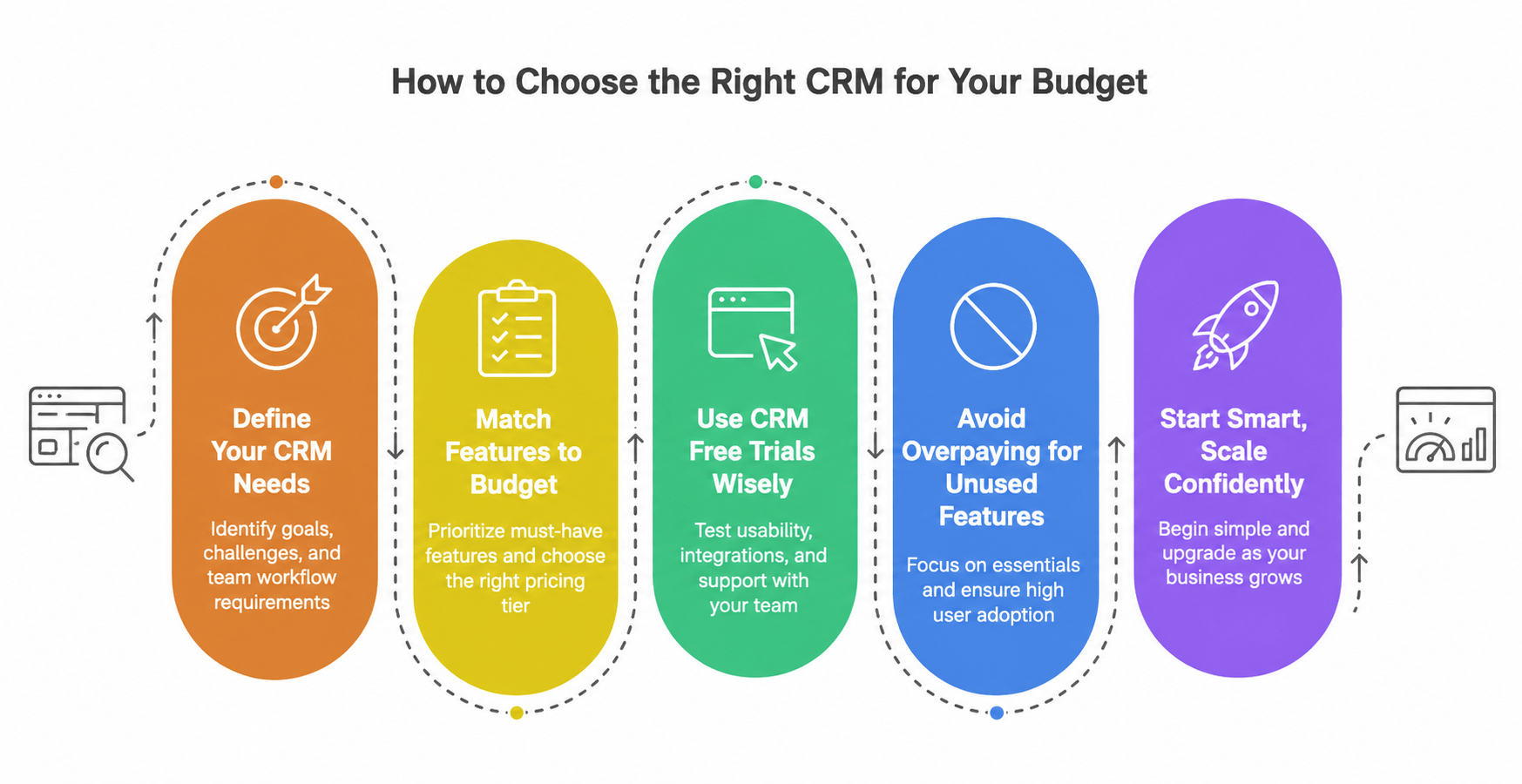
Match features to budget
CRM prices come in distinct tiers that show increasing capabilities:
- Free CRMs: Perfect for solopreneurs and startups with simple needs
- Entry level (USD 10.00 to USD 30.00 monthly): Core features like basic reports and lead management
- Midtier (USD 30.00 to USD 80.00 monthly): Customizable dashboards, AI tools, and multistep sales automation
- Enterprise (USD 80.00 to USD 300.00+ monthly): Extensive customization and dedicated support
Start by listing "must-have" features versus "nice to have" ones. This helps avoid overspending on extras while securing essential functions.
Use CRM free trials wisely
Most CRM providers give you free trials or versions with basic features. These trials are a great way to get hands-on experience before making a financial commitment.
During trial periods:
- Test the user interface and core functionality
- Assess mobile access options
- Check integration options with your existing tools
- Watch the quality of support – it shows what post-purchase service will be like
Testing several systems with your team works best. Let them rate features as "mission critical," "nice to have," or "not needed" during the assessment.
Avoid overpaying for unused features
Here's a striking fact: 49% of CRM features go unused by businesses. Companies often pay for functions they never use, which wastes money and resources.
Features often go unused because:
- Users don't understand system capabilities
- Poor user adoption due to a lack of training
- Systems are too complex
- Features don't fit actual workflow needs
Focus on essential features that support your core business processes directly. Note that the best CRM doesn't need every feature – it just needs to solve your specific problems well.
Small teams and startups should start with a simpler solution that works well and offers affordable upgrades. This approach makes sense financially and operationally.
Final thoughts
You don't need to feel overwhelmed about CRM pricing. This piece explores how CRM costs range from free options to enterprise solutions exceeding $300 per user monthly. The total ownership costs are nowhere near the advertised prices.
A good CRM brings impressive returns, whatever the price point. Note that businesses earn an average of $8.71 for every dollar they spend on CRM implementation that works. Your main goal shouldn't be finding the cheapest option, but finding a system that offers the best value for your specific needs.
My experience implementing CRMs for dozens of companies shows most businesses do better when they start with a modest plan that handles core requirements. Teams can always upgrade later as their processes mature and expand. This strategy minimizes wasted investment while keeping critical workflows supported.
Here are some final recommendations to help you decide:
- Start with clearly defined objectives rather than feature comparisons
- Take advantage of free trials with your actual data
- Look beyond monthly subscription fees to understand total costs
- Pick a pricing model that lines up with your growth trajectory
- Note that annual commitments typically save 15-34%
The ideal CRM creates the perfect balance between functionality, usability, and affordability for your unique situation. After helping many businesses select their CRM solutions, I've seen that companies that focus on their specific workflows instead of chasing the newest features achieve faster adoption and better ROI.
The question ended up being not about how much you should spend but how well your chosen CRM will support your customer relationships. The knowledge from this piece will help you confidently select a CRM that fits your budget and delivers the capabilities your business needs.