CRM SOFTWARE
Types of CRM software: A business owner's guide to making the right choice (2026)

By Ganesh Ravi Shankar
Last updated on Oct 16, 2026
Explore this blog to understand all 4 types of CRM software: operational, analytical, collaborative, strategic, and AI-native, with real tool examples, a comparison table, and a step-by-step framework to pick the right one for your business.

Ganesh Ravi Shankar
Updated on Oct 16, 2026
Quick answer: What are the types of CRM software?
The four main types of CRM software are operational, analytical, collaborative, and strategic. Operational CRM automates daily tasks, analytical CRM turns customer data into insights, collaborative CRM helps teams share customer information, and strategic CRM focuses on building long-term customer relationships.
What you’ll learn
By the end of this guide, you’ll know:
- What CRM software is and why it matters for modern businesses
- The 4 main types of CRM (operational, analytical, collaborative, and strategic)
- How CRM improves sales, marketing, and customer service through automation and insights
- The difference between B2B CRM vs. B2C CRM, plus when to use each
- How mobile CRM and AI-powered CRM are reshaping customer management in 2026
- Lessons from first-time CRM users to avoid costly mistakes and boost adoption
- A practical, step-by-step process to choose the right CRM for your business
Comparing all 4 types of CRM: Quick reference
Not sure which type fits your situation? This table maps each CRM type to its primary focus, ideal buyer, and example tools.
CRM Type | Primary Focus | Best For | Example Tools | Key Differentiator |
|---|---|---|---|---|
Operational | Automate daily workflows | Teams with high task volume | SparrowCRM, HubSpot, Pipedrive | Sales + marketing + service automation |
Analytical | Extract insights from data | Data-driven strategy teams | SparrowCRM, Salesforce, Tableau CRM | Predictive analytics & behavioural patterns |
Collaborative | Align teams and channels | Cross-functional organisations | HubSpot, Monday CRM, Zendesk Sell | Shared customer view across all departments |
Strategic | Long-term retention planning | Enterprise account management | Salesforce, Dynamics 365, SAP CRM | Customer lifetime value & churn prevention |
What is CRM software?
Customer Relationship Management (CRM) software helps businesses manage the entire customer lifecycle, from capturing new leads to nurturing prospects and retaining existing customers. It gives teams a structured way to manage customer relationships at every stage, rather than relying on scattered tools or manual processes.
CRM acts like your business's central nervous system for customer interactions. This sophisticated database stores contact details, tracks communication history, and manages your sales pipeline, while providing quick access to each customer's key information. According to Grand View Research, the CRM market will reach $86.4 billion in 2026 and expand to $161.3 billion by the end of 2033.

What’s your biggest challenge with your current CRM?
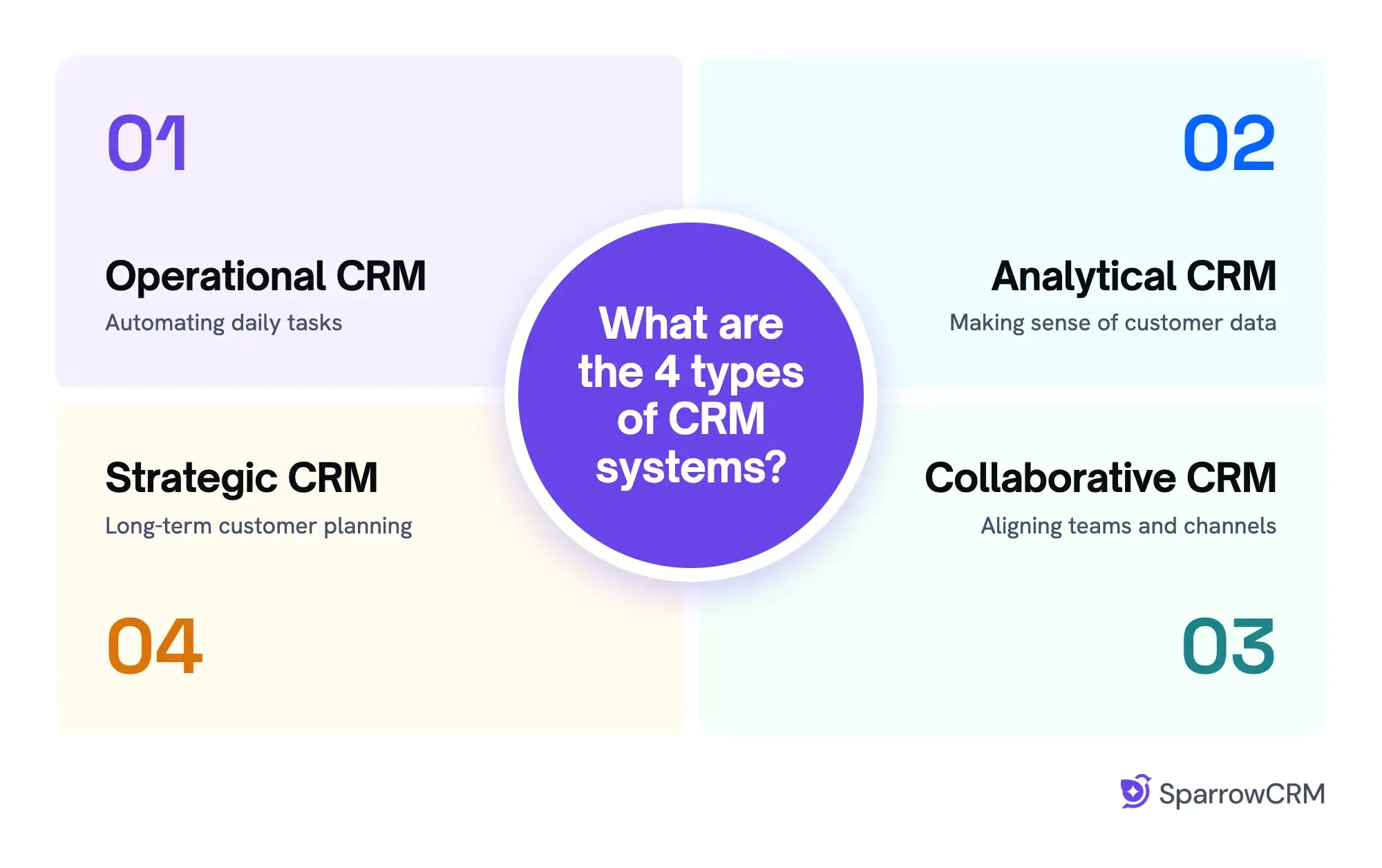
What are the 4 types of CRM systems?
The four core CRM types are operational CRM, analytical CRM, collaborative CRM, and strategic CRM. Most modern platforms blend all four, and a growing fifth category, AI-native CRM, is now recognised separately for its autonomous decision-making capabilities.
1. Operational CRM: Automating daily tasks
Operational CRM streamlines and automates front-end business processes that involve direct customer interactions. This type serves as the engine that keeps your pipeline moving, campaigns flowing, and service requests under control.
Here's how operational CRM automates three essential business functions:
- Sales automation - tracks customer interactions, manages sales pipelines, and forecasts sales performance
- Marketing automation - streamlines email campaigns, lead scoring, and campaign management
- Service automation - handles ticket management, case routing, and customer support processes
Best for: Small businesses and sales teams looking to automate repetitive tasks across sales, marketing, and customer service.
Examples: SparrowCRM, HubSpot, Pipedrive, Zoho CRM, and Salesforce Sales Cloud.
Business scenario: Lily is a sales representative who manages leads coming from multiple channels, including website forms, email campaigns, and social media. She spends hours tracking conversations and following up with each lead manually.
With an operational CRM, Lily can automate lead assignments, schedule follow-up emails, and receive reminders for pending tasks. With AI, these processes can run in the background, helping her keep leads engaged without having to manage every step manually.
2. Analytical CRM: Making sense of customer data
Analytical CRM digs deep into your customer data to extract meaningful insights. It transforms raw information into actionable strategies that strengthen relationships, increase satisfaction, and boost sales. If you’re evaluating data platforms alongside your CRM, it’s worth understanding the difference between a CDP and CRM before making a decision
Analytical CRM reveals the "why" behind customer behaviors through:
- Data mining to identify patterns in purchasing behaviors
- Customer segmentation based on specific criteria
- Predictive analytics to forecast future trends
- Campaign analysis to measure effectiveness
Best for: Best for retail sales teams to understand customer buying behavior, sales signals, and to make data-driven decisions.
Examples: SparrowCRM, Salesforce (Tableau CRM), Microsoft Dynamics 365, Zoho Analytics, Freshsales.
Business scenario: Lily ran a sales campaign to increase sales. This sales campaign has increased the purchase rate by up to 30%. Without analytical CRM, Lily is unable to identify the reason and the customer behaviour. With AI-powered analytical CRM, she can understand the reasons and customer behaviour without manual effort.
3. Collaborative CRM: Aligning teams and channels
Collaborative CRM breaks down silos between departments by creating a shared platform for all teams. It ensures that everyone from sales to marketing to support maintains a unified view of each customer's journey. Collaborative platforms often extend to social CRM, bringing social media interactions into a unified record
Collaborative CRM serves two primary purposes:
- Interaction management - tracking customer interactions across multiple channels to ensure consistent communication
- Channel management - optimizing omnichannel communication through email, phone, social media, and other channels based on customer preferences
Best for: Businesses that need to bring sales, marketing, and service under one system; this kind of CRM works well for managing the complete customer journey under one roof.
Examples: HubSpot, Monday CRM, Freshsales Suite.
Business scenario: Lily has got the lead, but she doesn't have clear visibility of which marketing campaign the lead is from. She has to check with the marketing team manually or needs to shoot in the dark, which she might lose the lead with an unnecessary sales pitch. With collaborative CRM, she can understand lead status and how it is connected with the business's customer journey.
4. Strategic CRM: Long-term customer planning
Strategic CRM helps you identify high-value customers and create personalized strategies to maximize engagement. This type focuses on developing long-term relationships rather than just managing transactions.
Key components of strategic CRM include:
- Customer segmentation based on behaviors, needs, or demographics
- Customer engagement strategies for long-term retention
- Secure and ethical customer data management
Strategic CRM lets you focus more energy on upselling and cross-selling opportunities while implementing business strategies that improve sales and drive company growth.
Best for: Businesses focused on building long-term customer relationships, improving customer loyalty, and increasing retention.
Examples: Salesforce, Microsoft Dynamics 365 Customer Insights, SAP CRM, Creatio.
Business scenario: Lily wants to retain existing customers, but she doesn't know which accounts need attention or how to strengthen those relationships. A strategic CRM helps her identify customer needs, plan long-term engagement, and focus on actions that improve customer loyalty and retention.
5. AI-Native CRM: The emerging 5th type
AI-native CRM goes beyond bolt-on AI features. Instead of adding AI as a layer on top of existing workflows, these platforms are architected from the ground up around autonomous decision-making, meaning the CRM doesn’t just store data; it acts on it.
Where traditional CRM types assist your team, AI-native CRM works alongside your team. It autonomously qualifies leads, flags deal risks, surfaces next-best actions, and updates records, without a rep lifting a finger.
Key components of AI-Native CRM include:
- Autonomous lead scoring and routing based on behavioural signals, not manual rules
- Real-time deal intelligence flags stalled deals, single-threaded accounts, and disengagement patterns
- Buying intent detection from email signals, call transcripts, and activity patterns
- Next-action recommendations generated from deal context, not static playbooks
- Win/loss analysis that learns from historical patterns and surfaces coaching insights
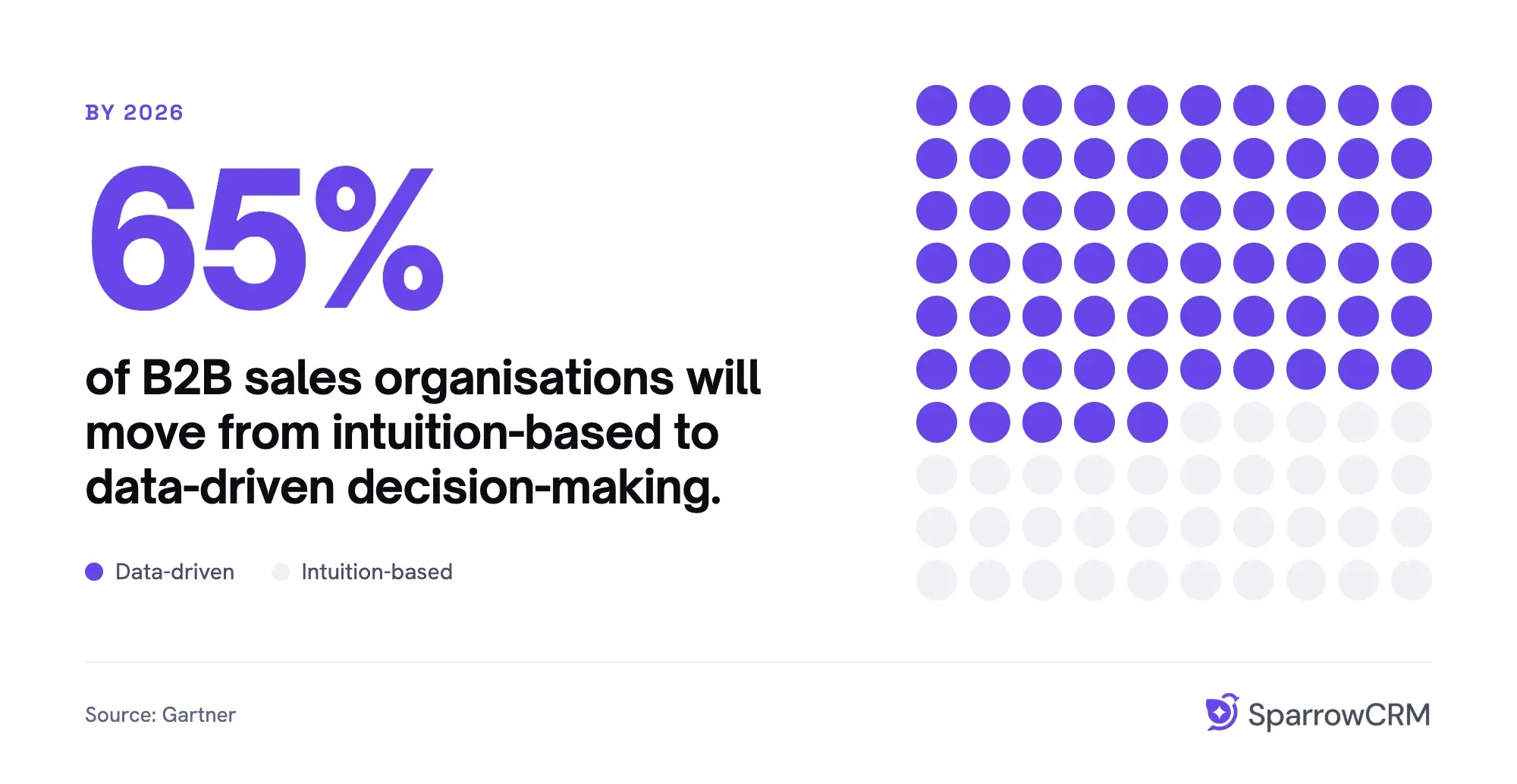
According to Gartner, by 2026, 65% of B2B sales organisations will move from intuition-based to data-driven decision-making, with AI-native CRM at the centre of that shift.
Best for: Sales teams that want to reduce manual CRM work, identify deal risks early, and use AI to automate routine tasks.
Examples: SparrowCRM, Salesforce Agentforce, HubSpot Breeze AI, Creatio, Freshsales (Freddy AI).
Business scenario: Lily manages multiple deals but struggles to keep track of follow-ups, deal risks, and next steps. An AI-native CRM analyzes deal activity, flags risks, and recommends next actions while automatically updating records, helping her focus on closing deals.
Why unified CRM is important?
Most businesses don’t need to choose just one type of CRM; they need a platform that unifies all four into a single source of truth. This is what separates a good CRM from a great one.
When CRM types are fragmented across different tools, teams end up with:
- Sales reps working from pipeline data that marketing has already updated elsewhere
- Support agents missing context from deals that closed six months ago
- Leaders pulling three different reports to get one answer
A unified CRM eliminates these blind spots. When operational, analytical, collaborative, and strategic capabilities exist within the same platform, sharing the same customer record, your entire organisation moves from reactive to proactive.
Business scenario: Lily’s company generates plenty of leads, but sales reps spend hours on manual tasks, marketing struggles to identify which campaigns bring qualified leads, and managers miss early signs of deals at risk.
A unified CRM combines operational automation, collaborative customer data, analytical insights, and strategic planning to help the team identify buying signals, prioritize high-potential deals, and make informed decisions that improve sales productivity and revenue.
Get 3 Seats and AI-Powered CRM Tools for Free
Why do businesses use CRM systems?
Companies need CRM systems to maintain consistent, informed, and value-driven relationships throughout their customer's journey. Your growing customer base makes it harder to track individual priorities and interactions. CRM addresses this challenge by offering a 360-degree view of each customer.
CRM systems offer benefits beyond contact organization:
- Streamline processes and automate routine tasks
- Unify customer data from multiple sources
- Segment customers based on behavior and priorities
- Track interactions across departments
- Learn through reporting and analytics
Research shows 72% of companies use CRM software to track interactions and customer history. The CRM software revenue in the US market will grow by 57.91% between 2023 and 2028, adding $23.60 billion. This growth shows CRM's increasing value across industries.
How does CRM benefit customer relationships?
CRM's core principle focuses on recognizing each customer's uniqueness to deliver personalized service. Personalization matters significantly.
A CRM investment strengthens customer relationships. Your team remembers past interactions, anticipates needs, and solves issues quickly. Customer retention through CRM makes financial sense since finding new customers costs 5-10 times more than keeping existing ones.
CRM boosts customer service by providing complete visibility into customer interactions. Teams can access a customer's full history, including purchases, support cases, and communication priorities. Quick, personalized responses build trust and loyalty naturally.
The system helps teams stay proactive. Pattern analysis in historical data helps predict customer needs, recommend solutions, and add value before customers ask. This approach transforms standard customer service into exceptional experiences that build loyalty and increase lifetime value.
Watch this quick overview to see how operational, analytical, collaborative, and strategic CRM work in real-world business scenarios.
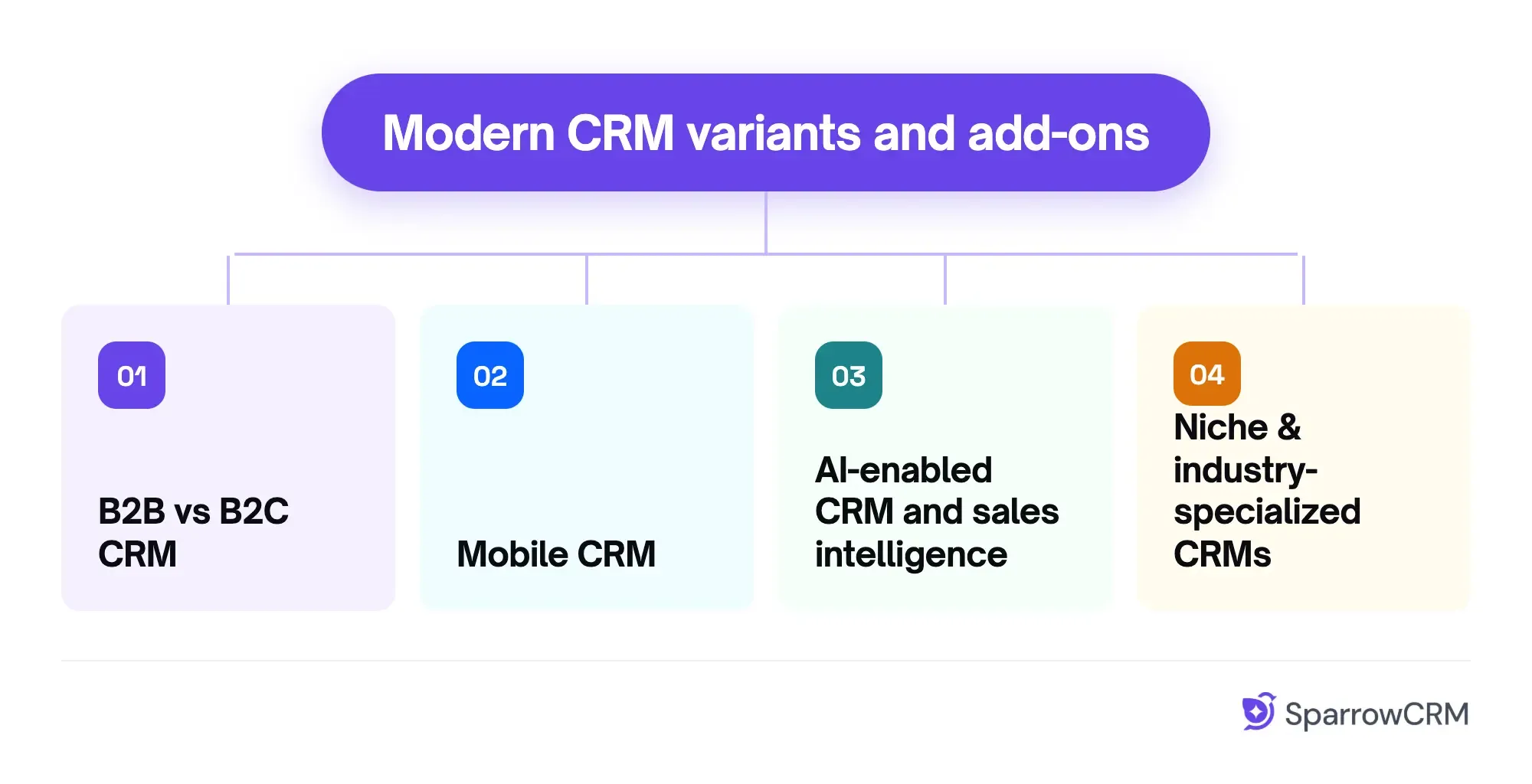
Modern CRM variants and add-ons
The CRM market has evolved beyond the four core types to include specialized solutions tailored for specific business needs. These modern variants address unique challenges that different organizations face.
1. B2B vs B2C CRM
B2B and B2C CRM systems take fundamentally different approaches to customer relationships. B2B CRMs handle complex multi-stakeholder relationships with longer sales cycles, often spanning months. They prioritize account-based marketing and detailed analytics for tracking long-term relationships.
B2C CRMs focus on high-volume, fast-paced transactions where decisions happen quickly, sometimes within minutes. These systems emphasize automated marketing campaigns, cart abandonment recovery, and instant checkout support to match consumers' impulsive buying behaviors.
Here's how they compare in practice: a B2B software company might track a six-month relationship with multiple decision-makers at a client company. A B2C retailer needs to capture a customer's attention, process their order, and deliver follow-up campaigns within hours.
2. Mobile CRM
Mobile CRM extends your customer management capabilities to smartphones and tablets without sacrificing functionality. This growing segment is projected to expand at an 11.9% compound annual growth rate from 2024 to 2034.
Field sales teams benefit most from mobile access. Real-time customer data, immediate lead updates, and the ability to manage client communications from anywhere eliminate the limitations of desk-bound systems. Mobile CRM provides full access to scheduling tools and document sharing capabilities on the go.
Consider a sales rep visiting a client. With mobile CRM, they can update deal status, schedule follow-ups, and access product information instantly, rather than waiting until they return to the office.
3. AI-enabled CRM and sales intelligence
AI integration transforms CRM capabilities through predictive analytics, automation, and intelligent insights. Modern AI-powered CRMs analyze customer interactions, automate repetitive tasks, and provide personalized experiences based on individual preferences.
Practical applications include AI chatbots handling routine inquiries, sentiment analysis detecting customer emotions in communications, and automated data entry extracting information from emails and meetings. Companies implementing these tools report significant benefits—one real estate agency saved its sales representatives approximately five hours daily on administrative tasks, allowing them to allocate about 80% of their time toward customer engagement.
4. Niche & industry-specialized CRMs
Industry-specific CRMs add specialized functionality tailored to particular business sectors. Real estate CRMs offer property management tools, investor relations features, and integration with multiple listing services.
These specialized systems work particularly well for medium and large organizations with highly specific requirements. However, they typically come at a higher price point and may be unnecessarily complex for small businesses. For smaller operations, a simple, general-purpose CRM often provides better value and quicker implementation.
The key is matching the CRM's complexity to your actual business needs rather than choosing based on industry hype.
How to Choose the Right CRM for Your Business
Selecting the right CRM involves more than picking the most popular option. With 50% of CRM implementations failing to meet management expectations, a methodical approach is crucial. Here's a practical five-step process to help you make the best choice for your business.
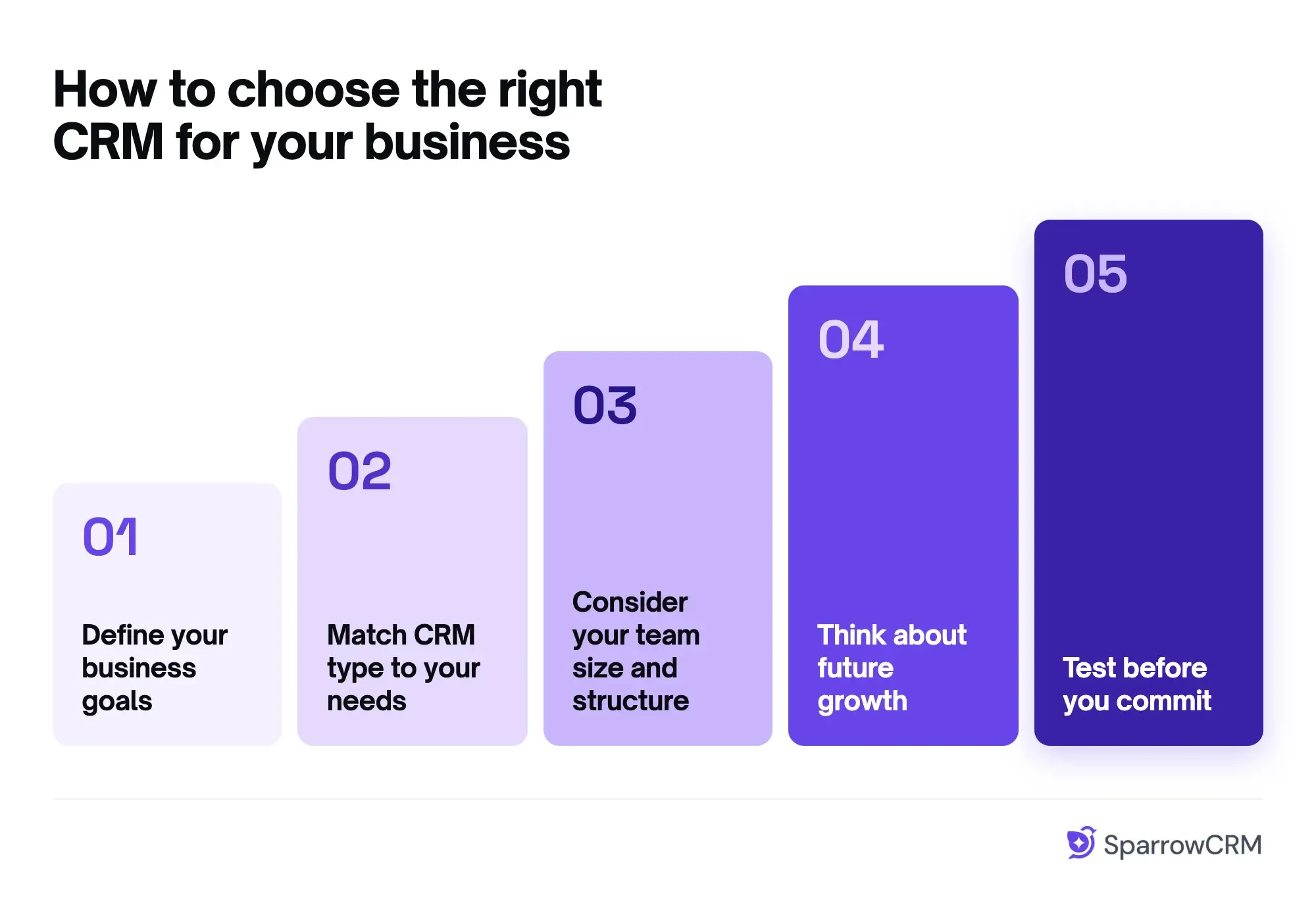
Step 1: Define your business goals
Start by identifying what you want your CRM to accomplish. Are you looking to increase customer retention, shorten sales cycles, boost sales, or decrease customer acquisition costs? Gather stakeholders from various departments to compile a detailed checklist of priorities. This initial step is critical – unclear objectives often lead to poor implementation and disappointing results.
Questions to consider:
- What specific problems are you trying to solve?
- What processes need automation?
- How will you measure success?
Step 2: Match CRM type to your needs
After establishing goals, determine which types of CRM software align with your objectives. If streamlining daily operations is your priority, operational CRM might be ideal. For data-driven decisions, analytical CRM offers powerful insights. When team alignment matters most, collaborative CRM helps break down departmental silos.
Step 3: Consider your team size and structure
Your company's size significantly influences which CRM suits you best. Small businesses generally benefit from user-friendly, affordable solutions with basic functionalities. Medium-sized companies typically need more robust automation and scalability. Large enterprises often require specialized solutions supporting complex business structures.
Step 4: Think about future growth
Choose a CRM that grows with you. Selecting a system based solely on current needs is shortsighted. Evaluate whether the platform allows adding employees and capabilities as needed. Consider integration capabilities with your existing and future technology stack – the average company uses 1,000 apps, yet 70% don't communicate with each other.
Step 5: Test before you commit
Testing before implementation is often overlooked, yet critical; our ranking of the best CRM software is a good place to start. Request demos from your shortlisted vendors and take advantage of free trials. During testing, assess whether the CRM:
- Easily integrates with existing processes
- Has an intuitive interface meeting user expectations
- Performs well in real business scenarios
Hold feedback sessions where potential users can share their experiences. This approach helps identify potential problems early, avoiding costly post-implementation fixes.
Key features to look for in CRM software
Once you've narrowed down your CRM options, examining specific features becomes crucial. The right capabilities ensure your CRM meets current requirements and scales with your business growth.
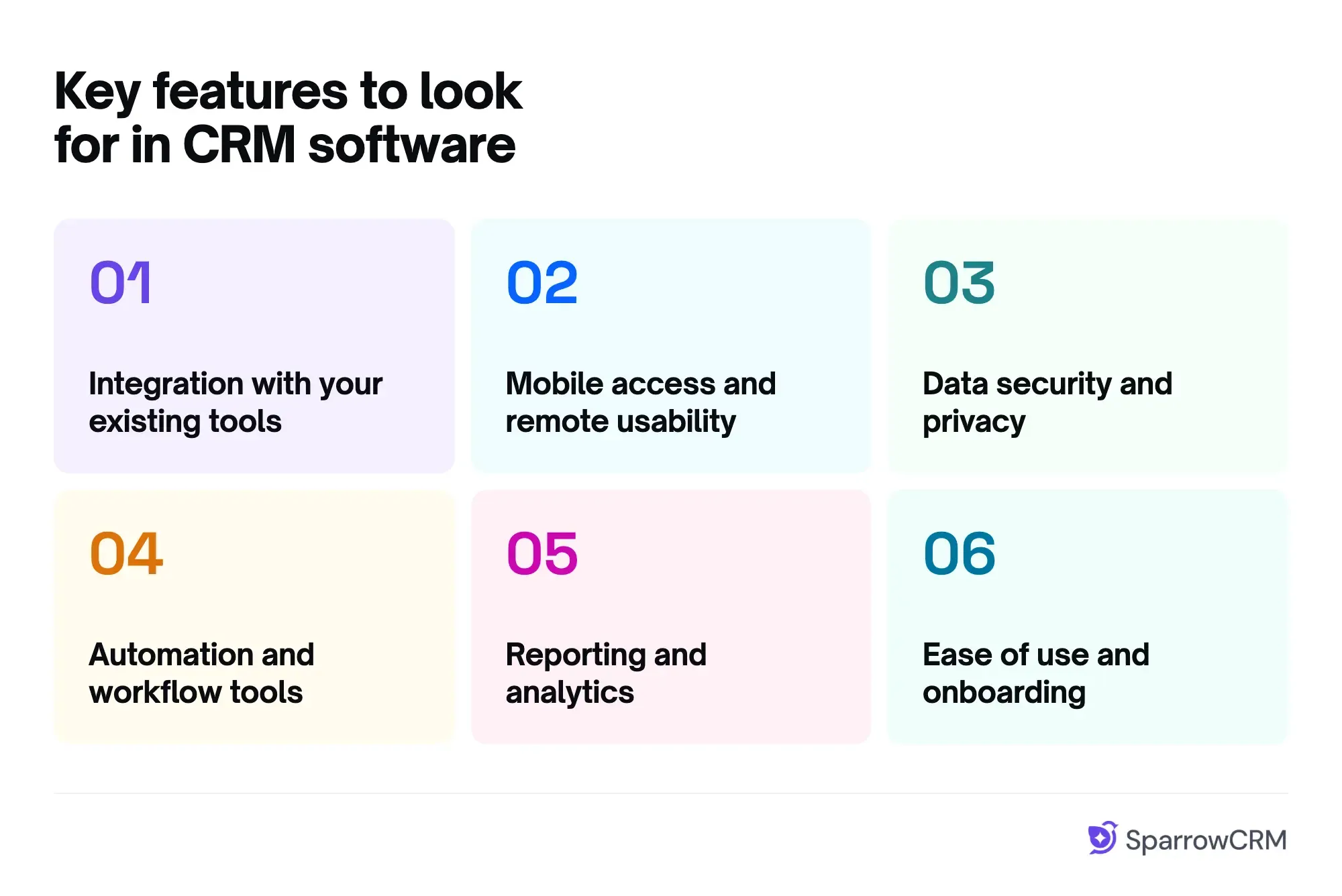
1. Integration with your existing tools
Your CRM becomes more valuable when it connects seamlessly with other business applications. Look for systems that offer out-of-the-box connectors and API-led integration strategies for your email, marketing tools, accounting software, and document generation systems. A well-integrated CRM creates a central data hub, eliminating information silos and enabling automatic data synchronization. This integration reduces manual data entry by up to 40% and provides a unified view of customer interactions across all platforms.
2. Mobile access and remote usability
Mobile functionality isn't optional anymore. Your team needs access to customer data, whether they're in the office, on the road, or working remotely.
A quality mobile CRM should feature a dedicated app – not just a mobile website version. Look for options with offline access to critical data, push notifications for important updates, and real-time synchronization. Mobile CRMs with GPS capabilities offer additional benefits like route optimization for field representatives, allowing your team to update customer information instantly after meetings.
3. Data security and privacy
CRMs house sensitive customer and business information, making robust security essential. Prioritize platforms offering end-to-end encryption, multi-factor authentication, and role-based access controls. Check for compliance with international standards like ISO 27001 and relevant regulations such as GDPR.
Audit logs that track user logins, data exports, and system changes help identify suspicious activity before it escalates. Your customers trust you with their data – choose a CRM that protects that trust.
4. Automation and workflow tools
Effective CRM automation streamlines repetitive tasks, boosting productivity while improving both employee and customer experiences. Look for tools that automate lead assignments, follow-ups, and task management.
Many systems also offer intelligent workflows that integrate data from multiple sources to deliver insights at the right moment. These automations prevent leads from falling through the cracks and ensure consistent follow-up across your entire team.
5. Reporting and analytics
CRM reporting capabilities turn raw data into actionable business insights. Seek platforms offering customizable dashboards, pre-built reports, and the ability to create custom analyses. Advanced systems now use AI to provide predictive insights rather than just historical data.
Here's what to look for in reporting features:
- Export capabilities for further analysis
- Easy sharing with stakeholders
- Real-time data updates
- Visual charts and graphs that make trends clear
6. Ease of use and onboarding
Even the most feature-rich CRM fails if your team won't use it. Prioritize intuitive interfaces and straightforward navigation. Before committing, take advantage of free trials to test usability with your team.
Verify that the vendor offers solid support resources, tutorials, videos, and training sessions to facilitate smooth implementation. The easier your CRM is to use, the faster your team will adopt it and start seeing results.
Lessons from first-time CRM users
Choosing the right CRM involves more than comparing features. Learning from other business owners' experiences can help you identify what matters most before selecting a system.
Choose simplicity over unnecessary features
Many first-time users choose CRMs based on the number of features rather than how well they solve their business problems. In a Reddit discussion about first-time CRM experiences, one user shared:
"So I think many people think more features and complexity is the most valuable thing in CRMs, and I disagree. I think less is more, so that's what I'd tell you here. Don’t try to immediately solve things with more complexity; see what you can subtract, see what the simplest CRM you can use."
Before choosing a CRM type, identify your team's biggest challenges and the processes you want to improve. Start with the capabilities you need today rather than paying for features you may never use.
Plan for adoption before choosing a CRM
Poor user adoption is a common reason CRM projects struggle. Even a feature-rich system can fall short without proper planning. Harvard Business Review discusses why CRM projects fail and how to make them more successful, highlighting the importance of approaching CRM implementation thoughtfully.
Before making a decision, assess your team's workflows, define measurable goals, and separate must-have features from nice-to-have ones. Involve the people who will use the CRM daily to ensure the system fits their needs.
Make data quality a priority
A CRM is only useful when its data is accurate and reliable. Without clear data-entry standards and proper training, customer records can become inconsistent, making it harder for teams to trust the information they use.
One user in the same Reddit discussion emphasized the importance of documentation and feedback:
"Write documentation. Ask your end-users what works and doesn’t … Build a data quality dashboard to monitor record entries. Connect with the people that have processes that are tangent to the CRM"
Involve end users in setting up workflows, documenting processes, and reviewing data quality. As the saying goes, "A CRM is only as good as the data you put into it."
Remember that switching to a CRM isn't a quick fix. Choose a system that matches your business needs, establish a clear adoption plan, and build on the basics as your team grows.
Key Takeaways
- There are now 4 recognised CRM types: operational (workflow automation), analytical (data insights), collaborative (team alignment), strategic (retention planning), and AI-native (autonomous decision-making).
- Most modern platforms blend all four; your job is to identify which type addresses your current bottleneck and prioritise accordingly.
- Operational CRM fits teams drowning in manual tasks. Analytical CRM fits teams making decisions on gut feel. Collaborative CRM fits organisations where departments work in silos. Strategic CRM fits enterprises managing long-term key accounts.
- AI-native CRM is the fastest-growing category; by 2026, Gartner projects 65% of B2B orgs will shift to data-driven, AI-assisted decision-making.
- A unified CRM, one that combines all four types in a single platform, outperforms fragmented tool stacks on almost every sales KPI.
- The best CRM is not the one with the most features. It is the one your team will actually use, built around your specific sales motion.

Frequently Asked Questions (FAQs)
Related Articles

02 Apr, 2026
What Is CRM Software? The Complete Guide for Sales Teams in 2026

05 May, 2025
B2B vs B2C CRM: What Sales Leaders Must Know to Drive Revenue in 2026

02 May, 2025