CRM SOFTWARE
Examples of CRM: 7 tools and how businesses use them (2026)

By Ganesh Ravi Shankar
Last updated on Aug 3, 2026
Written by the business head of SparrowCRM, tested and evaluated across real SMB and mid-market sales workflows, not a generic feature checklist.
QUICK SUMMARY
See how CRM works in practice across 15 real use cases — from buying intent detection to win/loss analysis.
7 CRM Tools Businesses Use to Grow Faster
Explore this blog to see 7 real examples of CRM software, covering what each tool does, who it suits, key features, pricing, and a real-world scenario for each.
- Salesforce — best for enterprise sales teams
- HubSpot CRM — best for marketing-led growth teams
- Pipedrive — best for pipeline-focused small teams
- SparrowCRM — best for AI-native SMB and mid-market sales
- Zoho CRM — best for budget-conscious growing teams
- Freshsales — best for AI-assisted lead management
- Microsoft Dynamics 365 — best for enterprise teams with ERP needs

Looking for the best AI CRM for SMBs?
If your team has outgrown spreadsheets but doesn't need the complexity of enterprise CRMs, SparrowCRM gives you AI-powered lead qualification, deal insights, and pipeline management without the heavy setup.
Most searches for “examples of CRM software” return a list of brand logos. That is not what you are looking for. You want to know what these tools actually do — and whether any of them fit your team. This blog covers 7 real examples of CRM tools, with clear breakdowns of who each one is for, what it does well, where it falls short, and one real scenario showing it in action.
What is CRM software?
CRM stands for Customer Relationship Management. CRM software is a platform that stores every contact, deal, and interaction your team has with customers in one place. Instead of scattered spreadsheets and missed follow-ups, your team gets a shared view of the pipeline, automated reminders, and data that helps them close deals faster. For a deeper look at how CRM systems are classified, see our guide on types of CRM software.
There are four main types: operational CRM (automates sales tasks), analytical CRM (turns data into insights), collaborative CRM (shares context across teams), and AI-native CRM (acts on signals autonomously). Most modern platforms combine elements of all four. To understand which type fits a B2B or B2C context, the B2B vs B2C CRM guide covers the key differences.
The seven tools below are the most commonly used examples of CRM software across different team sizes and industries.

Do you currently use a CRM?
All 7 CRM software examples at a glance
Tool | Best For | Starting Price | Standout Feature | AI Capability |
|---|---|---|---|---|
Salesforce | Enterprise sales teams | $25/user/mo | Deep customisation + AppExchange | Yes (Einstein AI) |
HubSpot CRM | Marketing-led growth teams | Free tier available | All-in-one sales + marketing | Yes (Breeze AI) |
Pipedrive | Pipeline-focused small teams | $14/user/mo | Visual drag-and-drop pipeline | Partial (AI assistant) |
SparrowCRM | AI-native SMB + mid-market sales | Free tier available | Buying Intent + ICP Fit Score | Yes (fully AI-native) |
Zoho CRM | Budget-conscious growing teams | $14/user/mo | Broad feature set at low cost | Yes (Zia AI) |
Freshsales | AI-assisted lead management | $9/user/mo | Built-in phone + email + AI | Yes (Freddy AI) |
Microsoft Dynamics 365 | Enterprise teams with ERP needs | $65/user/mo | Native ERP + CRM integration | Yes (Copilot AI) |
Salesforce
Best For
Enterprise sales teams
Starting Price
$25/user/mo
Standout Feature
Deep customisation + AppExchange
Ai Capability
Yes (Einstein AI)
HubSpot CRM
Best For
Marketing-led growth teams
Starting Price
Free tier available
Standout Feature
All-in-one sales + marketing
Ai Capability
Yes (Breeze AI)
Pipedrive
Best For
Pipeline-focused small teams
Starting Price
$14/user/mo
Standout Feature
Visual drag-and-drop pipeline
Ai Capability
Partial (AI assistant)
SparrowCRM
Best For
AI-native SMB + mid-market sales
Starting Price
Free tier available
Standout Feature
Buying Intent + ICP Fit Score
Ai Capability
Yes (fully AI-native)
Zoho CRM
Best For
Budget-conscious growing teams
Starting Price
$14/user/mo
Standout Feature
Broad feature set at low cost
Ai Capability
Yes (Zia AI)
Freshsales
Best For
AI-assisted lead management
Starting Price
$9/user/mo
Standout Feature
Built-in phone + email + AI
Ai Capability
Yes (Freddy AI)
Microsoft Dynamics 365
Best For
Enterprise teams with ERP needs
Starting Price
$65/user/mo
Standout Feature
Native ERP + CRM integration
Ai Capability
Yes (Copilot AI)
7 examples of CRM software
Each tool below follows the same format: what it is, who it suits, core features, a real-world example, and one known limitation.
1Salesforce — best for enterprise sales teams

Source: salesforce.com
Salesforce is the world’s largest CRM platform, used by over 150,000 businesses globally. It is built for organisations that need deep customisation, enterprise-grade reporting, and a large ecosystem of integrations. Most small teams find it too complex and too expensive for their needs, but for large sales organisations, it remains the benchmark. It is one of the most frequently cited examples of CRM software in enterprise contexts.
Who it suits: Enterprise sales teams (100+ reps), revenue operations functions, and businesses with complex multi-stage sales cycles.
Core features:
- Pipeline and opportunity management with custom stages and fields
- Einstein AI for lead scoring, opportunity insights, and forecasting
- AppExchange marketplace with 3,000+ integrations
- Advanced reporting and custom dashboards
- Territory management and quota tracking
Known limitation: Most SMB teams end up paying far more than the advertised $25/user entry price. Core features like forecasting, API access, and automation push most buyers to the $150/user Enterprise tier. Implementation costs can add $5,000–$50,000 on top. Read more in our full CRM software guide.
2HubSpot CRM — best for marketing-led growth teams

Source: hubspot.com
HubSpot CRM is an all-in-one platform that combines contact management, sales pipeline, email marketing, and customer service in one system. The free tier is one of the most generous in the market, which is why it is the most common first CRM for growing businesses. As teams scale, they typically graduate to the paid Sales Hub or Marketing Hub tiers.
Who it suits: SMBs and mid-market companies that want marketing and sales aligned on one platform without a long implementation project.
Core features:
- Free CRM with unlimited users and up to 1M contacts
- Email sequences, templates, and tracking
- Deal pipeline with drag-and-drop stage management
- Breeze AI for email drafting, lead scoring, and conversation intelligence
- Native integration with Google Workspace, Outlook, Slack, and Zapier
Known limitation: HubSpot’s free tier is excellent for getting started, but it becomes expensive quickly once you add the Sales Hub, Marketing Hub, and Service Hub. At the Enterprise level, costs can exceed $3,600/month. It can also feel restrictive for teams with highly customised sales processes. For teams that want AI-native features at a lower price point, see AI CRM: the complete guide.
3Pipedrive — best for pipeline-focused small teams

Source:pipedrive.com
Pipedrive is a sales CRM built around a visual, drag-and-drop pipeline. It was designed specifically for sales teams, not IT departments or marketing functions, which makes it one of the easiest CRMs to adopt. The focus is on moving deals forward, not on building complex workflows or analytics layers.
Who it suits: Small sales teams (2–20 reps) that want a clean pipeline view, fast setup, and simple automation without the complexity of enterprise tools.
Core features:
- Visual kanban-style pipeline with customisable stages
- Activity-based selling with automatic task reminders
- Email sync with Gmail and Outlook
- AI sales assistant for deal recommendations and next-step prompts
- Sales forecasting and revenue reporting
Known limitation: Pipedrive is strong on pipeline management but thin on marketing automation and analytics depth. Teams that need lead nurturing campaigns, advanced reporting, or AI-powered intent signals will outgrow it quickly. There is also no built-in phone or meeting intelligence.
4SparrowCRM — best for AI-native SMB and mid-market sales
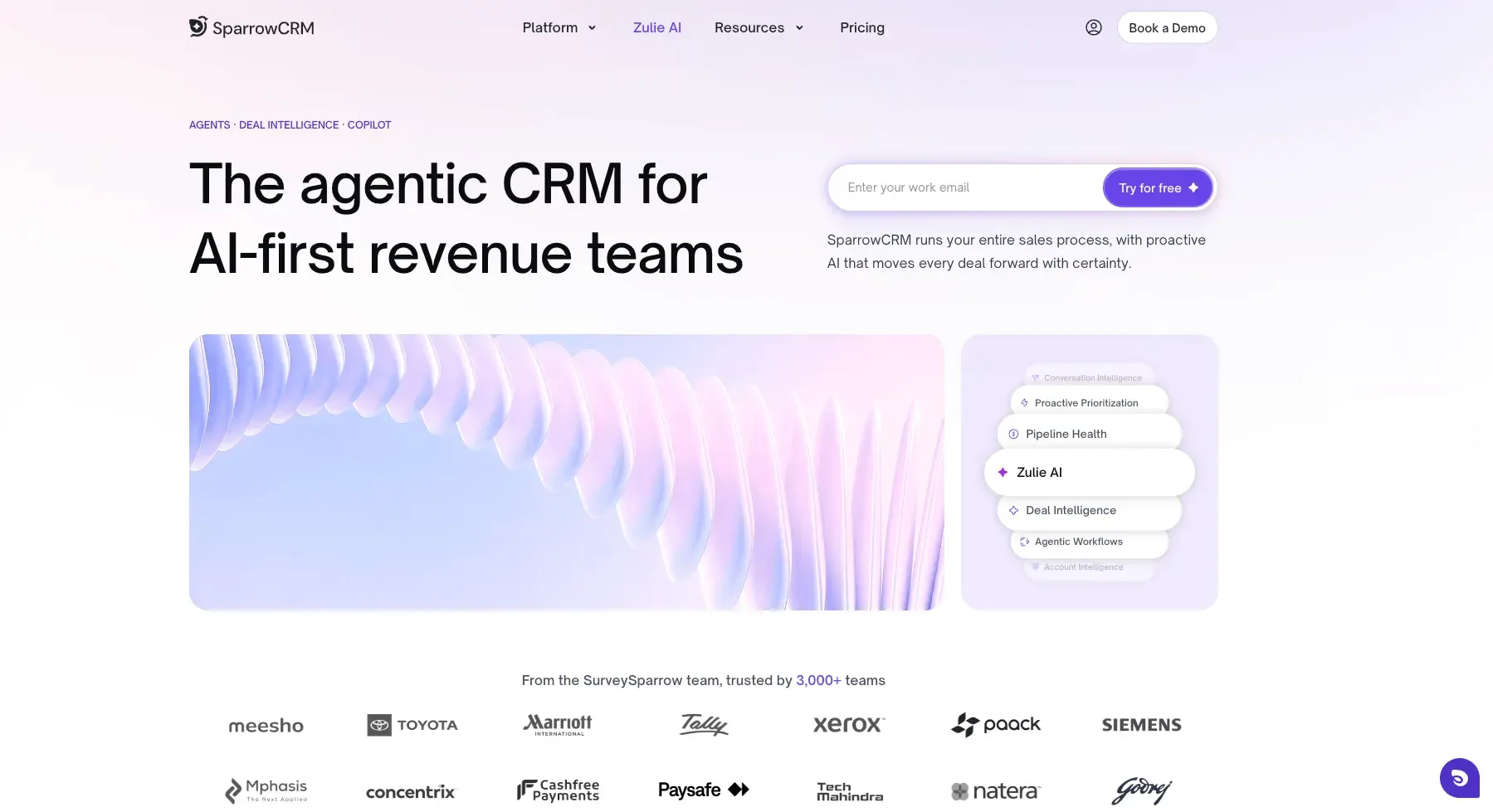
SparrowCRM is an AI-native CRM built specifically for SMB and mid-market sales teams of 2 to 50 people. Unlike traditional CRMs that store data and wait for humans to act on it, SparrowCRM processes signals across every contact, deal, and conversation and surfaces recommended actions automatically. It is one of the clearest examples of CRM tools that operate as an active sales co-pilot rather than a passive database.
Who it suits: VPs of Sales, Revenue Officers, and Founders at SaaS, tech, and finance companies who want enterprise-grade AI without Salesforce-level complexity or cost.
Core features:
- ICP Fit Score: scores every contact against your ideal customer profile automatically
- Buying Intent Score: aggregates signals from email opens, calls, meetings, and deal activity into a 0–100 intent score per contact
- Deal Score + Risk Factors: flags at-risk deals before they go quiet
- AI Next Actions: surfaces the recommended next step for every active deal
- Meeting Intelligence: transcribes calls, detects competitor mentions, and logs insights to the deal record automatically.
Known limitation: SparrowCRM is purpose-built for B2B sales teams. It is not designed for large enterprise workflows that require complex ERP integrations, territory management across thousands of reps, or deep marketing automation. For those needs, Salesforce or Microsoft Dynamics 365 is a better fit. For a broader look at how AI changes CRM, see our guide on AI CRM and agentic sales.
See how SparrowCRM works for your sales team.
5Zoho CRM — best for budget-conscious growing teams
Source: zoho.com
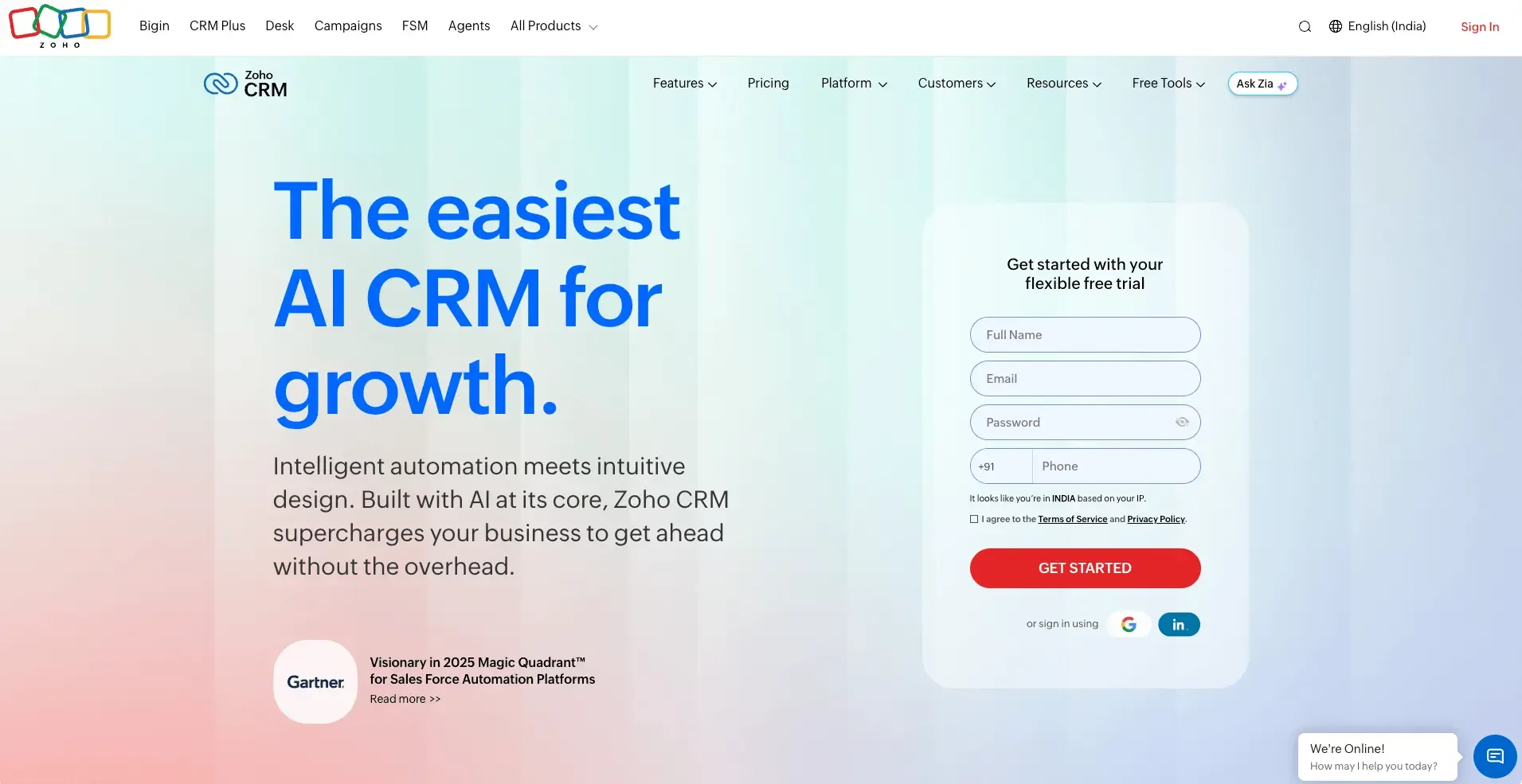
Zoho CRM is one of the most feature-rich CRM platforms available at an SMB price point. It covers contact management, pipeline tracking, email marketing, automation, and analytics, often on plans that cost half what HubSpot charges for equivalent functionality. It is a strong choice for teams that want broad capability without a large software budget.
Who it suits: Growing teams of 5–50 people that want a full-featured CRM at an affordable price. Particularly strong for teams that also use other Zoho products (Books, Desk, Campaigns).
Core features:
- Multi-channel communication: email, phone, live chat, social, and WhatsApp
- Zia AI for lead scoring, anomaly detection, and conversation insights
- Workflow automation with custom triggers and actions
- Territory management and quota tracking
- Native integration across the Zoho ecosystem
Known limitation: Zoho’s interface can feel complex for new users. The platform works best when used as a self-contained system. Connecting it to ERP, accounting, or advanced data tools outside the Zoho ecosystem often requires middleware, which adds cost and maintenance.
6Freshsales — best for AI-assisted lead management

Source: freshworks.com
Freshsales is the sales CRM inside the Freshworks suite. It bundles CRM, a built-in phone dialler, email sequences, and Freddy AI lead scoring into one platform. This makes it one of the strongest examples of CRM software for teams that want modern AI features without paying Salesforce or HubSpot Enterprise prices.
Who it suits: SMBs of 5–50 reps that want AI-powered lead scoring and built-in phone capability without managing multiple tools or paying enterprise rates.
Core features:
- Freddy AI for predictive lead scoring, deal insights, and email response prediction
- Built-in phone dialler with call recording and logging
- Email sequences with send-time optimisation
- Visual deal pipeline with activity tracking
- Integration with Freshdesk for support team visibility
Known limitation: Freshsales is strong at the individual rep level but thinner on advanced analytics and forecasting at the manager and revenue operations level. Teams that need deep pipeline reporting should check what CRM reporting and analytics should cover before committing.
7Microsoft Dynamics 365 — best for enterprise teams with ERP needs
Microsoft Dynamics 365 is an enterprise CRM and ERP platform. What makes it distinct from every other tool on this list is that the CRM and the back-office financial and operational data live in the same environment natively. There is no middleware needed to connect sales pipeline data with invoicing, inventory, or supply chain — it is all one system.
Who it suits: Large enterprises (200+ employees) that run Microsoft 365, need deep ERP integration, and have dedicated IT and CRM administration capacity.
Core features:
- Native CRM + ERP connection (no middleware required)
- Copilot AI for drafting emails, summarising deals, and surfacing next actions
- Advanced territory management and complex quota structures
- Deep integration with Microsoft 365, Teams, Outlook, and Power BI
- Industry-specific modules for financial services, manufacturing, and retail
Known limitation: Dynamics 365 is the most complex tool on this list. It requires a significant implementation investment and ongoing administration. It is not suitable for small teams or those without dedicated IT support. Most SMBs find it too heavy for their needs.
CRM examples by industry
CRM software works differently depending on the sector. The problems, the data that matters, and the workflows vary significantly. Here is how each industry uses CRM — and which type of tool tends to fit.
SaaS and technology
SaaS sales teams deal with long free-trial-to-paid conversion cycles, multiple stakeholders inside one account, and churn risk after the deal closes.
CRM tracks every touchpoint across the buying committee, scores leads by product engagement signals, and flags accounts showing early churn indicators. AI-native CRMs like SparrowCRM surface buying intent scores based on product usage and email signals, so sales reps know exactly when to reach out.
Best fit: AI-native CRM or operational CRM with strong pipeline automation.
Financial services
Financial services firms manage high-value, compliance-sensitive client relationships across long sales cycles with strict data governance requirements.
CRM centralises client records, logs every communication for compliance, and surfaces relationship history before every client meeting. Teams use analytical CRM features to segment clients by AUM, risk profile, or product ownership and trigger personalised outreach at renewal or review points.
Best fit: Enterprise CRM (Salesforce Financial Services Cloud, Dynamics 365) or AI-native CRM for smaller advisory firms.
Retail
Retailers need to connect online behaviour, in-store visits, and purchase history into a single customer view to drive repeat purchases and loyalty.
CRM aggregates transaction data, email engagement, and loyalty programme activity into one contact record. Automated campaigns trigger at key moments post-purchase, abandoned cart, and anniversary, without manual effort from the marketing team.
Best fit: Marketing-focused CRM (HubSpot, Zoho) with strong email automation and segmentation.
Healthcare
Healthcare providers and health-tech companies manage patient or client relationships across multiple touchpoints with strict data privacy requirements.
CRM tracks referrals, appointment history, and follow-up schedules in one compliant system. For health-tech sales teams, CRM manages the B2B pipeline with hospital procurement teams, tracks long buying cycles, and automates check-ins with decision-makers.
Best fit: HIPAA-compliant CRM or enterprise platform (Salesforce Health Cloud, Dynamics 365).
Professional services
Consulting, legal, and accounting firms rely on relationship depth, not volume. Losing one client to a rep who left the firm can mean losing significant recurring revenue.
CRM captures every interaction, stores client context, and ensures no relationship depends on one person’s memory. When a senior partner leaves, the next person in the account can open the record and see three years of calls, proposals, and preferences without starting from scratch.
Best fit: Collaborative CRM or relationship-focused tools (Copper, HubSpot) with strong contact timeline features.
How to choose a CRM for your team
The right CRM is the one your team will actually use. A $300/user platform that sits empty is worse than a $14/user tool that gets logged into every morning. Three questions narrow the field quickly.
Your situation | Best fit | Why |
|---|---|---|
Team under 10 people, need quick setup | Pipedrive or Zoho CRM | Fast to deploy, low learning curve, affordable entry pricing |
Marketing and sales on the same team | HubSpot CRM | One platform for campaigns, pipeline, and customer data |
SMB or mid-market, want AI built in | SparrowCRM | AI-native from day one, intent scoring, deal risk, next actions |
Growing team, tight budget | Zoho CRM or Freshsales | Broad feature sets at the lowest per-user cost in this list |
Enterprise with complex workflows | Salesforce | Deepest customisation, largest integration marketplace |
Enterprise running Microsoft 365 | Dynamics 365 | Native CRM + ERP in one environment, no middleware |
Looking for an AI-native CRM built for SMB sales teams?
Most CRMs were built to store data. They wait for your reps to log calls, update stages, and interpret signals manually. That works when your team has time. It breaks down when your pipeline grows, and your reps are stretched. SparrowCRM was built for exactly that gap: sales teams of 2 to 50 people that need AI to do the analysis, not a database waiting to be updated.
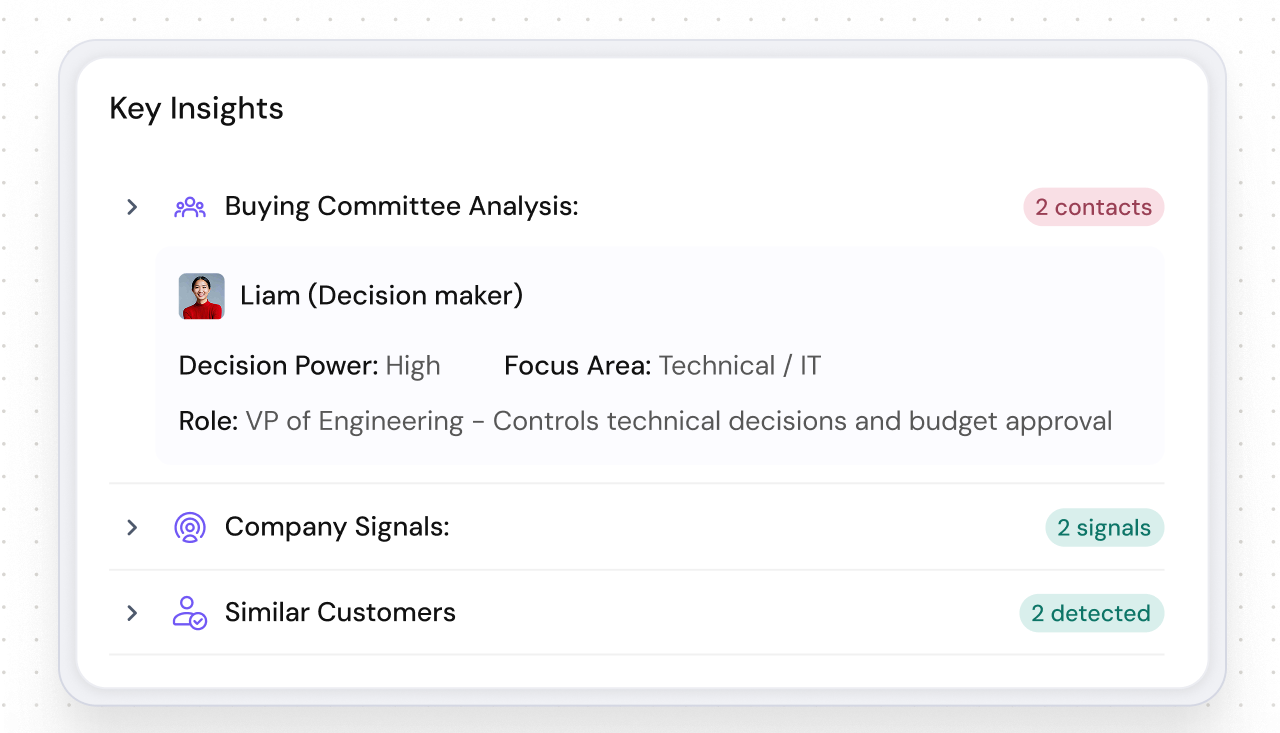
The Buying Intent Score tracks every email open, call, meeting, and deal movement and surfaces a real-time 0–100 score per contact, so reps know who is ready to buy today, not next week. The ICP Fit Score evaluates every new lead against your ideal customer profile automatically, so your team stops wasting time on poor-fit accounts.
When a deal goes quiet, Risk Factors flags it before it disappears from the pipeline. When a call ends, Meeting Intelligence logs the transcript, detects competitor mentions, and surfaces the next recommended action without the rep writing a single note. Every feature runs automatically, your reps focus on conversations, not CRM admin.
Final thoughts
The best CRM is the one your team opens every morning. Not the one with the most features, the biggest brand name, or the most impressive demo. Every tool in this list is a genuine example of CRM software in active use, but each one suits a different team, budget, and growth stage.
If you are an enterprise team with complex workflows, Salesforce or Dynamics 365 is likely your floor. If you are a growing SMB that wants AI built in from day one rather than bolted on, SparrowCRM is worth a close look. For a full comparison of how CRM types differ, the types of CRM software guide covers every category with detailed breakdowns.
Start with the tool that solves your biggest problem today. You can always upgrade as you grow.