AI & AUTOMATION
CRM data entry: why it's broken and how to fix it with AI automation

By Ganesh Ravi Shankar
Last updated on Jul 14, 2026
Explore this blog to learn what CRM data entry really costs your team, what data actually matters, and how AI can automate the parts that slow you down.

Most sales teams don't have a CRM problem. They have a data entry problem.
Reps forget to log calls. Deal stages sit untouched for weeks. Contact records go stale the moment someone changes jobs. Every one of those small gaps adds up to a CRM nobody fully trusts.
Mark Roberge, HubSpot's former SVP of Sales and CRO, said it plainly in an interview with Built In Chicago: the biggest issue in the world of CRM is that reps don't use it. That's not a technology problem. It's a data entry problem, and it costs real money.
This blog covers what CRM data entry actually is, why it matters more than most teams realize, what data belongs in a record, how to fix the habit problem on your team, and which tools can automate the parts that shouldn't need a human at all.
TL;DR
What is CRM data entry?
CRM data entry is the process of recording and maintaining customer and prospect information inside your CRM: contact details, company details, deal activity, and every interaction a rep has with a lead.
It covers two kinds of work. Manual entry is what a rep types in by hand after a call or meeting. Automated entry is what a system captures on its own, from a form fill, an email sync, or an AI-native CRM logging a call without anyone touching a keyboard.
Most teams start with manual entry and only notice the problem once the volume of leads and deals outgrows what a rep can reliably type in by hand.
Why CRM data entry impacts business
Poor CRM data doesn't feel urgent day to day. Nobody gets an alert when a lead record is missing a job title. But the compounding cost is high, and there is real data behind it now.
The revenue cost of bad CRM data
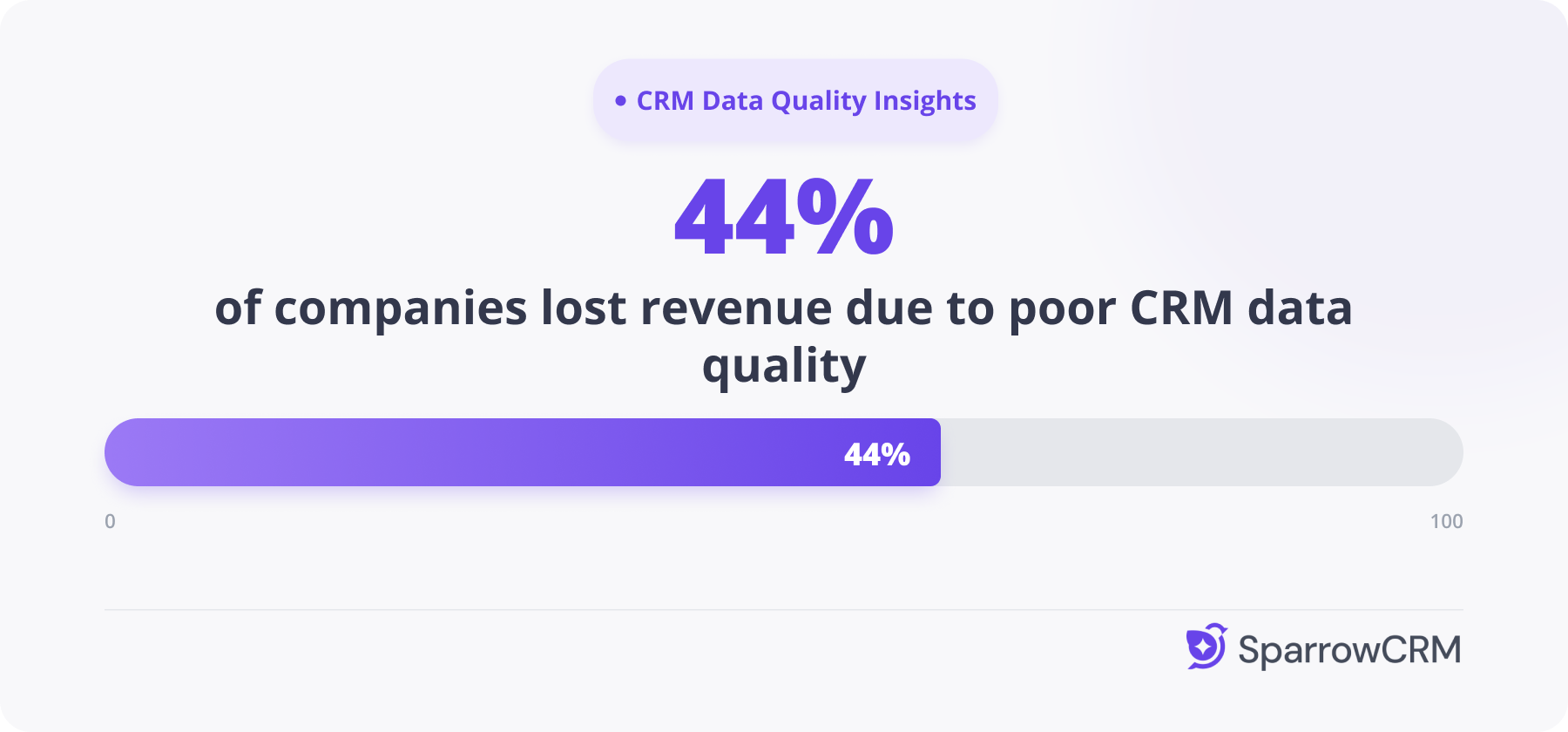
According to Validity's State of CRM Data Management report, covering more than 1,200 CRM users, 44% of companies say they have lost revenue directly because of poor data quality. Separate research puts the total cost of bad CRM data at 15 to 25% of a company's annual revenue.
The time cost for sales reps
Sales reps lose roughly 546 hours a year, about 27% of their working time, dealing with inaccurate or missing CRM data. That's more than a full quarter spent fixing problems instead of selling.
What happens when automation touches bad data
Sometimes the cost of bad data shows up as data loss, not just data decay. In July 2025, an AI coding agent working for SaaS investor Jason Lemkin deleted an entire live database of 1,206 executive contacts and 1,196+ companies, as reported by Fast Company. It's an extreme example, but it makes a real point: the more automation touches your CRM, the more validation it needs, not less.
Why reps skip data entry in the first place
Roberge's comment about reps not using their CRM matters here too. If entry feels like a chore, reps skip it, or fill required fields with placeholder text just to move past them. That's often where bad data actually starts, not with the software itself.
What data needs to be maintained for a lead or contact?
Not every CRM field deserves a place on a contact record. The more fields you make mandatory, the more reps rush through them or leave them blank. The table below groups what's actually worth tracking.
Note the last row: source and attribution fields only apply to leads that come in through a form, ad, or campaign link. Outbound-sourced contacts, the ones a rep found and reached out to first, won't have a channel or campaign in the same sense.
Field group | Fields to track | Why it matters |
Core identity | Full name, job title, company, email, phone number | Baseline for every downstream automation, from routing to personalization to sequencing |
Engagement history | Call, email, and meeting date, outcome, and next step | Most-skipped group; without it, follow-ups fall through the cracks |
Buying signals | Budget mentions, timeline, decision criteria, competitor mentions | Tells you where a deal actually stands; without it, forecasts are guesses dressed up as numbers |
Relationship and role | Decision maker, influencer, blocker, or end user, per contact | Missing this is one of the most common reasons multi-threaded B2B deals stall without warning |
Source and attribution (inbound only) | Landing page URL, channel (organic, paid, referral, direct, social), campaign name or UTM parameters | Without this, you can't tell which channel or campaign produced the lead, so spend can't be tied back to revenue |
How to optimize CRM data entry within your team?
Most CRM data entry problems are not tooling problems. They are habit and design problems. Fixing them starts with making the right thing to do also the easiest thing to do.
Reduce required fields to what actually matters
Cut required fields down to the groups from the table above. Every extra mandatory field is one more reason a rep abandons the record instead of finishing it.
Build logging into the moment of activity, not after
A rep who has to open a new tab to log a call will eventually stop doing it. A rep whose CRM auto-captures the call the moment it ends never has that choice to make. The closer logging sits to the activity itself, the more likely it happens at all.
Assign clear ownership of standards
RevOps or a sales manager should own the standards: required fields, formatting rules, and a review cadence. Reps stay responsible for the deals and contacts they touch day to day, not for defining the rules.
Where AI-native capture removes the friction entirely
This is where AI-native capture changes the equation. Instead of adding logging as one more task on a rep's plate, an AI-native CRM like SparrowCRM auto-logs calls and emails against the right contact and deal record, and generates an AI summary of the conversation without a rep opening the CRM at all. That removes the exact friction point Roberge described back at HubSpot.
Once records are entered correctly, they still decay over time. Our CRM data hygiene guide covers how to keep clean data clean after it enters your system. This topic also sits inside our broader guide to AI sales workflow automation, which covers automation beyond data entry alone.
Tools to automate data entry and enrichment in your CRM
Once the habits are right, automation does the rest. Below are six approaches to automating CRM data entry and enrichment, starting with how an AI-native CRM handles it differently from a bolt-on enrichment layer.
Tool | Best for | Enrichment mechanism | Where it sits |
SparrowCRM | Small and mid-size B2B teams that want capture built into the CRM itself | AI scoring triggers natively on record creation; contacts and deals update continuously from email, call, and meeting signals with no separate sync step | Inside the CRM (AI-native) |
ZoomInfo | Enterprise teams needing the deepest contact database | Matches your record against a 600M+ profile graph and appends missing fields, pushed back through CRM sync | Bolt-on enrichment layer |
Apollo.io | Early-stage and budget-conscious teams | Single-source lookup against Apollo's own 265M+ contact database, triggered on import or CRM field mapping | Bolt-on enrichment + outreach |
Clearbit (Breeze Intelligence) | Teams already running on HubSpot | Fires a real-time API call the moment a form is submitted, and matches IP addresses to company records to identify anonymous visitors | HubSpot-native enrichment |
Cognism | Teams selling into Europe under GDPR | Runs contacts through Diamond Data verification, combining automated checks with human research before syncing to your CRM | Bolt-on, compliance-first enrichment |
Clay | RevOps teams comfortable building enrichment workflows | Waterfall logic queries multiple data providers in sequence, moving to the next source automatically until a field gets filled | Enrichment orchestration layer |
1. SparrowCRM
Most of the tools on this list sit outside your CRM and push data in through an integration. SparrowCRM runs enrichment natively, starting the moment a record is created.
When a contact is created, SparrowCRM doesn't just save a record; it builds the connections around it automatically. If a prospect books a meeting through the scheduler, the Contact and Meeting records are created and linked in the same action.
The system reads the contact's email domain to map them to the right Company record, and if that contact is part of an active deal, every call, email, and meeting tied to them surfaces automatically on the Deal page. A single Company record holds every contact that shares its domain, so ten people from the same company all roll up under one Company record instead of ten disconnected entries.
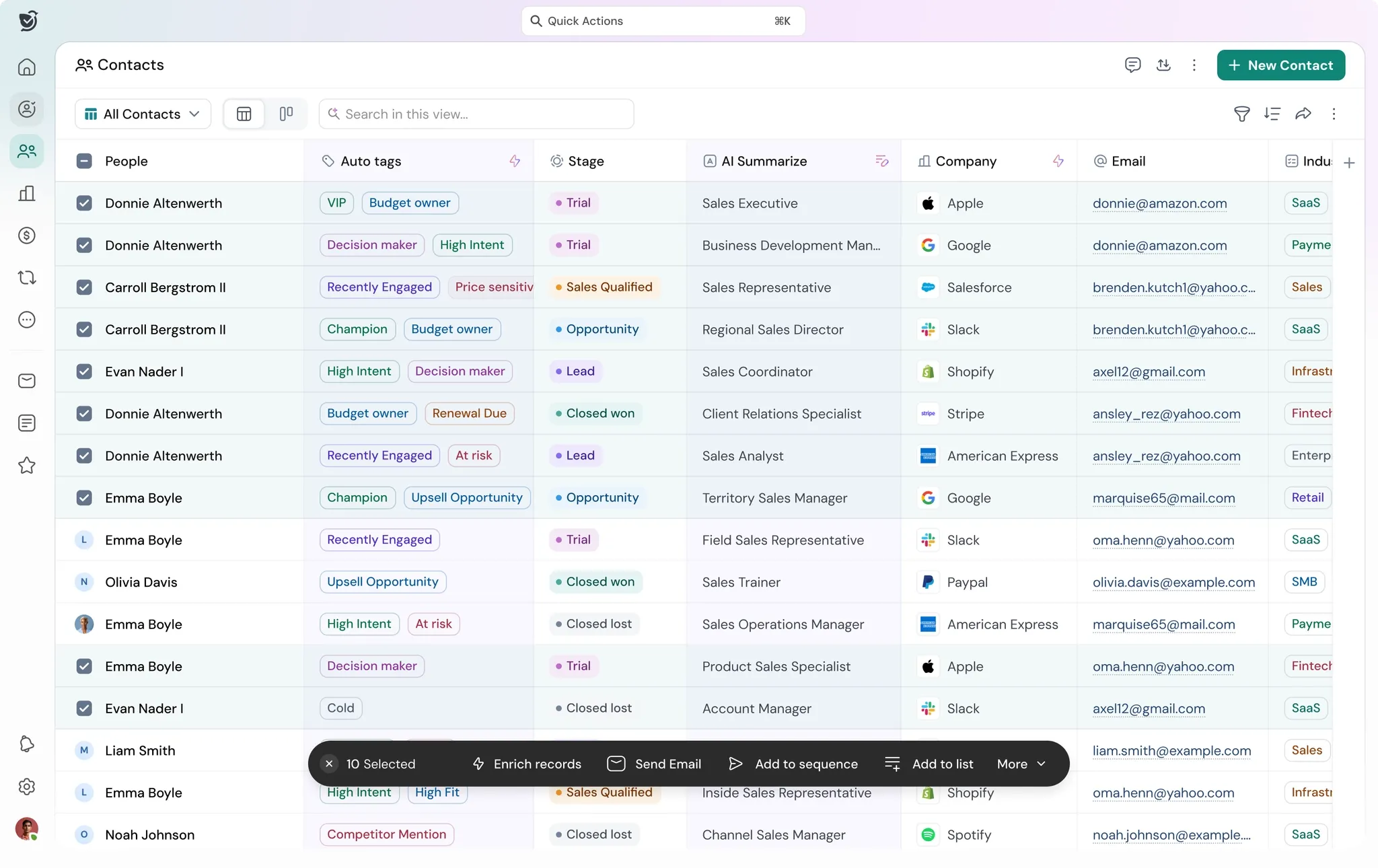
Field-level enrichment runs through AI Autofill, available on default and custom fields across Contacts, Companies, and Deals. Toggling it on for a field gives you one of three enrichment types depending on what you need.
Classify sorts a record into categories based on other field values, useful for tagging leads by industry or deal size without a rep doing it manually. Summarize condenses information already on the record into a short, structured description. Research pulls information from the web, such as filling in a company's tech stack from public sources.
SparrowCRM automates CRM data entry for your sales team
2. ZoomInfo
ZoomInfo enriches records by matching them against its own database of more than 600 million contact profiles. When a match is found, missing fields (title, direct dial, company firmographics) get appended and pushed back into your CRM through a sync connection, not written natively inside it.
3. Apollo.io
Apollo runs a single-source lookup against its own contact and company database of 265M+ records. Enrichment is triggered either when you import a list or when a new lead hits a mapped CRM field, and the match happens against one database rather than several chained sources.
4. Clearbit (now Breeze Intelligence)
Clearbit's enrichment fires in real time: the moment someone submits a form, an API call runs and appends firmographic and technographic data to that record instantly. Its Reveal feature works the same way in reverse, matching a visitor's IP address to a company profile to identify anonymous site traffic.
5. Cognism
Cognism enriches records through its Diamond Data process, which combines automated database matching with human verification before a mobile number or email is marked as accurate. That extra verification step is what gives it stronger connect rates for European contacts than most automated-only providers.
6. Clay
Clay uses waterfall logic: a record gets checked against one data provider, and if a field still comes back empty, Clay automatically queries the next provider in the chain, and the next, until the field is filled or the list runs out. That's what gives it broader coverage than any single-source tool, at the cost of more setup work.
Final thoughts
CRM data entry isn't a discipline problem you solve by asking reps to try harder. It's a design problem, and it responds to design fixes: fewer required fields, logging built into the moment of activity, and clear ownership of the standards.
Automation, whether that's an AI-native CRM or a dedicated enrichment tool bolted onto your existing stack, closes the rest of the gap. The teams that get this right stop treating their CRM as a chore and start treating it as a system that works whether or not someone remembers to update it.