AI & AUTOMATION
What is an AI-native CRM? Definition, examples, and benefits (2026)

By Ganesh Ravi Shankar
Last updated on Nov 5, 2026
Explore the article to learn what an AI-native CRM is, examples, and how it improves the functions of RevOps, GTM, and sales teams.

Ganesh Ravi Shankar
Updated on Nov 5, 2026
AI has become an integral part of businesses, and companies are increasingly adopting it across their sales workflows. However, while AI adoption is growing, the concept of AI-native CRM remains relatively new and unexplored by many businesses.
Unlike traditional CRMs that have added AI capabilities over time, AI-native CRMs are built with AI at their core, taking customer relationship management beyond data storage and basic automation.
This guide will help you understand the fundamentals of AI-native CRM, explore examples of AI-native CRM platforms, compare AI-native CRM with traditional and AI-powered CRM systems, and discover how it transforms the way RevOps, GTM, and sales teams work.
What is an AI native CRM?
AI native CRM/Noun
An AI-native CRM is a CRM system built with AI at its core, enabling it to understand, analyze, and act on customer data rather than simply store and organize it.
AI is integrated across different data layers and fields within the CRM. It captures customer information from various interactions, including meeting conversations, email threads, and website activities, automatically updates the relevant CRM fields, and analyses the data to recommend the next best actions for the sales team.
Which CRMs are considered AI-native?
AI-native CRM | What makes it AI-native? | Pricing |
SparrowCRM | It combines data enrichment, meeting intelligence, deal analysis, and data hygiene to reduce administrative work among the sales team | Free plan up to 3 users, and the paid plan starts at $19. |
Attio | It connects multiple agents, like web agents and custom agents, to complete work like creating workflows. Ask Attio plays an important role in all the summarizing and doing work with prompts. | Free plan up to 3 users, and the paid plan starts at $35 |
Reevo | The core of Reevo's function is combining all the GTM activities with AI to identify TAM and close customers all in one platform without any manual work. | Contact for pricing |
Clarify | Uses AI to understand customer relationships, identify important context, and keep sales records updated. | Free plan for individuals, and the paid plan starts at $40. |
AI-native vs. AI-powered vs. traditional CRM
Factors | AI-native CRM | AI-powered CRM | Traditional CRM |
Core architecture | AI is embedded into the core architecture. | AI capabilities are added to the existing CRM architecture. | Relies on predefined fields and data structures to store and manage information. |
Data entry | Highly automated | Parital automated | Manual entry |
Insights | AI-driven analysis | AI-assisted insights | Reports and dashboards |
Workflows | AI-driven and autonomous workflows | Rules + AI assistance | Rule-based automation |
How AI-native CRM changes business functions
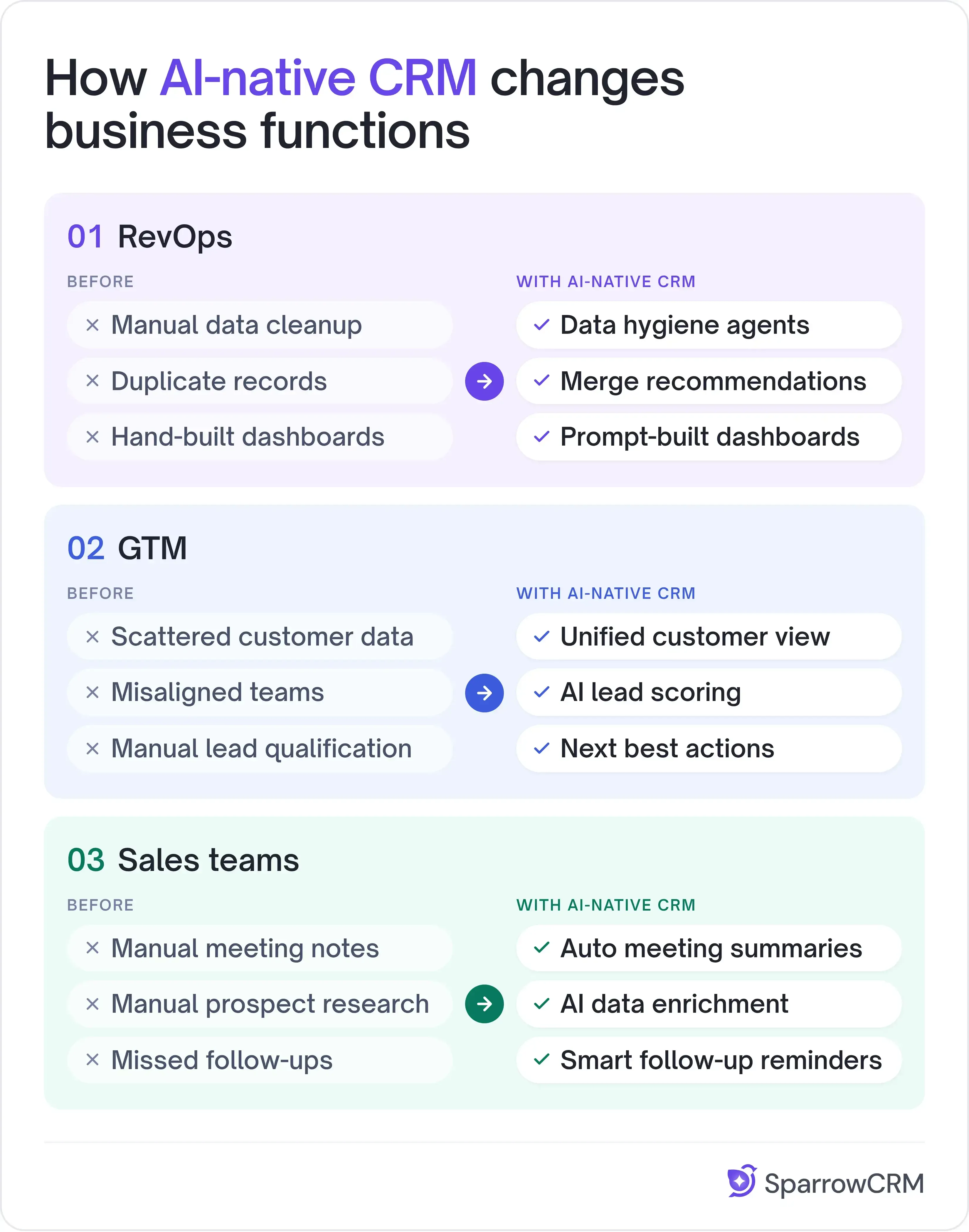
AI-native CRM transforms how GTM, RevOps, and sales teams operate by automating manual tasks, reducing administrative work, and giving teams more time to focus on strategic activities and revenue-generating work.
1. RevOps
Before AI-native CRM
RevOps teams spend a significant amount of time maintaining CRM data quality and hygiene. They manually identify duplicate records, merge or remove inaccurate entries, and ensure data consistency to maintain reliable reports and revenue figures.
They also need to build dashboards for different team hierarchies, customize reports based on specific KPIs, and track accurate conversion rates by filtering out incorrect or incomplete data.
After AI-native CRM
AI-native CRM uses data hygiene agents to identify duplicate, incomplete, or inaccurate records and notify RevOps teams with recommendations to merge or remove them. With generative AI, RevOps teams can create customized dashboards by simply entering prompts, reducing the manual effort involved in selecting fields, configuring reports, and tracking KPIs.
2. GTM
Before AI-native CRM
GTM teams often work with customer data scattered across marketing, sales, and customer success tools. They manually consolidate information to understand customer behaviour, identify high-intent accounts, and determine which leads are ready for sales outreach. This makes it difficult to align teams and deliver timely, relevant customer engagement.
After AI-native CRM
AI-native CRM brings customer information and interactions together, giving GTM teams a unified view of the customer journey. AI analyses engagement patterns, identifies high-intent accounts, scores leads based on buying signals, and recommends the next best actions. This helps marketing, sales, and customer success teams coordinate their efforts and focus on accounts most likely to convert.
3. Sales teams
Before AI-native CRM
Sales teams struggle with updating meeting notes after the meeting and searching for various data fields like company size, lead LinkedIn profiles, recent updates about the company like fundraising, and finding phone numbers; this consumes time in searching and updating the fields.
Another headache is follow-up with customers and the reminder setups for all the records assigned, which is chaos and increases the time spent on updating the records.
After AI-native CRM
With AI-native CRM, conversation intelligence automatically captures meeting discussions, generates summaries, updates relevant CRM fields, and creates to-do activities with recommended next steps for sales reps.
AI-powered data enrichment agents research prospects using available web sources and populate relevant information, such as company details, LinkedIn profiles, and recent business updates.
AI agents can also help manage follow-up activities by identifying pending actions, recommending follow-up messages, and triggering reminders based on deal activity.
AI in CRM statistics and facts
Here are some interesting statistics that highlight the growing importance of AI in CRM and its adoption across sales-driven businesses.
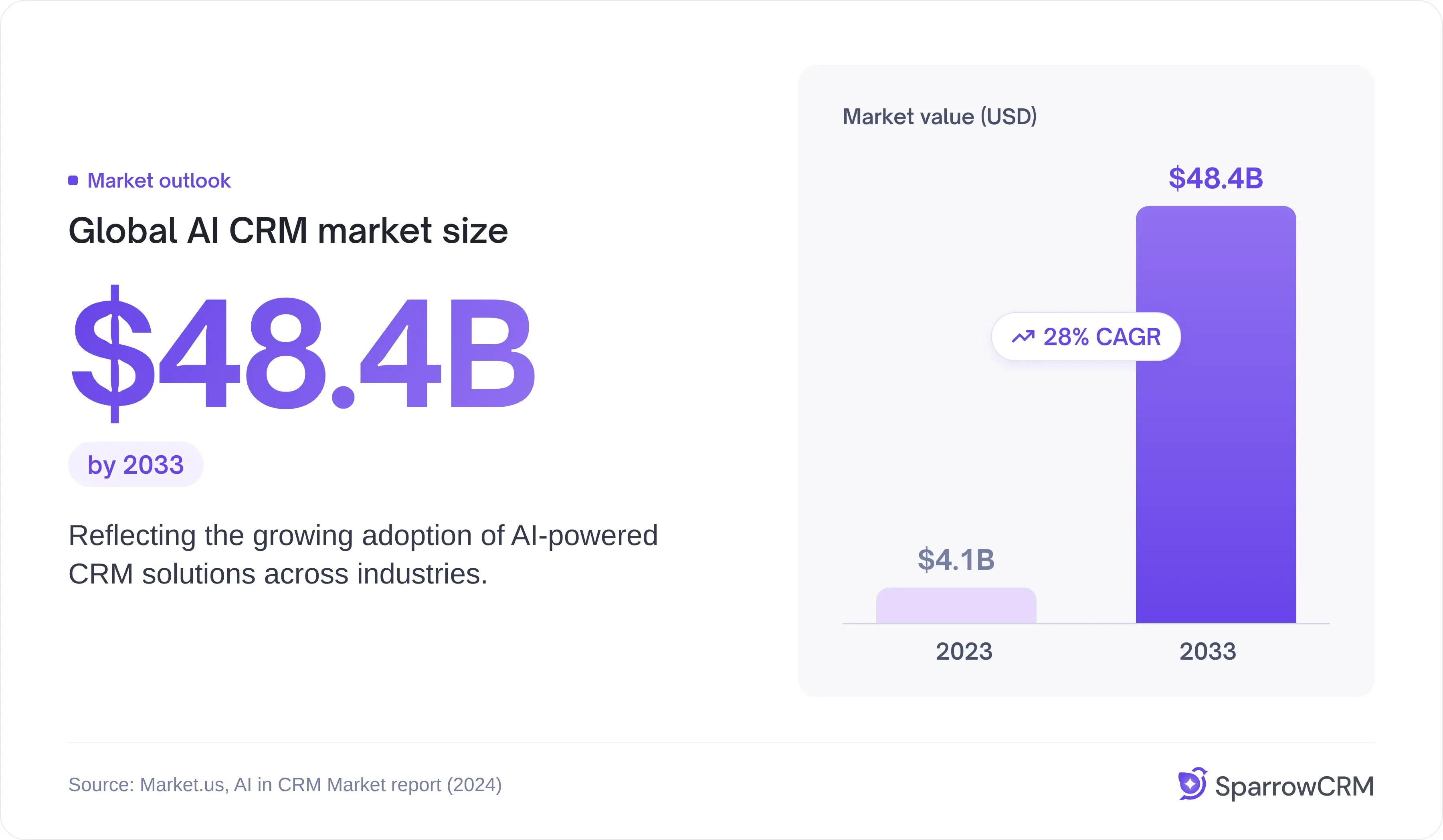
- The global AI CRM market is projected to reach approximately $48.4 billion by 2033, reflecting the growing adoption of AI-powered CRM solutions across industries.
- AI adoption in CRM could help businesses reduce operational costs by up to 41%, making processes more efficient and reducing manual workloads.
- Approximately 61% of companies are projected to adopt AI in their sales workflows, highlighting the growing role of AI in sales operations.
Note: All the statistics and facts are from the market us's AI in CRM market report.
What are the benefits of choosing an AI-native CRM?
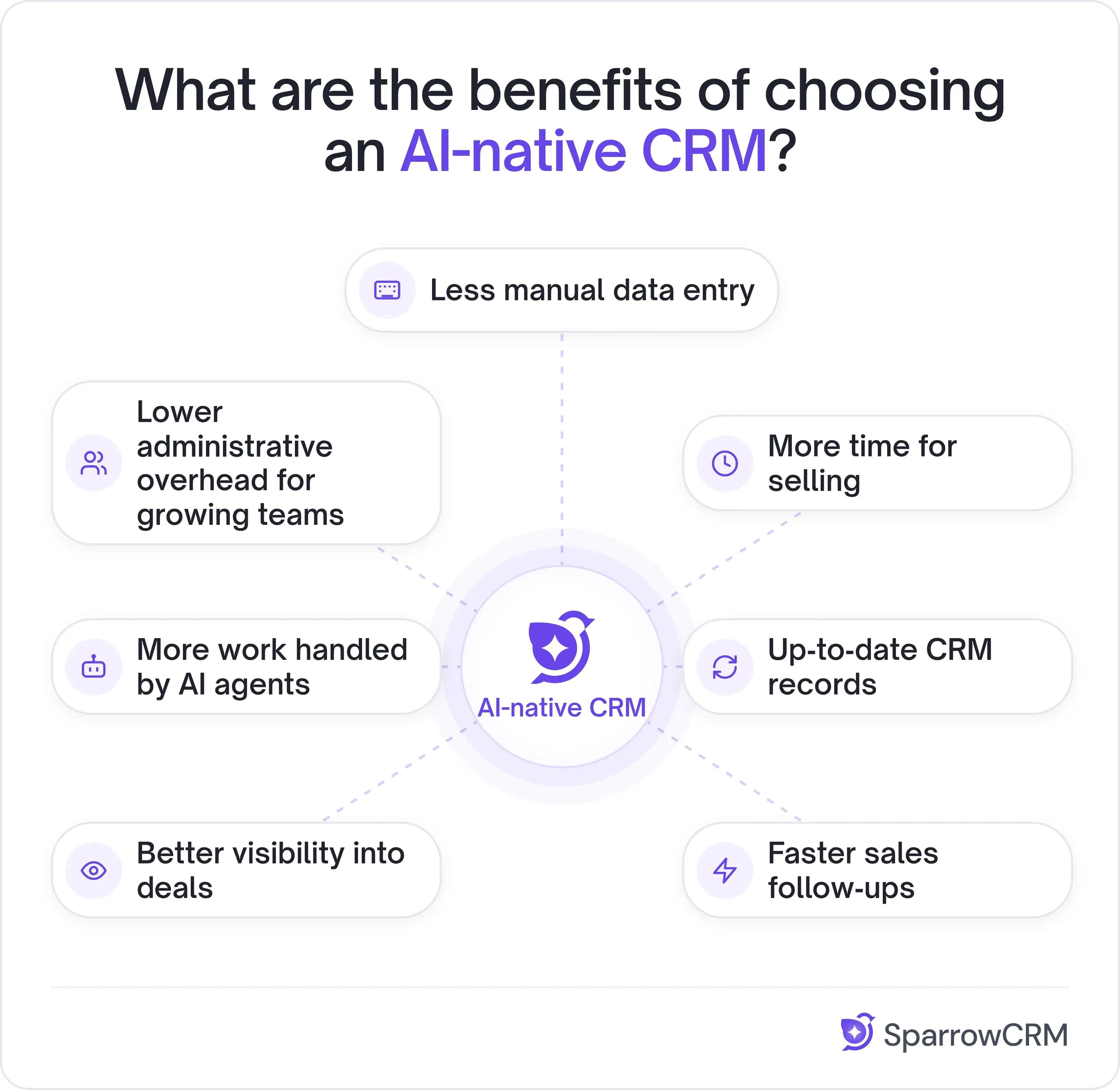
1. Less manual data entry
AI automatically captures information from emails, calls, and meetings and updates relevant CRM records. Salespeople don't have to spend time logging every interaction or updating contact details manually.
2. More time for selling
By taking care of repetitive CRM administration, AI gives salespeople more time to engage prospects, follow up with leads, and move opportunities forward.
3. Up-to-date CRM records
AI can continuously capture customer interactions, enrich contact information, and update deal records. This helps teams keep CRM data more complete and accurate.
4. Faster sales follow-ups
AI can identify action items from conversations, suggest next steps, create follow-up tasks, and, depending on its capabilities, send follow-up emails.
5. Better visibility into deals
AI can analyze conversations, customer engagement, and deal activities to identify buying signals, highlight potential risks, and help salespeople understand which opportunities need attention.
6. More work handled by AI agents
AI agents can go beyond recommendations and execute tasks such as updating records, managing workflows, and handling routine sales operations with minimal human intervention.
7. Lower administrative overhead for growing teams
Startups and SMBs often operate with lean sales teams. An AI-native CRM can automate several administrative activities without requiring additional people to manage CRM data and processes.
Bottom line
AI-native CRM represents a shift in how businesses manage customer relationships and sales operations. Unlike traditional CRMs that primarily store customer information and rely on users to maintain records, AI-native CRMs use artificial intelligence to capture, organize, analyse, and act on customer data.
From automating CRM administration for RevOps teams to identifying buying signals for GTM teams and handling repetitive tasks for sales reps, AI-native CRM helps businesses spend less time on manual processes and more time on revenue-generating activities.
As businesses continue to adopt AI across their operations, choosing a CRM built around AI rather than one with AI added as an extra feature could give them a more efficient way to manage their growing sales operations.
The key is to look beyond the AI label and evaluate how effectively a CRM can understand business data, automate workflows, and take meaningful actions.