LEAD MANAGEMENT
Lead capture: strategies, tools, and best practices (2026)

By Ganesh Ravi Shankar
Last updated on Sep 11, 2026
Explore this blog to learn what lead capture is, see five real-world form examples, and find the right strategies and tools to turn more website visitors into leads your sales team can close.
Ganesh Ravi Shankar
Updated on Sep 11, 2026
What is lead capture?
Lead capture is how you collect information from people who show interest in your business. You gather their contact details, usually a name and email address, so your sales team can follow up. Every time someone fills out a form on your website, signs up for a webinar, or chats with a bot, that is lead capture in action.
Not all leads are equal. Some visitors are ready to buy. Others are just browsing. That is why capturing a lead is only the first step; what happens next determines whether it becomes a deal. To understand how leads move through the process, it helps to know the difference between a marketing-qualified lead and a sales-qualified lead before you build your capture system.
A good lead capture system does three things. It makes it easy for visitors to share their details. It makes the offer worth their time. And it immediately hands that information to your sales team so no one falls through the cracks.
TL;DR
Lead capture strategies that work
There is no single way to capture leads. The best approach depends on your audience, your product, and where your visitors come from. Here are four strategies that work well for most B2B and B2C businesses.
Offer something worth downloading
Give visitors a free guide, checklist, or template. They share their email address. You send them the resource. It sounds simple, but the key is making the offer specific to one problem your buyer actually faces.
Vague offers like “Download our ebook” do not convert well. Specific offers like “Get the 5-step checklist for setting up your first sales pipeline” do. The more your offer matches what the visitor is already thinking about, the more likely they are to fill in the form.
.png?2026-06-24T04:42:55.879Z)
As a benchmark: industry reports and research convert 3–7% of visitors, free tools and calculators convert 4–6%, and templates or checklists convert 3–5%. These are strong numbers compared to a plain contact form, which typically converts less than 1%.
Once you have those leads in your system, the next challenge is keeping them engaged. A strong sales funnel gives you a clear path for moving new contacts from first touch to closed deal.
Use pop-ups at the right moment
Pop-ups get a bad reputation, but that is usually because they are used badly. Showing a pop-up the moment someone lands on your page is annoying. Showing one after they have spent 30 seconds reading, or when they are about to leave, is useful.
Exit-intent pop-ups are triggered when a visitor moves their cursor toward the browser's close button. Scroll-triggered pop-ups appear after someone has scrolled 50–70% of the way down a page. Both approaches catch visitors at a moment of real engagement rather than interrupting them before they have read anything.
A discount pop-up shown at the right moment averages an 8.62% conversion rate. The top 10% of pop-up campaigns convert over 42% of visitors. Timing and relevance are everything.
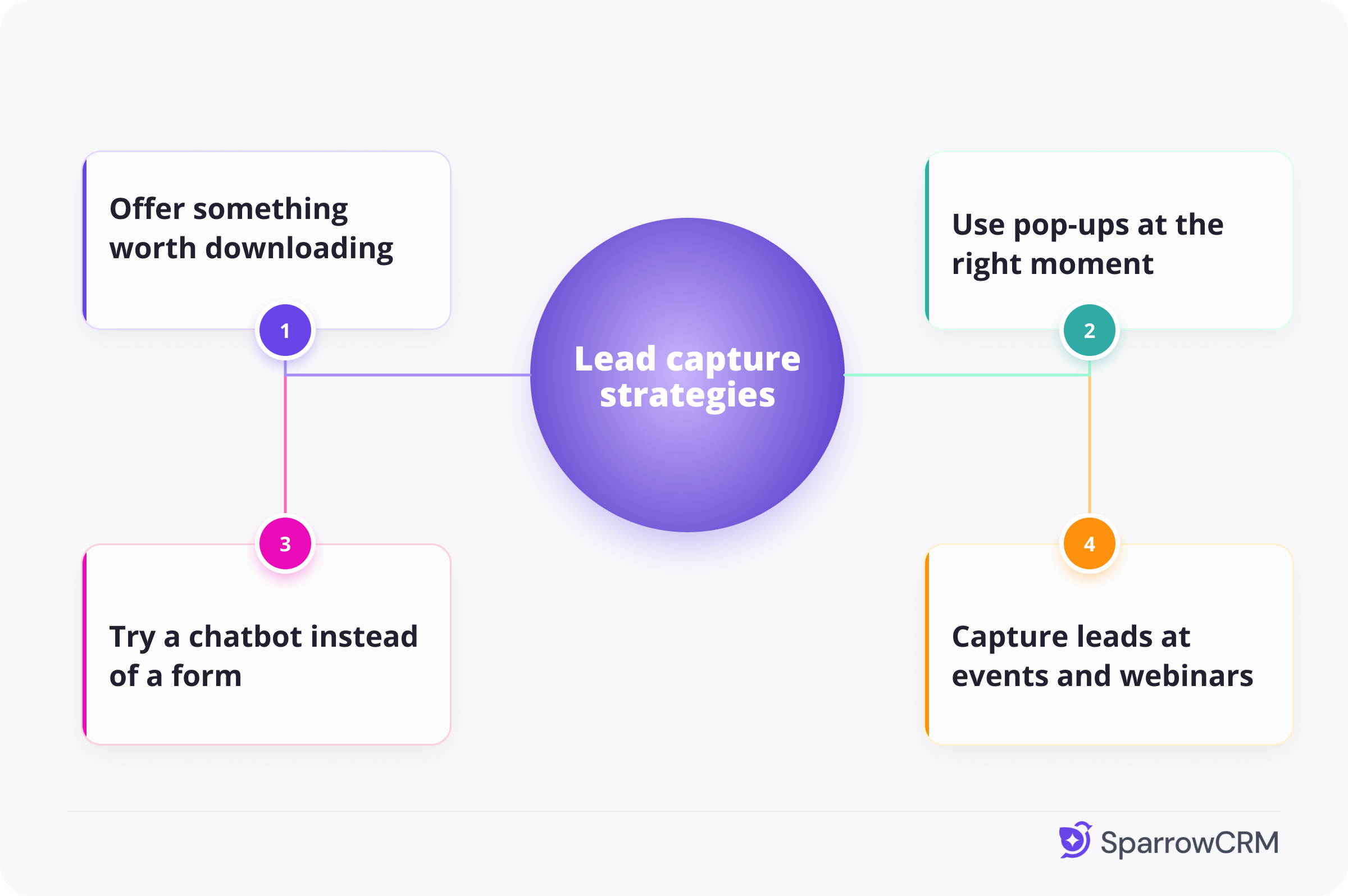
Try a chatbot instead of a form
Some visitors will not fill in a form but will answer a question in a chat window. A chatbot can ask “What brings you here today?” and collect a name and email through a short back-and-forth conversation.
This works especially well for B2B websites. Buyers at these companies often have specific questions before they are ready to share their contact details. A chatbot can answer those questions and capture the lead at the same time.
The key is keeping the conversation short. Two or three exchanges are enough. If you ask too many questions, the visitor will drop off just like they would with a long form.
Capture leads at events and webinars
People who register for a webinar or virtual event already care about your topic. That makes them some of the best leads you can capture. They are not just browsing — they have made an active decision to learn more.
Keep your registration form short. Ask for name, email, job title, and company size. That gives your sales team enough context to follow up with a relevant message. After the event, send a follow-up email within 24 hours while the conversation is still fresh.
Turn More Website Visitors Into Qualified Leads with SparrowCRM
Lead capture form examples
Not sure what a good lead capture form looks like? Here are five real-world examples. Each one works for a different reason.
Example 1: The one-field email form
What it looks like
A single text box that says “Enter your email” and a button that says “Get started.” Nothing else. No name. No phone number. No company. Just an email address.
Morning Brew built one of the largest email newsletters in the US using this exact approach. By asking for nothing more than an email address, they removed every reason for a visitor to hesitate.
Why it works: The less you ask for, the more people complete the form. You can always collect more details later once the person is in your system and trusts you.
Example 2: The multi-step form
What it looks like
A form split across two or three screens. Screen one asks for your email. Screen two asks for your company size. Screen three asks for your role. A progress bar shows how far along you are.
This approach is popular with B2B SaaS companies that need to qualify leads before routing them to a sales rep. Research shows multi-step forms achieve 86% higher conversion rates than single-page forms because each small step feels easy to complete.
Why it works: People do not abandon it the way they abandon a long single-page form. The commitment is gradual. By the time they reach the last screen, they are already invested in finishing.
Example 3: The inline content upgrade form
What it looks like
A form embedded inside a blog post, right after a useful section. It offers a downloadable version of what the visitor just read — a PDF, a template, or a checklist.
This is one of the highest-converting form placements because the offer matches exactly what the visitor is interested in at that exact moment. They just read about setting up a sales pipeline, and now you are offering them a template to do it. The timing is perfect.
Why it works: Visitors are already engaged. The offer feels like a natural next step, not an interruption.
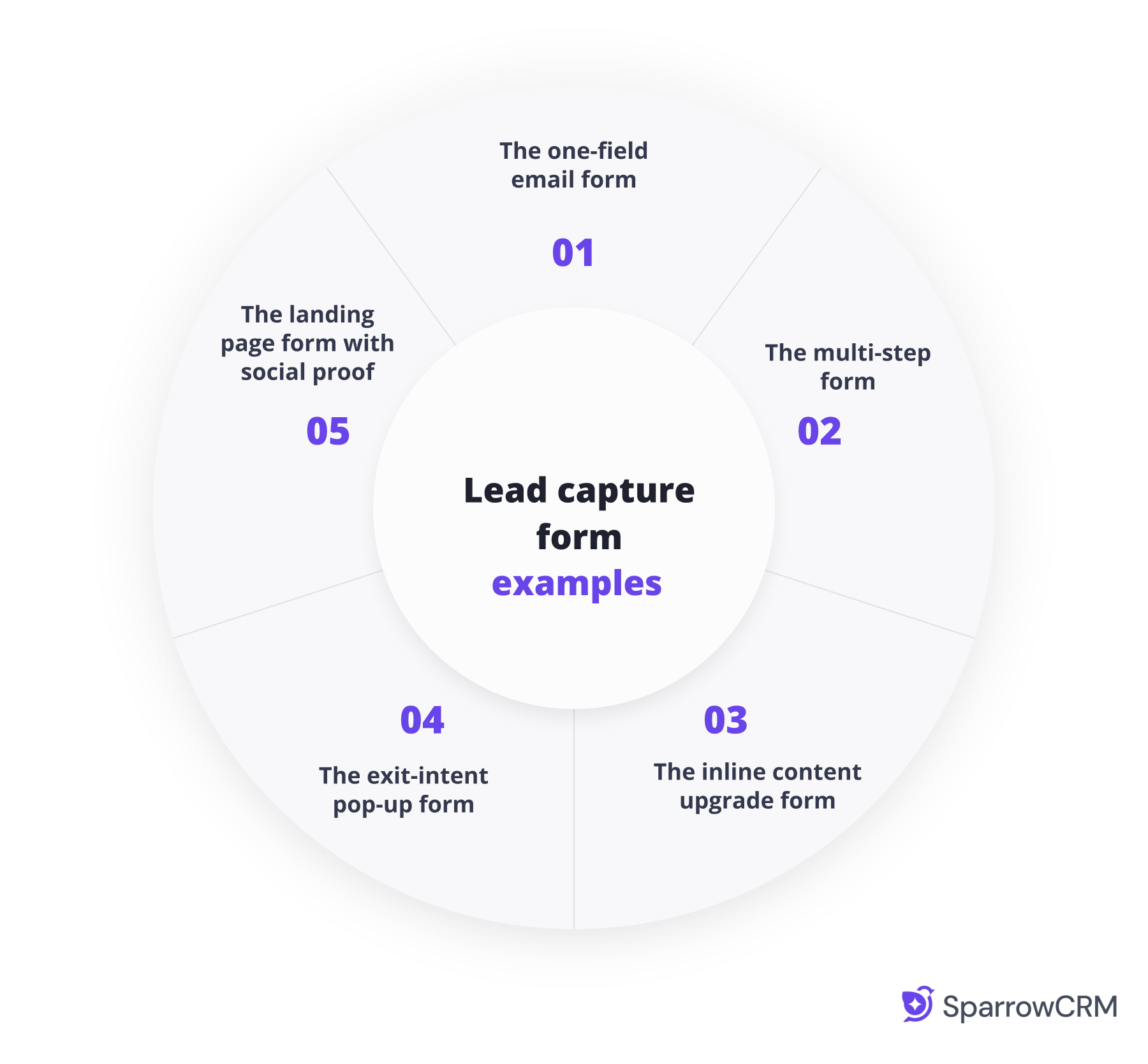
Example 4: The exit-intent pop-up form
What it looks like
A pop-up that appears when someone moves their mouse toward the browser’s close button. It offers one last reason to stay — a discount, a free resource, or a demo invite.
Exit-intent technology tracks mouse movement. When the cursor heads toward the top of the browser, the pop-up fires. It gives you one last chance to capture a lead who has already decided to leave.
Why it works: It does not interrupt the reading experience. It only appears at the point where the visitor was going to leave anyway. You have nothing to lose by showing it.
Example 5: The landing page form with social proof
What it looks like
A short form placed above the fold on a dedicated page. Besides the form, you have three to four customer logos and one short testimonial. Nothing else competes for attention.
This is the most common lead capture page format used by B2B SaaS companies. The form is the first thing visitors see. The social proof removes doubt before they have even read a word of body copy.
Why it works: Above-the-fold placement means visitors see the form before anything else. The social proof does the selling. All the visitor has to do is fill in two fields and click submit.
Lead capture tools and software
The right tool depends on what you need to do with the lead after you capture it. Here are the four main categories to know about.
Tool category | What it does | Best for | Examples |
|---|---|---|---|
CRM-integrated capture | Captures leads, scores them, routes to the right rep, and triggers follow-up automatically | Sales teams that need the full workflow in one place | SparrowCRM, HubSpot, Salesforce |
Form and pop-up builders | Build and publish forms and pop-ups without writing code | Teams that need flexible, good-looking forms quickly | Typeform, JotForm, OptinMonster |
Landing page builders | Build standalone pages with one offer and one form, with A/B testing built in | Teams running paid ads to a specific offer | Unbounce, Leadpages |
Chatbot tools | Replace static forms with a short conversation that collects contact details | B2B sites where visitors have questions before sharing their details | Intercom, Tidio |
CRM tools that capture and follow up automatically
These tools do more than collect a form submission. When someone fills in your form, the CRM adds them to your contact list, scores them, assigns them to the right sales rep, and sends a follow-up email — all without anyone on your team doing anything manually.
How SparrowCRM handles this
Most lead capture tools stop at the form. SparrowCRM keeps going. Every new lead is scored against your ideal customer profile using AI, routed to the right rep through Smart Router, and entered into a personalised follow-up sequence automatically. For small sales teams, that means no lead goes cold because no one got to it in time.
You can learn more about setting up automated lead follow-up sequences in our step-by-step guide.
Capture, Qualify, and Convert Leads with SparrowCRM
Form and pop-up builders
These tools are the fastest way to get a form live on your website. You pick a template, choose your fields, and publish. No coding required. They work well for teams that want to test different offers quickly or need to build forms for multiple pages at once.
The trade-off is that these tools do not manage what happens to the lead after it is captured. You will need to connect them to a CRM or email tool via an integration.
Landing page builders
If you are running paid ads, you need a dedicated page for each offer. Landing page builders let you create those pages quickly, and they come with built-in A/B testing so you can try two versions of the same page and see which one converts better.
A good landing page has one goal: get the visitor to fill in the form. No navigation menu. No links to other pages. Just the offer, the form, and a reason to trust you.
Chatbot tools
Chatbots work by starting a conversation rather than presenting a form. A visitor arrives on your pricing page. The chatbot asks, “Are you looking for a solution for your team or for yourself?” Within three or four exchanges, you have their name, email, and a clear picture of what they need.
This approach works well on high-intent pages like pricing, demo request, and contact pages. Visitors on those pages are already interested — they just have questions before they are ready to commit.
Lead capture best practices
Ask for less information upfront
Every field you add to a form is another reason for a visitor to stop and reconsider. Research shows that reducing form fields increases conversion rates by 4.1% for each field removed.
Expedia tested this directly. They removed just one optional field from their booking form. Annual profit went up by $12 million. Most high-performing forms have three to five fields. If a field is not essential right now, remove it.
Put your form where people can see it
A form that visitors have to scroll down to find will get very few completions. Place your primary form above the fold, the part of the page visible without scrolling. Visitors spend about 57% of their page-viewing time above the fold.
On longer pages, add the form at least three times: once near the top, once in the middle, and once at the bottom. That way, visitors encounter the form no matter how much of the page they read.
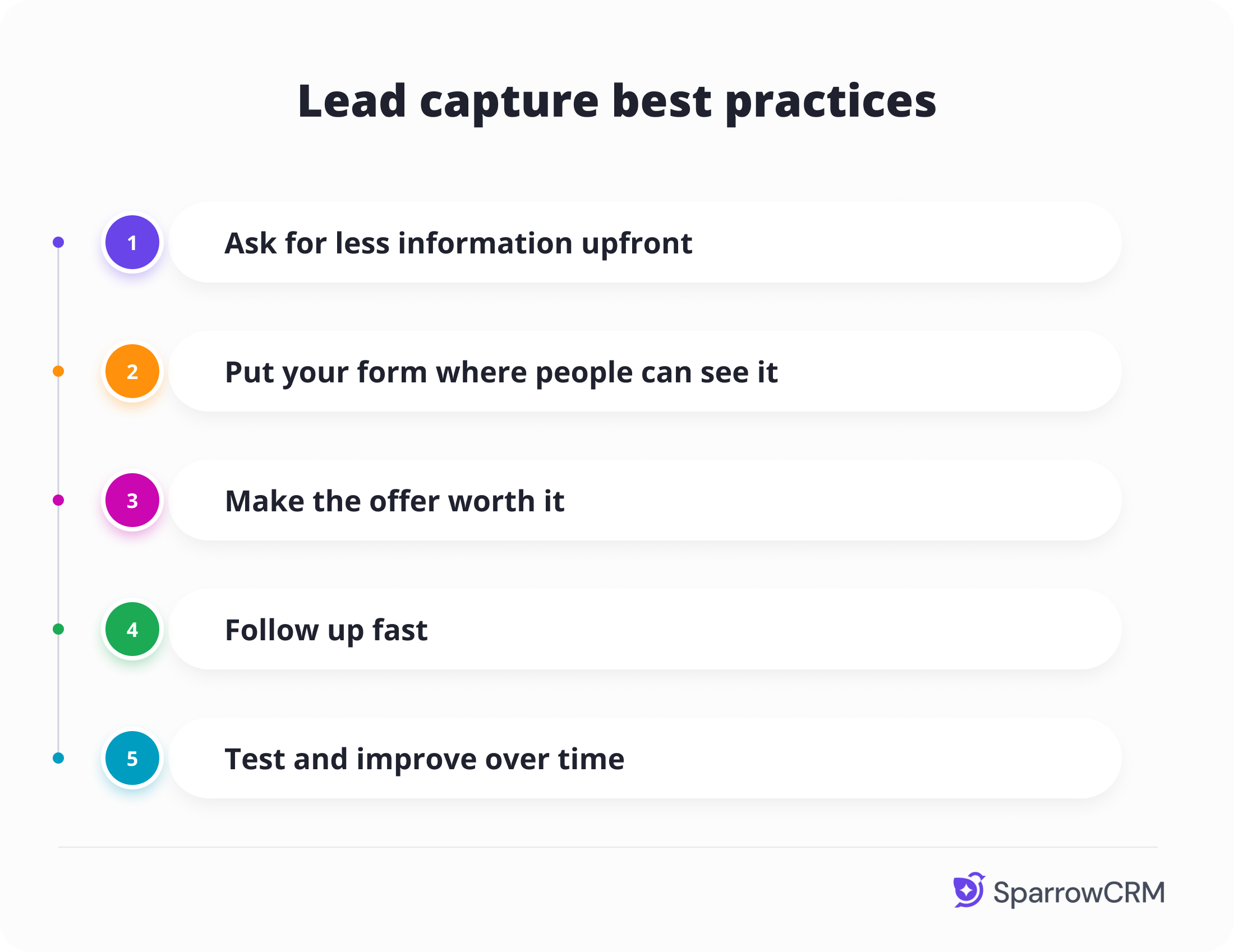
Make the offer worth it
People will not share their contact details without a good reason. Generic calls to action like “Sign up for our newsletter” do not give them one. Specific, useful offers do.
The highest-converting offers are:
- Industry reports and research: 5–8% conversion rate
- Free tools and calculators: 4–6% conversion rate
- Templates and checklists: 3–5% conversion rate
- Free trials: strong for SaaS products, where visitors can experience the product directly
The offer should solve one specific problem for your ideal customer. If it does, they will not hesitate to share their email address.
Follow up fast
Capturing a lead is only useful if someone follows up. Research shows that responding within five minutes makes you 21 times more likely to qualify that lead compared to waiting 30 minutes. Waiting an hour drops those odds even further.
The easiest way to hit that five-minute window is to automate the first follow-up through your CRM. The moment someone fills in your form, an email goes out automatically. Your sales rep gets an alert. The lead is already warm by the time a human picks up the conversation. Read more about building a lead follow-up system that works around the clock.
Test and improve over time
What works for one business might not work for another. The only way to know is to test. A/B testing lets you run two versions of the same form or page and see which one gets more completions. Even small changes like changing the button text from “Submit” to “Get my free guide” can make a big difference.
Track three metrics: form conversion rate (what percentage of visitors fill it in), field drop-off rate (which field causes the most abandonment), and lead quality (did the lead turn into a meeting or a deal?). These three numbers will tell you exactly where to focus your energy.
Types of lead capture pop-ups
Lead capture type | Description | Best use case |
|---|---|---|
Discount pop-ups | Offer a percentage off or a special deal in exchange for contact info. | E-commerce stores looking to drive first purchases. |
Exit-intent pop-ups | Trigger when a visitor is about to leave the site. | Recover abandoned visitors, reduce cart abandonment. |
Giveaway / free gift | Entice users with free products, samples, or prize entries. | Both B2C and B2B campaigns rely on high engagement. |
Exclusive club/membership | Promote VIP clubs, loyalty programs, or subscriber-only perks. | Brands are building long-term customer relationships. |
Content upgrade pop-ups | Offer guides, eBooks, or resources in exchange for email addresses. | B2B SaaS, blogs, and info-driven websites. |
Countdown / FOMO | Add urgency with timers or limited-time offers. | Seasonal campaigns, flash sales, product launches. |
Slide-in pop-ups | Subtle pop-ups that slide in from the bottom or side without interrupting. | Sites that want less intrusive lead capture. |
Mystery reward pop-ups | Tease a hidden discount or reward unlocked after signup. | E-commerce brands aiming for curiosity-driven conversions. |
Final thoughts
Good lead capture comes down to one idea: make it easy for the right people to raise their hand. Short forms, clear offers, and smart timing will get you more leads than any flashy design.
But capturing a lead is only the beginning. The businesses that grow fastest are the ones that have a clear plan for what happens next — how quickly a new lead is contacted, who follows up, and how the conversation is personalised. That is where a CRM makes a difference. It connects lead capture to lead conversion and makes sure nothing falls through the cracks.

Frequently Asked Questions (FAQs)
Related Articles
.webp?2026-09-11T06:31:30.422Z)
21 Jun, 2026
What is lead qualification, and how does it work?
.webp?2026-09-14T15:44:03.253Z)
19 Jun, 2026
Lead management: The complete guide to capturing, qualifying, and converting leads

15 Jul, 2026

